10 Social Media Schedulers for Better Planning
Compare 10 social media schedulers by publishing cadence, collaboration, analytics, and editorial calendar fit to choose the right workflow.

The longest feature list doesn't make a social media scheduler the right choice. A tool built for enterprise approvals may slow down a solo creator, while a lightweight queue can become a liability when several stakeholders need to review every post. The better question is: which workflow problem must the scheduler solve?
Publishing cadence, visual planning, evergreen reuse, agency coordination, network mix, analytics depth, and approval complexity all change the decision. So does the relationship between social publishing and the wider editorial calendar. A social queue can keep posts moving, but it won't automatically tell an editor whether those posts support a campaign, a product launch, or the rest of the content operation.
This comparison evaluates 10 social media schedulers and planning platforms by the operating need they address. It includes dedicated publishing tools such as Buffer, Later, and SocialBee, broader social management suites such as Hootsuite and Sprout Social, and TheContentMap as an editorial planning layer for teams that need social work connected to ideas, assignments, deadlines, and performance insights.
Table of Contents
- 1. TheContentMap
- 2. Hootsuite
- 3. Buffer
- 4. Sprout Social
- 5. Later
- 6. Loomly
- 7. Sendible
- 8. SocialBee
- 9. Metricool
- 10. Publer
- Top 10 Social Media Scheduler Comparison
- Build the Scheduler Into the Calendar
1. TheContentMap
A social publishing queue cannot solve an editorial ownership problem. TheContentMap focuses on what happens before a post enters the publishing queue, combining idea capture, a visual pipeline, a drag-and-drop editorial calendar, assignments, comments, reminders, topics, tags, and content insights. It suits editors and content operations teams that need to move work from concept to publication without maintaining disconnected spreadsheets.
The distinction is operational. A social scheduler answers, “When should this approved post go live?” TheContentMap helps answer, “Who owns the idea, which campaign does it support, when must it be ready, and what did related content teach us?” Its calendar can serve as the editorial source of truth, with a specialist social platform handling channel-specific publishing after approval. See the TheContentMap editorial planning platform for the product's planning workflow.

Where it fits best
TheContentMap works well when social posts derive from articles, campaigns, newsletters, or other publishing projects. An editor can move a campaign idea from the pipeline to the calendar, assign the writer, attach comments, and set a review reminder before the social adaptation is due. That sequence keeps the post connected to its source work rather than treating social publishing as a separate queue.
Its performance insights provide a feedback loop for future planning. Teams can use observations about published topics and formats to refine the next set of ideas. The platform therefore supports planning quality and schedule integrity more directly than channel-native functions such as social listening or direct posting.
- Best for editorial ownership: Assignments and visible deadlines make responsibility explicit.
- Best for planning continuity: The idea pipeline connects early concepts with published work.
- Best for operational clarity: Topics and tags keep larger content libraries findable.
- Best for evaluation: The free Starter tier can be tested without a credit card, according to TheContentMap's plan information.
The Starter plan supports up to 3 projects and 1 editor, while Pro costs $12 per editor per month and Team costs $29 per editor per month, with broader collaboration and security features described in the pricing details. Teams requiring extensive third-party integrations, deep social listening, or advanced production management may still need a dedicated social platform alongside it.
Practical rule: Use TheContentMap to decide what deserves publication and why. Use a social scheduler to execute the approved, channel-specific version.
2. Hootsuite
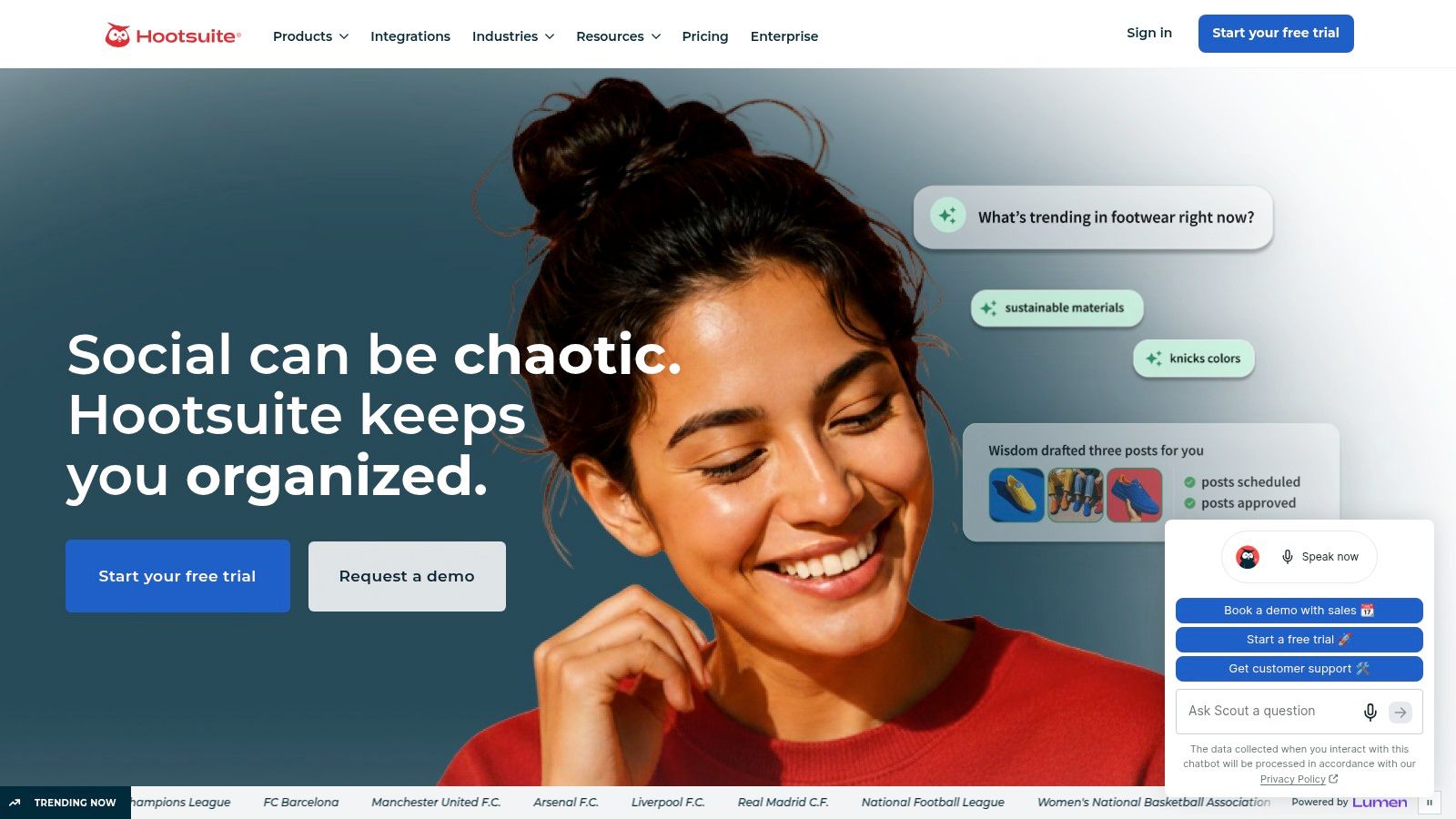
Hootsuite solves a coordination problem before it solves a scheduling problem. It suits organizations where social publishing passes through several hands, with a unified calendar, bulk scheduling, approval workflows, analytics, listening, trend detection, and AI-assisted planning through Perch. The platform brings publishing, monitoring, and reporting into one operating environment. Explore the Hootsuite social media management platform for its current workflow and plan options.
Its strongest differentiator is approval control. Teams can configure approval workflows and apply approver filters in Planner, separating content creation from final sign-off. That division helps when brand, legal, regional, or client reviewers must assess the same post. Support for multiple networks also reduces the need to maintain separate publishing routines for each channel.
The editorial calendar should remain the source of intent. Record the campaign, topic, audience, owner, and approval status there, then move the approved, channel-specific version into Hootsuite. This keeps a scheduled post tied to the larger content plan and makes the platform useful for execution rather than a separate queue of disconnected captions.
Where the added control pays off
Hootsuite can create overhead for a small team. A creator who needs a visual queue and occasional scheduling may spend more time configuring governance, analytics, and listening than solving the publishing task. The platform makes a stronger case when an unapproved or poorly coordinated post carries greater risk than adopting a premium system.
Listening and analytics also change the operating rhythm. Marketers can review planned publishing alongside sentiment, trends, competitive benchmarking, and cross-network reporting. That combination supports recurring management and evaluation, rather than merely storing captions for later release.
Choose Hootsuite when several reviewers need a visible route from draft to publication, monitoring belongs to the team's regular work, and stakeholders require cross-channel reporting instead of separate platform exports. Larger organizations are more likely to use its wider feature set fully, while lightweight teams may experience unnecessary complexity.
The value depends on active use of governance, listening, and analytics. If the requirement is reliable cadence with less operational friction, Buffer or Publer may be a more proportionate choice. Teams should compare the cost of that simplicity against the review and reporting controls they would give up.
3. Buffer
Buffer fits teams whose main workflow problem is maintaining a simple, repeatable cadence without adopting a heavy social operations suite. Its queue-based scheduling and calendar view support visual planning, while channel groups, first-comment scheduling, suggested posting times, AI assistance, and paid-tier analytics cover routine publishing needs for creators, freelancers, and small marketing teams.
The pricing model shapes its suitability. Buffer's per-channel pricing model lets a team pay for the accounts it manages, which can be easier to assess for a focused set of channels or a mixed client roster. The trade-off appears as the account count grows. A channel-by-channel estimate should therefore use the full client and network mix, not the entry-level impression.
Use Buffer as the publishing layer
A queue becomes more useful when it receives approved adaptations from an editorial process. Without that connection, the calendar may accumulate repeated themes, rushed promotions, or posts disconnected from the wider marketing agenda. Before content enters Buffer, assign the campaign, topic, owner, and approval status.
Teams can build an editorial calendar first, then send approved social versions into Buffer. This keeps the scheduler focused on execution while the calendar preserves balance, context, and ownership. Teams assessing alternatives can use this compare and Hootsuite analysis for a direct feature comparison.
Buffer's practical strengths are straightforward: an approachable interface, channel-level cost control, and publishing details that reduce repetitive work. First comments, channel groups, and suggested times support consistent execution. Its weaker fit is equally clear. Listening and advanced reporting are lighter than the capabilities available in Hootsuite or Sprout Social.
Choose Buffer when inconsistent publishing is the main operating problem and contributors need a tool they will use regularly. Approval chains, social care, and in-depth listening point toward a broader platform, while agencies should test whether per-channel costs remain sensible as client accounts expand.
4. Sprout Social
Sprout Social is a poor fit if the only problem is getting posts into queues. It earns consideration when publishing, measurement, collaboration, and social customer care must operate together. Its publishing calendar supports approvals, while the wider platform provides analytics, reporting, a unified inbox, listening capabilities, and add-ons for specialized requirements. That makes it a social management environment for organizations that need audience response and performance data beside the publishing plan.
The platform's strongest case is measurement. Teams can examine which content performed, how campaigns developed, and how results should be presented to internal or external stakeholders. Agencies and larger marketing groups may value that reporting depth when analysis is part of the service they provide. Smaller teams may find the same breadth difficult to justify if they publish at low volume and do not need social care or listening.
Review the Sprout Social platform for its current feature and plan structure before committing. Add-ons and per-seat pricing can materially change operating cost, particularly as more contributors require access.
A measurement-first choice
The best operating model keeps strategic editorial decisions outside the social dashboard. An editorial calendar can define campaign objectives, topics, owners, source assets, and approval status. Approved social adaptations then move into Sprout Social for network-specific preparation, review, publication, engagement management, and performance analysis. A defined content publishing workflow helps connect those stages, so analytics can influence later editorial decisions rather than becoming a separate reporting exercise.
This setup suits teams with mature review processes, detailed campaign reporting needs, and a requirement to handle customer responses in the same environment as publishing. Collaboration is strongest when roles and approvals are already clear. The main limitation is the combination of cost and complexity. Contributors who only need basic scheduling may receive more functionality than they will use, while smaller organizations may spend more without gaining a proportionate improvement in workflow control.
Choose Sprout Social when measurement is the operating priority. Choose a lighter scheduler when cadence alone is the problem.
5. Later
Later solves a specific workflow problem: visual coherence is part of the publishing problem. Its visual calendar supports auto-publishing for posts, carousels, Stories, and Reels, with best-time recommendations, Link in Bio analytics, AI caption writing, and idea generation. That combination suits Instagram- and TikTok-focused creators, lifestyle brands, and teams that need to review a feed before content is published.
The preview supports decisions that a queue alone cannot. Teams can spot awkward sequencing, repeated imagery, and gaps in a campaign's visual rhythm while changes are still inexpensive. This matters when a grid or short-form video feed serves as a major brand surface.
Later works best when the editorial calendar defines the campaign and the scheduler manages its visual execution. A calendar can hold the objective, topic, owner, source asset, and approval status. Once a product education campaign is approved, the team can move its social adaptations into Later, arrange the sequence, refine captions, and check how each asset will appear on Instagram or TikTok. Teams comparing planning systems can use this overview of editorial calendar software to assess whether social scheduling belongs inside a wider process.
Strong visual planning, narrower governance
Plan tiers deserve close attention. Some capabilities are gated, and Later is less suited to enterprise-grade listening and reporting than broader social suites. Best-time recommendations and related functions may depend on the selected plan. The trade-off can work for a visual-first team, while a regulated organization or large agency should test approval, reporting, and account-management requirements before committing.
Later's mobile-friendly visual workflow also fits creators and distributed teams working with media away from a desktop. Its limits become clearer when the operating need shifts toward complex governance, extensive monitoring, or detailed enterprise reporting. Later improves visual execution, but it should not replace the editorial system that controls campaign priorities, ownership, and approvals.
6. Loomly
Loomly solves a coordination problem: keeping planning, drafting, review, and publishing in one visible workflow. It suits brands and agencies that need structured planning and client review without the weight of an enterprise social suite. Multi-brand calendars, drag-and-drop scheduling, campaign labels, audience targeting, optimization suggestions, post ideas, auto-reports, and real-time collaboration connect content preparation with publishing.
Its calendar carries more operational context than a simple queue. Labels can identify campaigns and content types, while previews let reviewers assess the finished post before approval. Canva, Unsplash, and GIPHY integrations reduce the work involved in sourcing or assembling assets during drafting. Loomly's calendar can therefore sit alongside an editorial calendar, carrying approved social adaptations, owners, review status, and publishing details rather than becoming a separate unsynchronized queue. Check Loomly for current pricing and plan limits, since available features vary by tier.
Coordination without enterprise overhead
Loomly fits a team that has outgrown an informal queue but does not need extensive social listening. Client reviews and internal approvals stay attached to calendar items, and content inspiration tools give writers and social managers starting points when the pipeline is thin.
The main evaluation question is plan depth. Advanced capabilities may require a higher tier, so teams should compare account capacity, approval needs, reporting, and collaboration features before choosing a plan.
Its lighter listening capability reflects a planning-first product focus. That makes Loomly a practical option for agency coordination, structured planning, and content ideation, but a poor fit when monitoring and enterprise intelligence lead the workflow. Teams should set those requirements in the editorial calendar first, then use Loomly for the social work it handles well.
Loomly is most suitable when the operating need is coordinated publishing and review, not broad market monitoring.
7. Sendible
A scheduler that handles several accounts is not automatically suitable for agency work. Sendible targets teams managing multiple brands, clients, or locations, where publishing is only one part of the operating problem. Workspaces separate client environments, Client Connect supports secure account linking, and the platform combines scheduling, approvals, automated reporting, and white-label options.
The distinction matters because agencies must also control assets, permissions, feedback, reports, and client relationships. Sendible's workspace model creates clearer boundaries around each brand or client. That reduces the risk of sending a reviewer to the wrong calendar or combining reports from separate accounts.
Sendible works best when the editorial calendar remains the planning record and the platform handles execution. The calendar can define campaign context, owners, deadlines, and approved adaptations. Sendible can then manage account-specific scheduling, review, and reporting without turning social publishing into a disconnected queue. Review Sendible for the current tier structure, since plan differences affect features and account capacity.
The agency workflow is the product test
White-label reporting is useful for resellers and partners that deliver recurring client updates. Branded reports create a consistent client-facing format, while approval workflows keep sign-off attached to each post instead of scattering decisions across email. Direct TikTok scheduling and Threads support also help agencies coordinate a broader network mix from one operating environment.
The trade-off is cost efficiency. A team with only a few accounts may not gain enough from agency-oriented workspaces, reporting, and branding features to justify the expense. Before choosing a plan, map account counts, users, reporting functions, approval requirements, and white-label needs against the editorial calendar.
Best for workspaces: Client and brand separation shapes the operating model.
Best for approvals: Review activity stays connected to scheduled posts.
Best for agency reporting: Automated branded reports support recurring client delivery.
Watch the economics: Smaller account portfolios may not use the full agency feature set.
Sendible solves coordination across brands and clients. It is less compelling when the requirement is just publishing at a selected time.
8. SocialBee
SocialBee addresses a specific workflow problem: evergreen reuse without losing control of the content mix. Its category-based scheduling separates promotional, educational, engagement, seasonal, and evergreen posts into distinct queues. Teams can assign rules to each category, then maintain a planned cadence without rebuilding every recurring post by hand.
That structure works best when SocialBee is connected to the editorial calendar, not treated as a separate publishing queue. The calendar should define each asset's topic, purpose, campaign, and timing. SocialBee can then handle approved evergreen circulation, while fixed-date campaigns stay tied to their launch schedule. This division keeps reuse efficient without allowing automation to replace editorial judgment.
The platform also supports direct publishing across major networks, best-time suggestions, first-comment scheduling, team approvals, workspaces, roles, and bulk imports. Review SocialBee for the current feature set before choosing a plan, since available functions and account capacity can change.
The operating cost of recycling
Evergreen automation saves production time, but it introduces a review obligation. Repeated posts can make the feed feel stale, and an outdated claim may remain active unless someone checks it. Maintain an editorial record for reusable assets with topics, expiry conditions, campaign relationships, and a named reviewer. SocialBee should execute those approved rules, while the editorial process decides whether an item remains valid.
The category system also takes time to configure, and its analytics and listening capabilities are lighter than those of enterprise platforms. That trade-off suits small agencies and lean teams that prioritize recurring cadence and multi-brand organization over detailed social intelligence.
SocialBee fits teams building a deliberate reuse system. It is less suitable when every post needs bespoke approval, frequent strategic changes, or detailed measurement.
9. Metricool
Metricool solves a measurement problem: connecting publishing with organic and paid measurement. Its calendar and scheduler sit alongside analytics, supported ads management, SmartLinks, and multi-brand organization. For example, a two-person marketing team running Instagram organic posts and Meta ads can review scheduled content and ad spend in one calendar instead of checking three separate dashboards.
The value is operational rather than merely visual. A team can compare campaign activity with organic results, identify content that merits further investment, and keep media decisions connected to the editorial calendar. The calendar should remain the planning source of truth, with campaign goals, owners, approval status, and landing pages recorded before approved posts and ads enter Metricool.
Review Metricool for its current feature and billing structure. Some add-ons, including support for certain networks, are billed separately. Pricing by brand can also increase the cost as an operation adds clients, regions, or business units. Those limits matter more than the interface if the account structure is likely to expand.
Measurement without full enterprise overhead
Metricool suits an in-house marketer who needs substantial analytics without adopting a large enterprise suite. SmartLinks connects social publishing with destinations and click tracking, giving teams more context than native engagement metrics alone. Its main trade-off is collaboration depth. Formal, multi-stage client approvals may work better in Hootsuite, Sprout Social, or Sendible, while a smaller team can record ownership and approval status in its editorial calendar before publishing.
Best for unified performance: Organic publishing and supported paid activity share one view.
Best for lean teams: Analytics are central without requiring a full social care operation.
Best for link measurement: SmartLinks adds context around traffic destinations.
Main limitation: Brand-based pricing and add-ons require careful cost review.
Metricool fits teams whose workflow is measurement-led, provided they do not require the most complex governance model.
10. Publer
Publer addresses a specific operating problem: broad publishing capability and automation without an enterprise footprint. Freelancers and small teams can schedule Reels, Shorts, carousels, and PDF carousels alongside Link in Bio pages, RSS auto-posting, repurposing, team roles, workspaces, and multi-brand activity.
That breadth matters when one editorial calendar must support several formats and recurring sources. Instead of sending video, carousel, RSS, and link-in-bio work through separate processes, a lean team can organize them within one publishing system. Publer therefore fits teams whose constraint is executional variety, rather than social listening or elaborate governance.
Use Publer to check current account and member limits before choosing a plan. Billing is calculated by social accounts and members, so the cost model changes as a team adds channels or collaborators. Publer's help documentation also indicates limited public API availability, a consideration for technical teams building custom workflows or connecting the scheduler to a broader content stack.
Automation still needs editorial judgment
RSS posting and repurposing can reduce repetitive setup, but they do not determine whether a source belongs in the calendar. Define source-quality standards, content categories, campaign rules, and review ownership before enabling those automations. The editorial calendar should remain the control layer, showing why an item is being republished, who checks it, and which campaign or content theme it supports.
Publer is a practical choice for freelancers and small teams that need many publishing functions at manageable complexity. Organizations requiring deep listening, extensive API integration, or advanced approval governance may need a different scheduler.
Best for format variety: Special post types support short-form and document-based workflows.
Best for lean automation: RSS posting and repurposing reduce repeated publishing work.
Best for multi-brand work: Workspaces and roles help separate operations.
Watch the plan calculation: Both accounts and members affect the final cost.
Publer earns consideration when publishing flexibility matters more than enterprise reporting.
Top 10 Social Media Scheduler Comparison
| Product | Key features / Workflows | UX / Quality (★) | Price / Value (💰) | Target audience (👥) | Unique selling points (✨) |
|---|---|---|---|---|---|
| TheContentMap 🏆 | Editorial calendar, visual idea pipeline, assignments, performance insights | ★★★★☆, editor‑first, drag‑and‑drop | 💰 Starter Free; Pro $12/editor/mo; Team $29/editor/mo | 👥 Editors & content ops teams | ✨ Centralized editorial workflow, built‑in insights, fast no‑CC setup, SSO & onboarding |
| Hootsuite | Unified calendar, approvals, analytics, social listening | ★★★★, robust, enterprise polish | 💰 Premium/enterprise pricing, best for large orgs | 👥 Enterprises & large social teams | ✨ Strong listening & governance, cross‑network analytics |
| Buffer | Queue/calendar scheduling, AI assistant, channel groups | ★★★★, simple, fast to adopt | 💰 Free tier; per‑channel pricing (scales predictably) | 👥 Creators, SMBs, agencies managing select accounts | ✨ Clean UX, per‑channel billing option, AI copy tools |
| Sprout Social | Publishing calendar, approvals, deep analytics, care inbox | ★★★★☆, data‑rich, mature workflows | 💰 Per‑seat pricing (higher for larger teams) | 👥 Brands, agencies, customer care teams | ✨ Best‑in‑class reporting, unified inbox, extensible add‑ons |
| Later | Visual calendar, auto‑publish (Reels/Stories), Link in Bio | ★★★★, visual & mobile‑first | 💰 Tiered creator plans; some features gated | 👥 Instagram/TikTok creators & visual brands | ✨ Visual planning, AI captions, Link in Bio analytics |
| Loomly | Multi‑brand calendars, approvals, post ideas, previews | ★★★★, intuitive calendar & client reviews | 💰 Tiered pricing; verify limits by plan | 👥 Brands & agencies needing client workflows | ✨ Canva/Unsplash integrations, post inspiration & previews |
| Sendible | Workspaces, Client Connect, approvals, white‑label reports | ★★★★, agency‑oriented UX | 💰 Tiered; value for multi‑client setups | 👥 Agencies & resellers managing many brands | ✨ White‑label reporting, client workspaces, approvals |
| SocialBee | Category/evergreen queues, recycling, multi‑workspace | ★★★★, focused for evergreen strategies | 💰 Accessible tiers; good value for recycling | 👥 Small agencies & evergreen content teams | ✨ Category‑driven scheduling, robust recycling tools |
| Metricool | Scheduler + deep analytics, ads management, SmartLinks | ★★★★, analytics forward | 💰 Competitive pricing; add‑ons may apply | 👥 Teams wanting unified organic + paid insights | ✨ Ads management + unified reporting, SmartLinks |
| Publer | Special post types, RSS automations, recycling, link pages | ★★★★, flexible, value oriented | 💰 Priced by accounts/members; high feature value | 👥 Freelancers & small teams seeking automation | ✨ Reels/Shorts & PDF carousels, RSS automation, strong value |
Build the Scheduler Into the Calendar
The scheduler should not become the place where your editorial strategy disappears. Start by defining the editorial source of truth, whether that is TheContentMap or another planning environment. Record the idea, campaign, target audience, content format, owner, priority, and intended outcome before anyone creates a channel-specific post.
Next, map campaigns and content categories. The tools differ most in practice. SocialBee needs clear category rules for evergreen recycling. Later needs a visual content sequence. Hootsuite and Sprout Social need approval and reporting structures. Sendible needs clean client or brand boundaries. Metricool needs measurement questions that connect organic and paid activity. Buffer and Publer need a reliable stream of approved work so their publishing flexibility doesn't turn into unstructured volume.
Assign ownership before scheduling. Every item should have a person responsible for drafting, a person responsible for review where applicable, and a clear definition of what counts as ready. TheContentMap supports this planning layer with assignments, comments, reminders, topics, tags, and a visual pipeline, so teams can see whether a social asset is still an idea, in production, awaiting approval, or ready for distribution.
Establish approval deadlines separately from publish dates. A post scheduled for Friday is not due for approval on Friday morning. Give reviewers enough time to check claims, links, brand language, creative assets, and network-specific adaptations. Hootsuite, Sprout Social, Loomly, Sendible, and Buffer offer different levels of collaboration, but no platform can fix an approval process with unclear ownership or impossible turnaround expectations.
Then adapt approved assets for each network. Don't treat one caption and one image as a universal package. Preserve the campaign message, but adjust the opening, format, call to action, aspect ratio, hashtags, and supporting context for the destination channel. The social scheduler should receive a prepared adaptation, not an unfinished editorial idea.
Finally, review publishing and performance data on a recurring cadence. Look at what shipped, what was delayed, what required repeated revision, and which topics or formats deserve more attention. Connect those observations back to the planning system. A social dashboard can show performance, but an editorial calendar helps the team turn that performance into the next set of decisions.
The strongest fit depends on the operating need:
- For editorial coordination: TheContentMap provides the planning layer that connects ideas, ownership, deadlines, and insights.
- For enterprise governance: Hootsuite is suited to complex approvals, listening, and cross-network management.
- For simple cadence: Buffer offers an approachable queue for focused teams.
- For deep measurement: Sprout Social supports advanced reporting and social care.
- For visual planning: Later is a natural fit for Instagram- and TikTok-led workflows.
- For structured calendar collaboration: Loomly helps brands and agencies coordinate review.
- For agency operations: Sendible organizes clients, workspaces, approvals, and reports.
- For evergreen reuse: SocialBee turns content categories into repeatable queues.
- For organic and paid analysis: Metricool brings those views closer together.
- For flexible automation: Publer supports varied formats and lean publishing operations.
The universal winner doesn't exist because the workflow problem isn't universal. Choose the scheduler that removes your largest operational bottleneck, then connect it to a calendar that preserves editorial context. That is how teams avoid duplicated work, stalled approvals, accidental repetition, and a publishing queue that looks active but isn't strategically useful.
TheContentMap centralizes idea capture, editorial scheduling, ownership, collaboration, reminders, and performance insights so social work stays connected to the content that supports it. Visit TheContentMap to give your team a clearer path from topic to approved publication.
Related Articles
Content Performance Metrics: What to Track, How, and Why
You've got a folder of published articles, a traffic report that doesn't look bad, and a mee...
SoftwareBest Editorial Calendar: Top 10 Tools for 2026
You opened the sheet this morning and the dates don't match the thread in Slack. A writer still...
SoftwareContent Creation Workflow for Editorial Teams
The calendar says the article publishes tomorrow. The draft is sitting in separate comment threads,...
Comments (0)
No comments yet. Be the first to share your thoughts.