Editorial Calendar Software: 10 Tools Compared
Compare 10 editorial calendar software options by features, pricing, integrations, and best-fit teams to plan, schedule, and publish content reliably.
The best editorial calendar software depends on your team shape: TheContentMap on Pro for a dedicated editorial team, Asana or Optimizely for enterprise operations, and Trello or Airtable for solo creators and freelancers. A useful benchmark is that 77% of marketing organizations use some form of content planning or project-management tool, while 61% maintain a documented content calendar.
That adoption makes sense, but software alone won't fix a broken publishing operation. Ideas still disappear in chat threads, dates move without owners noticing, and performance insights often arrive too late to influence the next planning cycle. One industry guide reports that 40% of marketers had a documented content plan in 2022, while another cited finding says almost 36% of organizations miss content deadlines without a centralized editorial content calendar. The editorial workflow guide connects those gaps to the practical need for centralized ownership, approvals, assets, and reporting.
I evaluated these tools against five operational tests:
- Planning control: Can editors move dates, manage campaigns, and protect the publishing rhythm?
- Workflow visibility: Can everyone see whether an idea is drafted, in review, blocked, or published?
- Collaboration and ownership: Are assignments, comments, approvals, and reminders attached to the work?
- Learning loop: Can the team connect published outcomes to future topics and formats?
- Pricing fit: Does the platform match the size and complexity of the team?
The list moves from specialist editorial platforms to flexible work systems. For broader planning principles, Trendy's content planning guide is a useful companion. Start with the tool whose operating model resembles yours, not the one with the longest feature list.
Table of Contents
- 1. TheContentMap
- 2. Optimizely Content Marketing Platform
- 3. Lytho Planner
- 4. CoSchedule Marketing Calendar
- 5. Asana
- 6. monday.com Work Management
- 7. Airtable
- 8. ClickUp
- 9. Trello
- 10. StoryChief
- Top 10 Editorial Calendar Tools, Feature & Pricing Comparison
- Choosing the Right Editorial Calendar Software for Your Team
1. TheContentMap
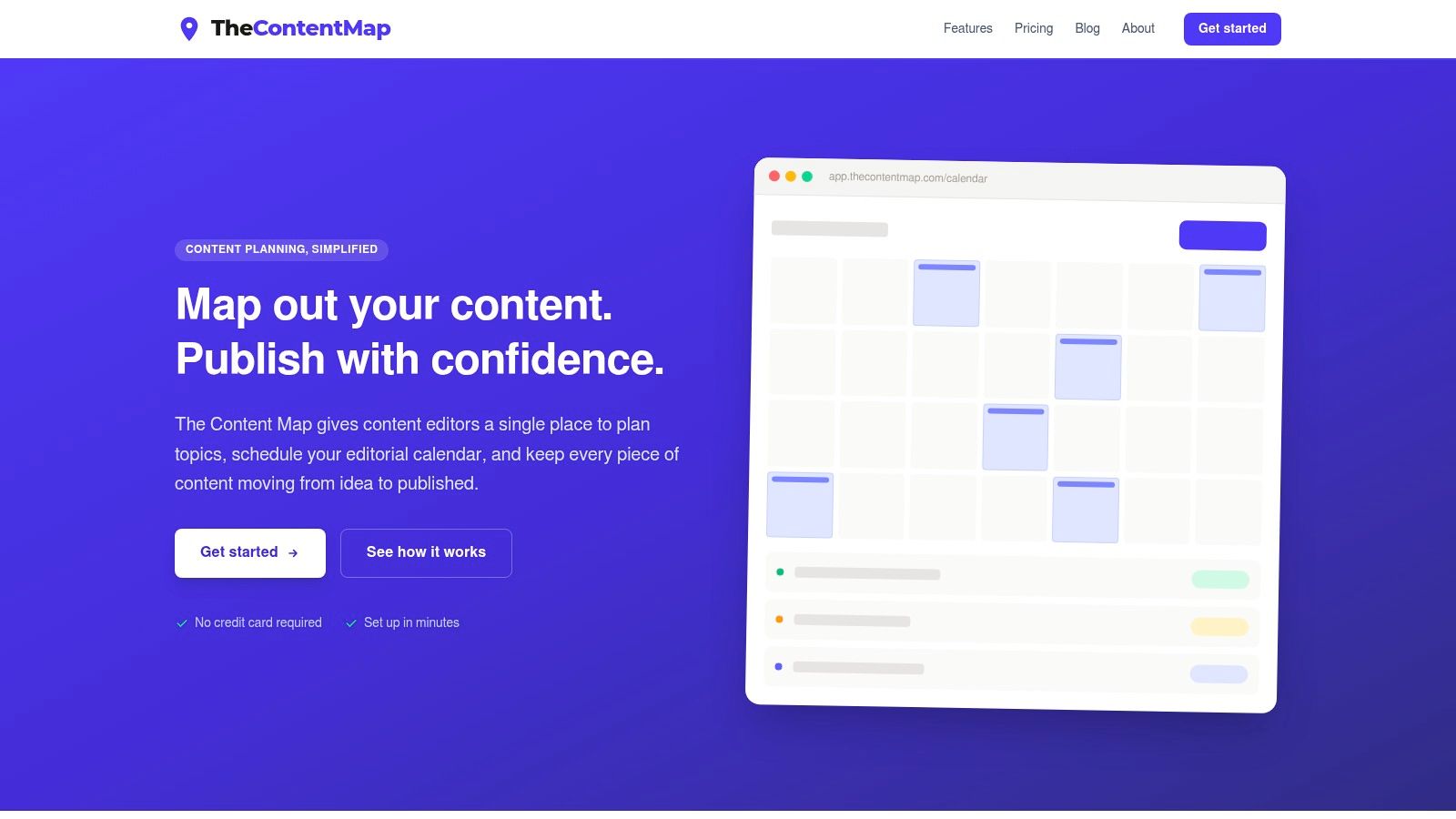
TheContentMap is the strongest choice for a dedicated editorial team that wants one focused system for ideas, schedules, ownership, and learning. It's built around the daily work editors do, rather than adapting a general project-management workspace into something vaguely editorial.
The visual calendar gives editors a drag-and-drop view of upcoming work, while the idea pipeline moves each topic through draft, review, and published stages. That combination addresses two common failure points at once. Editors can capture ideas before they leak into chat, then give each idea a visible path toward publication instead of leaving it in an unstructured backlog.
Why it fits editorial operations
Assignments, comments, and publish reminders keep responsibility attached to each content item. That matters when editors coordinate writers, freelancers, designers, and stakeholders across several projects. Content insights also sit close to planning, so the team can identify effective topics and formats while shaping the next cycle instead of treating reporting as a separate monthly exercise.
The pricing is unusually clear for a specialist platform. Starter is free for one editor and up to three projects. Pro costs $12 per editor per month and adds unlimited projects, content insights, and priority support. Team costs $29 per editor per month and adds unlimited seats, custom workflows, onboarding, SSO, and advanced security. TheContentMap also offers fast setup without requiring a credit card.
Practical rule: If your team is losing ideas, missing handoffs, and learning from performance too slowly, fix the editorial flow before adding more automation.
The limitation is scope. The product details don't emphasize deep CMS integrations, advanced automation, or mobile apps, so teams with complex publishing stacks should confirm those requirements before committing. For in-house content teams, publishers, agencies, and editors working with freelancers, however, this is the clearest editorial-first recommendation.
2. Optimizely Content Marketing Platform
Optimizely Content Marketing Platform is the enterprise choice for organizations that need editorial planning tied to a broader digital experience stack. It handles campaign and content planning, production workflows, approvals, assets, and measurement across teams and channels.
The main advantage is governance. Large marketing organizations often need controlled review paths, permissions, compliance processes, and a clear relationship between content production and the systems that publish or optimize it. Optimizely is designed for that environment, particularly when the organization already uses Optimizely CMS, experimentation, or customer data capabilities.
Where Optimizely earns its place
The platform supports integrated workflows and approvals rather than treating the calendar as a passive schedule. AI assistance and orchestration can support content creation and optimization, while the wider DXP connects work management with publishing and experimentation. That gives enterprise teams a stronger learning loop than a standalone calendar can provide.
The trade-off is equally clear. Optimizely requires enterprise resourcing, implementation planning, and change management. It isn't the tool to spin up for a small editorial team that needs a working calendar this afternoon. Pricing is custom and quote-based, which makes it harder to evaluate as a lightweight option.
Choose Optimizely when governance, security, compliance, CMS coordination, and experimentation are central buying requirements. Don't choose it merely because the team wants a prettier content calendar. Its value appears when editorial work must operate inside a larger enterprise marketing system.
3. Lytho Planner
Lytho Planner, the platform formerly associated with DivvyHQ, is a strong fit for publishers, media organizations, and large content teams that need editorial depth without the sprawl of a general work-management suite.
Its calendar supports drag-and-drop scheduling, color coding, saved views, and an unscheduled ideas panel. That last feature is operationally important. A team needs somewhere to hold promising ideas that aren't ready for a date, otherwise editors either force them prematurely into the schedule or leave them scattered across documents and conversations.
Designed for recurring editorial work
Lytho Planner also supports strategy fields such as personas and topics, which helps teams filter and report on the calendar by editorial priorities. Recurring series are handled with flexibility, allowing editors to update an individual item or future entries in the series. That works well for newsletters, recurring columns, franchises, and repeatable campaign formats.
The platform's editorial focus is its advantage over generic project tools. Teams don't have to build every content concept, view, and workflow from scratch. Mature documentation and established workflows carried over from DivvyHQ should also appeal to organizations that want a more structured implementation.
Pricing isn't public and is generally handled through a sales-led quote process. That makes Lytho Planner a better fit for larger teams that can take advantage of governance, integrations, and multi-calendar operations. Smaller teams should compare the implementation burden against a focused platform such as TheContentMap before signing up for an enterprise-style buying process.
4. CoSchedule Marketing Calendar
CoSchedule Marketing Calendar is the best middle ground for marketing teams that need editorial and social planning in the same workspace without adopting a full enterprise platform.
The calendar handles projects, tasks, and social messages through drag-and-drop scheduling. Campaign grouping keeps related blog posts, social distribution, and marketing activities together, while Kanban, table, and agenda views give different roles a usable way to inspect the same work. Reusable templates are helpful for campaigns that follow a repeatable production pattern.
Best when stakeholders need visibility
Read-only sharing and client or observer visibility make CoSchedule practical for stakeholders who need context without editing the plan. That reduces the temptation to maintain a second presentation calendar for leadership or clients.
The product is approachable, and self-serve plans include a 14-day trial, with a nonprofit discount available according to the product information. A practical guide to building an editorial calendar can help your team define the workflow before configuring the tool.
The weaknesses appear as collaboration becomes more demanding. Advanced collaboration and multi-user flexibility require higher-tier plans, and suite features or add-ons can push the total cost toward the professional or enterprise range. CoSchedule is a strong choice when one team owns content and social distribution. It's less compelling if you need deep editorial governance, complex enterprise controls, or a highly customized database model.
5. Asana
Asana is the right choice when editorial work already lives alongside product launches, design requests, events, sales enablement, and other cross-functional projects. It isn't editorial-specific, but its work-management model is mature and flexible enough to support a serious content operation.
An Editorial Calendar project can use list, board, calendar, and timeline views. Custom fields can track content status, owner, channel, campaign, and other metadata, while task templates make recurring production easier to standardize. Forms provide a structured intake path for briefs and requests, which is a direct way to stop ideas from arriving through disconnected messages.
The configuration burden is real
Asana's collaboration model, automations, and integrations with common marketing tools make it effective for teams that need one work system across departments. Higher tiers add workload and resource-management capabilities, while enterprise plans provide SSO, SCIM, and advanced administration.
The downside is that editors must design the editorial experience themselves. A content team needs to decide which fields are mandatory, how approvals work, when tasks change status, and which views each role should use. Without those decisions, the workspace becomes a task dump.
Use this explanation of an editorial calendar to align the team on the operating model, then build Asana around that model. Choose it when the organization already depends on Asana. Don't choose it just to avoid evaluating a specialist editorial platform.
6. monday.com Work Management
monday.com Work Management suits teams that want to build a customized content pipeline connecting requests, briefs, assets, production stages, and publish dates. Its flexibility is the product's main strength, but it also creates the main governance risk.
Calendar and timeline views provide the planning surface. Content and creative templates accelerate setup, while customizable automations and integrations can update statuses, notify owners, and connect work to the rest of the marketing stack. The broad app ecosystem and AI features give operations teams room to extend the workflow as requirements change.
Prevent board sprawl before it starts
A monday.com board can represent a campaign, a content pipeline, a client portfolio, or a production queue. That freedom is useful when different teams need different structures. It becomes harmful when every editor creates a slightly different board, status vocabulary, and approval path.
Set a single source of truth before inviting the wider team. Define the canonical fields for owner, stage, channel, publish date, priority, and approval status. Then decide which changes should trigger automation and which require a human decision.
monday.com pricing varies by region and may include seat minimums, so model the actual collaborator mix before choosing a plan. It's a good fit for marketing operations teams that can enforce workspace standards. Solo creators and small editorial teams will usually get a faster result from Airtable or Trello.
7. Airtable
Airtable is the best option for teams that treat editorial planning as a structured data problem. Its database-first design connects deadlines with topics, personas, channels, campaigns, assets, owners, and reporting fields without forcing every piece of content into the same flat list.
Grid, Kanban, calendar, and Gantt views let different users work with the same underlying records. Interfaces can present a cleaner experience for writers, editors, executives, or clients, while automations handle reminders and workflow changes. The official Content Calendar template gives teams a starting point, but Airtable's real value appears after the team adapts the model to its own taxonomy.
Choose Airtable for metadata, not simplicity
Airtable can grow from a basic calendar into a content-operations base with reporting and connected datasets. That makes it especially useful for agencies managing multiple clients or internal teams tracking a large library of content types. Editorial workflow management software guidance can help clarify which stages and ownership rules to model.
The cost is setup discipline. Airtable gives you the building blocks, not a fully formed editorial process. Someone must design the schema, permissions, interfaces, automations, and naming conventions. Per-seat pricing can also become expensive as collaborator numbers grow, and some advanced interface and calendar capabilities require paid plans.
Pick Airtable when your team needs relational metadata and custom reporting. For a team that mainly needs to capture ideas, assign writers, and move work through review, its flexibility can become unnecessary overhead.
8. ClickUp
ClickUp is the consolidation play. Choose it when the content team wants projects, documents, tasks, planning, and capacity tracking in one broader work platform.
Its calendar view supports external calendar synchronization with Google and Outlook. Multiple views, templates, custom fields, automations, sharing options, and public calendar links give marketing teams plenty of ways to expose the schedule to stakeholders without granting everyone full workspace access. Calendar and planning tools are available across plans, including the free tier.
Strong breadth, uneven depth
ClickUp works well when content is one workstream inside a larger marketing operation. A campaign can contain briefs, production tasks, design dependencies, approval work, and distribution activities without forcing the team to move between separate systems. Documents and tasks can also keep editorial context close to execution.
The trade-off is that broad capability doesn't automatically create a clean editorial experience. Some users report friction or limitations around calendar and time features, while AI and certain advanced capabilities sit behind add-ons or higher tiers. Teams can also spend too much time configuring views instead of publishing.
Use ClickUp for centralization, especially if other departments already use it. Don't treat its free calendar as proof that it replaces a purpose-built editorial workflow. It becomes effective only after the team defines clear statuses, ownership rules, and a small set of views that people will maintain.
9. Trello
Trello is the best default for a solo creator, freelancer, or small team that needs a visual editorial board with minimal setup. Cards make ideas easy to capture, lists make workflow stages visible, and due dates keep the next action obvious.
Premium adds Calendar, Timeline, Table, Dashboard, and Map views. Butler automation and Power-Ups extend the basic board, while the Planner feature supports day and week scheduling and time blocking. That gives a lean team enough structure to move from idea to draft to review without learning a complex operations platform.
Know where Trello stops
Trello doesn't provide native long-form content creation or advanced editorial approvals. Teams that need those capabilities will rely on Power-Ups, integrations, or external documents. That can work for a lightweight workflow, but it creates fragmentation as the number of contributors and review rounds grows.
Trello's low setup burden is its selling point. A freelancer can create lists for ideas, writing, editing, scheduled, and published, then start working immediately. A small team can add labels for channels and checklists for recurring production steps.
Choose Trello when simplicity matters more than reporting depth. If you need content insights embedded in planning, complex approval governance, or a relational content database, move up to TheContentMap, Airtable, or a more structured work platform.
10. StoryChief
StoryChief is the right shortlist candidate for teams that treat editorial and social distribution as one workflow. Its calendar spans long-form content, blogs, CMS publishing, newsletters, and social channels, so the team can see the campaign rather than managing each channel in isolation.
Statuses and ownership keep responsibility visible across the content lifecycle. Collaboration and approvals stay attached to the work, while the platform supports a create-once, distribute-across-channels approach. Higher tiers offer an AI add-on for copy and media generation, which may suit teams that want assisted production alongside distribution.
Best for channel coordination
StoryChief is stronger than a basic calendar when one campaign must move through a blog, newsletter, and social promotion sequence. The shared calendar gives editors and social managers a common operating picture, while approvals reduce the chance that distribution work gets detached from the approved source content.
The caution is fit. Plan entitlements vary, and entry tiers may limit posts or channels. A team publishing to one channel may pay for more operational range than it needs. Teams with a strong social and editorial overlap should shortlist StoryChief alongside CoSchedule. Teams focused mainly on editorial planning should compare it with TheContentMap or Lytho Planner first.
Top 10 Editorial Calendar Tools, Feature & Pricing Comparison
| Product | Core features | Quality (UX) ★ | Value & Pricing 💰 | Target audience 👥 | Unique strengths ✨ |
|---|---|---|---|---|---|
| TheContentMap 🏆 | Drag‑&‑drop editorial calendar, visual idea pipeline, assignments, embedded insights | ★★★★☆ | Starter Free; Pro $12/editor/mo; Team $29/editor/mo 💰 | In‑house editorial teams, publishers, agencies 👥 | Editor‑first workflow, fast no‑CC setup, planning→performance linkage ✨ |
| Optimizely Content Marketing Platform | Enterprise planning, workflows & approvals, DXP/CMS integration | ★★★★☆ | Custom/quote‑based (enterprise) 💰 | Large enterprises, DX/marketing ops 👥 | Deep governance + DXP ecosystem integration ✨ |
| Lytho Planner (DivvyHQ) | Drag‑drop calendar, saved views, unscheduled ideas panel, recurring series | ★★★★☆ | Sales‑led / quote pricing 💰 | Publishers, large content teams 👥 | Preloaded strategy fields & mature editorial workflows ✨ |
| CoSchedule Marketing Calendar | Calendar + social scheduling, templates, approvals, analytics | ★★★★☆ | Tiered plans; 14‑day trial & nonprofit discount 💰 | Marketing & social content teams 👥 | Strong social + editorial calendar in one place ✨ |
| Asana | List/Board/Calendar/Timeline, templates, forms, approvals | ★★★★☆ | Free tier; paid plans scale by features 💰 | Cross‑functional teams, marketing + editorial 👥 | Robust automations, templates & integrations ✨ |
| monday.com Work Management | Configurable boards, Calendar/Timeline views, automations, templates | ★★★★☆ | Region/plan varying; seat minimums possible 💰 | Teams needing flexible Work OS & automations 👥 | Highly configurable boards + large app ecosystem ✨ |
| Airtable | Relational base, Grid/Kanban/Calendar/Gantt, Interfaces & automations | ★★★★☆ | Per‑seat tiers; can grow costly as seats increase 💰 | Teams needing rich metadata & reporting 👥 | Database‑first modeling for complex content ops ✨ |
| ClickUp | Calendar sync, multiple views, templates, automations, sharing | ★★★★☆ | Free tier; paid add‑ons and tiers 💰 | Centralized marketing/content & ops teams 👥 | Broad all‑in‑one feature set; calendar on free plan ✨ |
| Trello (Atlassian) | Card boards, Calendar & Premium views, Butler automations | ★★★☆☆ | Affordable entry; Premium for advanced views 💰 | Small teams, simple editorial boards 👥 | Fast ramp‑up, intuitive Kanban for lightweight workflows ✨ |
| StoryChief | Unified editorial + social calendar, multi‑channel publishing & approvals | ★★★☆☆ | Tiered plans; post/channel limits on lower tiers 💰 | Teams managing long‑form + social distribution 👥 | Create‑once distribute‑everywhere with approvals ✨ |
Choosing the Right Editorial Calendar Software for Your Team
Start with the shape of your operation, not with a feature checklist. A tool that works for a freelance writer can frustrate a publisher, while an enterprise platform can bury a small team under configuration and approval overhead.
For a dedicated editorial team running a multi-channel schedule, start with TheContentMap or Lytho Planner. TheContentMap is the better choice when you want a focused, editor-first workflow with transparent pricing, visual idea management, assignments, reminders, and embedded insights. Lytho Planner is the stronger candidate when the organization needs multiple calendars, structured strategy fields, recurring series, and a more sales-led implementation.
For an enterprise that needs governance alongside CMS and experimentation, evaluate Optimizely. Its value comes from connecting content planning and approvals to a broader digital experience environment. Don't buy it for calendar visibility alone.
For a team that already centralizes work in general project management, stay with Asana, monday.com, ClickUp, or Airtable. Asana is the best fit for cross-functional collaboration and structured intake. monday.com wins when the team needs broad customization and can enforce standards. ClickUp makes sense when the organization wants one system for content and non-editorial work. Airtable is the best of the four for complex metadata, connected records, and custom reporting.
For lean creators and freelancers, default to Trello or Airtable. Trello gets you moving quickly with a visual board. Airtable is worth the extra setup when you need content libraries, topic relationships, campaign data, or reporting.
For teams that treat editorial and social as one workflow, shortlist StoryChief and CoSchedule. StoryChief is stronger for cross-channel publishing coordination. CoSchedule offers an approachable blend of content, campaigns, social scheduling, and stakeholder visibility.
The adoption data supports taking this decision seriously. A 2025 survey summary reported that 42% of organizations centralize planning in dedicated platforms rather than spreadsheets, which signals that the buying question is no longer whether a team needs structure, but which structure matches its work. The content operations benchmark summary also reports that tool use has risen from 48% in 2018 to about 77% in 2025, so teams should judge software by operational fit rather than novelty.
Run a two-week pilot with one real publish cycle. Don't populate a fictional calendar with perfect sample data. Import active ideas, assign real owners, run an actual review, move at least one date, and record what breaks.
Define three success metrics before the pilot begins: on-time rate, ideas captured versus shipped, and performance insights surfaced. Then audit integrations before committing. Confirm that the chosen tool can connect the systems your team uses, so the workflow closes the loop from idea to outcome instead of creating another isolated planning layer. If your team also needs a practical LinkedIn post scheduler, include that distribution requirement in the pilot rather than discovering it after purchase.
TheContentMap gives editorial teams a focused calendar, visual idea pipeline, assignments, reminders, collaboration, and content insights in one web-based workspace. Visit TheContentMap to start with the free Starter plan, test one real publishing cycle, and see whether it closes the gap between captured ideas and published work.
Related Articles
Content Creation Workflow for Editorial Teams
The calendar says the article publishes tomorrow. The draft is sitting in separate comment threads,...
Software10 Best Content Planning Tools for Editorial Teams
Stop shopping for the tool with the most features. That popular advice pushes editorial teams toward...
SoftwareContent Plan Format That Actually Works for Editorial Teams
You open the shared spreadsheet before the editorial meeting. A draft is overdue, a reviewer hasn...
Comments (0)
No comments yet. Be the first to share your thoughts.