Content Brief Template: 10 Options That Work in 2026
Compare 10 free and paid content brief template options, with fields to include, practical guidance, and how to fit briefs into your editorial workflow.
Why does a writer still need a clarification call after receiving a completed content brief template? Usually, the editor has filled in the keywords, deadline, and word count without settling the decisions that matter: who the reader is, what question the piece must answer, and what makes the draft acceptable.
A brief is the working contract between editor and writer. It should define the audience, angle, business purpose, evidence requirements, structure, internal links, and approval rules. Treating it as a quality-control specification, rather than a keyword checklist, makes those requirements testable before drafting, as the Crawl to Click content brief guide recommends.
The disconnect is real. In the 2025 BetterIdeas Project survey of 1,034 marketers, agency staff, and in-house teams across 54 countries, 78% of marketers believed their briefs provided clear strategic direction, while only 5% of agencies agreed, according to ClickMinded's summary.
Choose for the assignment, not the longest feature list. A freelancer handoff needs different instructions from a service-page refresh or a research-led SEO guide.
- For writer handoffs: Prioritize clear audience, angle, sources, and acceptance criteria.
- For ongoing publishing: Add ownership, review timing, distribution responsibilities, and performance notes.
The options below range from editable documents to research software. None removes the editor's responsibility to make the assignment coherent.
Table of Contents
- 1. Content Harmony Free Content Brief Template
- 2. Content Marketing Institute Content Brief Template
- 3. Orbit Media Studios Content Marketing Template
- 4. Zapier SEO Content Brief Template
- 5. New Zealand Government Content Brief Template
- 6. Portent Free Content Brief Template
- 7. Angelwood Free Editable Content Brief Template
- 8. Chykalophia Page-by-Page Content Brief
- 9. MarketMuse Content Briefs and Templates
- 10. Semrush SEO Content Template
- Content brief templates and tools compared
- From Template to Workflow Making Briefs Stick
1. Content Harmony Free Content Brief Template
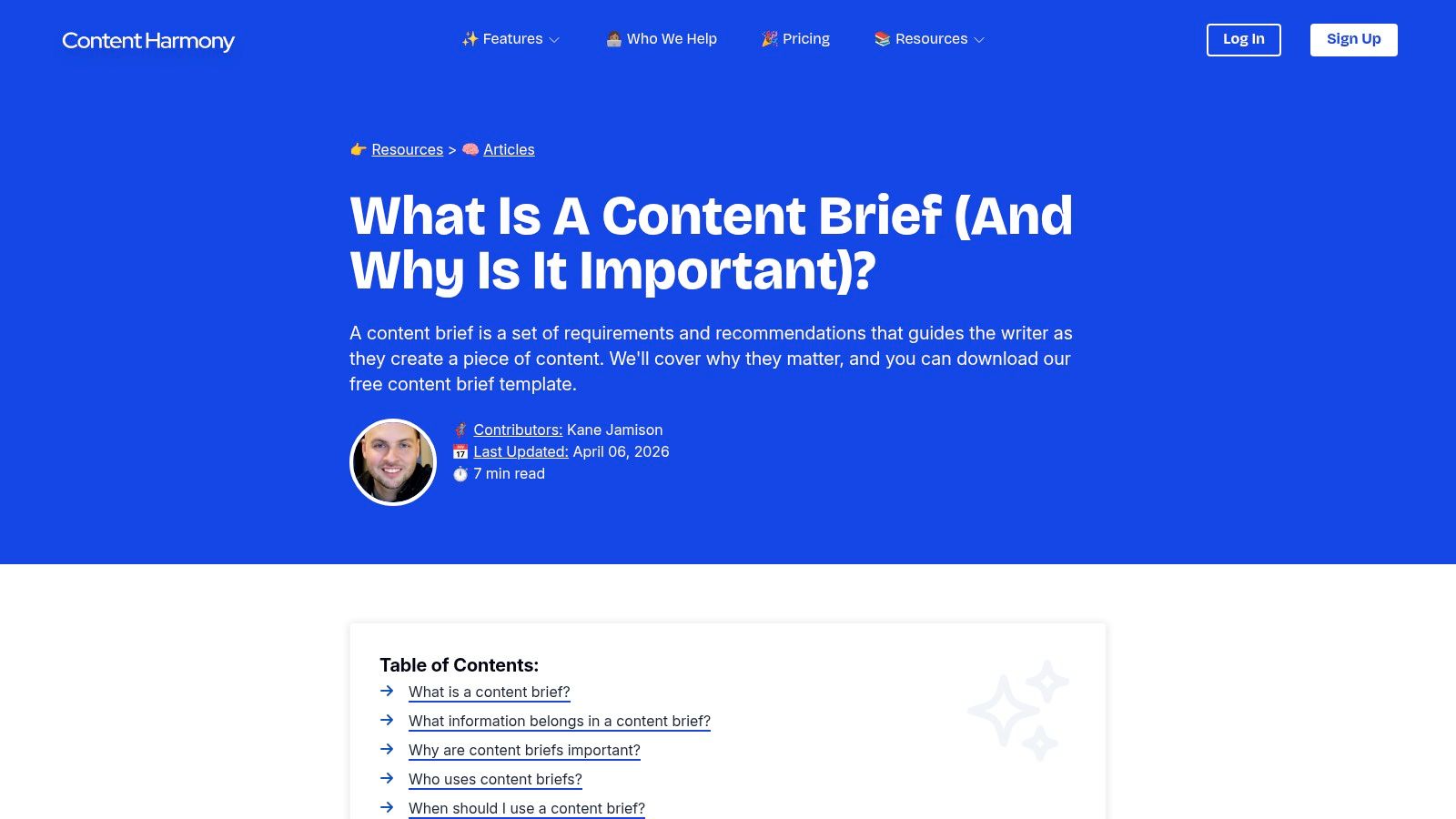
Best fit: handing a search-focused article to an external writer. Content Harmony's free template brings editorial direction and SEO requirements into the same document. Its Google Docs, Notion, and Word formats let you keep the handoff in the workspace your contributors already use.
The useful breadth includes goals, audience, search intent, keywords, outline, research, links, and CTA, alongside practical details such as deadlines and voice. That makes it a sensible starting point when the writer doesn't have access to your internal strategy discussions.
Give direction without scripting every sentence
Use the outline to identify questions the article must answer, then distinguish required coverage from suggested structure. Otherwise, an editor can accidentally turn a useful brief into a rigid draft skeleton that prevents the writer from organizing the argument better.
- What works: Broad coverage helps an editor communicate both the reader's needs and the assignment's production requirements.
- What needs work: The free document doesn't perform keyword research. Someone must gather, assess, and enter those inputs.
- What to add: Link to a shared writing styles guide rather than pasting the same brand instructions into every assignment.
Content Harmony's paid workflow software is separate from the free template. Choose the document when your research process already works; consider software only when repeatedly assembling those inputs has become the bottleneck.
2. Content Marketing Institute Content Brief Template
A subject-matter interview or opinion article doesn't always need a search-results analysis. It needs an editor to explain why the story matters and what readers should take away.
The Content Marketing Institute template suits that lighter editorial assignment. It covers the working title, audience, length, deadline, central insight, key messages, conclusion, source materials, and copy notes, with prompts for tone, style, and language.
Keep the argument central
Its strength is the emphasis on editorial purpose rather than extensive optimization fields. Say you're commissioning an article about why a company changed its customer onboarding process. The central insight and supporting messages matter more than prescribing every heading.
Connect the assignment to your content marketing plan, but translate the campaign objective into a reader-facing outcome. A writer needs to know what the reader should understand, not just which campaign owns the budget.
Practical rule: If the central insight could describe any article in your category, the brief still needs an angle.
The trade-off is limited structural guidance. An experienced writer may welcome that freedom; a contributor unfamiliar with your audience may need a proposed narrative or sample opening direction.
Add the assignment owner, approving editor, and review date yourself. This is a compact assignment brief, not a complete research or approval system, and it works best when you preserve that distinction.
3. Orbit Media Studios Content Marketing Template
Best fit: planning an article and its promotion together. Orbit Media's content marketing template combines writing preparation with search and distribution planning. It includes keyphrase research, title, description, URL, and internal links, plus prompts for email, social, guest-posting, and influencer promotion.
That broader scope is useful when an editor also coordinates the launch. Instead of asking how to promote an article after publication, the team can identify useful excerpts, visual assets, and outreach angles while briefing it.
- Search preparation: Record the target keyphrase and page-level optimization details.
- Distribution preparation: Define which channels need supporting copy or assets.
- Contributor guidance: Use the included instructions to explain how the template should be completed.
The Google Docs and Word versions support a familiar document-based process. The important editorial decision is which sections belong to the writer and which belong to the marketer.
Don't assign promotion by implication
Say an article includes an expert interview that could support outreach. Name the person responsible for securing permission, preparing the promotional excerpt, and contacting the expert after publication. A filled-in promotion field isn't an assignment unless someone owns it.
Orbit's breadth becomes a drawback when a separate distribution team already has its own launch process. In that situation, retain the relevant channel requirements and link to the promotion plan rather than duplicating it.
Choose this template when distribution changes what you need to commission, not merely because you want a longer brief.
4. Zapier SEO Content Brief Template
If editors currently assign articles through chat messages, Zapier's SEO content brief template offers an accessible way to standardize the essentials. It's a Google Docs template with guidance on article purpose, target audience, SEO title, description, and word count.
The accompanying explanations matter for teams still learning how to brief. A field labeled audience isn't useful if an editor fills it with everyone interested in our product; guidance can help turn that label into an actionable description.
Start simple, then add missing decisions
Use Zapier as a starter framework rather than treating it as a complete research-led SEO process. Add the search intent, supporting evidence, and required coverage when the assignment demands them.
Its acknowledgment that different formats and contributor experience levels need different detail is practical. A returning specialist writer may need only the angle and new evidence; a new contributor may also need exclusions, examples, and structural guidance.
- Keep: Purpose, audience, deliverable requirements, and clear metadata responsibilities.
- Add: Assignment owner, reviewer, source requirements, and acceptance criteria.
- Connect: Place the brief inside your content creation workflow, with an explicit transition from briefing to drafting.
You'll need to make a copy before editing the Google Doc. Keep a clean master and identify the active assignment document so contributors don't accidentally work from competing versions.
The limitation isn't simplicity. It's expecting a starter document to resolve research and approval decisions that nobody has made.
5. New Zealand Government Content Brief Template
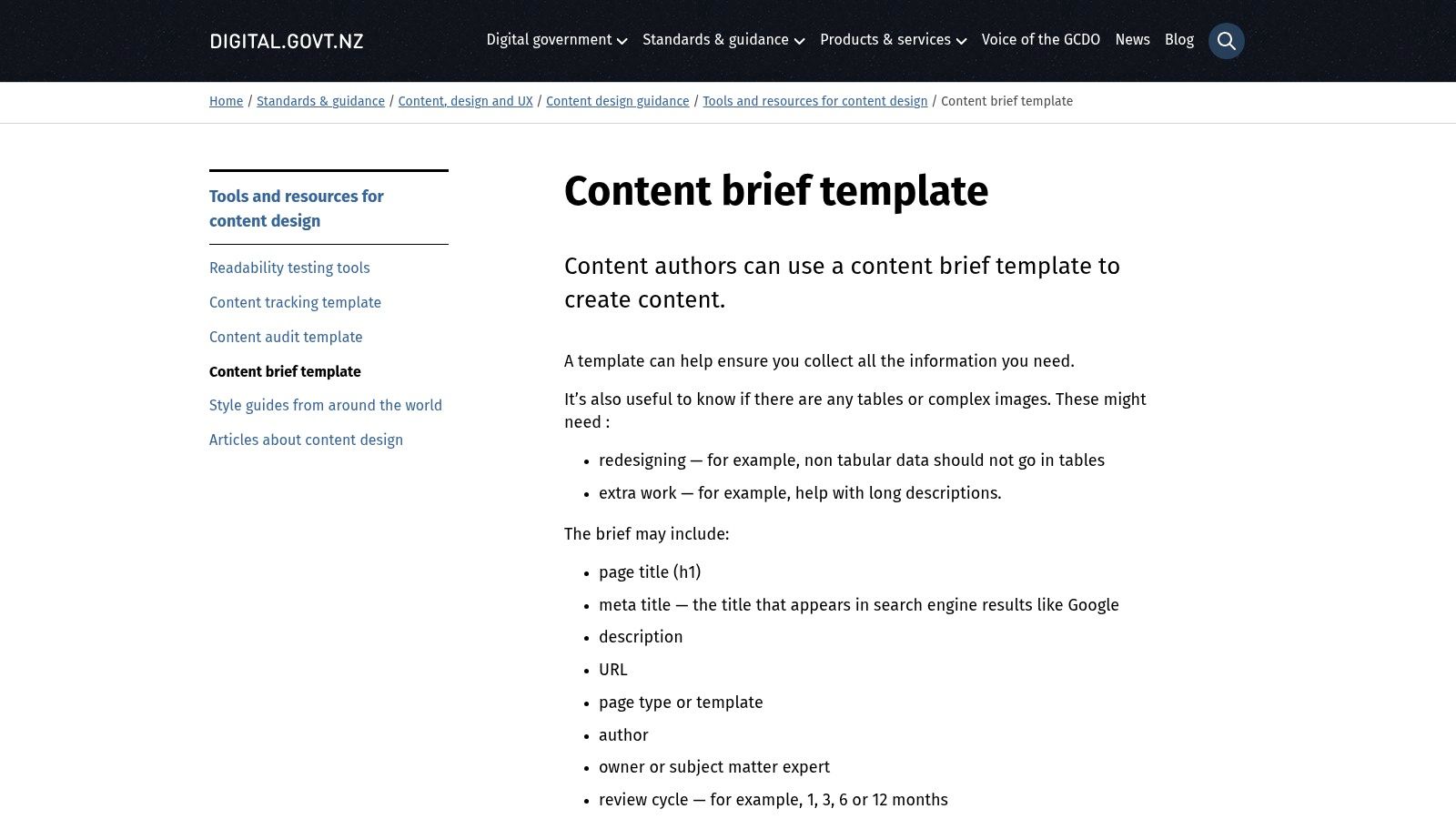
A service page can be accurate at publication and misleading later. For that assignment, ownership and review timing matter as much as the initial copy.
The New Zealand Government content brief template is a Word document designed around planning and maintaining website content. It includes page title, metadata, URL, page type, author, content owner, review cycle, and notes for images or other files.
That makes it particularly relevant to teams managing service pages, guidance, and other content that doesn't fit a blog-post outline.
Separate the author from the owner
The writer may finish the assignment, but someone else must remain accountable for accuracy. Use the author field for production responsibility and the content-owner field for the person who can confirm whether the page still reflects the service.
- For maintenance: Record what should trigger a review, such as a changed process or eligibility requirement.
- For assets: Identify which images and downloads need checking alongside the copy.
- For marketing pages: Add the campaign purpose and CTA if those decisions affect the page.
The template is less useful for detailed keyword research or article architecture. Don't force those tasks into metadata fields; attach a research note when needed.
Its strongest advantage is also its constraint: it treats content as a maintained web asset rather than only a writing assignment. Choose it when the question is who keeps this page correct after publication.
6. Portent Free Content Brief Template
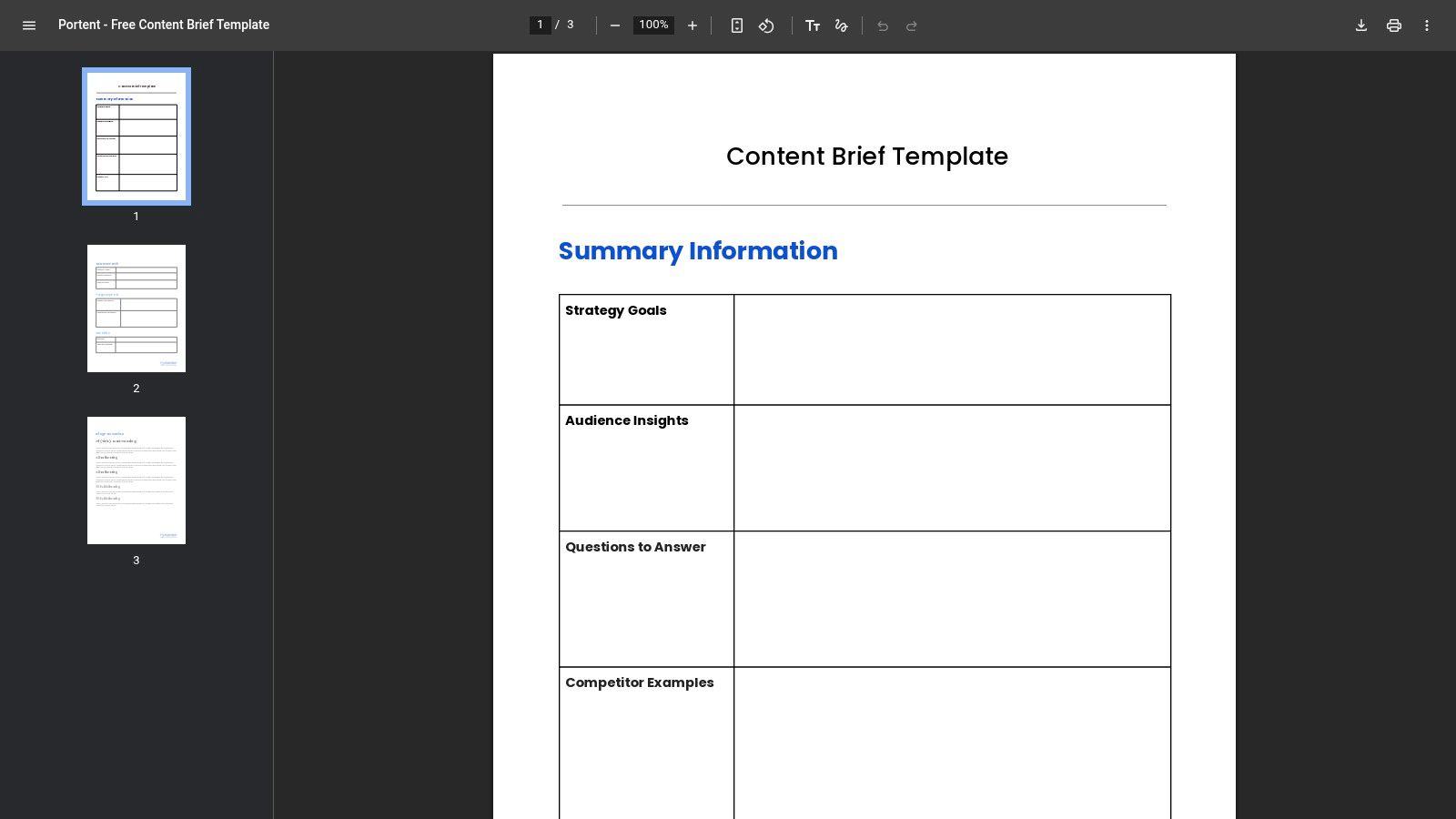
Portent's downloadable PDF puts audience, article goal, and CTA ahead of optimization details. That ordering suits teams whose briefs tend to become keyword exports with a deadline attached.
The template then provides SEO fields for keywords, internal links, and metadata. It's a useful model for an internal brief because it asks the editor to establish purpose before detailing how the page should be optimized.
Borrow the structure, reconsider the format
A PDF is convenient to inspect and share as a reference. It's less convenient for a working assignment that needs comments, revisions, and changing source links.
Recreate the fields in your preferred document or editorial workspace if collaboration matters more than preserving the original layout. Keep the sequence: audience and objective first, supporting search requirements afterward.
A keyword tells the writer what topic to cover. It doesn't tell them what the reader should be able to do afterward.
For a software comparison, for example, the goal shouldn't stop at attracting search traffic. Specify whether readers need to shortlist products, understand implementation constraints, or choose between different buying approaches.
Portent is a strong template-design reference, but a less convenient choice for teams that want to begin editing immediately. If you already have a collaborative assignment system, borrow its reader-first organization instead of introducing another file format into the handoff.
7. Angelwood Free Editable Content Brief Template
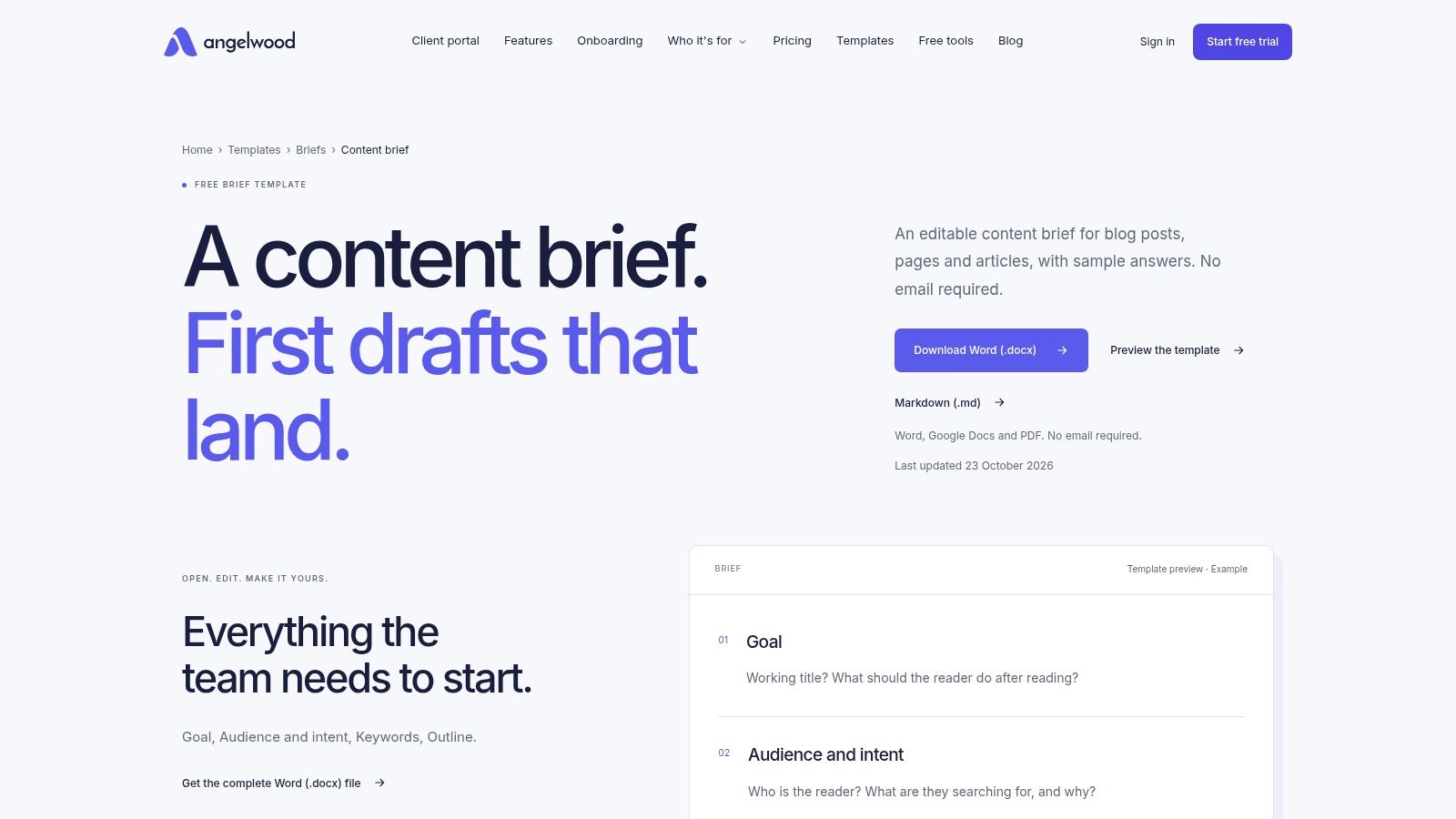
Best fit: freelancers and small teams that want an editable document without specialist software. Angelwood's content brief template is available in Word and Markdown, can be adapted in Google Docs, and doesn't require an account or email to download.
Its sample answers are especially useful when different people prepare assignments. A blank audience field leaves room for interpretation; a worked example helps contributors understand the expected specificity.
The template covers goals, audience and intent, keywords, outline, sources, links, length, and deadline. That's a practical foundation for blog posts, articles, and straightforward web pages.
- Word: Useful when clients exchange editable files or work in Microsoft-based environments.
- Markdown: Useful when writers prefer plain text or the publishing process already uses Markdown.
- Sample answers: Helpful for demonstrating what a completed brief should communicate.
Replace the examples before assigning
Sample content is guidance, not a default strategy. Remove it once you've written the actual audience, intended outcome, and evidence requirements, or the writer may mistake illustrative instructions for live ones.
The limitation is operational: an editable document isn't an assignment tracker. You still need somewhere to record status, ownership, and the agreed publication date.
Create format-specific variants when your work diverges. A landing page and an interview feature can share core briefing fields, but they shouldn't inherit an identical outline just because the same document is convenient.
8. Chykalophia Page-by-Page Content Brief
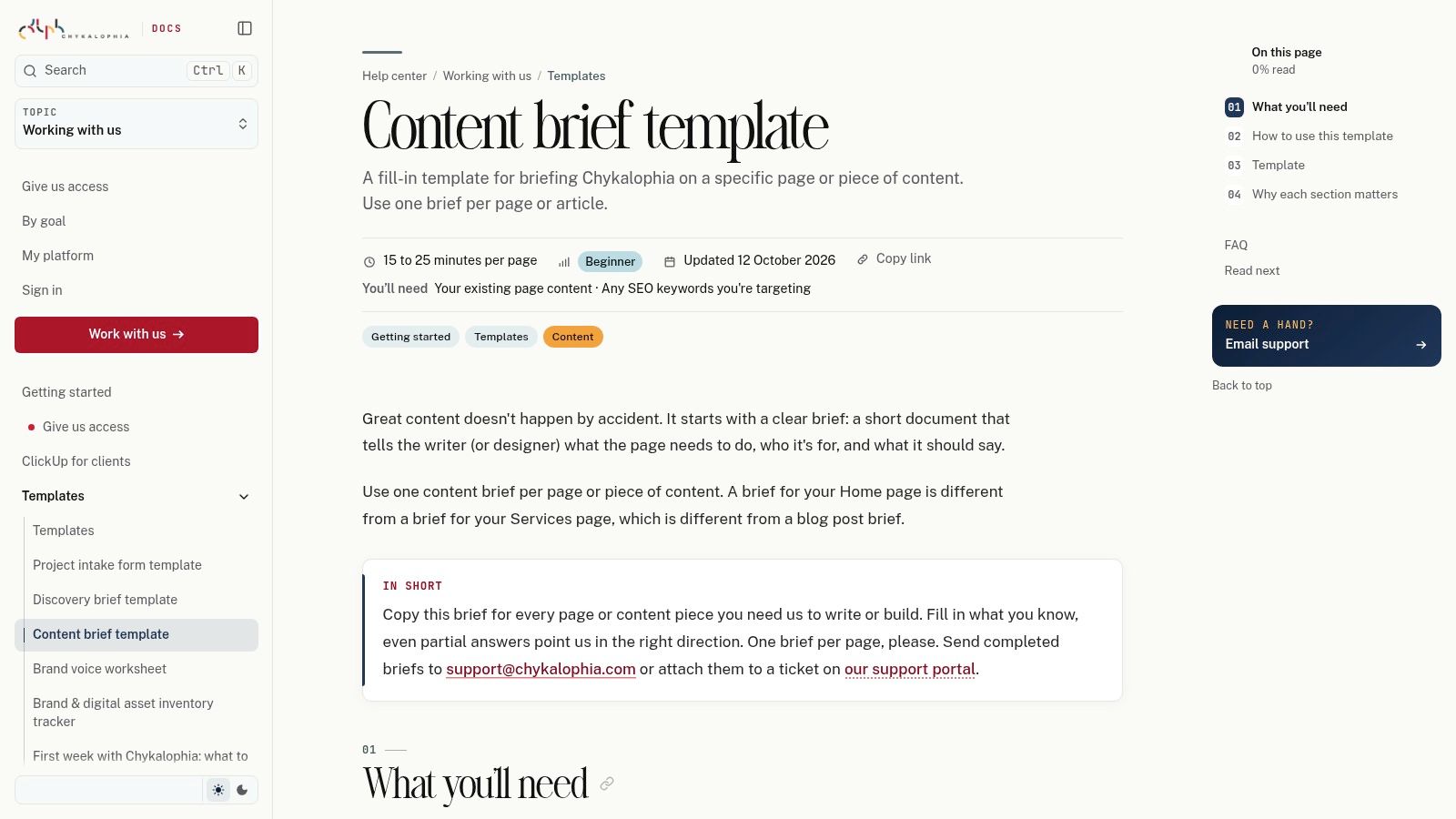
Say you're rebuilding a website and stakeholders keep submitting copy without explaining what each page should accomplish. Chykalophia's public content brief provides direct questions about purpose, audience, CTA, key messages, and where readers will come from.
It also asks for content requirements, SEO keywords, length, required sections, reference links, examples, and media details. The page-by-page approach helps separate the job of a service overview from the job of a detailed product or contact page.
Use the arrival context
The question about where readers come from deserves attention. Someone arriving from a branded email may already understand the offer, while someone arriving through an informational search may need context before a sales CTA makes sense.
Use that distinction to decide what the opening must explain. Don't fill the field with a channel name and leave the writer to infer the reader's knowledge.
- Strong application: Briefing individual website pages with input from non-editorial stakeholders.
- Useful adaptation: Replace agency-specific wording with your own roles and approval responsibilities.
- Missing layer: Add separate search research and scheduling arrangements when the project requires them.
The template can be viewed and copied publicly, making it straightforward to move into an existing document process. It doesn't provide a shared editorial calendar or an SEO research workflow.
Choose it when stakeholders need help explaining the page's job. Choose a more research-oriented option when the unresolved question is what the page should cover to satisfy search intent.
9. MarketMuse Content Briefs and Templates
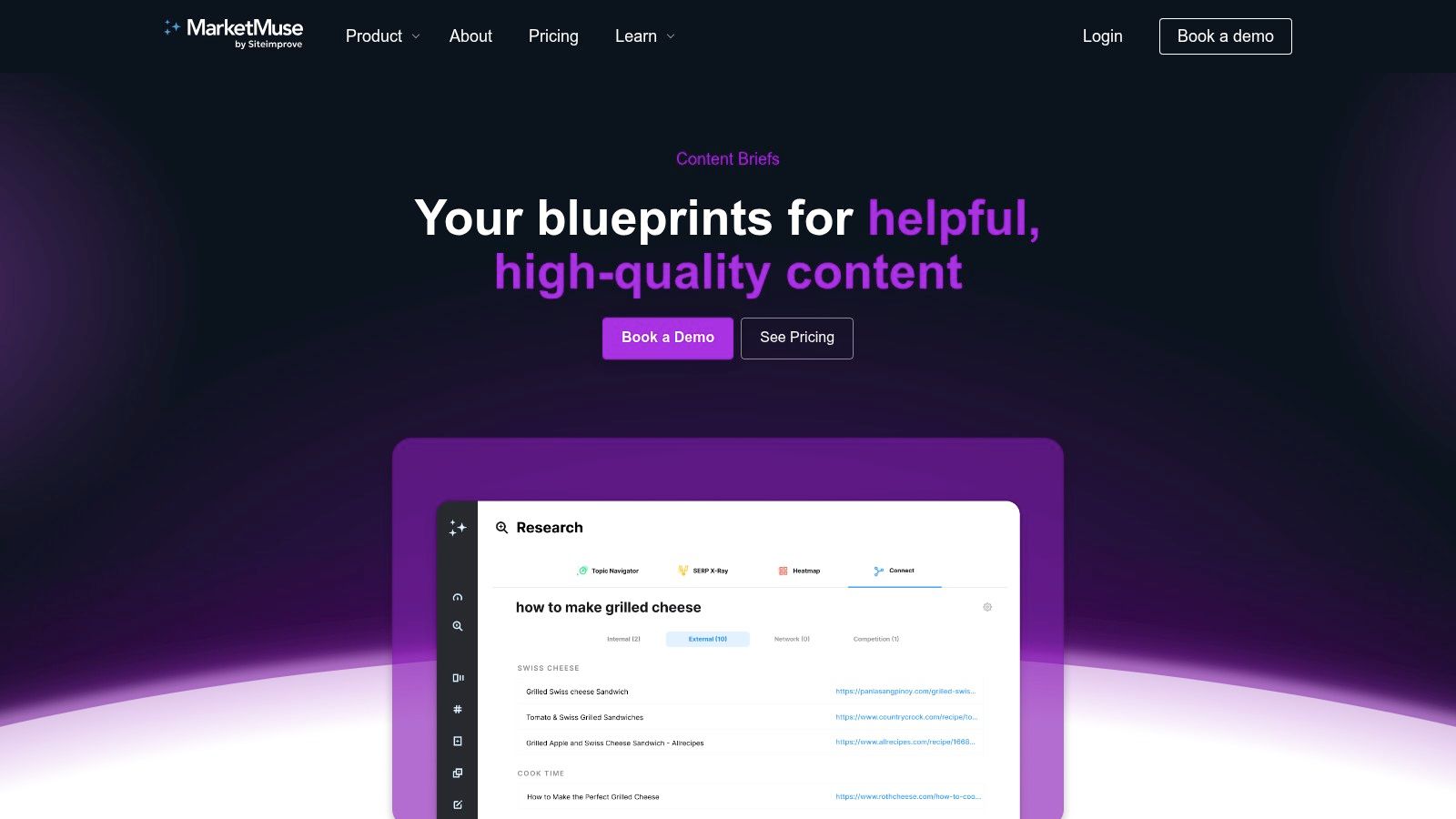
MarketMuse content briefs suit teams that need research assistance rather than another blank document. The software supports new and existing content, with brief types for articles, guides, how-tos, comparisons, FAQs, and listicles.
Suggested structures and related-topic research provide inputs an editor can assess. Audience, intent, expertise, and style inputs allow customization, while Google Docs and Word exports support the writer handoff.
Review the recommendations before exporting
The editorial task is to decide which suggestions serve the assignment. Related topics can improve coverage, but including every suggestion can turn a focused article into an unfocused category overview.
Generated guidance isn't verified evidence. Research summarized by Axis Intelligence found that 87% of B2B marketers using AI for content reported improved productivity, while only 39% reported improved content performance.
- Approve the scope: Remove tangents and define the question the finished piece must answer.
- Assign verification: Name the person responsible for factual claims and source checking.
- Confirm access: Some content subtypes depend on higher plans, so verify the relevant availability before adopting the workflow.
MarketMuse is a better fit when research preparation is the bottleneck and search-focused assignments recur. It's less compelling when your writers already receive strong original research and mainly need a clear editorial angle.
Use the software to prepare recommendations, then have an editor turn those recommendations into an accountable assignment.
10. Semrush SEO Content Template
Best fit: keyword-led assignments inside an established search workflow. Semrush's SEO Content Template turns a target keyword into recommendations: related terms, suggested length, readability guidance, and possible backlink sources.
That output sits earlier than a full content brief. It can inform research-led SEO commissioning, while the editor still owns audience, angle, evidence, business purpose, and approval criteria.
Turn search inputs into editorial decisions
Treat recommended length as a planning signal. If the answer is complete at a shorter length, padding adds revision work without adding reader value.
Review related terms for relevance before they reach the outline; a term can be topically adjacent and still wrong for the page's intent. Treat potential backlink sources as outreach leads, not placements anyone has promised.
Search-led assignments should name the exact question and the direct answer the page must give. A clear answer requirement gives the writer a target and gives the editor a quick check when reviewing structure, evidence, and intent match.
Editorial boundary: Recommendations can shape the assignment. They cannot decide what your organization can credibly claim.
Add an evidence requirement beside any proposed claim, especially when the topic needs original testing, expert input, or first-party documentation. A plausible outline does not establish authority.
Semrush fits teams that already put keyword research at the center of commissioning. It is a weaker fit for reported features, opinion pieces, or service pages driven mainly by reader needs and operational facts.
Access depends on account and plan availability. Use it as a research input to the assignment, then let an editor decide what earns a place in the final draft.
Content brief templates and tools compared
| Item | Format | Best for | SEO depth | Effort to adopt |
|---|---|---|---|---|
| Content Harmony, Free Content Brief Template | Google Docs, Notion, or Word | Detailed writer handoffs across editorial teams | Broad manual SEO fields; no keyword research | Moderate; fill in and adapt manually |
| Content Marketing Institute, Content Brief Template | Editorial template | Lightweight assignments centered on audience and purpose | Limited SEO detail | Low; quick to customize |
| Orbit Media Studios, Content Marketing Template | Google Docs or Word | Teams planning both content and promotion | Includes keyphrase and on-page SEO fields | Moderate; adapt sections to your workflow |
| Zapier, SEO Content Brief Template | Google Docs | Teams starting to standardize blog briefs | Basic SEO fields | Low; copy and customize |
| New Zealand Government, Content Brief Template | Word | Teams managing and reviewing website pages | Basic page metadata; limited SEO research | Low; straightforward to adapt |
| Portent, Free Content Brief Template | Teams seeking an SEO-focused brief structure to adapt | Includes keywords, links, and metadata | Moderate; recreate fields for easier editing | |
| Angelwood, Free Editable Content Brief Template | Word or Markdown; adaptable in Google Docs | Freelancers and small editorial teams | Covers keywords, intent, and outline; manual research | Low; download and customize |
| Chykalophia, Page-by-Page Content Brief | Public fill-in template | Briefing individual web pages or articles | Includes SEO keywords, but no research workflow | Low; copy into a document |
| MarketMuse, Content Briefs and Templates | SEO brief software with Google Docs and Word exports | High-volume teams creating search-focused content | Advanced research and suggested structures | Moderate; requires software adoption and editorial review |
| Semrush, SEO Content Template | SEO planning tool | Teams building search-led assignments with Semrush | Keyword-based recommendations for content and links | Moderate; requires account access and review |
From Template to Workflow Making Briefs Stick
Pick the template that addresses your most expensive source of confusion. If writers keep missing the angle, start with editorial purpose and audience. If pages become outdated without anyone noticing, prioritize ownership and review timing; if promotion begins too late, include distribution requirements before drafting.
Don't combine every field from every template. Keep the information contributors use, and make specialist sections conditional on the assignment. A reported article needs interview and evidence requirements, while a service-page refresh needs an accountable owner and confirmation of what changed.
Make approval a real handoff
Before assigning the piece, have the writer confirm the reader question, intended outcome, and any missing inputs. Name the editor who resolves conflicting feedback, then record changes to the angle or deliverable in the active brief rather than scattering them across messages.
The need for that control isn't hypothetical. Nine in ten marketers said briefs change after being handed over, according to Marketing-Interactive's coverage of the 2025 BetterBriefs survey.
- Before drafting: Approve the audience, scope, sources, and acceptance criteria.
- During review: Separate factual corrections from preferences and newly introduced requirements.
- After publication: Compare the intended reader outcome with performance, then record what the next assignment should do differently.
If you use external search support such as SEO Agent, keep the resulting recommendations attached to the same assignment context. Contributors shouldn't have to reconcile an SEO document, an editorial email, and a separate set of stakeholder instructions.
Preserve the brief after publication
Keep the original question, source requirements, known uncertainties, publication date, and last fact-check with the assignment. The Historian content workflow guide recommends retaining those planning details alongside internal links and review information, a useful model for research-led publishing.
For AI-assisted work, add approved uses, factual verification responsibility, and the point at which expert review is required. Don't let a faster first draft bypass the checks that make it publishable.
If scattered documents and spreadsheets are the bigger problem, our editorial workflow at TheContentMap connects idea capture, owner assignments, publish dates, and review of what worked. The brief still needs sound editorial judgment, but its ownership and deadline shouldn't disappear at the handoff.
Start with a live assignment, not a template redesign project. Remove fields nobody uses, add the decisions contributors repeatedly ask about, and revise the master only after you understand where the handoff failed.
Our editorial calendar, visual idea pipeline, writer assignments, and publish reminders help you carry a brief from planning through publication. Visit TheContentMap to try the free Starter plan, with no credit card required, and put your next brief alongside its owner and publish date.
Related Articles
Content Calendar Platforms Compared: How to Choose
83% of marketing leaders said they wanted to streamline workflows and reduce the number of technolog...
SoftwareContent Calendar Ideas: 10 Formats for 2026 Planning
The holiday guide is late again. The pillar page went live with nothing behind it. Last quarter'...
SoftwareContent Calendar Free: 10 Tools Worth Trying in 2026
A three-person team starts with one shared spreadsheet. By month three it's four tabs, two versi...
Comments (0)
No comments yet. Be the first to share your thoughts.