Seat Management for Editorial Teams in 2026
Seat management helps editorial teams match paid licenses to real work, reclaim idle access, and protect approvers before the next renewal.
Your editorial calendar is full, a legal approval is holding up publication, and finance wants to know why you need more software seats. Meanwhile, the license roster still includes freelancers from a finished campaign and someone who moved to another team.
The answer isn't to delete everyone who hasn't logged in lately. Good seat management protects the people who can block a publish while removing access that no longer has a purpose. For a managing editor, that means treating the license roster as an operational record, not just a bill.
Table of Contents
- What Seat Management Measures on an Editorial Roster
- License Models That Fit Publishing Teams
- Recertify and Expire Editor Seats Each Quarter
- Quiet Seats That Are Still Worth Paying For
- A Forty-Seat Newsroom Worked Through
- Set Your Seat Count Before Renewal
What Seat Management Measures on an Editorial Roster
Seat management means matching each paid editor license to someone who still needs to plan, assign, review, or publish content. It also means closing access when the work ends, without losing drafts, comments, or approval responsibility.
Start by separating a person's entitlement from their behavior. A license says someone can use the platform. Activity tells you whether they did. Neither tells you, on its own, whether their access remains necessary.
Separate assignment from activity
A named-user seat is like a named desk: one person gets one paid place. A concurrent or floating seat is more like a shared studio key: a larger group uses a limited pool, with simultaneous access controlled by a license server.
The important distinction is that an assigned seat isn't necessarily an active seat. Someone may retain access after changing roles, going on leave, or leaving the organization.
Assignment utilization is assigned seats divided by paid seats, multiplied by 100. Active utilization is active users during a defined period divided by paid seats, multiplied by 100. The Costloop license-tracking guide illustrates the difference with 100 purchased seats, 90 assigned seats, and 60 active users, producing 90% assignment utilization, 60% active utilization, and an assigned-but-inactive gap of 30 seats.
Editorial seat utilization scorecard
| Measure | Formula | 100-seat example | What it tells you |
|---|---|---|---|
| Assignment utilization | Assigned seats / paid seats × 100 | 90 / 100 = 90% | How much purchased capacity is already given out |
| Active utilization | Active users in the period / paid seats × 100 | 60 / 100 = 60% | How much capacity is genuinely in use |
| Inactive assigned gap | Assigned seats minus active users | 90 − 60 = 30 seats | Capacity to reclaim, reassign, or reserve |
| Unassigned capacity | Paid seats minus assigned seats | 100 − 90 = 10 seats | Buffer still available before buying more |
Treat the gap as a review queue, not an automatic cancellation list. You haven't yet established whether those people are former contributors or essential approvers.
Build a roster you can act on
Label each record as paid but unassigned, assigned but inactive, or actively used. Then add the context needed to decide what happens next:
- Entitlement and assignment: Record the purchased license type and the person holding it.
- Activity and responsibility: Capture meaningful actions, assigned projects, and the accountable editor.
- Commercial details: Include cost, renewal date, and any restriction on reassignment.
Use a consistent activity window across the roster. Mixing a recent-login report with a longer publishing history makes comparisons unreliable.
For the wider procurement process, CloudOrbis Inc.’s guidance to optimize SaaS software spend provides useful context alongside the editorial roster. Finance needs the commercial picture; the managing editor supplies the publishing consequences.
License Models That Fit Publishing Teams
Choose a license model by asking who needs a key and when they need it. A pricing page alone won't tell you whether a newsroom can get through production week without someone waiting for access.
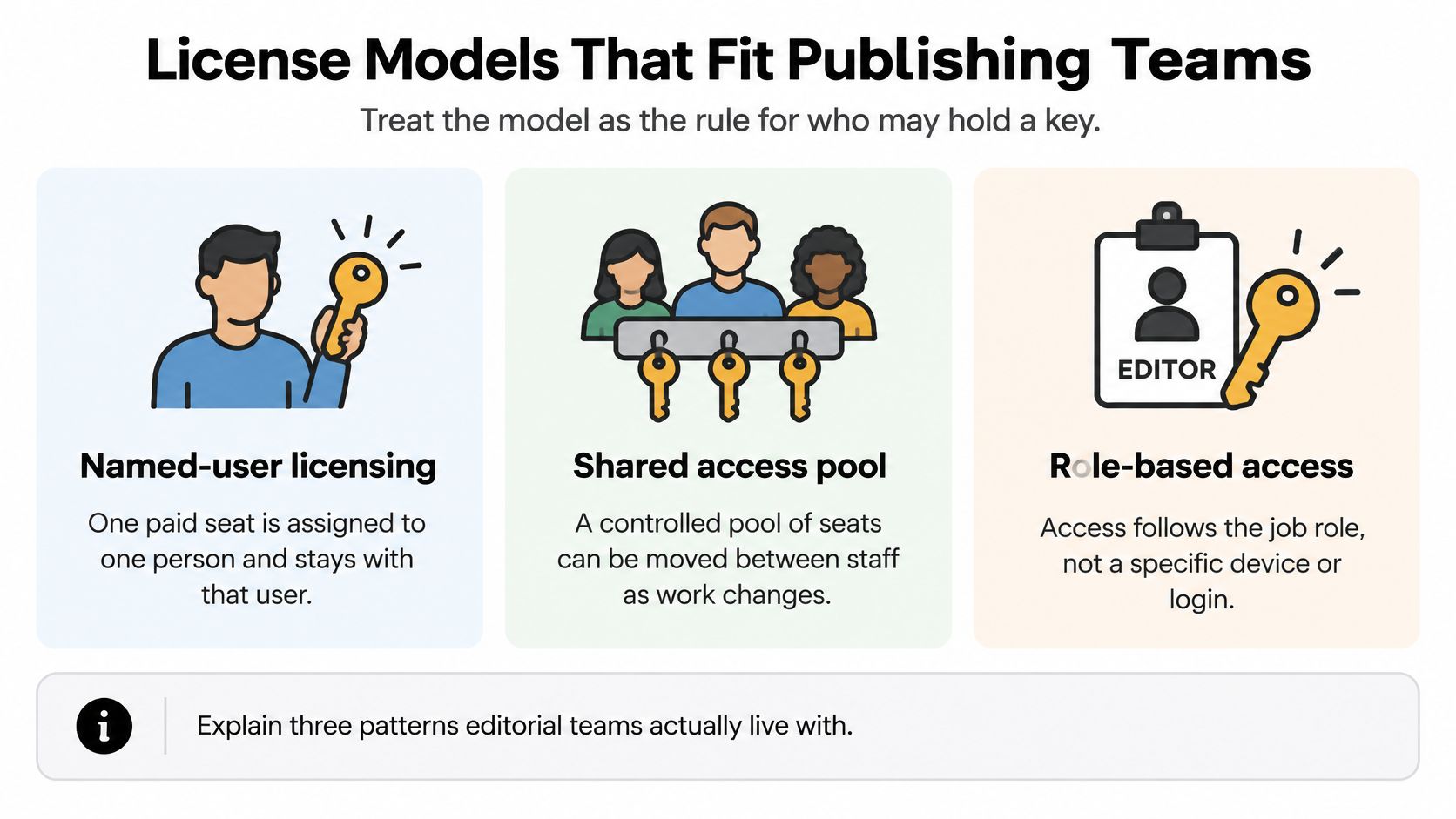
The main patterns are named-user licensing, concurrent or floating licensing, and role-tiered licensing. They solve different problems, and a single platform may combine named assignments with different permission levels.
This comparison separates the access patterns before you assess the contract.
Match the model to the publishing pattern
Named-user licensing fits staff editors who own calendars, assignments, and publishing decisions throughout the working week. Each person has an individual entitlement, so everyone can work at the same deadline. The administrative weakness is persistence: a seat can remain attached to someone long after their responsibilities change.
Concurrent or floating licensing can fit shift-based operations when people work at different times. The organization pays for a pool of simultaneous access rather than an entitlement for every potential user. But overlapping shifts, breaking news, or a shared production deadline can exhaust the pool.
Don't confuse a floating license with sharing a password. A controlled pool should still identify individual users and preserve accountability.
Role-tiered licensing separates full editing capabilities from narrower contribution, review, or viewing rights. It's often the most useful editorial pattern because a client approving a headline doesn't necessarily need the same permissions as the editor scheduling publication. However, permission roles and billing tiers aren't automatically the same thing: confirm which roles reduce the paid-editor count.
Seat models for editorial teams
| Model | Who is billed | Sharing | At a deadline spike | Main risk |
|---|---|---|---|---|
| Named user | One paid seat per named person | No sharing | Everyone who needs access already has a seat | Former staff and role-changers keep paying seats |
| Concurrent or floating | A shared pool, often via a license server | Many people share fewer simultaneous seats | Pool can run out when the whole desk logs in | Hidden wait times and unclear ownership |
| Role-tiered | Full editor seats for core staff; lesser roles for others | Only within the role granted | Editors stay licensed; reviewers use a narrower role | Role creep turns guests into full editors |
Give exceptions a defined route
A merger calls for account reconciliation before new invitations, especially where someone already belongs to both organizations. A seasonal magazine needs access aligned to its production cycle. An agency needs client-specific boundaries so adding a contributor to one account doesn't expose another client's work.
For multi-site agencies, compare workspace boundaries separately from user entitlements. CIQRA's plans for managing multiple company websites are a useful reference when evaluating that distinction; website capacity and editor capacity answer different buying questions.
Assess content collaboration tools against actual handoffs too. Can reviewers comment without changing schedules? Can contributors see only their assigned projects?
Use named or role-tiered access for core staff, with a defined guest exception path. Choose a floating pool only when measured simultaneous demand supports it, not merely because the headline seat count looks smaller.
Recertify and Expire Editor Seats Each Quarter
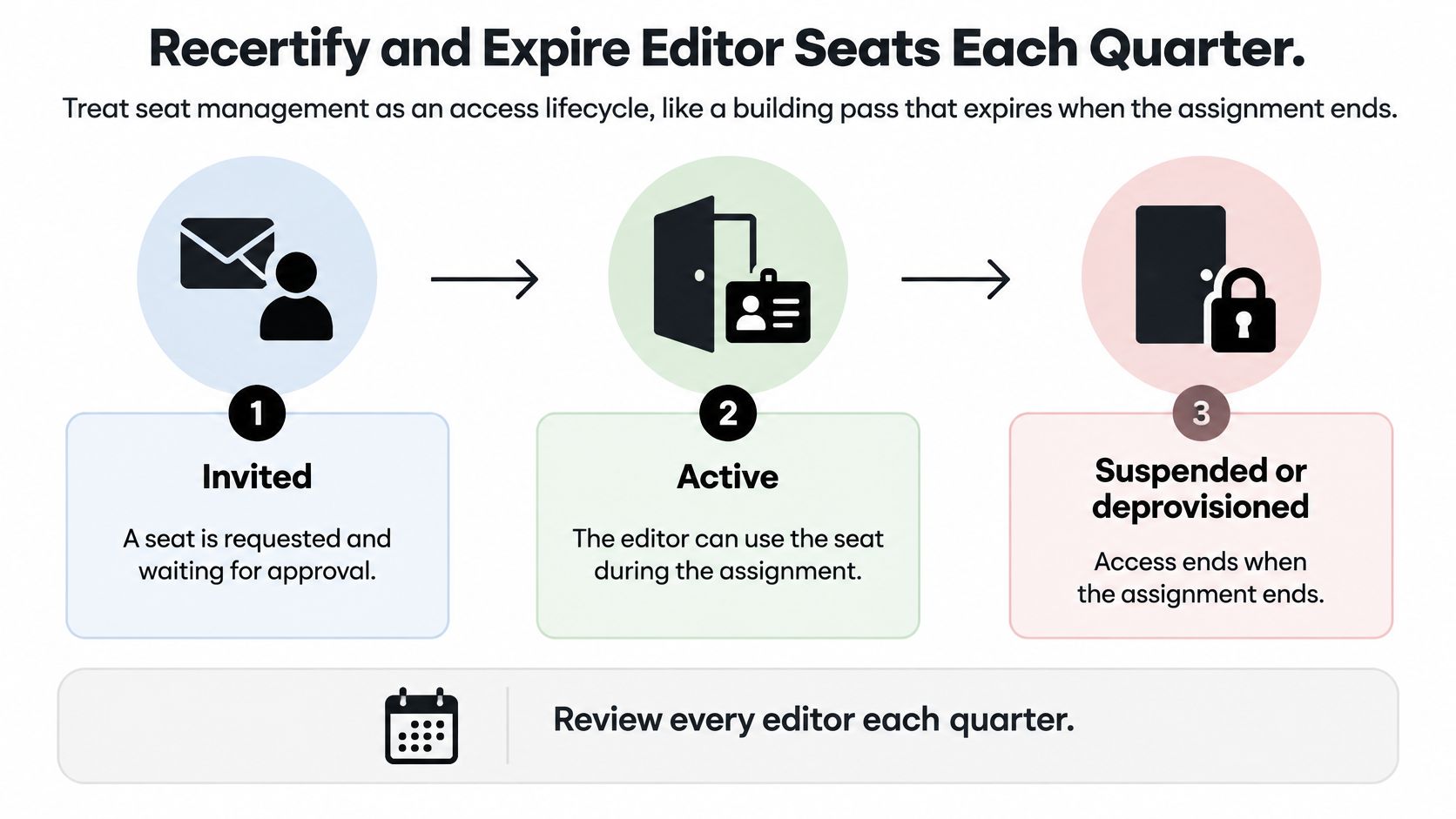
Treat access like a building pass that lasts for an assignment, not a permanent souvenir of joining a project. Someone should be responsible for confirming that each pass still belongs in circulation.
Microsoft's Entra access-review documentation describes recurring and ad hoc reviews in which designated reviewers confirm whether access remains necessary, with outcomes applied automatically or operationally. For an editorial team, use quarterly recertification as a practical operating cadence, supplemented by reviews when projects end or responsibilities change.
Keep the lifecycle visible in the roster.
Make the owner approve continued access
Separate invited, active, and suspended or deprovisioned accounts. An invitation is pending participation, active access supports current work, and suspension or deprovisioning ends the person's ability to participate according to the platform's controls.
Use the following review sequence. Keep the content handoff ahead of account removal.
- Export the paid-seat roster. Include each person's accountable owner, role, projects, last meaningful activity, and owned content. Don't omit pending invitations because they haven't produced activity.
- Match the list against HR records and contractor end dates. Check parental leave and seasonal assignments explicitly, rather than treating every absence as a departure.
- Classify people as active editors, low-frequency but high-impact participants, invited but never activated, people with no assigned work, or departed contributors.
- Ask the accountable editor to confirm the need. An administrator can identify inactivity, but the project owner knows whether an approval or assignment is still outstanding.
- Transfer drafts, unresolved comments, calendar items, and approval responsibility to a named successor. Verify what the platform preserves when an account is suspended or deleted.
- Suspend or deprovision the account, record the decision, and reconcile the billable count before the next invoice.
Add this handoff to your project management checklist, so closing a campaign includes access cleanup rather than only marking content complete.
Handoff rule: Removing a contributor shouldn't remove the team's ability to understand or finish their work.
Don't clone a departing editor's permissions onto the next contractor. Start from the new assignment and grant only what it requires. Where the product supports it, keep new editors in the invited state until their first project is confirmed, rather than activating paid access speculatively.
Put an expiry on external access
Microsoft's identity-governance overview describes entitlement management that supports requests, approvals, assignments, reviews, and expiration, with access revocation or guest blocking at expiry. An editorial policy can apply that pattern through project-scoped access, for example 30 days for a feature or 90 days for a seasonal assignment, with renewal requiring an explicit owner decision.
Those durations are operating examples, not universal product defaults. Align expiry with the assignment, and configure automated removal only where the platform supports it.
Role, expiry, and owner rules
| Role | Seat type | Typical expiry | Who recertifies |
|---|---|---|---|
| Staff editor | Paid named seat | Ongoing, reviewed quarterly | Managing editor |
| Freelance contributor | Project-scoped seat | 30 or 90 days | Project owner |
| Client or legal reviewer | Reviewer, not full editor | Length of the assignment | Account owner |
| Stakeholder | Read-only where the product allows it | Project or campaign end | Sponsoring editor |
Scope external access to the relevant project, channel, or workflow. Send reminders before expiry, and retain records of invitations, activation, role changes, and removal.
Measure the share of external seats with an owner, an expiry date, and completed recertification. A low seat count doesn't demonstrate good governance if nobody can explain why the remaining guests still have access.
Quiet Seats That Are Still Worth Paying For
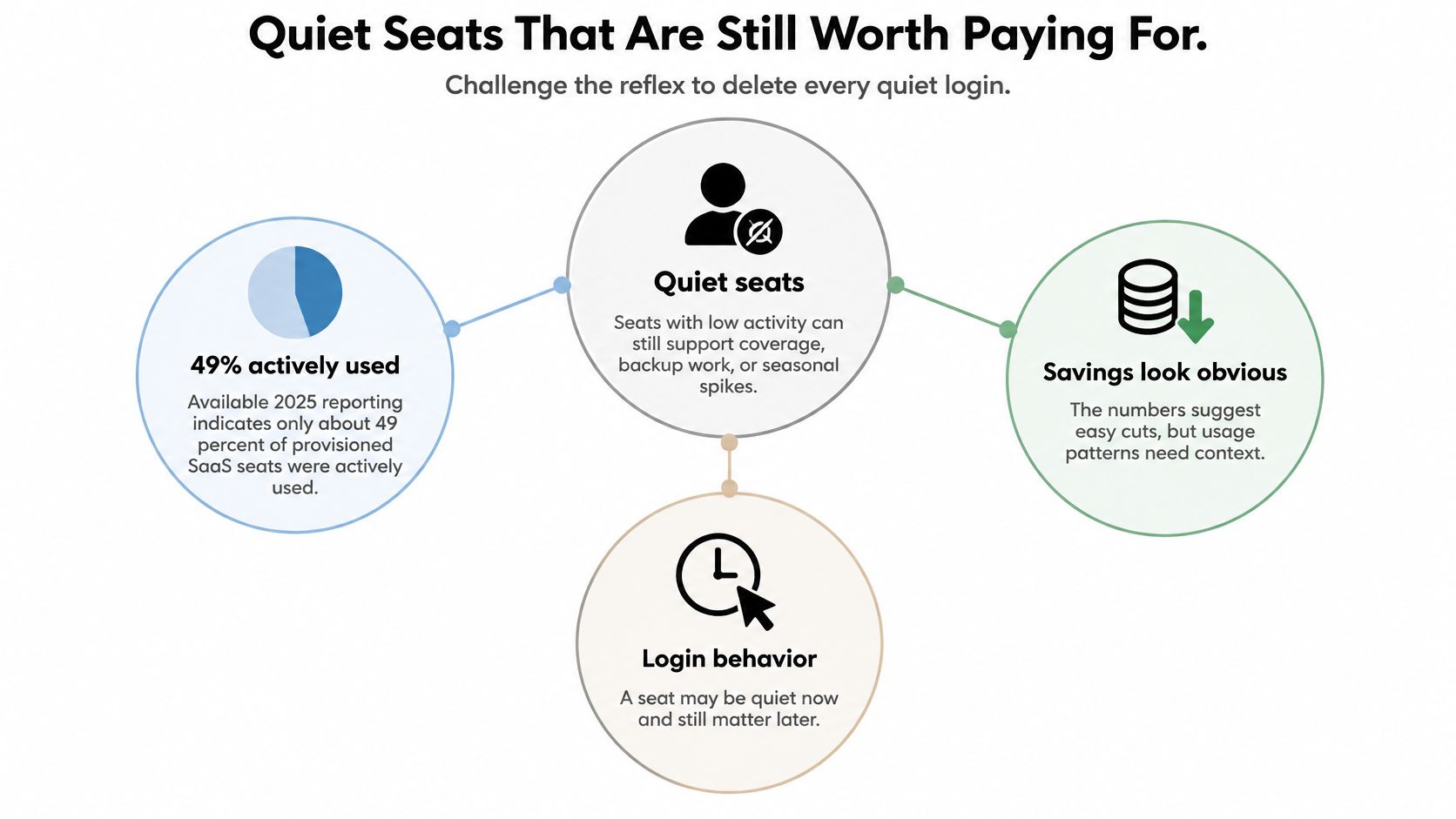
Don't delete a quiet login until you know what that person can block. A copy chief who reviews the final package or a lawyer who clears sensitive claims may contribute little visible activity while remaining essential to publication.
A LinkedIn post by Balázs Németh reports that only about 49% of provisioned SaaS seats were actively used. That's a prompt to investigate utilization, not a newsroom-specific target or evidence that every quiet account is waste.
The distinction is between inactivity without a purpose and access deliberately retained for a publishing responsibility.
Apply a reserve test
Keep a quiet seat when the person owns a required approval, has an upcoming deadline, belongs to a live project, or provides expertise that can't readily be replaced. Record the reason in a reserved column, along with the accountable owner and next review trigger.
Consider a legal reviewer assigned to a sensitive feature. Their absence from the calendar between review rounds doesn't mean their access is unnecessary. Removing it may force the editor to export documents, reconcile comments elsewhere, and request emergency access when revisions arrive.
Reclaim a seat when there's no accountable owner, no assigned work, no upcoming deadline, and no meaningful activity across the review window. If the evidence is incomplete, resolve the uncertainty with the sponsoring editor instead of making a silent deletion.
A reserved seat has a named purpose. An orphaned seat has nobody prepared to explain why it still exists.
The distinction also makes the finance conversation more useful. A documented reserve is a publishing decision that can be challenged and renewed, rather than an unexplained exception hidden in the roster.
Answer the awkward allocation questions
Should occasional reviewers have permanent editor seats? Usually not if a narrower reviewer role supports their responsibilities. But if full licensed access is necessary for a blocking approval, retain it for the relevant cycle rather than disrupting the handoff.
How should seats change during a campaign? Allocate temporary access against named assignments and the campaign's actual finishing work. Don't expire every contributor when the first asset launches if revisions, localization, or final approvals remain outstanding.
When is a free or guest collaborator the safer choice? When the person only needs to read or comment, and that access provides adequate project boundaries and accountability. Free access isn't automatically safer if it exposes more content or requires uncontrolled document sharing.
Use periodic, context-aware review rather than automatic deletion based solely on login age. The objective is to remove unnecessary entitlement, not to make every participant behave like a daily editor.
A Forty-Seat Newsroom Worked Through
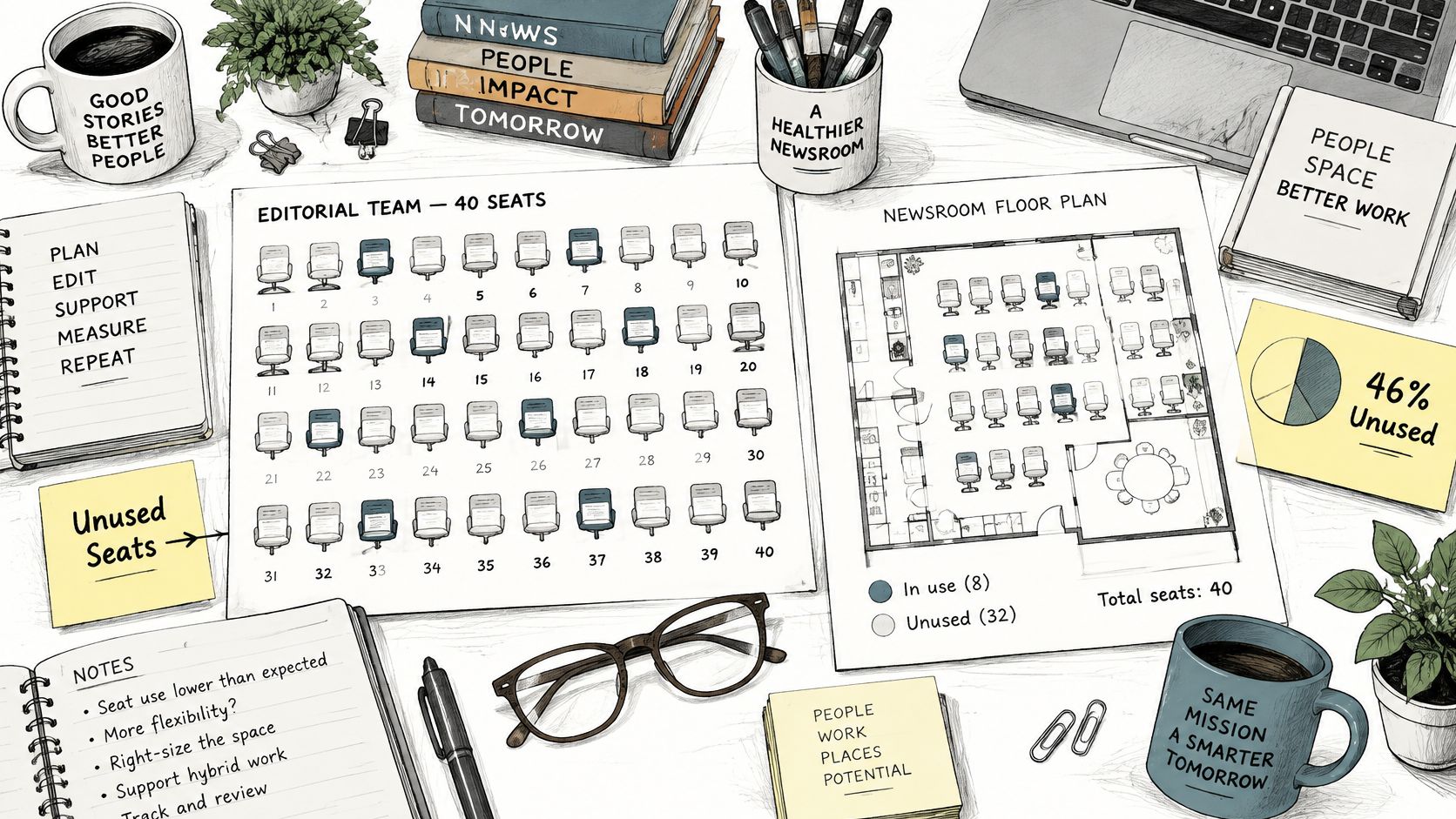
Zylo's license-waste analysis reports that organizations leave an average of 46% of software licenses unused. That cross-application benchmark explains why utilization deserves attention, but it doesn't determine an editorial team's correct seat count.
Consider a hypothetical newsroom with 40 paid editor seats. Its operations lead needs to decide whether the next renewal requires more capacity, fewer seats, or better allocation.
Treat the roster as a map of responsibilities, not a physical desk-assignment exercise.
Sort people before changing the purchase
In this scenario, 36 seats are assigned, and 22 people were active during the last 30 days. Assignment utilization is therefore 90%, while active utilization is 55%. There are 14 assigned-but-quiet seats and 4 unassigned seats.
The managing editor checks responsibilities before authorizing removals. Of the active users, 18 are staff editors, while 4 are stakeholders who only read status updates. Those stakeholders are already included in the assigned count, not an additional group.
The quiet group needs a different treatment. Eight are approvers and legal reviewers who participate during production week, so the editor marks their seats as an intentional reserve. The remaining 6 are freelancers whose contracts have ended; their unresolved comments and draft ownership must be transferred before suspension.
The operations lead also confirms that this hypothetical platform offers a narrower stakeholder role that doesn't consume an editor license. Moving those readers changes the editor-seat requirement without removing their visibility.
Forty-seat newsroom before and after review
| Group | Before review | Decision | After review |
|---|---|---|---|
| Active staff editors | 18 | Keep | 18 |
| Low-frequency approvers and legal | 8 | Reserve on purpose | 8 |
| Freelancers past contract | 6 | Transfer ownership, then suspend | 0 |
| Read-only stakeholders on editor seats | 4 | Move to a narrower role | 4 in narrower roles |
| Unassigned paid seats | 4 | Hold as buffer, do not buy more | 4 |
| Paid editor seats | 40 | Reclaim 6 and downgrade 4 | 30 |
The final total includes the deliberately retained unassigned buffer. The stakeholders remain collaborators, but they no longer count as paid editors in this scenario.
Distinguish access cleanup from invoice reduction
Suspending users and downgrading roles releases capacity administratively. Whether the next bill falls immediately depends on the contract, so the operations lead must submit any permitted reduction before the renewal deadline.
For a visual pause before reconciling your own roster, use the video below alongside the decision table.
The newsroom's buying decision is zero new seats, with a named reserve retained and ended assignments removed. It hasn't pursued the highest possible utilization percentage. It has matched access to the people who still need to participate.
A login alone wouldn't have produced that result: readers looked active while essential approvers looked quiet. Before speaking with finance, run the same responsibility-based sort on your export and make sure each proposed change has an owner.
Set Your Seat Count Before Renewal
Buy for confirmed editorial responsibility, not for the apparent fullness of the roster. Count core editors, retain justified approval capacity, and add a buffer only for hiring or assignments that someone has approved.
Exclude ended freelance assignments and people whose work fits a narrower role. Pending invitations should also have an owner and a reason to remain open; don't let an unanswered invitation become an indefinite purchasing assumption.
Turn the roster into a renewal instruction
Your renewal document should tell finance what to keep, what to remove, and when each change can take effect. Tie planned additions to the staffing forecast rather than a general expectation that the team might grow.
For organizations coordinating those forecasts with HR, HR Management 365's UK headcount planning resources provide a planning reference. Keep the distinction clear: approved hiring may justify capacity, but a possible future vacancy doesn't automatically justify another license.
Check the commercial terms before the notice window closes:
- Reduction rights: Confirm whether committed seats can be reduced at renewal and what notice is required.
- Additional-seat billing: Establish whether mid-term additions create true-ups or another billing adjustment.
- Role treatment: Verify which downgrades change billing and which only change permissions.
- Effective dates: Record when administrative changes become invoice changes.
Keep a monthly activity check, a quarterly recertification, and an event-triggered review when a project or contractor engagement ends. Give each action a named owner so the renewal decision doesn't depend on someone remembering an old email.
Keep purchasing aligned with workflow
A content operations platform should help the team connect assignments, ownership, and deadlines. Evaluate capacity alongside those working requirements, rather than treating the license spreadsheet as a separate purchasing exercise.
Our Team plan costs $29 per editor per month and includes everything in Pro, plus unlimited seats, custom workflows, onboarding support, and SSO & advanced security. It's sold through sales contact rather than a self-serve sign-up button; unlimited seat availability shouldn't be read as eliminating editor-based pricing.
Before renewal, export the editor list, mark each row keep, reserve, or reclaim, and reconcile the purchasing instruction with the contract. Keep the approval path intact and remove orphaned access before it becomes another renewal commitment.
TheContentMap brings editorial calendars, writer assignments, comments, and publish reminders into one planning workspace. Visit TheContentMap to explore how your team can connect its editorial responsibilities with a clearer seat-management process, and contact sales to discuss the Team plan.
Related Articles
Marketing Campaign Workflow Teams Can Run in 2026
A campaign rarely fails because nobody had an idea. It fails because the idea sat in review, the lan...
SoftwareContent Marketing Workflow for Editorial Teams
83% of marketing leaders wanted to streamline workflows and reduce the number of technology solution...
SoftwareTagging Ideas for Editorial Teams: A Practical Guide
You're in a planning meeting, looking for ideas about pricing. One editor used pricing, another...
Comments (0)
No comments yet. Be the first to share your thoughts.