Content Operations Platform: What It Is and How to Choose
Learn what a content operations platform is, the features that matter, and how to choose one that fits your editorial team's workflow and goals.
The managing editor starts the morning by checking a spreadsheet for today's deadlines, a chat thread for feedback, and an inbox for the draft that was supposed to be ready yesterday. One writer says the editor has the latest version. The editor has a different file. A stakeholder's approval is buried in chat, and the reminder to schedule the article never got set.
By the afternoon, the team has done plenty of work but still can't answer simple questions: Who owns the next step? Is the publish date still realistic? Which topics brought useful results last quarter? The problem isn't a shortage of ideas or capable writers. It's that editorial work has no dependable operating system.
A content operations platform connects the work from idea capture through publishing and measurement. Instead of keeping the calendar, assignments, approvals, and results in separate places, the team can work from shared records. The calendar then reflects the same information as the workflow, rather than becoming another document someone has to update.
Table of Contents
- The Day Everything Falls Through the Spreadsheet
- What a Content Operations Platform Actually Is
- Core Features That Actually Change How an Editorial Team Works
- The Governance Gap Most Platforms Still Ignore
- How Content Operations Platforms Compare to Adjacent Tools
- Selection Criteria and Vendor Signals Worth Checking
- Bringing It Together and What a First 30 Days Can Look Like
The Day Everything Falls Through the Spreadsheet
At the publishing meeting, an article marked “ready” turns out to be waiting for a claims review. The writer finished the revisions, so the spreadsheet status seemed reasonable. The editor understood “ready” to mean approved for publication. The subject-matter expert never received a review request.
The label concealed a decision nobody had made.
Spreadsheets, chat, and documents each serve a useful purpose. Trouble starts when the team expects them to carry the same meaning. A date records an intention, a comment requests a change, and a message may grant approval. Without agreed rules connecting those signals, the calendar can look healthy while the work remains blocked.
The editor then becomes the switchboard, checking who has acted, interpreting responses, and relaying the next instruction. That coordination takes attention away from editing. It also makes the process depend on someone remembering which conversation settled which question.
The problem is the handoff
Every editorial handoff needs an owner, a next action, and a condition for moving forward. “Draft complete” might mean the writer has finished; “approved” should mean the required reviewers have signed off. Keeping those states distinct helps prevent a finished draft from being mistaken for publishable content.
In the Content Marketing Institute's 2025 B2B content marketing research, 33% of surveyed B2B marketers identified workflow or content-approval issues as a current challenge, while 56% had difficulty attributing content return on investment, and 56% had difficulty tracking customer journeys. These are separate challenges, but together they show why editorial oversight must extend beyond getting a draft written.
A content operations platform can act as an operating system for editorial decisions: the approval, its owner, and any unresolved checks stay attached to the article. For AI-assisted drafts, that means distinguishing generated text from claims a human has checked. A status change alone cannot establish accuracy.
When evaluating a platform, ask the vendor to demonstrate that handoff. Can an editor identify the required reviewer, record the decision, and see what still blocks publication? The trade-off is configuration and upkeep: someone must define those rules and maintain them. The payoff is a process the team can follow without reconstructing it at every publishing meeting.
What a Content Operations Platform Actually Is
A content operations platform is the system that helps editorial work move from an idea to a published item and back into planning. It connects intake, planning, production, review, approval, scheduling, distribution, measurement, and refresh. The point isn't to force every conversation into software. It's to make the important work state, ownership, and decisions visible.
Think of a CMS as the storefront where content appears, and a project tool as a workshop where tasks get done. A content operations platform is closer to the supply chain between them. It makes sure the team knows what work is coming, who's responsible, which checks are needed, and when a finished item is ready to publish. A project board can help manage a particular launch; the operations layer is designed to make the editorial process repeatable across launches.
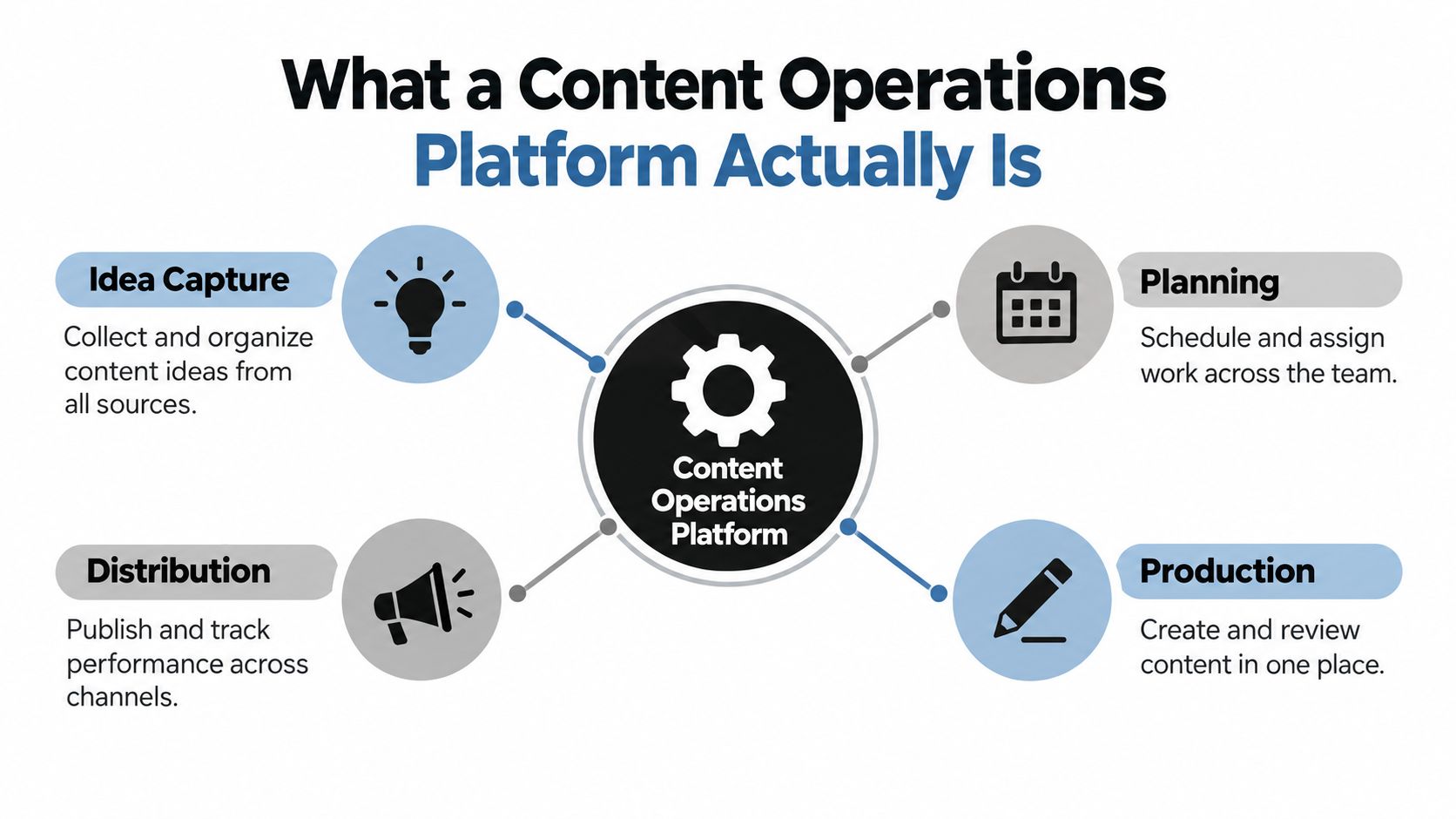
Follow the content item, not the conversation
A useful way to understand the platform is to follow one article through its lifecycle:
- Idea: An editor captures the topic, its source, and the reason to consider it.
- Brief and draft: The team assigns an owner, clarifies the audience and angle, and develops the work.
- Review and approval: Editors and stakeholders make decisions in a known sequence, with changes recorded.
- Scheduled and published: The approved item gets a channel and publication date.
- Measured and refreshed: The team reviews available performance information and decides whether to update, repurpose, or retire the item.
Each transition needs more than a status label. At minimum, the item should identify its owner, due date, current stage, channel, topic, campaign, and revision history. Timestamps and approval decisions help the editor see where work waited, rather than relying on a retrospective guess.
That structure behaves like a simple state machine: the item has one current state, and the team can tell what must happen before it moves forward. The same record can feed a pipeline view, calendar, and performance report. If your team is looking for practical ways to coordinate conversations around that work, you might also browse for teams as one resource for exploring team communication tools.
A calendar alone can show when work is due. A document can show what the draft says. A generic task tool can assign a task. A content operations platform connects those pieces so that changing a review status, owner, or schedule doesn't require someone to manually reconcile several competing versions.
Core Features That Actually Change How an Editorial Team Works
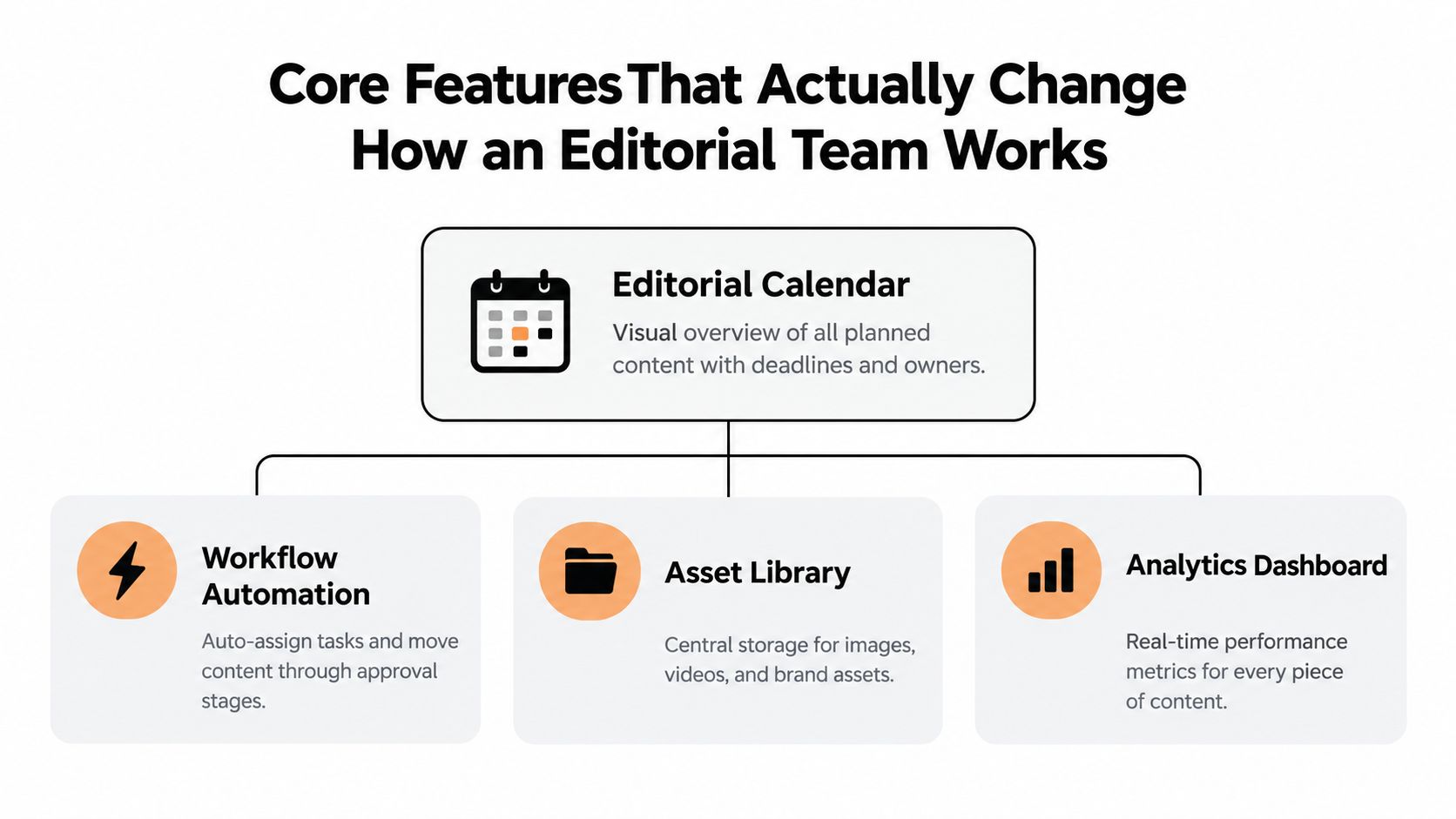
Features matter when they change what people can see or do. A calendar that shows owners and deadlines gives an editor a way to spot overloaded weeks. A workflow that distinguishes “drafting” from “awaiting approval” helps the editor identify which action will unblock publication. A list of feature names matters less than whether those capabilities share the same content records.
From planning to follow-through
An editorial calendar provides a view of planned content across dates, projects, and channels. Drag-and-drop scheduling can make it easier to respond when a launch moves or an expert becomes unavailable. But the calendar only stays useful if changing a publish date also updates the underlying content item, not just a visual block.
An idea pipeline gives topics a route from capture to publication. For example, an editor can distinguish an unreviewed pitch from an assigned brief and a draft awaiting approval. That prevents promising ideas from getting buried in an “ideas” tab with no owner or next action.
Assignments, comments, and reminders support accountability. The assignment tells the team who is responsible; the comment keeps feedback near the work; and the reminder surfaces a deadline before it disappears into a busy week. These features reduce the need to reconstruct context from separate chats and email threads. For a useful perspective on the mechanics of collaborative work, see this starryai guide to team collaboration.
The feedback loop is part of the workflow
Topics and tags help teams organize content by subject, format, channel, or campaign as the library grows. Content insights connect that plan to what happened after publication. They can help an editor notice that a topic or format deserves more attention, or that a planned item needs a refresh. For a closer look at how teams keep tabs on published work, explore these content tracking tools.
The important distinction is that insights shouldn't sit apart from planning. If performance information doesn't connect to the same topics and items the team planned, editors must manually match reports to the calendar. That creates another reconciliation task, rather than a useful feedback loop.
A content operations platform should also make review steps visible. Editors need to know whether a piece is waiting for a factual check, legal review, or final sign-off. Those distinctions help teams plan realistically and reduce the risk of treating “draft complete” as “ready to publish.”
This video offers another view of editorial planning and workflow:
The Governance Gap Most Platforms Still Ignore
An AI-assisted draft reaches final approval, but someone rewrites its central claim before publication. Does the approval still count? A content operations platform should make that decision explicit, with a named reviewer and a record of what changed. Otherwise, “approved” describes a past version rather than the article readers will see.
The Content Marketing Institute's 2025 B2B research reports that 95% of marketers in a separate 2025 global study used AI-powered applications, while 52% considered their governance approach established, advanced, or leading. Another survey cited in that research found that marketers often lacked formal AI-governance structures. For an editor evaluating tools, the practical question is whether review responsibilities can become enforceable decisions attached to each item.
Make reviewable decisions visible
The platform works like an operating system for editorial decisions: it should connect the draft, the rules governing it, and the people authorized to approve it. Test that connection with an AI-assisted article during a demonstration:
- Where was AI used? Record whether it contributed to an outline, draft, rewrite, or metadata, so reviewers understand what needs checking.
- Who owns verification? Assign responsibility for checking claims, sources, and context. A general “review” task can leave those duties ambiguous.
- What needs approval? Apply review gates according to the topic or content type, with additional scrutiny where the team requires it.
- Did the reviewed draft change? Preserve revision history and establish when a substantial edit requires another check.
The right level of control depends on the content. An evergreen article may need an editor's review; a sensitive claim may need subject-matter or compliance approval. Requiring identical checks for both creates unnecessary work. Allowing reviewers to skip required checks creates uncertainty about publication readiness.
Faster drafting also changes where human effort belongs. A completed draft still needs someone to judge its accuracy and suitability, and the workflow should record that judgment.
Coordination matters here. The Content Marketing Institute and MarketingProfs' enterprise content marketing findings report that 48% of enterprise marketers agreed their organizations measured content performance effectively, while 55% identified organizational data silos. These findings concern measurement and coordination; they do not establish whether a particular platform handles AI governance well. Check that capability directly.
Practical rule: If an editor can't tell who verified an AI-assisted draft, the workflow hasn't finished.
A structured content approval workflow helps define responsibilities. An AI content strategy playbook can place those decisions within wider planning. During evaluation, ask the vendor to demonstrate recorded AI use, human ownership, required checks, and preserved approval history on the same item.
How Content Operations Platforms Compare to Adjacent Tools
Teams often begin with whatever they already have: a project board, a CMS, shared documents, or an automation suite. Those tools can be useful, but they're built around different jobs. The distinction isn't that one category replaces all the others. It's that a content operations platform connects the editorial work that otherwise gets split across them.
| Capability | Content operations platform | Project management | CMS | Doc-based workflow |
|---|---|---|---|---|
| Intake | Captures and organizes editorial ideas | Accepts tasks or project requests | Typically centers on content ready for the system | Captures ideas informally in documents |
| Planning | Connects pipeline stages to a shared editorial calendar | Plans projects and general tasks | May support publishing schedules | Relies on a maintained list or spreadsheet |
| Workflow | Tracks content-specific stages, owners, and approvals | Tracks configurable tasks and dependencies | Manages content entry and publishing steps | Uses comments, file names, and manual follow-up |
| Publishing | Coordinates readiness and planned release | Usually requires another publishing tool | Publishes or manages content in the CMS | Requires manual transfer into publishing tools |
| Measurement | Links planned items with content insights | Usually tracks task completion | May provide publishing or platform analytics | Requires separate reporting and manual matching |
A project management tool can handle cross-functional launches, but the editor may need to configure editorial stages, tags, and calendar views. A CMS manages content in its publishing environment, but it doesn't necessarily manage early ideas, assignments, or the editorial queue. A marketing automation suite can coordinate campaigns and distribution, while a document-based workflow remains flexible but depends on people to keep status and dates in sync.
That's why a content operations platform is not a project board with an editorial label. It should connect the idea pipeline, schedule, ownership, review process, and performance feedback around the same content item. Teams comparing publishing systems can also use this guide to content management tools, while keeping the distinction between content storage and editorial operations clear.
TheContentMap is one focused editorial planning platform in this category. Northwind Media, Atlas Publishing, Brightcopy, Meridian Content, and Fieldstone are listed as examples of teams using it. The useful question isn't whether any product replaces every adjacent tool. It's whether the editorial system removes the handoff gaps that currently force editors to copy status, dates, or decisions from one place to another.
Selection Criteria and Vendor Signals Worth Checking
Start with the work your team needs to make visible, not with a vendor's feature checklist. If editors routinely update a calendar separately from a workflow board, ask whether both views use the same underlying records. If approval decisions disappear into comments or chat, check whether the system records who approved what and when.
Test the operating model
Use a realistic example when evaluating a platform. Take an idea that needs a brief, a writer, editorial review, stakeholder approval, a publish date, and a later performance check. Ask the vendor to show how that item moves through the system. A polished demo matters less than seeing how the product handles a changed deadline, a reassigned owner, or a draft that returns for revision.
Check these signals:
- Shared data model: Calendar, pipeline, and insights should reflect the same content item.
- Ownership and history: Editors should be able to see current owners, due dates, approvals, and revisions.
- AI governance hooks: Look for a way to flag AI assistance, assign human review, and record decisions.
- Team-fit pricing: Check whether fees depend on editor seats, projects, or other limits that match your staffing.
- Editorial understanding: Ask how the product handles pitches, briefs, stakeholder review, and publication planning, not just generic tasks.
- Adoption support: Understand onboarding, support, access controls, and how much setup the team must do before work becomes visible.
A solo editor may prioritize a clear calendar and an uncomplicated pipeline. An in-house team may need shared ownership and stakeholder approvals. An agency should check how the platform separates client projects without duplicating its core workflow. A publisher with established review rules may put more weight on permissions, audit history, and governance.
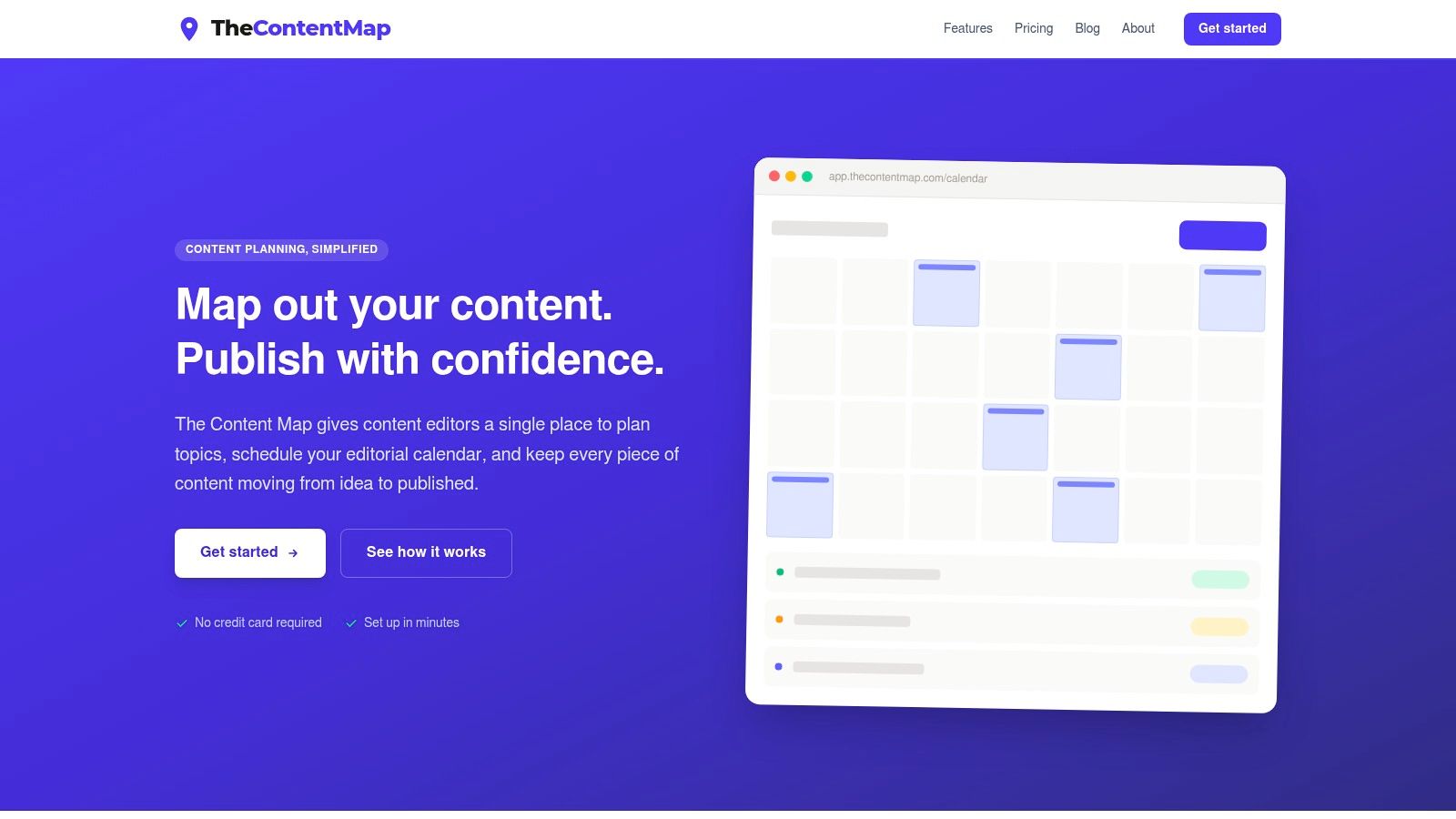
For a concrete pricing example, TheContentMap lists Starter as Free, Pro at $12 per editor per month with up to 3 projects, and Team at $29 per editor per month with unlimited projects, unlimited seats, SSO, and priority support. Its web-based workspace combines idea capture, an editorial calendar, assignments, comments, reminders, workflow stages, and content insights. Pricing and capabilities can change, so confirm current plan details directly with the vendor before making a decision.
Ask every vendor: “If an item's owner, approval status, or publish date changes, which views update automatically, and what history can my editor review?”
Also ask whether evaluation requires a credit card, what onboarding includes, and which controls are available at each plan level. Transparent answers make it easier to judge operational fit before the team commits to moving its work.
Bringing It Together and What a First 30 Days Can Look Like
A content operations platform changes the work in three connected ways: it replaces scattered status updates with a shared record, makes ownership and deadlines visible, and links editorial planning with what the team learns after publication. The value comes from connecting those habits, not from adding the largest possible number of features.
A measured rollout helps the team build that operating model without trying to redesign every process at once:
- Week one: Bring current ideas, drafts, and scheduled items into one pipeline. Keep the initial setup focused on active work.
- Week two: Define the stages, owners, and approval points the team uses. Remove stages that don't lead to a clear decision.
- Week three: Turn on reminders and add a lightweight governance checklist for AI use, source verification, and required approvals.
- Week four: Review where items waited, which dates moved, and what performance information is available. Adjust the workflow where the evidence shows a bottleneck.
A team is likely ready to evaluate a platform if deadlines slip repeatedly, editors can't name the next owner without searching several tools, or published work rarely informs future planning. Start on Monday by tracing one current article from idea to measurement. Mark each handoff, note where information gets lost, and use that path to test whether a platform gives the team a clearer, more accountable way to work.
TheContentMap brings idea capture, editorial scheduling, workflow, assignments, reminders, and content insights into a web-based workspace for editorial teams. If you're ready to replace scattered planning with a shared operating system for your content, visit TheContentMap to explore how it fits your team.
Related Articles
What Is Cross Team Collaboration and How It Works
Cross-team collaboration is the coordinated work of people from different functions, such as editori...
SoftwareContent Marketing Plan: Step-by-Step for Editorial Teams
You opened the spreadsheet again. The dates are filled, the titles look plausible, and the month sti...
SoftwareContingency Planning Example: 7 Content Backup Plans
It's 9 a.m. Your feature writer is sick, the product launch has slipped, and the newsletter stil...
Comments (0)
No comments yet. Be the first to share your thoughts.