How to Book a Demo: What to Prepare and Expect
Learn how to book a demo, what to prepare beforehand, and what to expect from the walkthrough so your first call covers your real workflow.
Deals where buyers had demo access closed 46% of the time, compared with 38% for deals without it, in an analysis of approximately 68,000 B2B deals summarized by Storylane. That's an observed comparison, not proof that a demo caused the sale. For a content operations lead, the useful question is whether the demonstration provides enough evidence to make a sound decision.
When you book a demo, you're not committing to a purchase. You're arranging a test of whether a tool can handle your editorial work, including the awkward handoffs and access rules that don't appear in a polished product screenshot.
Table of Contents
- Choose the Right First Step for Your Team
- What to Prepare Before the Call
- Book Your Demo in Five Steps
- What to Expect From the Walkthrough
- Spot a Weak Demo and Fix It Fast
Choose the Right First Step for Your Team
| Your situation | Best first step | Why |
|---|---|---|
| Editors checking basic workflow fit | Self-guided tour or free plan | A live call adds little until you know the basics fit |
| Team with several projects or permission questions | Live demo | Permissions, seat rules and SSO are easier to explain live |
| Writers and stakeholders testing daily use | Trial with a real project | Adoption depends on hands-on use, not a presentation |
| Agency buying for several clients | Live demo, then trial | Confirms client separation before anyone commits time |
Choose the evaluation method that answers your unresolved question. An editor checking whether a calendar is usable needs a different experience from an operations manager evaluating access across client accounts.
A YouGov summary of a TrustRadius survey of 907 B2B technology buyers and 227 vendors reported that 58% of buyers relied on product demos when evaluating purchases, ahead of vendor websites at 51%, according to YouGov. A demonstration belongs in a serious evaluation, but it doesn't have to be the first step.
Match the route to the uncertainty
Start independently when you need to understand basic navigation. Can you find an idea, recognize its status and see its intended publication date without someone narrating every click? A self-guided tour can answer navigation questions. A free plan, where available, lets you try the work yourself.
Choose a live session when your questions involve relationships between people, projects and permissions. An agency should ask the presenter to demonstrate client separation, not merely confirm that separate projects exist. Then use a trial to check whether collaborators can operate within those boundaries.
Use hands-on evaluation when adoption is the concern. A presenter can explain where comments belong; only your contributors can establish whether that arrangement fits their working habits. Our guide to a content operations platform can help you define the scope before comparing vendors.
Separate essential capabilities from adjacent systems
Don't ask an editorial planning tool to prove every part of your analytics stack. If historical search reporting matters, consider where a resource such as Month17's long-term search console data storage fits alongside planning. Bring a clear question about the boundary between systems rather than assuming one platform must replace them all.
Practical rule: Before booking, ask whether a short evaluation with a free option could establish basic workflow fit.
An early sales call has a cost: preparation, attendance and follow-up. If you haven't identified your requirements, the presenter has little choice but to deliver a generic tour, leaving your actual decision unresolved.
What to Prepare Before the Call
Start with two questions: What evidence do we need, and can we gather it without a call? Buyer research summarized by Octoagency indicates that 67% of B2B buyers prefer a representative-free buying experience. That preference is a reason to make the live conversation useful, not a reason to avoid assistance when the requirements are complex.
Prepare a compact brief. You don't need a procurement document; you need enough operational detail for the presenter to build a relevant session.
Build your preparation checklist
- Write the current workflow. Record where ideas arrive, who commissions work, who approves drafts and who sets publication dates. Include the handoff that currently fails.
- Identify the users. Separate editors who manage the schedule from writers who submit drafts and stakeholders who only review. Don't treat everyone as an identical seat.
- List projects and channels. Explain which publications, client accounts or campaigns must remain separate and which people work across them.
- Record access requirements. Include administrator responsibilities, SSO requirements, export needs and any restrictions on external contributors.
- Describe a measurable pain point. Use your own records to show the problem. For example, a hypothetical team might report three missed publication dates last quarter because nobody owned the final approval.
- Invite the workflow operators. Include someone who will maintain the calendar and someone who receives assignments. The budget owner alone can't test daily usability.
Turn the checklist into a test case
Say a regional publisher employs four editors and works with two freelancers. Everyone uses a shared spreadsheet, but draft approvals happen in email, so the managing editor wants to know whether explicit ownership and reminders could replace the manual checking.
The useful preparation isn't a request to see every feature. It's a sample assignment, its approval path and a description of who needs to see what. Use our content operations software guide to distinguish planning requirements from broader production needs.
If a free evaluation is available, load a real project using non-sensitive material. Note where you hesitate, which settings you can't find and which actions require administrator help.
Send the checklist with your booking note. Ask the presenter to use it as the agenda, so the call begins with your editorial process rather than a company introduction.
Book Your Demo in Five Steps
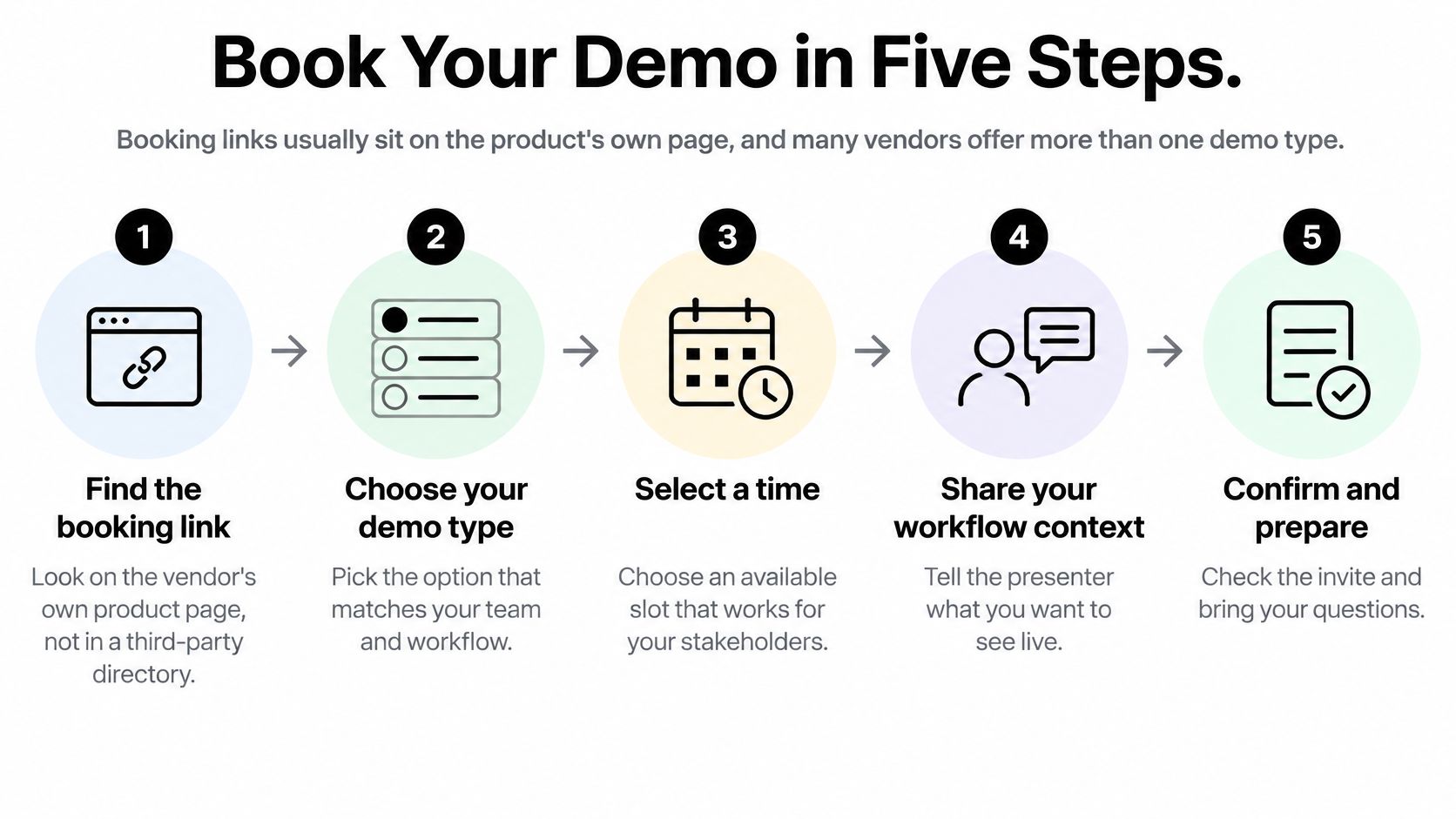
Look for the booking link on the vendor's own product page. If the site offers a live demonstration, an interactive tour and a trial, choose deliberately rather than clicking whichever button is most prominent.
For our service, signing up doesn't require a credit card. Our free Starter plan includes an editorial calendar, up to 3 projects, 1 editor seat and community support, so an individual editor can check basic fit before arranging a conversation.
Make the booking actionable
Find the official booking route and choose the relevant session. Use the vendor's product page rather than a third-party directory, and select the option closest to your role or use case. If there's no scheduler, submit the contact form with your timezone and preferred availability, and ask whether an independent tour is available while you wait.
Supply enough information for accurate routing. Enter your work email, company, role and approximate team size when requested. Explain whether you're buying for an internal editorial team, a publisher or an agency, because the appropriate presenter may differ.
Use the notes field for the workflow that matters. For example, describe editors sharing a spreadsheet calendar who need a clear approval handoff and visible publication reminders. Attach your preparation brief if the form permits it; otherwise, send it in reply to the confirmation email.
Check the timezone and accept the calendar invitation. Verify the meeting time in your calendar application, confirm that the joining details work and invite the colleagues who need to participate. Set a reminder the day before and another shortly before the session so you have time to gather materials.
Send a short task agenda before the meeting. Ask the presenter to demonstrate creating an assignment, completing its approval handoff and rescheduling publication, adapting those tasks to your needs. Add the session to the team calendar and tell attendees which decision each person should help make.
Check the confirmation before considering it booked
A submitted form isn't the same as a confirmed meeting. You should have an accepted calendar invitation, a named host and an agenda that reflects your request. If the confirmation contains only a generic sales message, reply with your task list and ask who will demonstrate the workflow.
A useful booking note describes work to complete, not features to admire.
Keep attachments focused. A sanitized sample brief and a simple workflow diagram are more useful than an entire spreadsheet archive, and they avoid exposing client information before you've established the vendor's handling requirements.
If the proposed session is purely introductory, clarify whether the product will be shown. You can then decide whether that conversation warrants bringing the whole team or whether a single evaluator should attend first.
What to Expect From the Walkthrough
| Area | What to see | What to verify live |
|---|---|---|
| Idea capture | Ideas entered into a pipeline | How quickly a new idea can be captured |
| Ownership and review | Owner assigned and a draft moved to review | Who gets notified and how approvals are recorded |
| Editorial calendar | A piece dragged to a new publish date | Whether changes are visible to every collaborator |
| Reminders | A publish deadline triggering a reminder | How far ahead reminders fire and who receives them |
| Performance insights | Topics and formats ranked by results | Which data feeds the insights and how often it updates |
| Admin and security | Seat, project and SSO settings | Plan limits, SSO availability and export options |
Treat this table as a verification checklist, not an assumption that every vendor supplies every capability. An unavailable feature can be an acceptable trade-off, but it needs to be explicit.
In a 2025 survey of more than 350 sales professionals, 81% reported losing a deal because of a bad demo, according to the Reprise Sales Demo Report. Your safeguard is to ask for product evidence early, while there's still time to investigate the difficult parts.
Follow an assignment through the session
At the opening, the host should confirm who's attending, what each person needs to evaluate and which tasks will be demonstrated. Correct any misunderstanding immediately, especially if the presenter has prepared for a different team structure.
The core run should follow the editorial sequence: capture an idea in a pipeline, plan it on a calendar by assigning an owner and publication date, then publish and review what worked. Keep the same sample item throughout so you can see whether its context survives each handoff.
Ask the presenter to distinguish an actual approval from a status change. Moving a card into review doesn't establish who approved it, whether another reviewer is required or what happens when someone requests changes.
Resolve implementation and follow-up details
During questions, examine the work required to move from your current system. Ask what spreadsheet fields can be imported, what must be recreated manually and who would configure the initial workflow. For a vendor's performance view, establish which inputs support the displayed results rather than assuming it includes every channel you use.
Keep a shared document open with columns for requirement, evidence, unresolved question and owner. Record whether you saw a capability work, heard a verbal assurance or need written confirmation.
Before ending, agree on the next evaluation step, who supplies trial access if applicable and who sends the written summary. Every unresolved issue should have a named owner, including questions your own team needs to answer.
Spot a Weak Demo and Fix It Fast
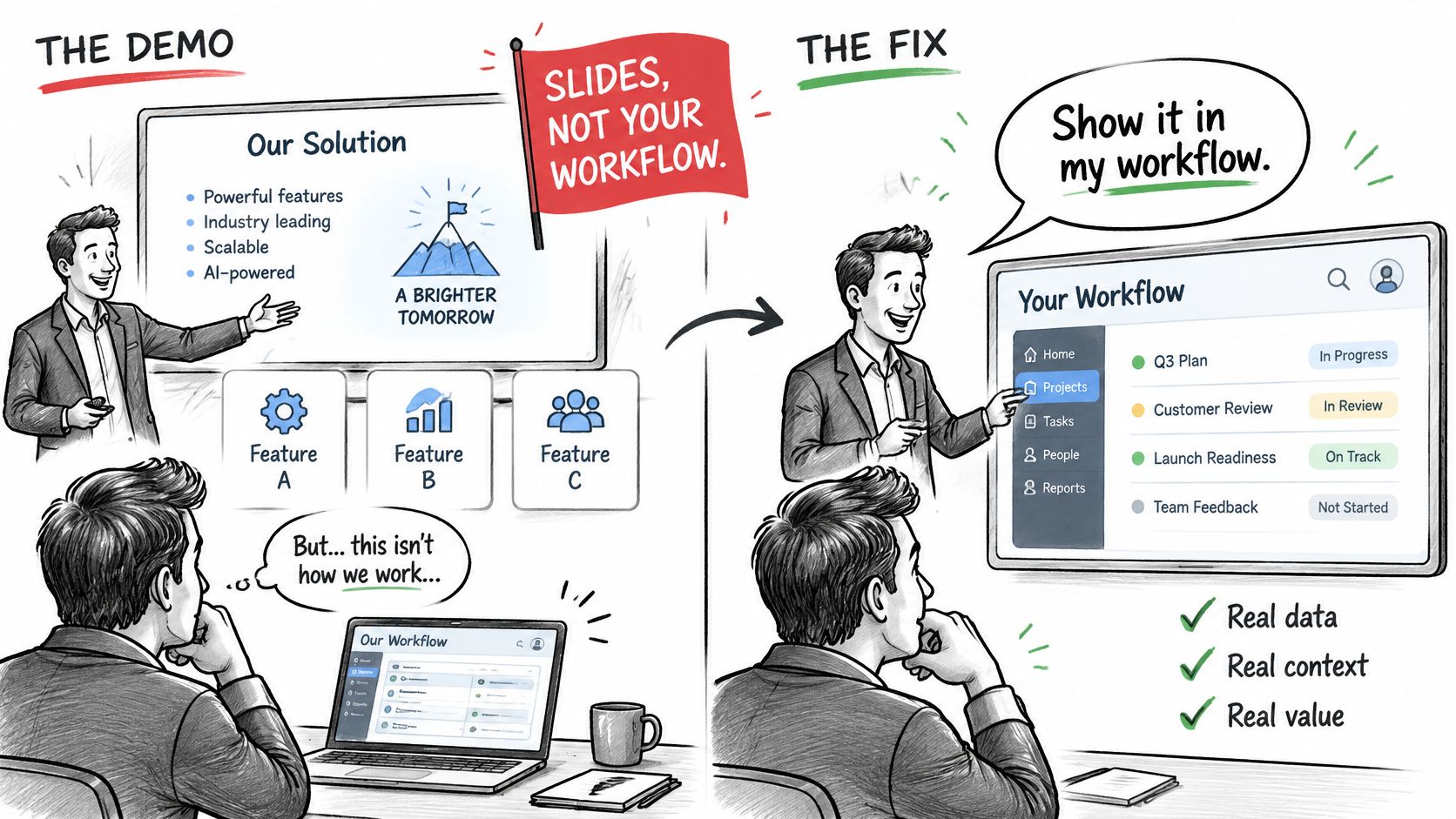
The clearest warning sign is a presenter moving through slides and feature menus without completing your work. Don't wait until the closing questions to redirect the session. A polite, specific interruption gives the presenter a chance to make the remaining time useful.
Pair each warning with a concrete request
- Slides instead of the product. Ask the host to open the application and complete the sample assignment you sent. If that environment isn't available, arrange a product session rather than treating the presentation as proof.
- Vague seat, project or SSO answers. Request written plan limits and access rules, including how external contributors are handled. Mark the requirement unresolved until you receive them.
- Pressure to sign during the call. Ask for a written quote or an appropriate trial route. Your team needs time to compare the demonstrated behavior with its requirements.
- A presenter who can't answer operational questions. Request a follow-up with a product specialist who can demonstrate configuration and daily use. More sales explanation won't resolve a permissions question.
- A tour that skips your requested tasks. Ask for a focused session with an agreed agenda, not a longer version of the same generic presentation.
Approval questions deserve particular care. Use our approval workflow software guide to sharpen the distinction between assigning a reviewer and enforcing a review process.
Decision standard: An unanswered requirement is an open question, not a confirmed capability.
Use your task agenda as the final test. If the presenter can't complete it in the live product, you haven't established fit, even if the interface looks appealing. Separate a genuine limitation from a demonstration problem: either may justify another session, but neither justifies assuming the missing behavior works.
TheContentMap brings idea capture, editorial scheduling, ownership and performance insights into a shared planning workflow. Visit TheContentMap to start with a real editorial project, then bring any unresolved workflow questions to a focused demo conversation.
Related Articles
How to Comment on Drafts Writers Can Act On
The review lands at 4:40pm with eleven comments on a 1,800-word guide that publishes tomorrow. Three...
SoftwareCase Studies Example: 8 Real Content Operations Breakdowns
You're a managing editor, and three stories have slipped past their publish dates this week. The...
SoftwareContent Calendar for Marketing: How to Plan and Publish
Content rarely stalls because nobody can write. It stalls at the handoffs, and the handoff most like...
Comments (0)
No comments yet. Be the first to share your thoughts.