Operational Plan Template: A Step-by-Step Guide
Use this operational plan template to outline goals, timelines, and resources. Editable sections make it easy to adapt for your business.
You're already feeling the drag if the plan lives in a spreadsheet, three people think they own the same launch, and the last review was just a status meeting with nicer formatting. A good operational plan template fixes that by turning intent into owned work, visible checkpoints, and a review rhythm that doesn't depend on memory.
Table of Contents
- Why an Operational Plan Template Has to Be More Than a Checklist
- What a Good Operational Plan Template Looks Like in Practice
- How to Fill Out Each Section Step by Step
- Goals, Accountability, and Scope Control That Hold Up
- Governing AI Inside the Template Without Slowing the Team Down
- From Published Results to the Next Planning Decision
- Handoff, Review Cadence, and the One Field That Makes It Stick
Why an Operational Plan Template Has to Be More Than a Checklist
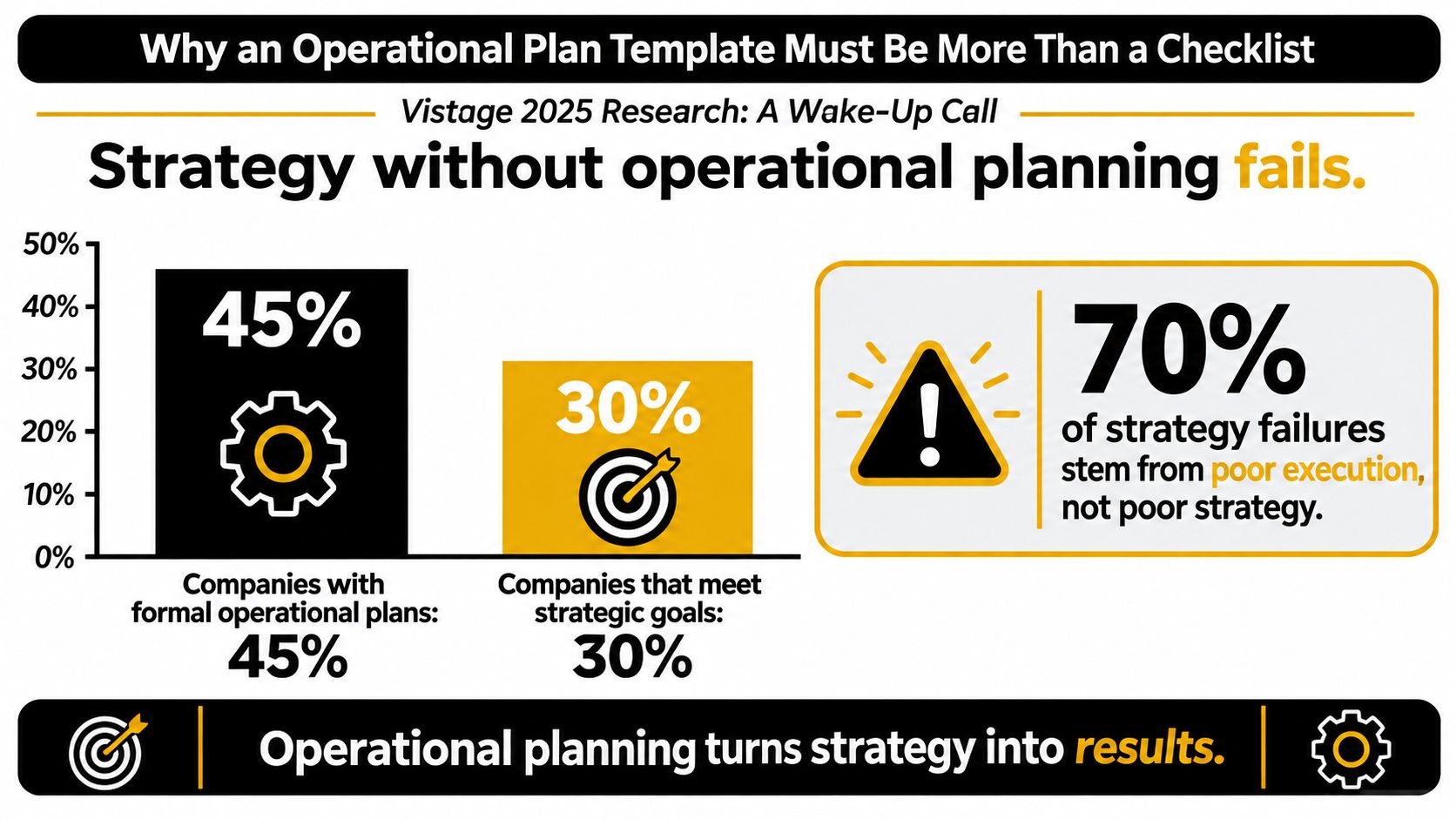
A checklist tells people what exists. A real operational plan template tells them what happens next, who carries the work, and how you'll know if the work is moving the business. That difference matters because strategy often stalls in the handoff from idea to execution.
The wake-up call is plain in the 2025 Vistage research program. Among more than 5,000 executives, managers, and planning practitioners, only 54% said their organizations performed operational planning, only 47% said accountabilities were clearly defined below the executive level, only 37% said major initiatives were aligned with strategic-plan goals, and only 35% said their strategic plans were producing the desired outcomes (Vistage research). Those aren't template problems in the abstract, they're execution gaps.
What the template has to force
A useful template doesn't stop at “activities” and “owners.” It forces the team to spell out objectives, ownership, workflow, dependencies, KPIs, and review dates. If a field doesn't change how work is run, it's probably decorative.
Practical rule: if a planning field can't be used in a weekly or monthly review, it doesn't belong in the operating layer.
The historical pattern backs this up. Operations planning evolved from task analysis to cross-functional coordination, which is why a calendar by itself doesn't hold up when work depends on approvals, handoffs, and timing. That's the logic behind a controlled execution system, not a static document, and it's the same logic behind content operations fundamentals.
A strong template makes the invisible visible. It should show where work starts, where it stalls, who can unblock it, and what result counts as done. That's especially true in editorial teams, where publishing success depends on more than getting a draft written.
What a Good Operational Plan Template Looks Like in Practice
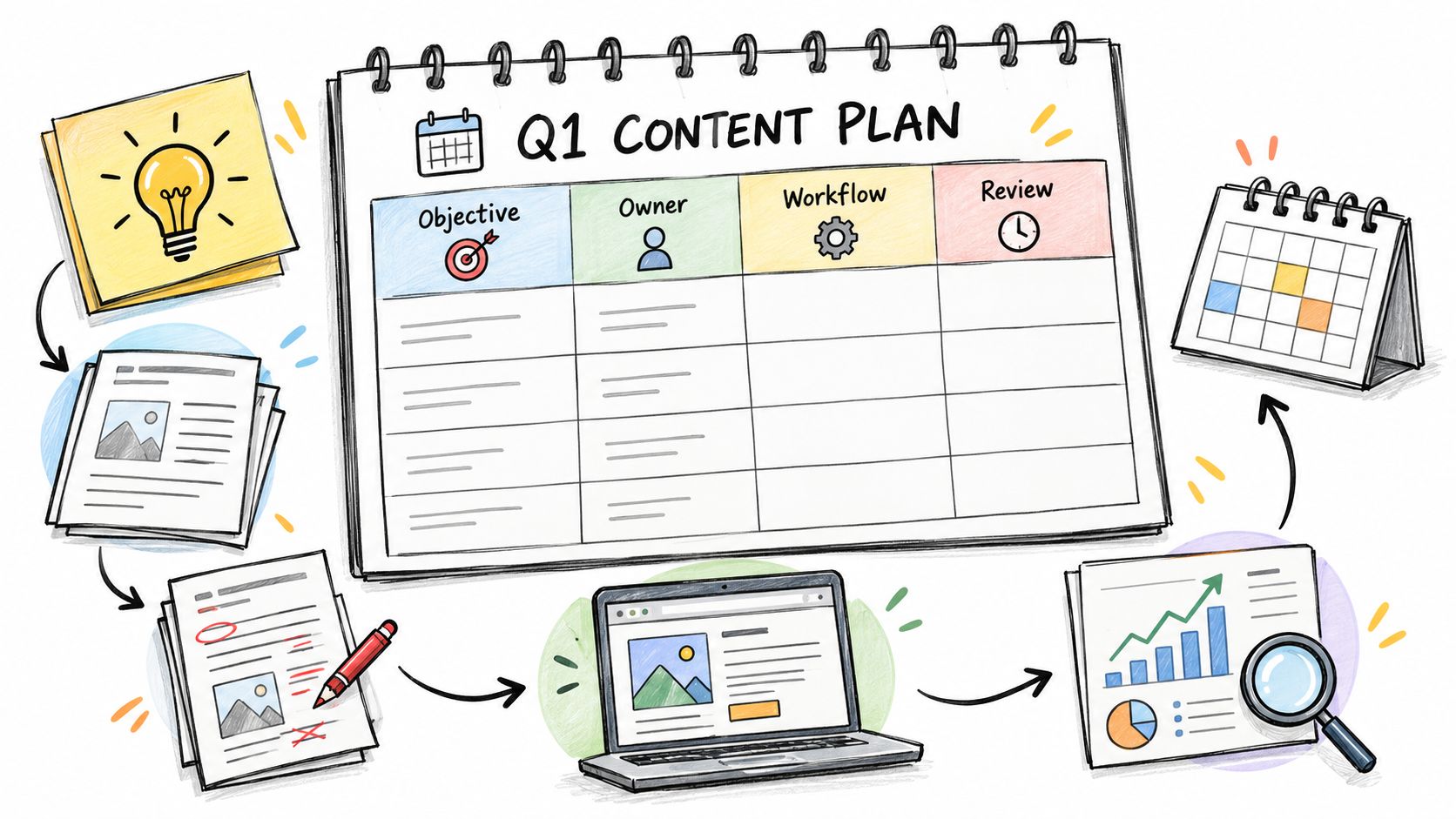
A quarterly content program is a good test case because the work looks simple until it isn't. One pillar page needs research, outlining, drafting, review, visuals, SEO checks, approval, scheduling, and post-publication analysis. If the template is strong, each of those stages has a name, a date, and a decision point.
A weak version of the template reads like this: “Publish pillar content in Q2, owner: marketing, due date: end of quarter.” That looks tidy, but it hides the work, the review path, and every dependency between the writer, editor, designer, and approver. A better version names the workflow states, defines what counts as ready, and shows what happens if the approval slips.
The historical lesson matters here. Frederick Taylor's task analysis made work measurable, and later MRP pushed planning into coordinated resource control. That's why a modern operational plan has to do both, capture the task and coordinate the system. A project board can track motion, but it won't tell you whether a delayed source interview will break the launch sequence.
A practical editor's version of the finished artifact usually includes a topic pipeline, milestone dates, owner assignments, and a review field that captures what was learned after publication. If you want a good outside comparison point for format thinking, browse viral video templates and notice how strong planning tools make the flow obvious instead of leaving the team to interpret intent.
What filled-out beats vague
A filled-out template answers: what's the objective, what's the sequence, who owns each handoff, and what evidence shows the work succeeded. A vague template just names a project and hopes the team will improvise the rest. In practice, that usually means the calendar is full while execution is still fuzzy.
If the team can't tell what happens after the draft is approved, the template isn't operational yet.
What the artifact should make obvious
- Flow of work: draft, review, revise, approve, publish, review.
- Decision points: who approves at each gate.
- Dependencies: what must happen before the next stage can start.
- Proof of completion: what “done” means beyond “it was posted.”
How to Fill Out Each Section Step by Step

Start with Objectives and success criteria. Write one sentence that states the outcome in plain language, then add the measure that proves it happened. For an editorial team, that might mean “Launch the new pillar without missing the publication window or approval gate.” The mistake is writing a mood instead of an outcome, like “increase visibility,” which gives nobody a finish line.
Next, define Scope and decision authority. This field should say what's in, what's out, and who can approve changes. In a content team, that might exclude reactive news posts if the quarter is reserved for evergreen pillar content. Don't let scope become a junk drawer, or the plan will absorb every request that lands in someone's inbox. For a practical reference on structuring handoffs and approvals, guida alle app per piani d'impresa is a useful way to think about decision ownership in business planning.
Then fill in Owner and Backup assignee. The rule is simple, one primary owner per initiative, plus a named fallback. For TheContentMap-style editorial work, the owner might be the managing editor and the backup the senior editor who can step in if a review stalls. A common mistake is listing a team instead of a person, which usually means nobody feels the deadline.
What to capture in the workflow block
The workflow should reflect the actual path of the work, not an idealized one. List stages such as intake, brief, draft, edit, SEO review, legal or brand review, scheduled, and published. If a stage causes recurring delays, name it. If it doesn't exist in reality, don't invent it just to make the process look tidy.
The same goes for Dependencies and Milestones. Dependencies are the things that can block the work, like source interviews, design assets, or stakeholder feedback. Milestones are the checkpoints that keep everyone honest, not just the final publish date. A calendar without dependency notes is just hopeful scheduling.
The most ignored field is usually Resources and constraints. That's a mistake, because editorial work fails when the plan assumes unlimited writer time, designer time, and reviewer attention. If the budget is tight or the workload is stacked, say so in the template. Hidden constraints always show up later as missed dates.
Operational plan template sections and their purpose
| Section | Anchoring field | Definition of done |
|---|---|---|
| Objective | Outcome statement | One clear result the team can verify |
| Ownership | Primary owner | A named person is responsible |
| Workflow | Status stages | The path from intake to completion is defined |
| Dependencies | Blocking inputs | Known blockers are listed with timing |
| KPIs | Measurement owner | Each metric has a source and cadence |
| Review | Review date | A scheduled check-in is on the calendar |
Now add KPIs and Measurement owner. Don't overload this part with every metric available. Pick the few indicators that guide action, and assign someone to pull them on a set cadence. If no one owns the number, the number becomes decoration.
The last field is Change control. Define what counts as a scope change, who approves it, and where the decision gets recorded. That keeps the plan from expanding after kickoff. If the plan changes, the plan should say who changed it and why.
For a content team, the checklist that cannot be left blank is short: objective, owner, backup assignee, workflow stage, dependency, milestone, KPI, review date, and change-control rule. Everything else is secondary.
Goals, Accountability, and Scope Control That Hold Up
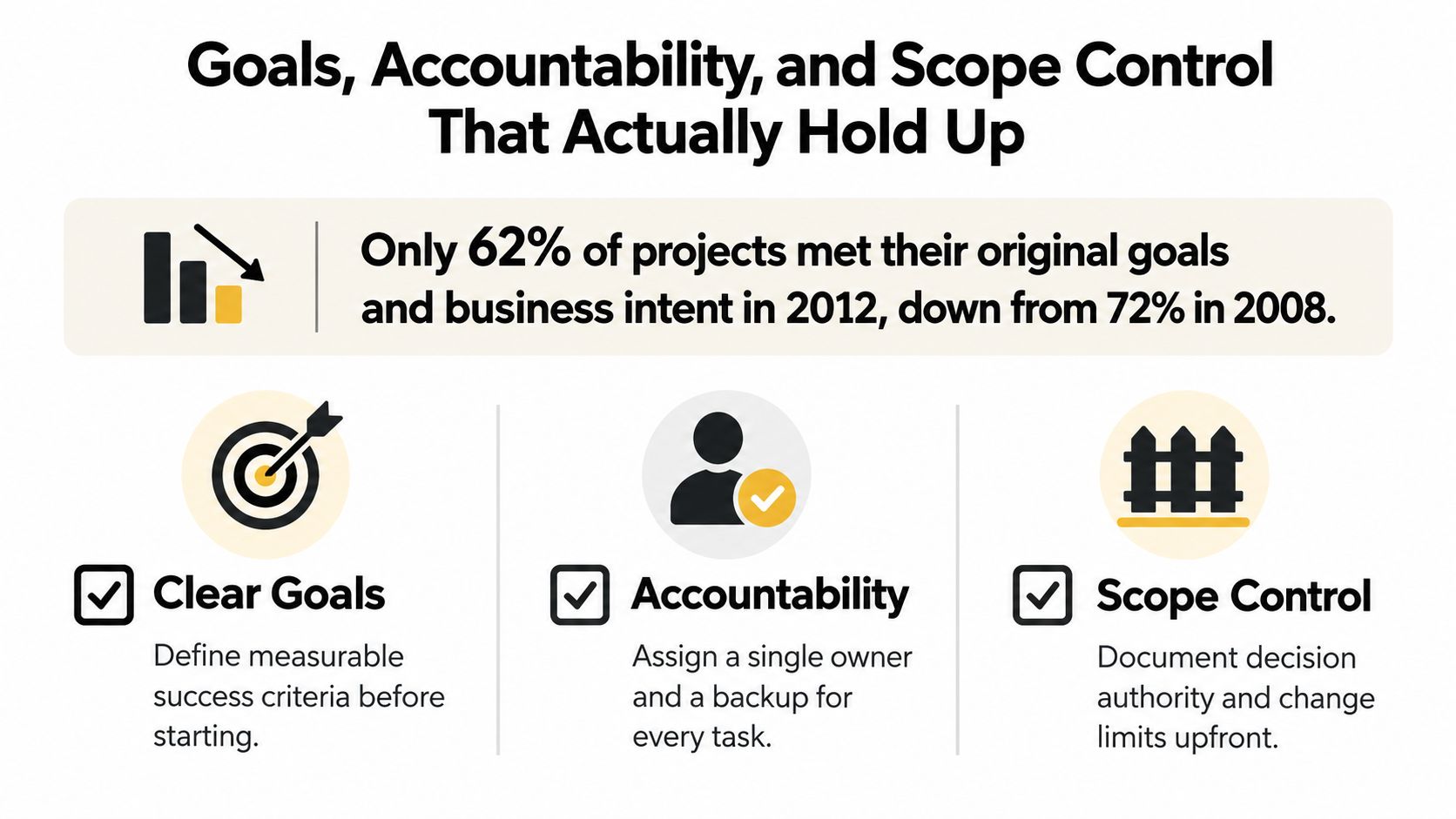
Weak planning usually fails at the same three points: goals, accountability, and scope. PMI's 2013 Pulse of the Profession reported that only 62% of projects met their original goals and business intent in 2012, down from 72% in 2008, while roughly 17% failed outright (PMI Pulse of the Profession). That is a control problem, not a formatting problem.
Make goals short and measurable
A good outcome statement fits in one sentence and leaves little room for interpretation. It should name the result, the boundary, and the condition for success. For content operations, that can mean launching a pillar page without crossing the agreed approval window or adding unsupported scope.
A common failure mode here is stacking several goals into one field. “Grow traffic, support sales, and refresh the brand” sounds strategic, but it does not help the team choose when trade-offs appear. Keep the goal narrow enough that people can say yes or no to progress.
Treat accountability as an execution rule
Accountability is a design choice, and every initiative needs one named owner. Give that owner a backup who can step in without confusion. If three people can answer for the same task, delays become easy to hide.
Operational rule: if a deadline slips and the team cannot point to a single owner, the plan was not specific enough.
Draw the boundary before work starts
Scope control is where most templates get polite and useless. Define what counts as a change, who can approve it, and what gets re-baselined after approval. If a pillar page is meant to include three subtopics, do not let six subtopics appear without a recorded decision.
For a clean way to structure that approval logic, keep a short change log and pair it with a review cadence like the one described in the change control process. The point is to preserve the link between what was promised and what is being executed.
A practical template should also include a retrospective field. After publication or delivery, note what changed, what slipped, and what should carry into the next cycle. That keeps the plan from turning into a dead document that only remembers the original intent.
Governing AI Inside the Template Without Slowing the Team Down
Treat AI as a controlled process change inside the operational plan, with ownership, boundaries, and evidence. Adoption is already moving into day-to-day operations, and governance has to keep pace. In January 2025, 28% of surveyed businesses were already using AI in operations and another 45% had active implementation plans (Glide AI report). A global EY survey also found that 71% of executives had moderate-to-strong controls for AI threats and 50% were investing in governance frameworks, which shows how uneven the setup still is while teams scale.
The template fields need to make AI visible without turning the workflow into a bottleneck. They should also stop editors from using AI in ways that weaken source discipline or blur accountability. For a practical view on setting guardrails in business settings, AletheionAGI on guardrails is a useful parallel.
Fields that belong in the plan
- AI-use register: list where AI is allowed in the workflow.
- Approved and prohibited use cases: specify what AI can and can't touch.
- Human-review checkpoints: require editor review before publication.
- Source and fact-verification requirements: state what must be checked manually.
- Disclosure rules: define when AI assistance needs to be noted internally or externally.
- Escalation paths: say who gets involved when a prompt, output, or source looks risky.
- Audit trail for AI-assisted edits: keep a record of what changed and why.
Do not treat AI like a shortcut field. It changes the operating model, so the plan needs to name who validates claims and who approves final copy. If a team uses AI to draft outlines, the template should also show where review stops, which checks are mandatory, and what happens when a source looks thin or the prompt produces a confident but unsupported claim.
That level of detail does not slow the team down. It prevents avoidable rework, protects trust, and keeps editors from finding problems after publication. The strongest plans make the risk visible before the draft reaches final approval.
From Published Results to the Next Planning Decision
A plan becomes useful when published work feeds the next decision. That's where many teams fall short. Wavestone's 2025 global AI survey found that 46% of organizations lacked a structured framework for measuring AI ROI, and only 29% measured AI's environmental impact systematically across all use cases (Wavestone survey). The deeper issue is the same in editorial operations, metrics without attribution, cadence, or a decision rule.
Build a measurement contract
Each initiative should have a simple measurement contract. Define the baseline, target, owner, data source, reporting cadence, confidence limits, and the decision rule that follows the result. That rule should be explicit, continue, revise, repurpose, pause, or retire.
For editorial work, don't stop at pageviews. Tie publish dates and content owners to the business outcome you care about, plus retention signals, distribution cost, and the date you'll review the result. If the result is noisy, say so. If the attribution is weak, say so. The plan should tell decision-makers how much confidence to place in the number.
Use a small scorecard, not a noisy dashboard
More metrics don't fix weak planning. They usually make it harder to decide what matters. A short scorecard with a few decision-ready fields beats a dashboard packed with numbers no one can act on.
The right question is not “what can we measure?” It's “what should we do if the number changes?”
That shift turns the plan into a feedback loop. The published result becomes a planning input, not just a report item. Once teams start using results this way, the template stops being administrative and starts improving the next cycle.
Handoff, Review Cadence, and the One Field That Makes It Stick
The handoff decides whether the template gets used or ignored. Send it to the team with a named owner for every initiative, a backup assignee, an escalation path, and a review date already placed on the calendar. If the schedule lives in TheContentMap's drag-and-drop planning view, the team sees the next check-in instead of hunting for it in a thread.
A monthly review works well when it's short and ruthless. Start with variance against targets, log the cause, revise assumptions if needed, retire stale initiatives, and confirm who owns the next cycle. Don't turn the meeting into a recap of everything that happened. Use it to decide what changes.
A good handoff checklist looks like this:
- Named owner: one person is accountable.
- Backup assignee: someone can step in.
- Escalation path: the team knows who resolves blockers.
- Review date: the next checkpoint is scheduled.
- Measured completion condition: the definition of done is visible.
For a practical reference on keeping approvers and editors aligned, content approval workflow shows why review timing matters as much as review ownership.
The contrarian truth is simple. A plan without a test schedule is operationally unverified, even if the document looks complete. The field that makes the template stick is the named owner with a deadline and a measurable completion condition. That's the difference between paperwork and behavior.
If you're building an operational plan template for a content team, TheContentMap gives you the scheduling, ownership, workflow, and review structure to keep it live instead of letting it fade into a static file. Visit TheContentMap to see how a planning system built for editorial operations can help your team publish with clearer ownership and better follow-through.
Related Articles
Contingency Planning Example: 7 Content Backup Plans
It's 9 a.m. Your feature writer is sick, the product launch has slipped, and the newsletter stil...
SoftwareHow to Build a Publishing Schedule That Holds
You set a publishing schedule for daily posts on Monday. By Thursday, two drafts are waiting on an e...
SoftwareSeat Management for Editorial Teams in 2026
Your editorial calendar is full, a legal approval is holding up publication, and finance wants to kn...
Comments (0)
No comments yet. Be the first to share your thoughts.