Editorial Calendar Management: Setup, Stages and Metrics
Learn how to set up, schedule and measure an editorial calendar management system, from workflow stages to review buffers and reliable publishing.
Your calendar says an article will publish on Thursday. The writer says the draft is finished, the editor is waiting for stakeholder feedback, and nobody can confirm which version is approved. The date looks settled, but the work behind it isn't.
Editorial calendar management means making those handoffs visible before they become publishing problems. A useful calendar shows who's responsible, what needs to happen next, and whether there's enough time to finish responsibly. It's a production-control system, not just a place to arrange titles.
Table of Contents
- The Stages and Fields Every Editorial Calendar Tracks
- Choosing Weekly, Monthly or Quarterly Planning Horizons
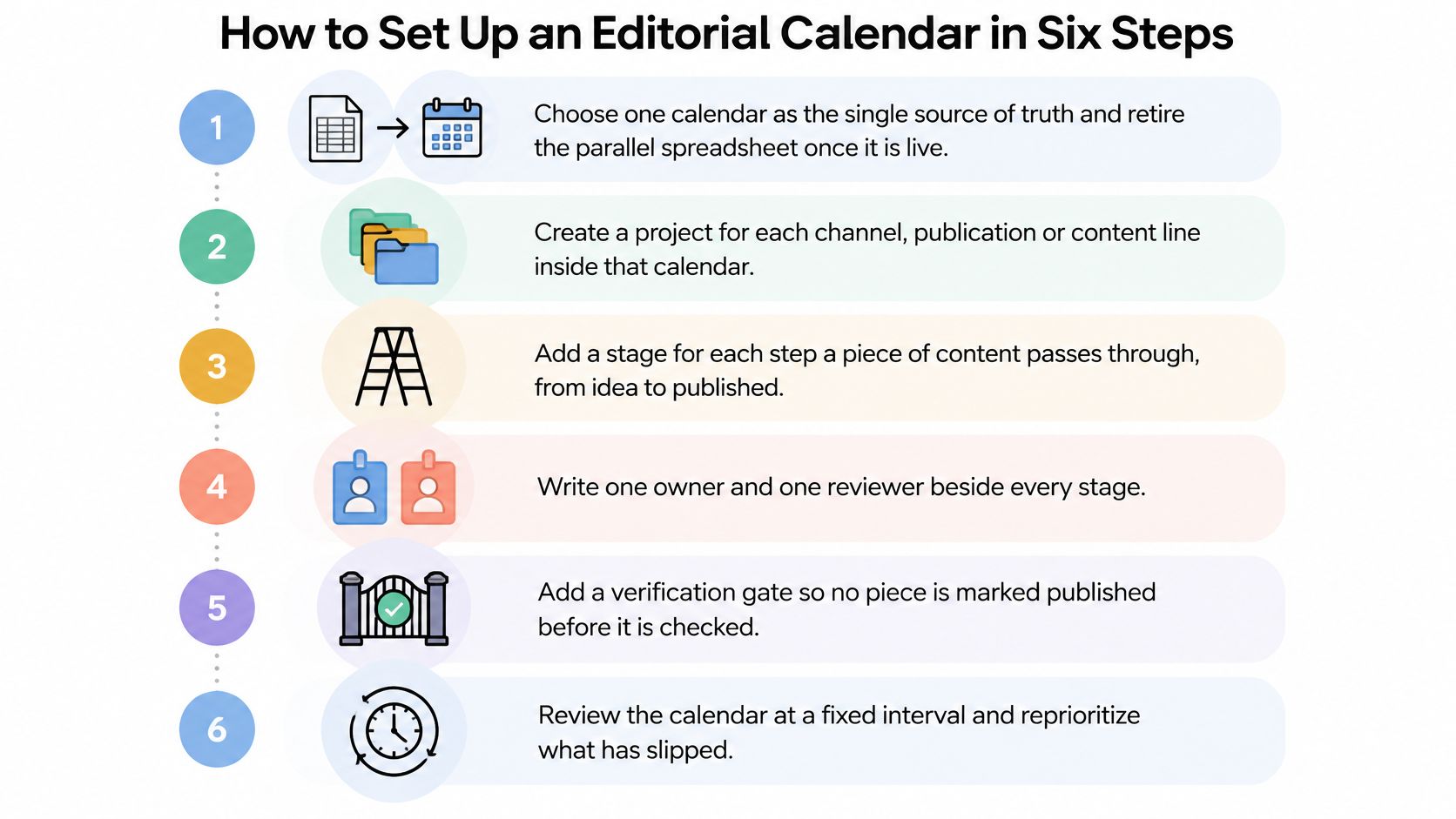
- How to Set Up an Editorial Calendar in Six Steps
- Protecting Review Time and Owner Deadlines
- Metrics That Show Whether Your Calendar Works
- Adding Verification Gates and Reprioritizing a Full Calendar
- Confirm Your Calendar Rules This Week
The Stages and Fields Every Editorial Calendar Tracks
A Thursday publication date means little without a status, an owner, and a clear definition of ready. Start by identifying the stages a piece must pass through, then attach dates to those stages.
The TheContentMap workflow guide reports that a manual article process from topic selection through publication can take 8–12 hours, compared with approximately 3 hours and 48 minutes for writing alone. Research, editing, coordination, approvals, scheduling, and publication checks account for the remaining work. Treating the draft as the whole assignment leaves those responsibilities unplanned.
Think of the calendar as an air-traffic board. It should show where each piece is, who's handling it, and what must happen before it can move forward.
Define completion before assigning dates
Use observable completion tests rather than vague labels such as almost finished.
Editorial calendar stages, owners and recorded fields
| Stage | Owner | Calendar fields to record | Done when |
|---|---|---|---|
| Idea capture | Content editor or contributor | Topic, channel, campaign tag | Idea logged with a named angle |
| Briefing | Managing editor | Audience, target keyword, brief due date | Brief approved by the editor |
| Drafting | Writer | Draft due date, word target | Draft submitted to the calendar |
| Editing and review | Editor | Reviewer name, review window | Revisions returned and accepted |
| Approval | Approver or stakeholder | Approval due date, flagged claims | Sign-off recorded on the item |
| Scheduling | Content operations | Publish date, channel | Date set and visible on the calendar |
| Publication and review | Editor | Live date, post-publication owner | Performance reviewed and next actions logged |
The owner column identifies responsibility for the stage, not everyone who might contribute. A stakeholder can offer feedback without becoming the person accountable for collecting it.
Keep asset ownership separate from stage ownership. The managing editor might remain accountable for getting an article published while a writer, reviewer, and content operations specialist each own a handoff. Record both when the distinction matters.
Keep the workflow simple enough to maintain
Our working model is straightforward: capture ideas in a pipeline, plan them on an editorial calendar by assigning owners and publish dates, then publish and review what worked. Detailed stages sit inside that sequence; they shouldn't turn routine publishing into unnecessary administration.
For distribution beyond your website, Mallary.ai's overview of calendar tools with API scheduling is useful when assessing how approved assets reach connected channels. Keep scheduling capability separate from editorial readiness: a tool's ability to send content doesn't establish that the content is approved.
Record when work enters and leaves each stage. When publication slips, inspect approval waiting time early rather than assuming the writer needs to work faster.
Choosing Weekly, Monthly or Quarterly Planning Horizons
How far ahead should you fill the calendar? Plan far enough ahead to reserve capacity, but don't pretend distant work has the same certainty as an approved draft.
Planning horizons and what each one covers
| Horizon | Best for | What to plan | Review rhythm |
|---|---|---|---|
| Weekly | Daily or news-driven publishers | Confirmed drafts and near-term publish dates | Short check every Monday |
| Monthly | Most in-house teams | Themes, campaign slots, owners and review dates | Review slipped items at month end |
| Quarterly | Brands with launches or seasonal peaks | Themes, major commitments and capacity limits | Reset against performance each quarter |
| Hybrid | Teams running several channels | Quarterly themes, monthly commitments, weekly confirmed dates | Weekly check plus monthly and quarterly reviews |
According to Zebracat's published statistics roundup, 61% of in-house marketing teams in 2025 reportedly built quarterly content calendars at least a month in advance. That makes quarterly planning a useful reference point, not a requirement to fix every headline and deadline early.
Planning horizon and commitment level aren't the same thing. You can reserve a seasonal campaign well ahead without claiming that its individual articles are ready for production.
Use different levels of certainty
A hybrid approach gives each view a distinct job. The quarterly view establishes audience priorities and major commitments. The monthly view assigns work against available capacity, while the weekly view confirms what's ready to move.
For example, say a regional publisher has two editors. They choose quarterly themes around local business, transport, and community events, commit monthly assignments once contributors are available, and leave two weekly slots open for reactive stories. Those are illustrative operating choices, not staffing benchmarks.
At the weekly check, they inspect the next fourteen days for missing drafts, unavailable reviewers, and unresolved dependencies. At month end, they examine slipped assignments before adding replacements. Their quarterly reset uses content performance and upcoming events to reconsider themes.
Planning rule: Commit to distant outcomes more firmly than distant details.
Watch how often editors need to rebuild the plan. Frequent reshuffling can mean you've committed too far ahead, although unexpected events or unstable priorities may also be responsible.
Repeated empty weeks suggest the opposite problem: assignments aren't entering production early enough. Extend the planning window for work that needs interviews, design, or specialist review, while keeping short-turnaround coverage flexible.
The right horizon is the one that gives contributors useful notice without forcing editors to defend dates that no longer make sense.
How to Set Up an Editorial Calendar in Six Steps
Build the calendar around real assignments, not an elaborate template filled with empty fields. A small working system is easier to test than a fully configured workspace nobody has used.
Configure the workspace and its rules
Choose a single source of truth. Pick the shared calendar where editors will update assignments, and retire the parallel planning spreadsheet once the live work is transferred. Keeping an archive is fine; maintaining competing current schedules isn't, because contributors won't know which date governs their assignment.
Create projects around channels, publications, or campaigns that need distinct views. Establish a short tag list for topic, format, channel, and campaign, then document how editors should apply it. The common mistake is tagging from memory, which creates near-duplicates and makes filters unreliable.
Build pipeline columns from actual handoffs. Add the stages your team uses, give each a completion test, and record who can move an item forward. Don't use a single in-progress column for drafting, review, and approval, because an editor then has to open every item to understand what's stalled.
The SuperX editorial calendar guide offers a useful companion when turning these workspace choices into repeatable planning habits. Keep the configuration tied to decisions your team regularly makes rather than adding fields because a template includes them.
Load work and test the handoffs
Enter committed work before filling distant capacity. For a trial setup, you might load the next 90 days, giving each scheduled item a named owner, reviewer, and target publish date while marking distant dates as provisional. Leaving the reviewer blank creates an assignment that looks staffed but still lacks a path to approval.
Set reminders for stage deadlines, and confirm who receives each notification. Include a verification gate before scheduling, with the checks appropriate to the assignment. A reminder that reaches only the writer won't help when an approver is holding the next decision.
Run a short weekly maintenance check. As a practical starting routine, try 15 minutes to update stale cards, reassign overdue work, and confirm ownership of the next two weeks of assignments. Use drag-and-drop scheduling to record date changes in the calendar, then notify affected contributors rather than leaving the revised plan buried in chat.
Don't confuse the backlog with the committed schedule. Undated ideas can stay in the pipeline until an editor accepts them into production.
For a final setup check, filter to the next 30 days. Every scheduled item should have an owner, a current stage, and a date, with its draft and supporting files accessible from the record.
Protecting Review Time and Owner Deadlines
A publish date is only real when every stage before it has an owner and a due date.
An editor can't responsibly promise Thursday publication if nobody has reserved time to review the draft. Writing, review, and approval are separate commitments, even when the same person handles more than one.
In Project.co's 2021 survey of 437 respondents, people using a daily task list were 21% more likely to hit deadlines. This was a survey of project work broadly, not an editorial-only result. The practical application is to turn a distant publishing goal into visible actions that someone can complete today.
Work backward from the release
Say you're planning a 1,200-word feature for Thursday morning. In this example, the editor needs two working days for review and revisions, followed by one working day for stakeholder approval. The draft must arrive before review starts on Monday, with approval completed Wednesday.
The writer's reminder belongs before that Monday handoff, not only on Thursday. If the draft arrives Monday afternoon, the editor must explicitly decide whether the remaining window is still workable.
Use clear deadlines for writers to distinguish draft delivery from publication. The assignment should specify what the writer submits, where it goes, and whether the deadline includes source notes, image suggestions, or completed revisions.
Protect capacity rather than hoping for it
Set minimum lead times by content type using your team's actual requirements. An opinion piece may need editorial review; a technical explainer may also require a specialist whose availability must be confirmed before the assignment begins.
Use explicit calendar rules:
- Reserve review windows. Show when the reviewer will start and when feedback must be returned.
- Flag insufficient remaining time. Escalate an item when the time before publication is shorter than its unfinished review and approval work.
- Name the fallback decision-maker. Identify who can reassign review, narrow scope, or move the date when a reviewer becomes unavailable.
Deadline nudges keep commitments visible, but they don't create review capacity. If a reviewer has overlapping assignments, the editor must change the workload or the schedule.
Don't shorten review because drafting ran late. Make the trade-off visible and tell stakeholders whether you're changing scope, moving publication, or assigning additional help.
Metrics That Show Whether Your Calendar Works
A busy calendar isn't necessarily a reliable one. Measure whether planned work reaches publication without accumulating unresolved reviews or avoidable corrections.
In a Ross Video broadcast-news survey, 67% of respondents said turnaround pressure compromised story quality, and 53% reported missing deadlines. Those findings describe broadcast news, but they make an important operational distinction: speed, quality, and schedule reliability deserve separate attention.
Track reliability alongside rework
Calendar health metrics, warning signs and actions
| Metric | How to calculate it | Warning sign | Action it triggers |
|---|---|---|---|
| On-time publication rate | Items published on planned date divided by items planned | Falls across consecutive review periods | Add review capacity or reduce cadence |
| Median cycle time | Median days from brief to publication | Rising trend across months | Find the slowest stage and cut its queue |
| Items blocked in review | Count of items waiting longer than their review window | Any item past its window | Reassign the reviewer or move the date |
| Average approval delay | Average days from submission to sign-off | Longer than the planned review buffer | Simplify the approval path |
| Post-approval revisions | Rounds of change after sign-off | Rising count over time | Clarify approval criteria before sign-off |
Keep the original planned publication date alongside the current scheduled date. Otherwise, repeated rescheduling can make an unreliable process appear perfectly on time.
Define approval delay consistently. Measure elapsed submission-to-sign-off time, then compare it with the allocated buffer to identify the excess. Don't alternate between total elapsed time and overdue time in the same report.
Diagnose the stage, not just the total
Split elapsed production time into intake-to-draft, draft-to-approval, and approval-to-publication. Use brief-to-publication as the headline cycle-time measure, while retaining intake time to reveal how long accepted ideas wait before drafting begins.
A rising median doesn't automatically mean writers are slower. Reviewers may have a growing queue, stakeholders may be requesting contradictory changes, or approved content may be waiting for publishing support.
Read post-approval revisions beside the on-time rate. If deadlines hold only because editors approve incomplete work and repair it afterward, the team hasn't solved the reliability problem.
Dashboard test: A useful metric leads to a decision, not just a status colour.
Keep operational reporting connected to content performance metrics. Review which topics and formats perform, then use that evidence to shape future themes rather than merely increasing the volume of whatever is easiest to produce.
Hold a monthly review of these measures. Every warning sign should leave the meeting with a named action owner and a due date, whether the decision is to add review capacity, reduce cadence, or remove an unnecessary approval step.
Adding Verification Gates and Reprioritizing a Full Calendar
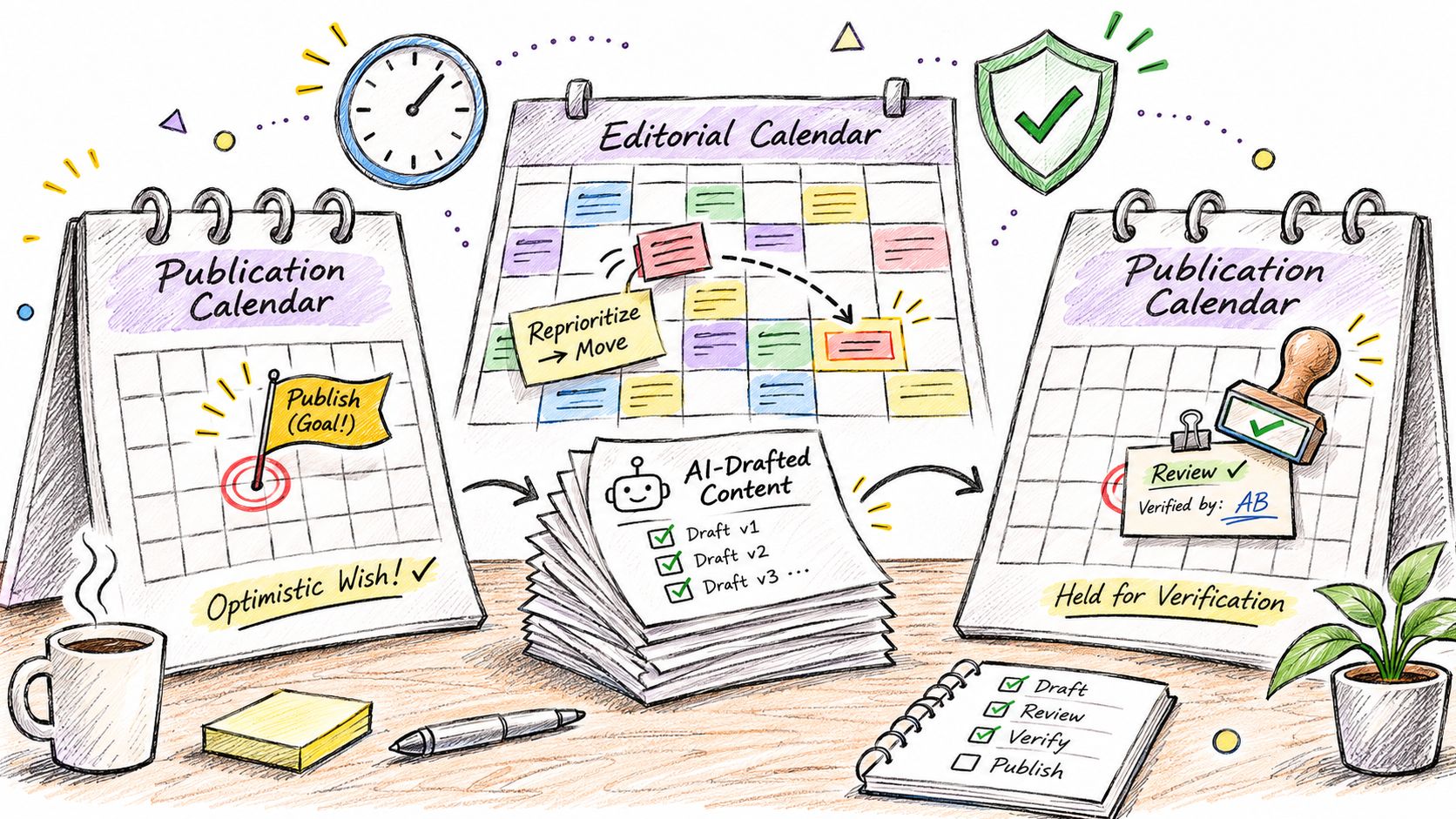
More publishing slots won't help if the team can't verify the work entering them. Separate the target publication date, when you intend to publish, from a verified publication date, a release commitment confirmed only after the required checks are complete.
Record verification completion separately from the scheduled release. That prevents a planned date from being mistaken for evidence that an article is ready.
Match verification to the risk
Clutch's content marketing and AI findings report that 75% of marketers use AI in their standard content process, with article research the leading use case at 42%. Faster research and drafting don't remove the need for a human to validate what enters the finished article.
Define the required path in your content approval workflow:
- Low-risk commentary. An editor checks the argument, accuracy, and brand fit.
- Statistics and regulated claims. A designated reviewer checks primary sources, qualifications, and whether specialist approval is required.
- AI-assisted passages. A human checks factual claims, source provenance, potential rights issues, and brand suitability, escalating unresolved questions to a named subject-matter reviewer.
Record flagged claims and their supporting sources on the content item. The reviewer should be able to see what needs validation without reconstructing the writer's research.
Mandatory verification may lower short-term publishing volume. That's an acceptable trade-off when the alternative is releasing material nobody can substantiate.
Decide what gives way
Treat a full calendar as a portfolio of competing commitments, not a queue in which every item has equal priority. Protect some reviewer and production availability for reactive work rather than reserving only an empty publishing slot.
Evaluate candidate assignments by audience value, urgency, evidence readiness, effort, and channel fit. At a fixed backlog review, decide whether to displace, defer, repurpose, or cancel work that no longer earns its place.
For example, a planned product explainer might yield to a timely industry report. The explainer's evidence isn't ready, its immediate audience value is lower, and the report has a limited useful window. Move the explainer to a later planning period and recheck its statistics before scheduling it again.
Don't add the report while expecting everyone to finish the explainer too. Name the displaced assignment and update the affected owners so the new priority comes with an actual capacity decision.
Confirm Your Calendar Rules This Week
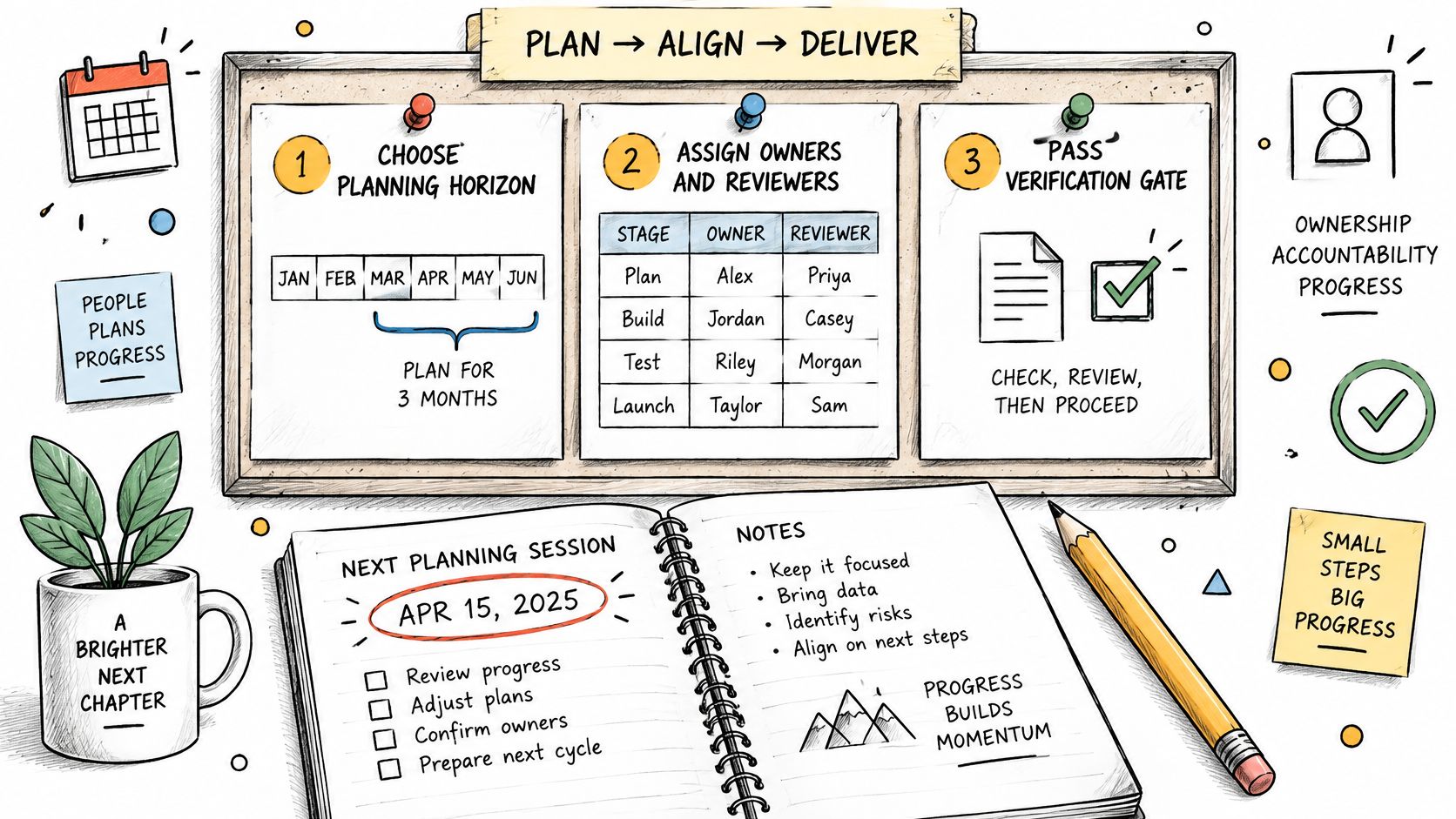
Before the next planning session, choose your planning horizon, assign an owner and reviewer to each active handoff, and add verification requirements to items carrying statistics or AI-assisted material.
Run a limited trial
Apply the setup routine to a single channel for a working week. Move changed dates in the shared calendar, use tags to inspect related assignments, and check whether deadline reminders reach the people responsible.
At the end, inspect the health measures and adjust the horizon or review buffers. A short trial won't establish a dependable trend, but it will expose missing owners and impossible handoffs.
A passing setup has an owner, stage, and date for every near-term commitment, with enough remaining time to complete its required reviews. Keep uncommitted ideas outside that scheduled view.
These rules are tool-neutral. Choose a calendar that can hold owners, stage dates, reminders, and accessible approval records, then judge it by whether your team keeps those records current.
TheContentMap brings idea capture, a drag-and-drop editorial calendar, ownership assignments, publish reminders, and content insights into a shared planning workspace. Visit TheContentMap to organise a channel's upcoming work and put your stage, review, and publishing rules into practice.
Related Articles
7 Editorial Calendar Example Layouts for Teams
Your spreadsheet is full of publication dates, but the team still can't agree on what belongs in...
SoftwareDeadlines for Writers: How to Set Realistic Dates
Roughly 25% to 60% of forthcoming titles miss their original submission date, according to estimates...
SoftwareHow to Book a Demo: What to Prepare and Expect
Deals where buyers had demo access closed 46% of the time, compared with 38% for deals without it, i...
Comments (0)
No comments yet. Be the first to share your thoughts.