10 Marketing Plan Software Tools Compared
Compare 10 marketing plan software tools for calendars, roadmaps, collaboration, pricing, and content operations recommendations.
The most popular advice about marketing plan software is to choose the platform with the longest feature list. That approach fails when a team's real problem is operational fit. A content team that needs a dependable editorial calendar doesn't automatically benefit from enterprise resource planning, while a global marketing organization may quickly outgrow a lightweight content board.
The better question is how marketing work moves. Does the team organize around editorial ideas, campaigns, approvals, creative production, flexible databases, or budgets? This comparison evaluates roadmapping, campaign calendars, intake, approvals, collaboration, content operations, reporting, implementation effort, and pricing transparency. It moves from editorial-first platforms through campaign and enterprise systems to flexible workspaces and finance-aligned planning tools.
Marketing software is now a substantial technology category. One market report values global marketing software at $75.8 billion in 2025 and projects it to reach $219.8 billion by 2034, with a 12.5% compound annual growth rate. Cloud deployment represented 68.5% of revenue in 2025, according to the same marketing automation consulting services market report. That growth makes selection discipline more important, not less. A useful starting point is to define the content planning tool features your team actually needs before comparing vendors.
Table of Contents
- 1. TheContentMap
- 2. CoSchedule Marketing Calendar and Suite
- 3. Optimizely Content Marketing Platform
- 4. Opal
- 5. Adobe Workfront with Workfront Planning
- 6. Wrike for Marketing and Creative Teams
- 7. monday.com Work Management for Marketing
- 8. Asana for Marketing
- 9. Airtable
- 10. Planful for Marketing
- Top 10 Marketing Plan Software, Feature Comparison
- Choose the Operating Model Before the Tool
1. TheContentMap
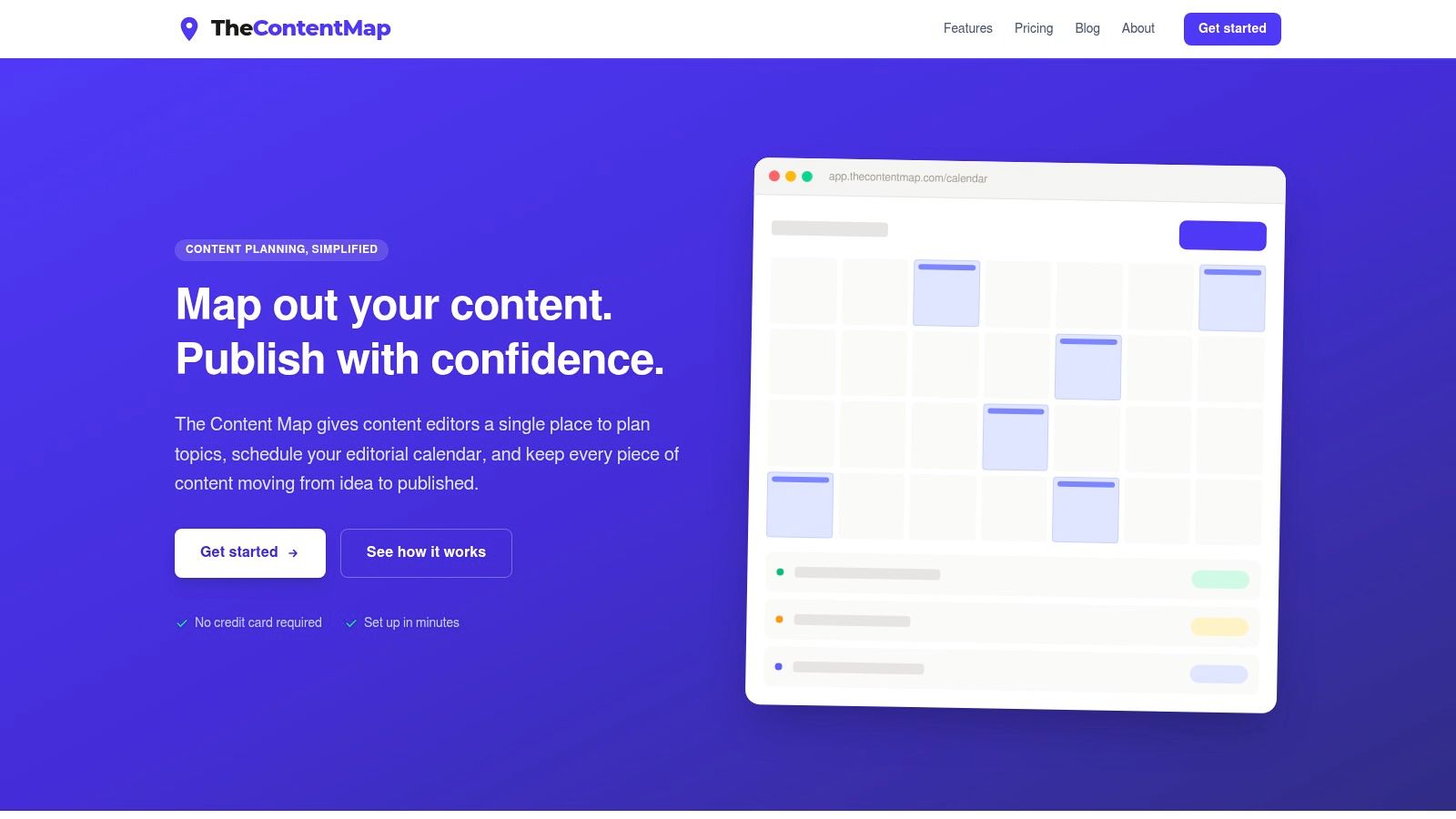
TheContentMap supports an editorial planning operating model. It's designed for editors, content teams, publishers, agencies, and freelance collaborators who need to move ideas from capture to publication without maintaining a separate spreadsheet, inbox, and deadline tracker.
Its central workflow combines a visual editorial calendar with an idea pipeline. Teams can drag content onto publication dates, assign owners, leave comments, and move work through draft, review, and published stages. Topics and tags help organize growing libraries, while publish reminders make deadlines visible before they become missed dates. Built-in content insights connect future planning with what the team has already published.
Why it fits editorial teams
The strongest advantage is focus. TheContentMap isn't a general-purpose work management system that teams must configure into an editorial calendar. Its core features already reflect content operations: ideas, projects, owners, stages, publication dates, reminders, and performance feedback.
Pricing is unusually visible. Starter is free with one editor seat and up to three projects. Pro costs $12 per editor per month and adds unlimited projects, content insights, collaboration, and priority support. Team costs $29 per editor per month and adds unlimited seats, custom workflows, onboarding support, SSO, and advanced security. The product can be started without a credit card, which makes a representative editorial-cycle test easier.
Best fit: Choose TheContentMap when the bottleneck is stalled ideas, unclear ownership, missed publishing dates, or disconnected editorial feedback.
The trade-off is scope. Teams needing deep resource management, broad third-party integrations, extensive creative proofing, or finance controls may need another system alongside it. The free plan is also intentionally limited, so collaborative teams will likely evaluate Pro or Team quickly. Public customer examples include Northwind Media, Atlas Publishing, Brightcopy, Meridian Content, and Fieldstone. Visit TheContentMap to assess the editor-first workflow.
2. CoSchedule Marketing Calendar and Suite
CoSchedule supports a calendar-led marketing operating model. It suits teams that want campaign scheduling, content planning, social publishing, approvals, and reporting organized around one marketing calendar rather than separate channel tools.
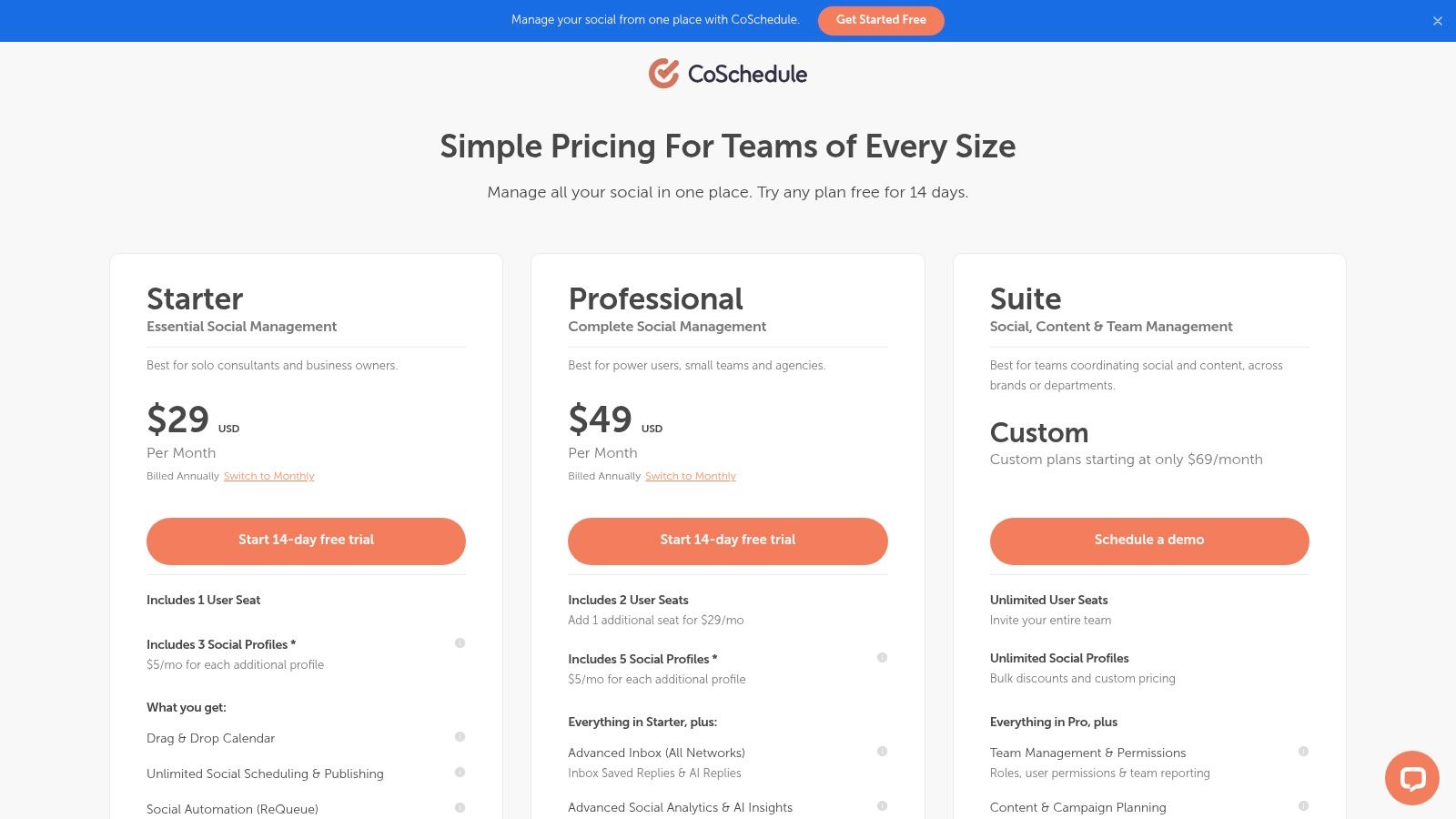
The drag-and-drop calendar gives teams a shared view of campaigns, tasks, and ownership. Kanban and table views provide alternative ways to manage work, while native social scheduling and publishing reduce the need to move approved content into another scheduler. Intake forms and approval workflows help standardize how requests enter the team.
That makes CoSchedule stronger than a simple editorial calendar when social execution is part of the same operating rhythm. A social team can see the campaign context, schedule channel activity, manage approvals, and review analytics in one purpose-built environment. Mobile access, a Chrome extension, and quick capture features support teams that collect ideas during daily work rather than only during formal planning sessions.
Teams evaluating editorial workflows should distinguish calendar visibility from content lifecycle management. CoSchedule is well suited to coordinating campaigns and distribution. A specialist editorial platform may be more natural when the primary workflow is topic development, writer ownership, review, and publishing across content projects. The editorial calendar guide is useful for defining that process before implementation.
The main limitation is tier depth. Suite-level workflow and digital asset management capabilities sit higher in the product structure, while social profile and user limits on lower plans can affect expansion costs. CoSchedule is a strong choice for marketing teams that want a central calendar with native social execution, but buyers should calculate the required profiles, users, and approval roles before treating the entry price as the likely total cost. Explore CoSchedule's current plans for the latest commercial details.
3. Optimizely Content Marketing Platform
Optimizely Content Marketing Platform, formerly Welcome, supports an enterprise content orchestration model. It's intended for organizations coordinating campaigns across multiple teams and channels, especially where content planning needs to connect with delivery, experimentation, and optimization.
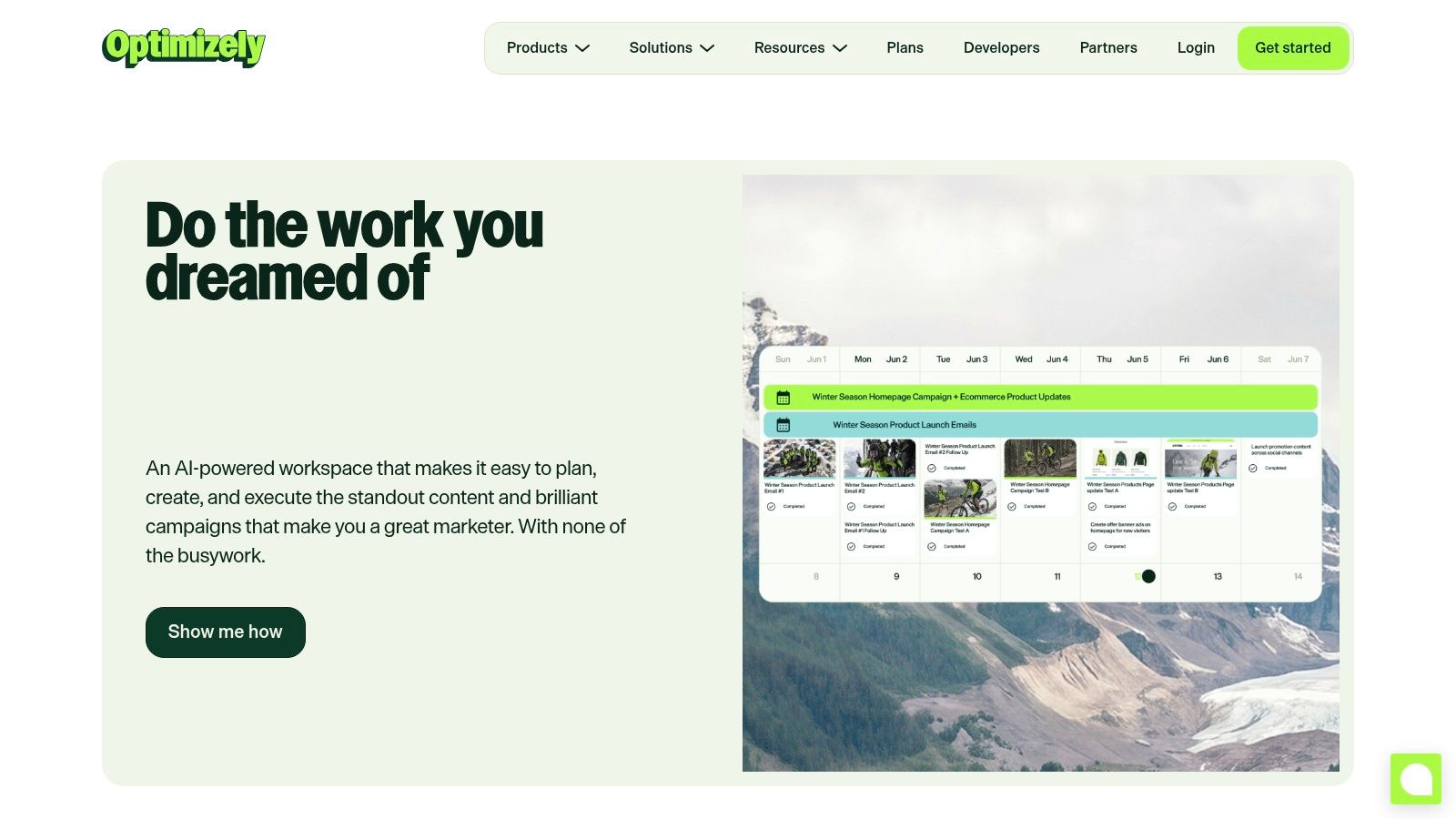
The platform brings together a marketing calendar, briefs, task assignments, workflows, approvals, and digital asset management. That combination matters when a campaign involves strategists, writers, designers, channel owners, regional teams, and performance specialists. Instead of treating planning as a date grid, the system can provide a broader route from ideation through production and distribution.
Its connection to the Optimizely One ecosystem is a major differentiator. Organizations already using Optimizely's customer data, content management, or experimentation capabilities may value a planning layer that sits closer to delivery and performance workflows. The platform's content ROI and performance insights also support a more complete feedback loop than a calendar that only records whether work was scheduled.
The trade-off is implementation effort. Enterprise-grade workflows usually require governance, role design, process alignment, and change management. A small editorial team may spend more energy administering the system than improving its publishing process.
The right enterprise platform should reduce handoffs between planning, production, delivery, and learning. If it only adds another approval layer, its breadth becomes overhead.
Pricing isn't publicly listed, so buyers need a scoped commercial conversation based on users, modules, integrations, assets, and implementation requirements. Optimizely is a strong candidate for complex organizations already invested in its wider ecosystem. Review the Optimizely Content Marketing Platform to determine whether its orchestration depth matches your operating model.
4. Opal
Opal is built for visual omnichannel campaign planning. It's a natural fit for brand, communications, and marketing teams that need to show how a campaign will appear across channels before production work begins.
The shared marketing calendar provides channel-accurate visual previews, while Boards create flexible planning spaces for ideas that don't have dates yet. That distinction is important. Early campaign concepts often need discussion, grouping, annotation, and refinement before anyone can responsibly place them on a launch calendar. Opal lets teams move those ideas from an upstream planning space into execution.
Annotations, approvals, mobile access, and documentation support collaboration across channels. The visual layer is especially useful for stakeholders who need to understand a campaign as a connected story rather than as a list of tasks. Brand teams can review the relationship between messages, placements, and timing before production becomes expensive to change.
Opal's strength can also become its boundary. Teams that mainly need a straightforward editorial pipeline may find a broad visual planning environment more than they require. Teams that need detailed financial controls or deep production resource management should verify how much of that work happens inside Opal and how much remains in connected systems.
Pricing isn't published, and the product leans toward enterprise buying. Onboarding is likely to matter because the value depends on agreeing how Boards, calendars, annotations, and approvals fit the organization's planning process.
Choose Opal when campaign visualization is the buying trigger, particularly for multi-channel brand and communications work. Visit the Opal marketing planning platform to evaluate its visual approach and sales-led implementation path.
5. Adobe Workfront with Workfront Planning
Adobe Workfront supports a strategy-to-execution enterprise operating model. Workfront Planning adds a strategic planning layer that connects campaign calendars and intake with delivery, making it relevant to large marketing organizations that need governance across creative and business systems.
The platform combines planning spaces, marketing calendars, intake, workflows, automation, approvals, portfolio visibility, and goal alignment. Its value appears when marketing operations must standardize how work enters the organization and then track that work through execution. Integrations across Adobe's creative stack and third-party tools can reduce handoffs for teams already operating in a complex technology environment.
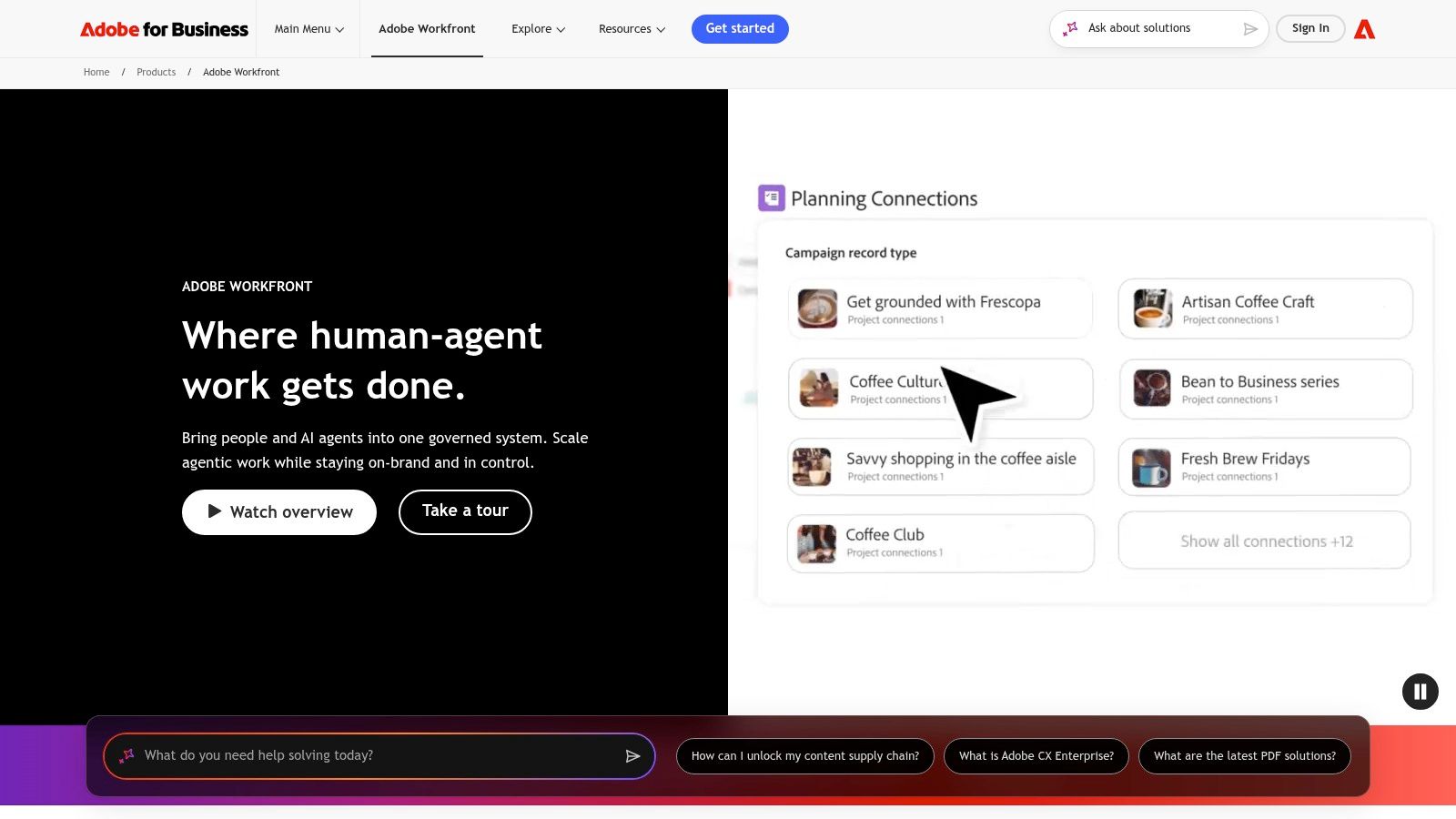
Workfront is a better match for distributed, regulated, or high-volume teams than for a small group that needs a visible content calendar. It can support strategic alignment and delivery in one system, but that breadth requires governance. Administrators need to define intake rules, workflow states, permissions, ownership, and reporting conventions before teams can work consistently.
The implementation question is central. A platform this broad may solve fragmentation at the system level while creating a different form of friction if teams don't agree on operating standards. Buyers should map the path from request to approval to delivery before configuring the product. The marketing workflow management guide can help teams document that path in practical terms.
Pricing isn't public and requires scoping. That makes total cost less transparent than seat-based editorial tools, especially when implementation, administration, integrations, and governance are part of the decision. Explore Adobe Workfront when cross-functional orchestration matters more than fast setup.
6. Wrike for Marketing and Creative Teams
Wrike supports a creative production and proofing operating model. It's suited to marketing teams that manage substantial volumes of images, video, documents, and review cycles, and need stronger production controls than a standard campaign calendar provides.
Online proofing lets reviewers comment on and approve creative assets directly. Request forms can standardize how work enters the team, while campaign templates help repeat common processes. Marketing integrations and analytics extend the system beyond individual tasks, giving managers a way to coordinate projects and monitor delivery.
The practical advantage is review control. When feedback on a design or video lives in email, chat, and separate documents, the production team must reconcile conflicting instructions. Centralized proofing keeps comments attached to the asset and makes approval status easier to verify.
Wrike can be too much for a small team with a straightforward content pipeline. Its feature depth adds value when review complexity is a genuine constraint, not when the team only wants a calendar. Advanced capabilities and add-ons may also require higher tiers, so buyers should assess the specific proofing, analytics, user, and storage requirements rather than compare only headline plans.
Review test: Put one real asset through intake, production, comments, revision, and final approval. The tool should make the approval trail clearer without forcing reviewers into a process they won't use.
Wrike offers plans ranging from Free to enterprise tiers, but the practical fit depends on the capabilities included at the chosen level. Visit Wrike's pricing page and test a representative creative workflow before committing.
7. monday.com Work Management for Marketing
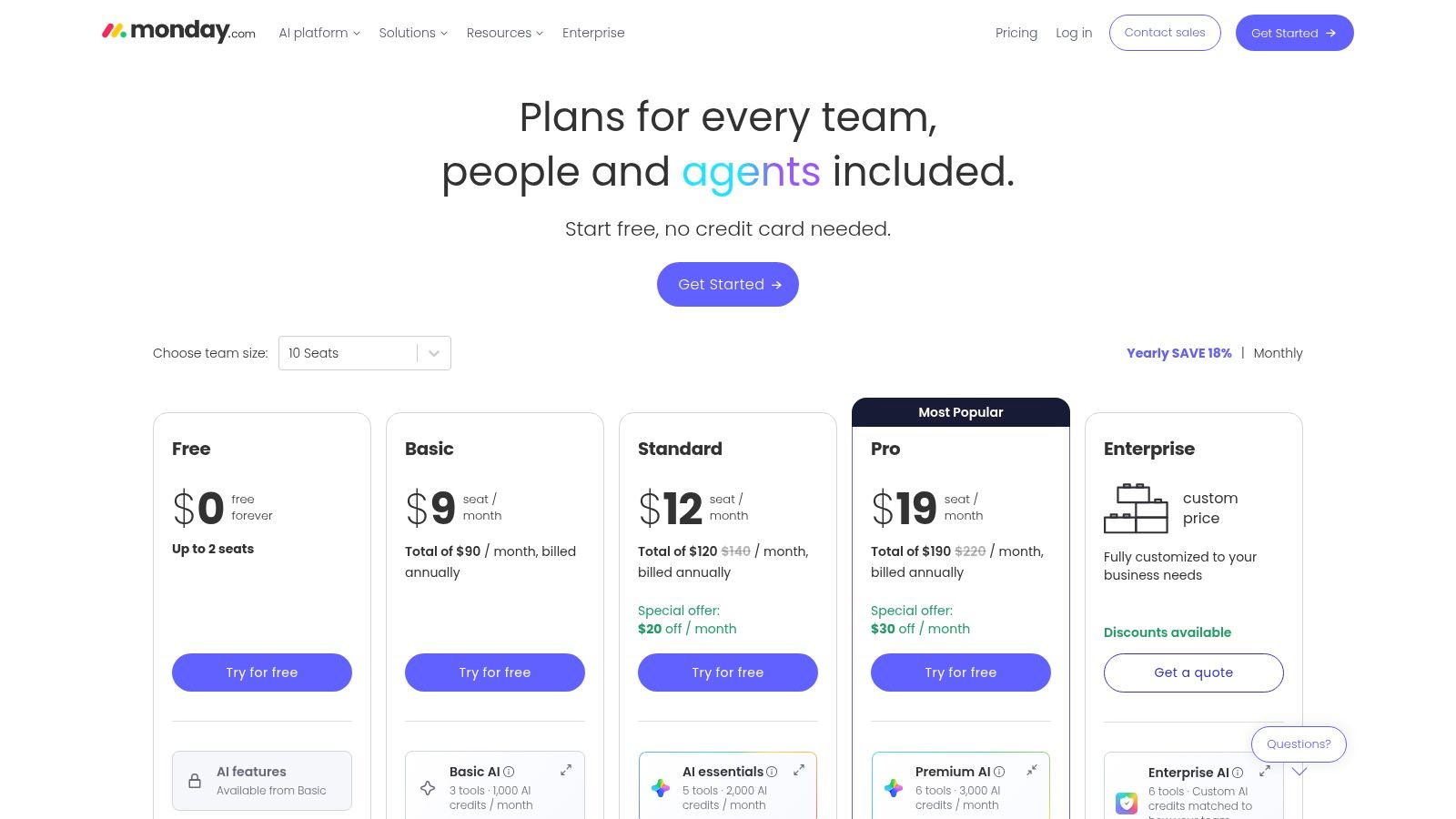
monday.com supports a flexible work management operating model. Its marketing templates give teams a starting point for campaign planning, content calendars, approvals, timelines, owners, statuses, and dashboards without forcing every department into the same structure.
The platform's low-code approach is its main attraction. Marketing operations teams can configure boards around their own processes, connect data across workflows, and use automations to move reviews or approvals forward. Marketplace apps can extend the setup for proofing and creative review, including integrations such as PageProof.
That flexibility works well when marketing must coordinate with sales, product, events, or customer teams that have different planning requirements. A shared work management environment can expose dependencies that a content-only calendar won't capture. It also gives administrators room to adapt the system as the operating model changes.
The risk is board sprawl. Without naming conventions, ownership rules, archive practices, and a clear system of record, teams can create overlapping boards that fragment information rather than unify it. Advanced reporting, governance, and creative review may also depend on higher tiers or marketplace apps.
Pricing is published and trial options support a practical pilot. Use the monday.com pricing page to model the actual users and capabilities required. monday.com is a strong option for teams that value configurability and cross-functional visibility, but it needs active administration to remain coherent.
8. Asana for Marketing
Asana fits a standardized campaign execution operating model. It's well suited to teams that need repeatable campaign templates, structured intake, multi-project visibility, and a common way to connect work with organizational goals.
Marketing and content-calendar templates support timeline, calendar, and board views. Forms can collect requests, while rule-based automation moves work through recurring steps. Portfolios and dashboards help leaders see progress across campaigns rather than opening each project separately. Paid tiers include AI features, adding assistance to workflows that already have structured project data.
Asana's adoption advantage is important. Teams can begin with familiar views and templates, then introduce more consistent intake and portfolio reporting as their process matures. That makes it a reasonable bridge for organizations moving away from email-led coordination without immediately adopting an enterprise marketing operations suite.
Creative proofing is the main limitation for production-heavy teams. Integrations can extend review workflows, but organizations handling high volumes of visual assets may prefer a tool that prioritizes proofing capabilities. Very large advertising or content operations may also need a specialized content marketing platform or marketing resource management system.
Published plans range from Free to Enterprise, with AI features on paid tiers. Review Asana's pricing against the number of users, portfolios, automation requirements, and integrations you'll need. Choose Asana when the central challenge is coordinating many campaigns and projects, not managing a specialist editorial pipeline.
9. Airtable
Airtable supports a bespoke planning database operating model. It's a strong choice for marketing operations teams that want to define their own structure for campaigns, channels, assets, owners, content types, approvals, and performance fields.
Ready-made content and marketing calendar templates help teams start quickly, but the deeper value comes from relational design. A team can connect campaign records to content, channels, people, assets, or reporting fields, then view the same underlying information as a calendar, timeline, Kanban board, or dashboard. Automations and Interfaces allow different stakeholders to interact with the system without exposing every underlying field.
That power comes with design responsibility. Airtable gives teams the components for a planning system, not a fully opinionated editorial workflow. Someone must decide how records relate, which fields are required, how statuses are governed, and what happens when a campaign changes. The system can become highly effective, but it can also become a collection of inconsistent bases if administration is neglected.
Build-versus-buy question: If your team wants a tailored marketing database, Airtable may fit. If it wants to start publishing with minimal configuration, a purpose-built editorial platform may create value faster.
Higher tiers add governance features, including advanced controls and SSO. Use Airtable's pricing information to assess editor requirements and administrative needs. The editorial workflow management guide can help determine whether your process needs a custom database or a ready-made content workflow.
10. Planful for Marketing
Planful for Marketing supports a finance-led budgeting and planning operating model. It's designed for marketing teams that need annual and in-year plans, budget control, actuals tracking, ROI visibility, and scenario modeling connected to Finance.
The platform supports what-if planning, campaign and goal management, and budget and expense tracking within the wider Planful financial planning environment. That makes it materially different from a content calendar or project management tool. The central question isn't only whether work will ship, but how planned investment changes affect financial control and performance reporting.
Planful can replace spreadsheet-heavy budgeting when marketing and Finance need a shared planning process. It's especially relevant when leaders compare scenarios, reconcile budgets with actual spending, and require consistent reporting across campaigns. The connection to financial planning may also address a gap that operational tools leave open.
It isn't a creative proofing or editorial tool. Writers, designers, and editors will still need systems for briefs, content stages, comments, asset review, and publication scheduling. Planful should complement those tools rather than replace them.
Pricing is quote-based and requires scoping. That's appropriate for a finance-linked implementation, but it reduces upfront price transparency. Visit Planful for Marketing when budget governance and Finance alignment are central to the buying decision.
Top 10 Marketing Plan Software, Feature Comparison
| Product | Core features ✨ | Standout / USP 🏆/✨ | UX & quality ★ | Value & pricing 💰 | Target audience 👥 |
|---|---|---|---|---|---|
| TheContentMap 🏆 | Visual editorial calendar, idea pipeline, reminders, content insights ✨ | Editor‑first system; fast setup; seat‑based plans; purpose‑built for content ops ✨ | ★★★★☆, intuitive for editors | Starter Free; Pro $12/editor/mo; Team $29/editor/mo 💰 | Editors, in‑house content ops, publishers, agencies 👥 |
| CoSchedule Marketing Calendar | Drag‑and‑drop calendar, native social scheduling, approvals | Native social publishing + analytics reduces tool switching ✨ | ★★★★☆, marketing‑centric | Tiered pricing; social/profile limits may add cost 💰 | Marketing teams, social‑heavy teams 👥 |
| Optimizely Content Marketing Platform | Enterprise calendar, workflows, DAM, ROI insights | Integrated with Optimizely One for delivery & experimentation 🏆 | ★★★☆☆, powerful but complex | Quote‑based enterprise pricing 💰 | Large enterprises, multi‑team campaigns 👥 |
| Opal | Omni‑channel calendar, Boards for upstream planning, approvals | Strong campaign visualization; flexible planning boards ✨ | ★★★★☆, visual and collaborative | Contact sales; enterprise pricing 💰 | Brand, comms, and marketing teams 👥 |
| Adobe Workfront (Planning) | Strategic planning layer, intake, approvals, Adobe integrations | Deep strategic planning + creative stack integrations 🏆 | ★★★☆☆, enterprise grade, heavy setup | Quote‑based; requires scoping 💰 | Large, regulated or distributed marketing orgs 👥 |
| Wrike (Marketing & Creative) | Online proofing, request forms, templates, analytics | Mature proofing + marketing templates for creative teams ✨ | ★★★★☆, robust; can be complex | Free → Enterprise tiers; advanced features cost more 💰 | Marketing & creative teams needing proofing 👥 |
| monday.com (Marketing) | Low‑code boards, automations, templates, app ecosystem | Highly configurable work OS with marketplace integrations ✨ | ★★★★☆, flexible; needs admin governance | Published per‑seat pricing; trials available 💰 | Teams needing adaptable workflows & automations 👥 |
| Asana (for Marketing) | Campaign templates, portfolio views, forms, automations | Strong template ecosystem & multi‑project visibility ✨ | ★★★★☆, quick to adopt & scale | Free → Enterprise; AI features on paid tiers 💰 | Teams standardizing campaign execution 👥 |
| Airtable | Relational workspace, Calendar/Timeline/Kanban, automations | Highly customizable schema for bespoke editorial systems ✨ | ★★★★☆, powerful but requires setup | Free → Enterprise; governance in higher tiers 💰 | Teams wanting tailored planning databases 👥 |
| Planful for Marketing | Annual/in‑year planning, budget & scenario modeling, ROI tracking | Tight finance‑marketing alignment and budgeting focus 🏆 | ★★★☆☆, finance‑centric, not editorial | Quote‑based; part of Planful platform 💰 | Marketing teams needing budget & finance alignment 👥 |
Choose the Operating Model Before the Tool
The best marketing plan software depends on the system your team is trying to build. Start with the work pattern, then test whether the tool supports it without adding another silo.
Choose TheContentMap for editor-first content operations. Its visual calendar, idea pipeline, ownership controls, reminders, collaboration features, and content insights align closely with teams that need to move reliably from concept to publication. Its Starter, Pro, and Team plans provide a clearer starting point for teams comparing seat and project costs, while advanced security and unlimited seats on Team support a larger editorial operation.
Choose CoSchedule when the marketing calendar is the center of execution and social publishing needs to live close to campaign planning. Choose Opal when stakeholders need to visualize an omnichannel campaign before dates and production tasks are finalized. Choose Optimizely Content Marketing Platform or Adobe Workfront when enterprise orchestration, cross-team governance, asset management, and connections to wider delivery systems matter more than fast setup.
For creative review, Wrike is the more focused option among these tools. Its proofing and approval capabilities address the specific friction of reviewing images, video, and documents. monday.com, Asana, and Airtable are better suited to teams that want configurable work management. monday.com emphasizes adaptable boards and automations, Asana emphasizes structured campaign execution and portfolio visibility, and Airtable emphasizes custom data relationships and planning views.
Choose Planful for Marketing when marketing budgets, scenarios, actuals, and Finance alignment are the primary concern. It won't replace the editorial or creative systems used to produce work, but it can provide the financial planning layer those systems typically don't offer.
The broader market context reinforces why integration matters. A 2026 market summary reports that 95% of enterprise marketing teams and 78% of mid-market B2B organizations run at least one marketing automation platform, while 90% of marketers use more than one automation tool regularly, according to Digital Applied's marketing automation statistics. Planning software therefore has to fit the existing CRM, automation, analytics, and collaboration environment. A tool that looks complete in isolation may still create duplicate data or another handoff in practice.
Use this evaluation sequence before signing a contract:
- Map the current workflow: Document how ideas, briefs, requests, approvals, publishing, reporting, and budget decisions move today.
- Name the system of record: Decide where campaign status, editorial ownership, asset approval, and financial truth should live.
- Test representative work: Run a real campaign or a complete editorial cycle, not a sample task with no dependencies.
- Verify collaboration: Check comments, permissions, intake, approvals, reminders, proofing, and stakeholder access with the people who'll use them.
- Calculate total tier cost: Include seats, projects, social profiles, add-ons, integrations, onboarding, administration, and expected growth.
- Define adoption and reporting measures: Track whether deadlines become more visible, approvals become easier to verify, and planning decisions use performance or financial feedback.
The most useful buying question isn't which tool has the most features. It's which platform can replace the specific combination of spreadsheet, inbox, calendar, approval thread, and point solution currently holding your marketing plan together.
TheContentMap gives content editors and teams a focused web app for capturing ideas, scheduling publication, assigning ownership, managing review stages, and connecting planning with performance insights. If your marketing plan depends on reliable editorial workflows and transparent pricing, visit TheContentMap and test whether its calendar and content pipeline fit your next publishing cycle.
Related Articles
10 Team Collaboration and Productivity Software Picks
The popular advice says consolidate everything into the biggest platform you can afford. For editori...
SoftwareEditorial Calendar Template Excel: Setup and Workflow Guide
A publish date slips, and the editor opens the shared workbook to find two competing copies. One has...
Software10 Best Approval Workflow Software Picks
Your polished draft is ready, but publication isn't. The editor's feedback lives in a docume...
Comments (0)
No comments yet. Be the first to share your thoughts.