Content Calendar Platforms Compared: How to Choose
Compare content calendar platforms by team size, workflow, measurement, and AI governance, with a checklist and trial plan to choose the right tool.
83% of marketing leaders said they wanted to streamline workflows and reduce the number of technology solutions they used, according to Bynder's 2024 marketing trends survey. That's a useful starting point for comparing content calendar platforms: another tool is only worth adding if it replaces coordination work, not just another spreadsheet.
The right platform should help editors answer more than what publishes next. It should show who's accountable, which version was approved, whether AI was involved, and what the team learned after publication. A polished date grid without those connections won't fix an unclear strategy or an approval process nobody owns.
Table of Contents
- Which Platform Fits Your Editorial Setup
- Feature Checklist for Comparing Platforms
- How Workflow Stages Shape Daily Editing
- Measurement Fields and Metrics to Track
- AI Governance and Access Controls
- Pricing, Security and Team Scale
- How to Run a Two-Week Platform Trial
- Pick Your Platform and Start the Trial
Which Platform Fits Your Editorial Setup
| Editorial setup | Core need | Must-have features | Watch-out |
|---|---|---|---|
| Solo freelancer working with one editor | Shared calendar and deadline visibility | Calendar view, comments, reminders | Paying for approval chains and admin tools you won't use |
| In-house team of 2–5 people | Idea capture and owner assignment | Idea pipeline, owners, reminders, comments | Stage rules that can't change as the team grows |
| Agency with several client accounts | Separate workspaces and permissions per client | Multiple projects, role controls, client-level views | Per-seat costs rising as contributors are added |
| Digital publisher with several brands or markets | Cross-brand view and approval audit trail | SSO, custom workflow stages, revision history | Missing timestamps on approval decisions |
Choose for your editorial setup before choosing for features. A freelancer needs a reliable handoff to an editor, not a permission hierarchy. An agency needs client separation even when its internal production process is simple.
For a lean in-house team, prioritize the ability to capture a request, assign an accountable owner, and see approaching deadlines. A highly configurable system can be the wrong purchase if the managing editor becomes its unpaid administrator. Publishers with several brands face a different trade-off: simplifying everything into a shared board can conceal market-specific reviews and publication dependencies.
Strategy still comes first
In the Content Marketing Institute's 2025 B2B research, only 29% of marketers with a documented content strategy considered it extremely or very effective. That's the distinction to keep in mind: a calendar helps a team execute a strategy, but it doesn't supply the audience insight, editorial positioning, or business priorities.
Before opening a trial, write down your audience, the purpose of the content program, and what qualifies an idea for production. If requests enter the calendar because someone senior asked, better scheduling won't improve prioritization.
Practical rule: Buy enough structure to make the next handoff reliable, not enough configuration to model every process your organization might someday need.
Pick the row that resembles your working arrangement, then identify its essential capabilities. Treat everything else as a convenience until the trial proves otherwise. This prevents a compelling vendor demonstration from turning optional features into imaginary requirements.
Feature Checklist for Comparing Platforms
Test content calendar platforms with actual editorial work, not an empty workspace. A sample card can look excellent while concealing weak permissions, disconnected reporting, or an export that loses essential history.
| Feature | What to verify in a trial | Red flag |
|---|---|---|
| Calendar view | Drag an item to a new date and check the whole plan updates | Dates can only be edited in a list view |
| Idea pipeline | Move an idea through draft, review, and published | Status is tracked in comments or a separate sheet |
| Ownership and reminders | Assign an owner and set a deadline reminder on an item | Reminders apply only at project level |
| Tags and taxonomy | Tag by topic, channel, and campaign, then filter | Tags are free text with no filter |
| Comments and approvals | Leave a comment and an approval on an item | Feedback happens in external chat |
| Performance insights | Link a published item to its result | Results can't be linked to the original item |
| Permissions and SSO | Give a freelancer limited access and test sign-in | SSO requires a higher tier you otherwise don't need |
| Export and integrations | Export records and inspect status history and revisions | Export drops revision history or original dates |
Test the connections, not just the buttons
A calendar drag should change the underlying publication date everywhere, including filtered views. Check whether rescheduling affects review deadlines or merely moves the final milestone. Both behaviors can work, but editors need to know which one they're buying.
For taxonomy, create controlled topic and campaign values rather than letting everyone invent labels. Otherwise, an editor might classify related assets under product launch, launch campaign, and product announcement, making later comparisons unreliable.
Ownership deserves similar discipline. Keep an accountable owner separate from contributors and approvers. Assigning everyone to an item doesn't tell anyone who must resolve a blocker.
Distinguish approval from conversation
A comment saying looks good isn't equivalent to a recorded approval. Ask whether the approval identifies the person, the decision time, and the version reviewed. Then change the draft and see whether the platform requires renewed approval or preserves the old decision.
Performance functionality also needs inspection. An embedded analytics chart isn't enough if an editor can't connect its results to the topic, format, or campaign used during planning. An integration should preserve those relationships rather than produce another disconnected reporting screen.
I'd treat a platform missing multiple essentials from your setup's checklist as a spreadsheet with a nicer interface. Don't reject a lightweight tool for lacking enterprise controls you won't use, but don't buy around weaknesses in the work your team performs daily.
How Workflow Stages Shape Daily Editing
Handoffs fail when the sender and recipient disagree about what ready means. A writer marks a draft complete, an editor assumes the images are ready, and the publisher discovers missing rights information when the item is due.
In a 2025 Demand Metric/Rocketium study of more than 200 marketing and creative professionals, 40% of organizations frequently experienced campaign delays caused by creative inefficiencies, while 52% used at least five tools to manage the creative process. Each additional handoff needs a dependable record of what changed and who acts next.
The basic production pattern should remain easy to understand.
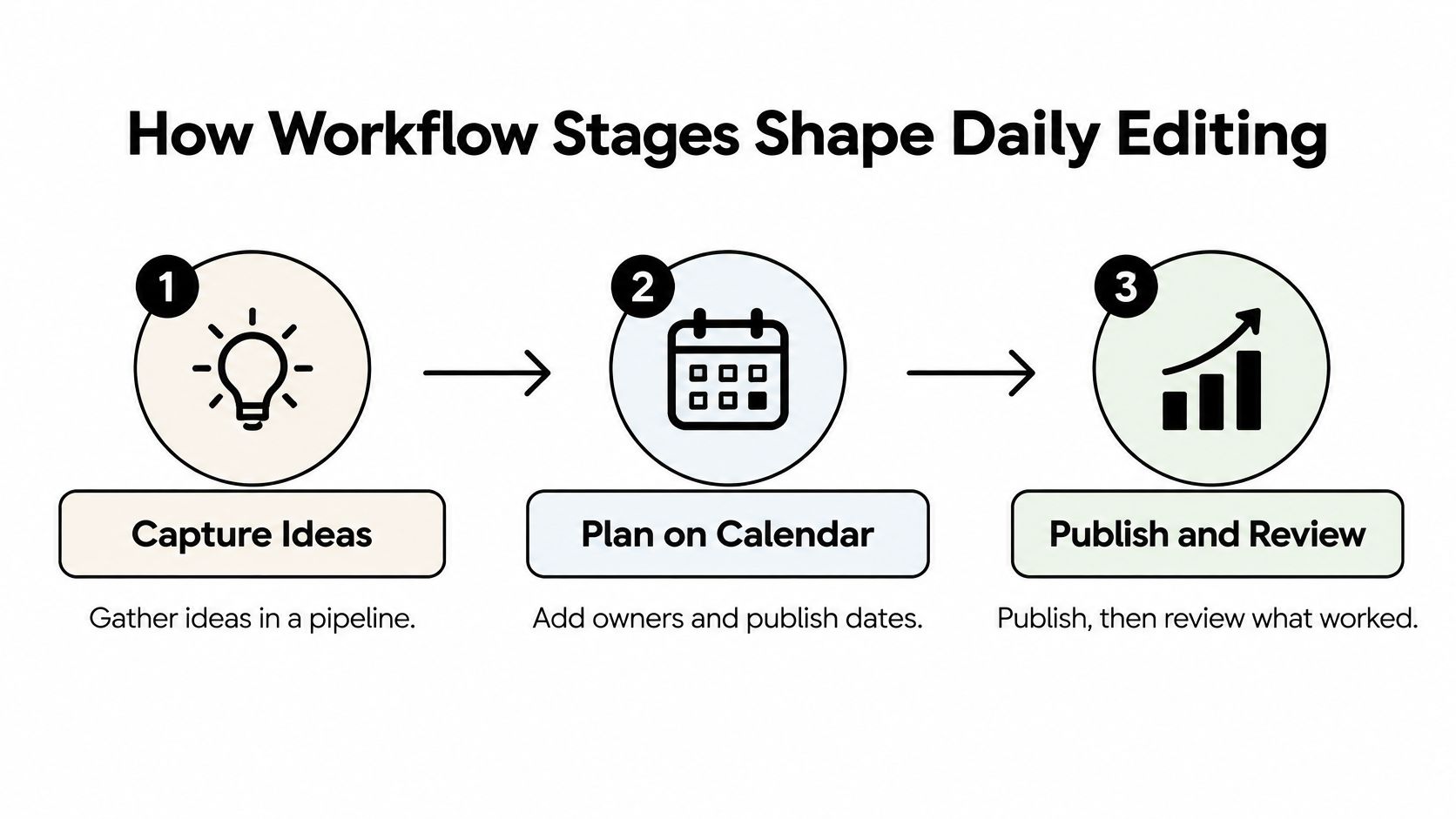
Capture ideas in a pipeline, plan them on an editorial calendar by assigning owners and setting publish dates, then publish and review what worked. Additional stages should clarify a real responsibility within that pattern, not create administrative ceremony.
Give each stage an exit condition
Use a dedicated legal or brand-review stage when those reviewers can block publication. For imagery, distinguish waiting for assets from ready for layout if different people own those tasks.
- Editorial review: The editor checks structure, accuracy, audience fit, and sourcing.
- Asset preparation: The responsible contributor supplies approved images, captions, and rights information.
- Publication verification: The publisher checks the live page and records its address before marking the item published.
Document the content marketing workflow alongside these exit conditions. A status label alone won't explain what someone must deliver.
A stage is useful when it changes who must act or what must be checked. Otherwise, it's probably a tag.
For a complementary workflow walkthrough, use this video.
Keep the evidence behind the status
Require timestamped transitions and retained owners, due-date changes, and approval decisions. Without that history, an editor can't distinguish time spent writing from time spent waiting in a review queue.
Track cycle time, overdue work, and review turnaround by role, plus cases where someone must reconcile conflicting statuses across systems. These measures reveal whether you need more production capacity, clearer reviewer responsibilities, or a better integration.
Ask the vendor to demonstrate a workflow change: Can an editor change stages without an administrator, and does each item's history survive? Test this with an active item, not just a newly created template.
Measurement Fields and Metrics to Track
| Metric | How to calculate | What it reveals |
|---|---|---|
| Complete-field rate | Published items with topic, format, channel, campaign, owner, and KPI filled, divided by all published items | Whether intake is structured enough to measure |
| Median time to first review | Median days from publication to first performance review | Whether results feed back into planning |
| Planning decisions backed by history | New plans citing past topic or format data, divided by all new plans | Whether insights shape the calendar |
| Schedule adherence | Items published on their due date, divided by all items due | Whether the calendar is kept to in practice |
| Overdue items per project | Count of past-due items in each active project | Where capacity or approvals are stalling |
| Review turnaround by role | Median hours from submission to decision, for each approver role | Which approver stage slows publication |
Measurement can fail before anyone opens a dashboard. In the Content Marketing Institute's 2025 technology-marketer survey of 274 respondents, 62% reported difficulty attributing ROI to content, and 58% reported difficulty tracking customer journeys.
A calendar won't solve attribution by itself. It can, however, preserve the context analysts need to interpret results instead of reconstructing the purpose of an article months after publication.
Capture the hypothesis at intake
Require topic, format, channel, campaign, audience, owner, publication date, and target KPI before an item enters production. Add a business goal and journey stage where they help explain the expected contribution.
Define the KPI precisely. Newsletter sign-ups and qualified demo requests are different outcomes, even if both appear under conversions in a dashboard. Record a review date appropriate to the content's purpose rather than expecting every asset to produce an immediate commercial result.
The missing connection often sits between planning records and analytics.
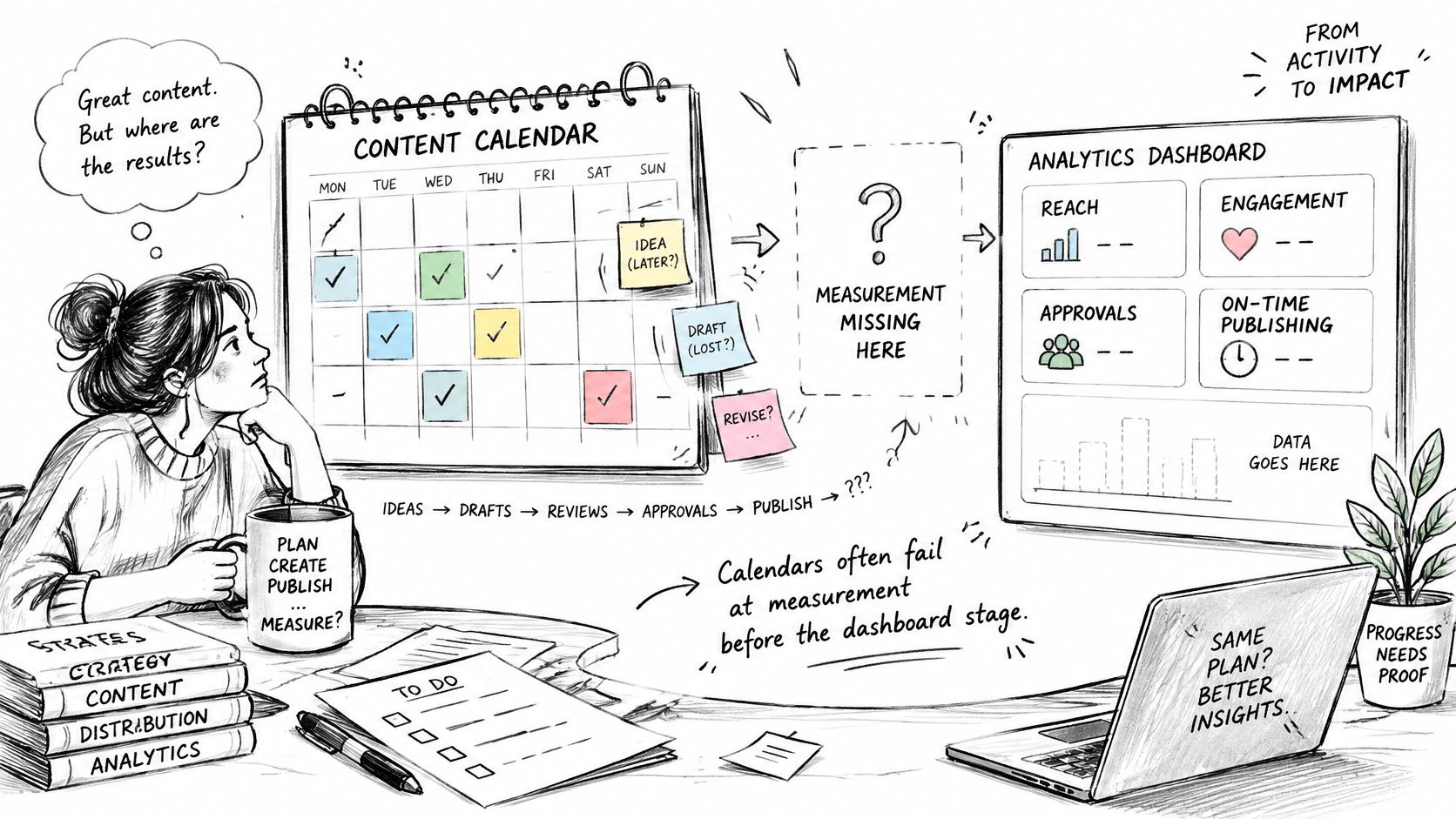
For a hypothetical campaign-field audit, suppose 30 of 40 published items have the field completed. That's a 75% campaign-field completion rate, not proof that the full intake record is complete. The immediate fix is an intake requirement, not another reporting dashboard.
Turn results into an editorial decision
Use content performance metrics to answer a planning question: should the team repeat this format, update the asset, change distribution, or stop commissioning the topic?
Keep reach, engagement, assisted conversion, and revenue evidence distinct. Content that introduces an unfamiliar problem shouldn't be judged solely by the same immediate conversion event as a product-comparison page.
Preserve the original planned record after publication, including revisions and channel-level outcomes. Otherwise, the team can report what happened but can't reliably explain which editorial decision produced it.
AI Governance and Access Controls
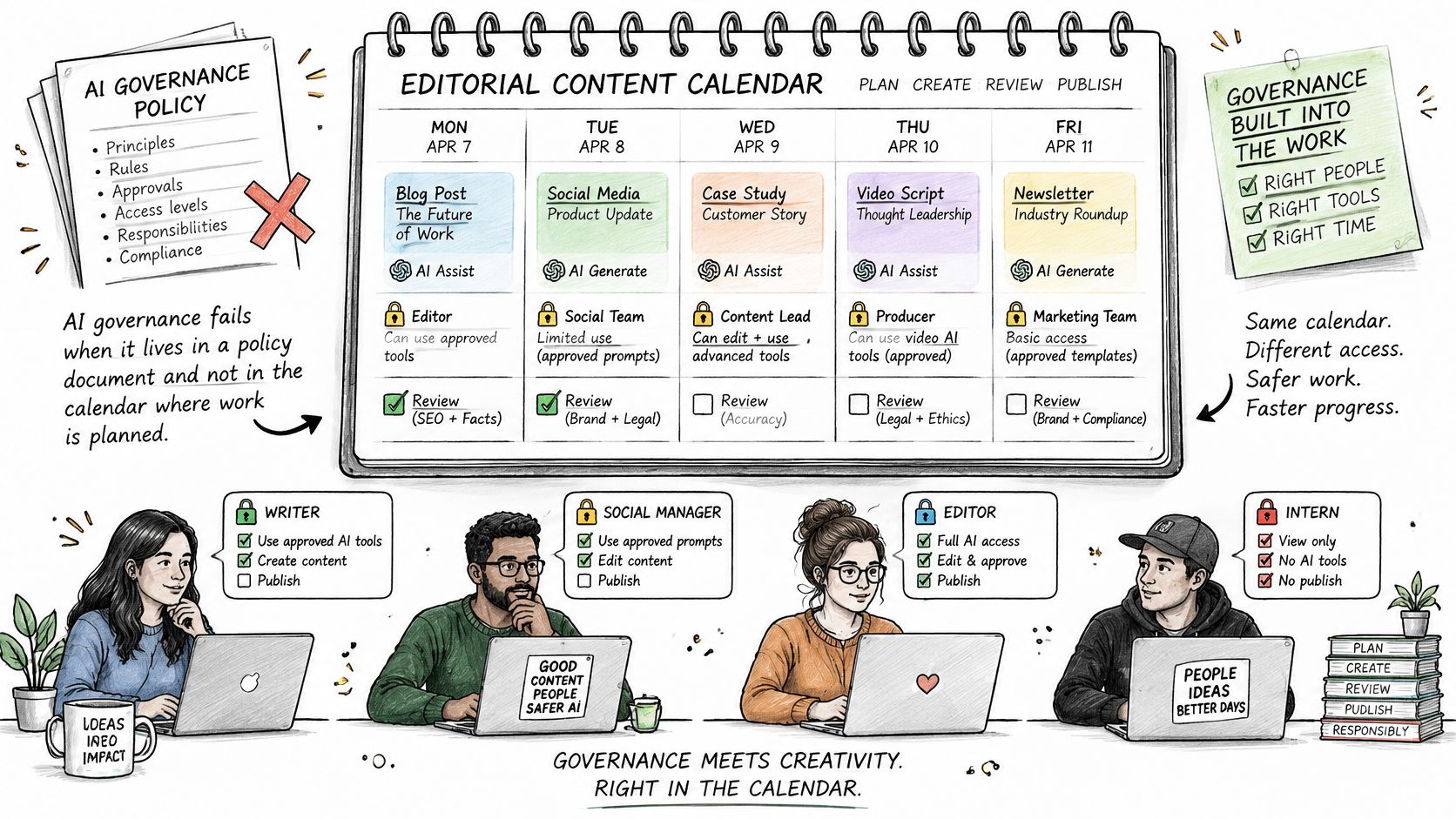
An AI policy stored in a handbook doesn't tell an editor whether the draft in front of them needs additional checking. Governance must appear where work is assigned, reviewed, and approved.
Among organizations piloting or actively using generative AI, 51% cited ethical or brand-reputation concerns, and 48% cited governance, privacy, or compliance barriers to scaling, according to Adobe's 2025 AI and Digital Trends content creation and management report. The operational response is not only to add an AI checkbox. Editors need enough context to choose the right review.
Record involvement and accountability
Use item-level fields that distinguish assistance from approval.
- AI involvement: Identify whether AI supported ideation, drafting, editing, or another production task.
- Source verification: Record whether a human checked factual claims against original sources.
- Rights and confidentiality: Flag unresolved questions about uploaded material, permissions, or sensitive information.
- Risk and review level: Identify the required editorial, brand, legal, or subject-matter review.
- Human approver: Name the person accountable for release and retain the final approval timestamp.
Keep the record proportionate. Brainstorming a headline doesn't need the same review path as drafting claims about a regulated product.
The useful design puts governance beside deadlines rather than in a separate reporting exercise.
Route risk and restrict access
Set explicit escalation rules. A brand-sensitive topic might require a senior editor, while an unsupported technical claim should return to source verification rather than proceed with a warning buried in comments.
Access controls must protect the supporting material as well as the draft. For agencies, that includes internal AI notes, attachments, comments, search results, and notifications. A client-facing view isn't secure separation if someone can find another account's work through global search.
Approval test: The person who can edit a draft shouldn't automatically be the person authorized to approve its release.
Test freelancer, client, and stakeholder roles separately, including access removal when a project ends. Evaluate SSO availability on the actual plan under consideration, not merely on the vendor's security page.
Finally, retrieve an AI-assisted item's full history under a short time limit. If the editor must search chat, email, and document history to identify its approver, the platform isn't functioning as a governance record.
Pricing, Security and Team Scale
Compare total operating cost, not the entry price. A calendar that requires a costly permission tier or substantial manual administration can be a poor deal despite an attractive subscription.
Build a cost sheet using the vendor's written quote and your expected contributor roles.
| Scenario | Include in the cost sheet | Confirm before committing |
|---|---|---|
| Current team | Editors, writers, reviewers, and comment-only stakeholders | Which roles consume paid seats |
| Expanded contributor pool | Additional freelancers and reviewers | Guest limits and minimum seat commitments |
| Added client or brand | Workspace, project, and permission requirements | Whether separation triggers a tier upgrade |
Include billing terms, onboarding charges, integration costs, and the staff time needed to maintain custom workflows. Use seat management to distinguish people who need editing access from those who only need to inspect or approve work.
Get security answers in writing
A security badge doesn't answer the editorial questions that determine whether the system fits your operation.
- Isolation: Can permissions separate client drafts, attachments, comments, and AI notes?
- Identity: Are SSO and audit logs included in the quoted plan?
- Data handling: Where is content stored, and are uploaded drafts or prompts used to train vendor models?
- Retention: What happens to deleted items, backups, and records after cancellation?
- Approval integrity: Can administrators alter approval timestamps, and are changes themselves logged?
Confirm export rights before paying. Ask for a sample export containing original publication dates, revision information, ownership, and status transitions, then inspect it in Excel or Google Sheets.
Don't confuse a downloadable file with a usable exit route. If relationships between content, campaigns, approvals, and results disappear, migrating away will require editorial reconstruction. Price that risk alongside the subscription rather than discovering it at renewal.
How to Run a Two-Week Platform Trial
Run the trial as a small production exercise, not a tour of menus. Choose work representative of your normal editorial mix, including an awkward approval or cross-project dependency.
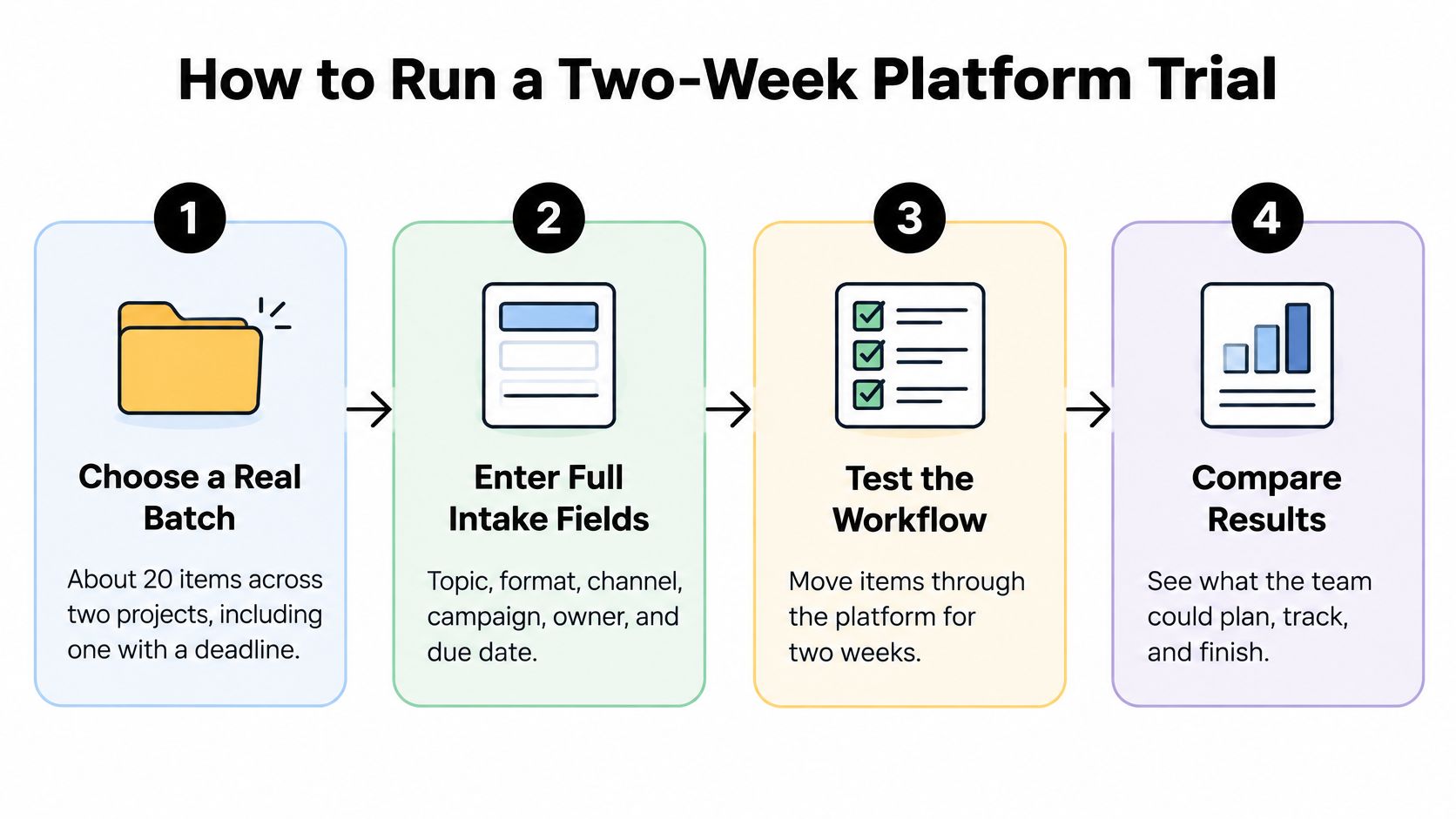
Use this sequence to keep evaluation focused on actual work.
Put real work through the system
- Choose a representative batch. For example, use about twenty items across a pair of projects, including deadline-bound work and an AI-assisted draft; record the starting backlog and existing commitments.
- Enter the full intake fields, including audience and target KPI, rather than importing titles alone. Record entry time and any fields that require an external workaround.
- Exercise the complete workflow. Move a selection through production, including an item returned for further review; record missing context, unclear handoffs, and whether comments remain attached.
- Set item-level reminders for different owners and inspect what recipients receive. Record delivery timing, notification destinations, and whether the reminder identifies the required action.
- Test restricted access with a real contributor. Have a freelancer inspect their workspace, search, notifications, and attachments; record any information they can see outside their assignment.
- Publish a small selection and attach outcomes to the original records. Record whether planned dates, actual publication dates, and live addresses remain distinguishable.
- Export and inspect the records. Open the files in a spreadsheet and compare them with the platform's history; record lost revisions, timestamps, relationships, and status transitions.
Judge the friction, not the presentation
Keep a trial log with task, elapsed time, help required, workaround, and consequence. Separate initial configuration from repeatable work: building a taxonomy is setup, while copying campaign tags between systems is ongoing administration.
Ask a writer, editor, and approver to complete their own tasks without the trial lead narrating every click. A system that only its champion understands isn't ready for routine production.
Use the remaining trial time to repeat difficult tasks after configuration changes. If an access rule or approval requirement still fails, don't assume onboarding will solve it unless the vendor can demonstrate the correction.
Prefer a visible limitation with a manageable workaround over a hidden limitation that threatens approval integrity or client confidentiality.
Finish with a short acceptance record: essential capabilities passed, unresolved risks, external spreadsheets still required, and the person responsible for maintaining the system. Make the buying decision from that record, not the enthusiasm generated by a polished demonstration.
Pick Your Platform and Start the Trial
Choose the platform that fits your operating model with the least unnecessary maintenance. A solo editorial operation should favor quick planning and clear feedback; an agency should prioritize account boundaries; a multi-brand publisher should insist on dependable approval evidence.
Don't average away a critical failure. Excellent scheduling doesn't compensate for exposed client drafts, and attractive reporting doesn't compensate for approvals detached from the reviewed version.
Make the decision explicit
Before the trial ends, write a short decision statement containing:
- Your setup: The editorial arrangement the platform must support.
- Decisive capabilities: The features that changed the team's ability to deliver.
- Remaining constraints: Workarounds, plan restrictions, and unresolved security questions.
- First review measure: The operational or learning metric you'll examine after adoption.
Choose that review measure to match the purchase reason. If approval delays prompted the search, measure reviewer turnaround. If the team keeps repeating weak topics, inspect whether new commissions cite historical performance rather than merely counting completed tasks.
TheContentMap is an option to evaluate against these criteria. Our Starter plan is free and includes an editorial calendar, up to three projects, one editor seat, and community support, and users can set up the service in minutes. Our Team plan is sold through a sales contact rather than self-serve sign-up; it includes unlimited seats, custom workflows, onboarding support, and SSO and advanced security.
Know what would change the recommendation
If you need additional editor access, Starter isn't the right fit. If formal approval audit trails are mandatory, require a demonstration of the exact record and retention behavior before choosing a higher tier or another platform. Don't infer those capabilities from general workflow or security language.
Start a two-week trial with a real batch of editorial work this week. Give someone responsibility for the evaluation, define the acceptance criteria before importing content, and reserve time to make the decision before the trial ends.
TheContentMap brings idea capture, editorial scheduling, collaboration, and performance insights into a shared planning workspace. Visit TheContentMap to start with your real publishing backlog and test whether it gives your team clearer ownership, usable deadlines, and better evidence for the next planning cycle.
Related Articles
Content Calendar Ideas: 10 Formats for 2026 Planning
The holiday guide is late again. The pillar page went live with nothing behind it. Last quarter'...
SoftwareContent Calendar Free: 10 Tools Worth Trying in 2026
A three-person team starts with one shared spreadsheet. By month three it's four tabs, two versi...
SoftwareContent Calendar App: What It Does and How to Choose One
Most content teams are small even when the function is official. In the Content Marketing Institute&...
Comments (0)
No comments yet. Be the first to share your thoughts.