Content Calendar Ideas: 10 Formats for 2026 Planning
Discover 10 content calendar ideas, from monthly grids and seasonal planners to pillar clusters and repurposing schedules, with examples and tips for editors.
The holiday guide is late again. The pillar page went live with nothing behind it. Last quarter's best post never got a second life. The spreadsheet is full anyway: every row has a publish date, a working title, and a status that looked fine in the planning meeting.
A date column does not say who owns the draft, which channel the piece serves, or whether a winner gets a second run. That gap gets worse once channels multiply. Content marketing adoption and planned investment keep growing, so a title-and-date sheet has to hold video, email, and a campaign asset that share one topic but not one deadline.
These ten content calendar ideas each force a different commitment: what you will publish, what you will stop, and when the format is the wrong fit for your headcount and volume. A solo editor posting twice a month can live in one view. A five-person team running a blog, a newsletter, and short video cannot. If you're weighing SemDash on tools for editorial teams, pick the decisions first. The software should mirror them, not replace them.
I would match the format to volume before adding another column. A calendar that only records dates still looks complete while owners, channels, and repeats stay undecided.
Table of Contents
- 1. Monthly Editorial Calendar
- 2. Quarterly Theme Calendar
- 3. Seasonal and Holiday Calendar
- 4. Evergreen Content Refresh Calendar
- 5. Pillar and Cluster Calendar
- 6. Content Repurposing Calendar
- 7. Campaign and Product Launch Calendar
- 8. Serialized Series Calendar
- 9. Kanban Idea Pipeline Calendar
- 10. Performance-Driven Review Calendar
- How the Ten Content Calendar Formats Compare
- Choose Two Formats and Start This Quarter
1. Monthly Editorial Calendar
A monthly editorial calendar is the baseline grid. Every planned article, newsletter, or social post gets a publish date and a named owner. Editors check it daily because it's the only shared picture of the next few weeks.
A monthly grid works when the team can see the month, not a year of wishful titles.
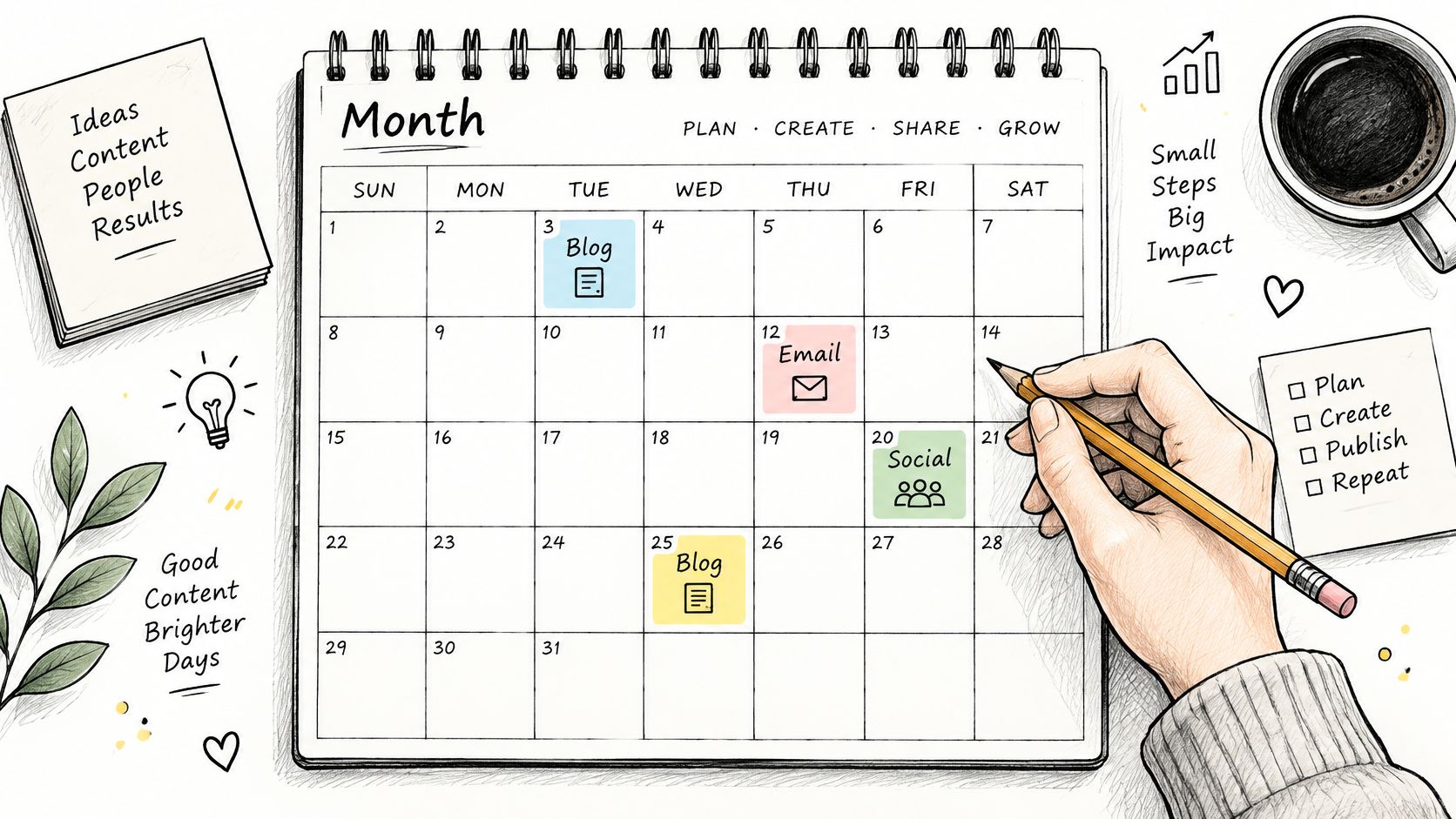
You commit to planning four to six weeks ahead and freezing the next two weeks for production. You stop renegotiating dates in Slack. Skip the grid when volume is low. In figures from Orbit Media's 12th Annual Blogger Survey, reported by CopyLume, approximately 50% of bloggers said they published two to four times per month in 2025. At that pace, a full month view is ceremony.
- Color by channel: Campaign and format should scan in seconds.
- Remind the owner: A date with no nudge will slip.
- Move dates once: The weekly review happens in this file, not in three docs.
Practical rule: If two people can change the same date in different files, you don't have a calendar.
The drawback is false certainty. A green date hides research, legal review, and design. Teams under one piece a week should keep a short list with owners instead.
2. Quarterly Theme Calendar
A quarterly theme calendar centers the next 90 days on one narrative. Each month takes a different angle. Writers stop inventing a new subject every Monday, and you can tell whether the theme resonated.
The bet only works if the theme is a real audience problem. Content Marketing Institute and MarketingProfs' 2025 B2B benchmark collected 1,186 global responses, including 980 B2B marketers. It found that 58% of B2B marketers considered their content strategy only moderately effective, and nearly half of that group cited unclear goals. A theme is a goal you can point at. "Customer security" can shape a webinar, three posts, and a nurture. "Thought leadership" cannot.
Say a SaaS team picks customer success for Q2. April covers onboarding, May covers retention metrics, June covers expansion stories. Off-theme pitches go to a backlog, not into this quarter by force.
A theme that only matches an internal launch, and not a reader pain, will produce a tidy calendar and a quiet audience.
Hold a short retrospective at quarter end and write down which angles earned engagement. The drawback is rigidity. News desks, trend-driven publishers, and teams under two people shouldn't lock a quarter. You'll either miss the story or fake a theme around whatever you were going to write anyway.
3. Seasonal and Holiday Calendar
Retail gift guides and tax-season explainers fail for the same reason. The audience's interest has a peak, and the draft starts the week of the peak.
A seasonal calendar commits you to lead time. Holidays, industry events, fiscal year-end, and back-to-school get a shared list with an owner and a production start two to three weeks before publish. You stop treating January's tax guide as a December surprise. You refresh last year's piece with new figures instead of rewriting it. Skip this format if your readers don't buy, file, enroll, or travel on a calendar. A B2B product blog with no seasonal spike will stuff empty "holiday tips" into a plan that didn't need them.
Sketch the year before you fill the months, or the peaks will surprise you every time.

An accounting publisher can lock deadline reminders in the same week each year. A retailer can slot gift guides months out. Multi-market teams have to list regional holidays and time zones, or the "global" post lands on the wrong morning.
The drawback is clutter. A calendar stuffed with every minor observance trains the team to ship filler. Keep the dates that match a real search or a real offer. Everything else is a distraction with a deadline.
4. Evergreen Content Refresh Calendar
New posts are the habit. Old URLs are usually the asset. A refresh calendar schedules reviews of pages that already earn traffic or conversions, with a last updated date and a named reviewer. You stop measuring the team only by how many new URLs you shipped. You skip it if the library is still a handful of posts. There's nothing worth protecting yet.
This is also where answerability belongs. Digiday's look at publisher audiences in the zero-click era reports that 85% of surveyed publishers said they are optimizing content for AI discovery or citation, and 76% said AI search has changed their SEO or content structure. A refresh slot should name the question the page answers, the first-party evidence it needs, and the entities that must be explicit. Publishing more thin articles is the weaker move.
- Start with winners: The top slice of pages by traffic or conversions, not a random audit.
- Make it recurring: A reminder beats an ad hoc "someone should update that."
- Read it twice: Check the page around 30 days and again around 90.
The drawback is that refreshes feel like less work than they are. Screenshots, stats, and internal links still need an owner. If you book them as half-hour tasks, they'll miss the date like any other fiction.
5. Pillar and Cluster Calendar
A pillar and cluster calendar refuses the one-off post. You map a broad pillar and the supporting articles before anyone drafts the pillar. You commit to internal links as tasks, not as a hope at publish time. You stop launching a "complete guide" that points nowhere.
Map the cluster before the draft, or the pillar ships alone.
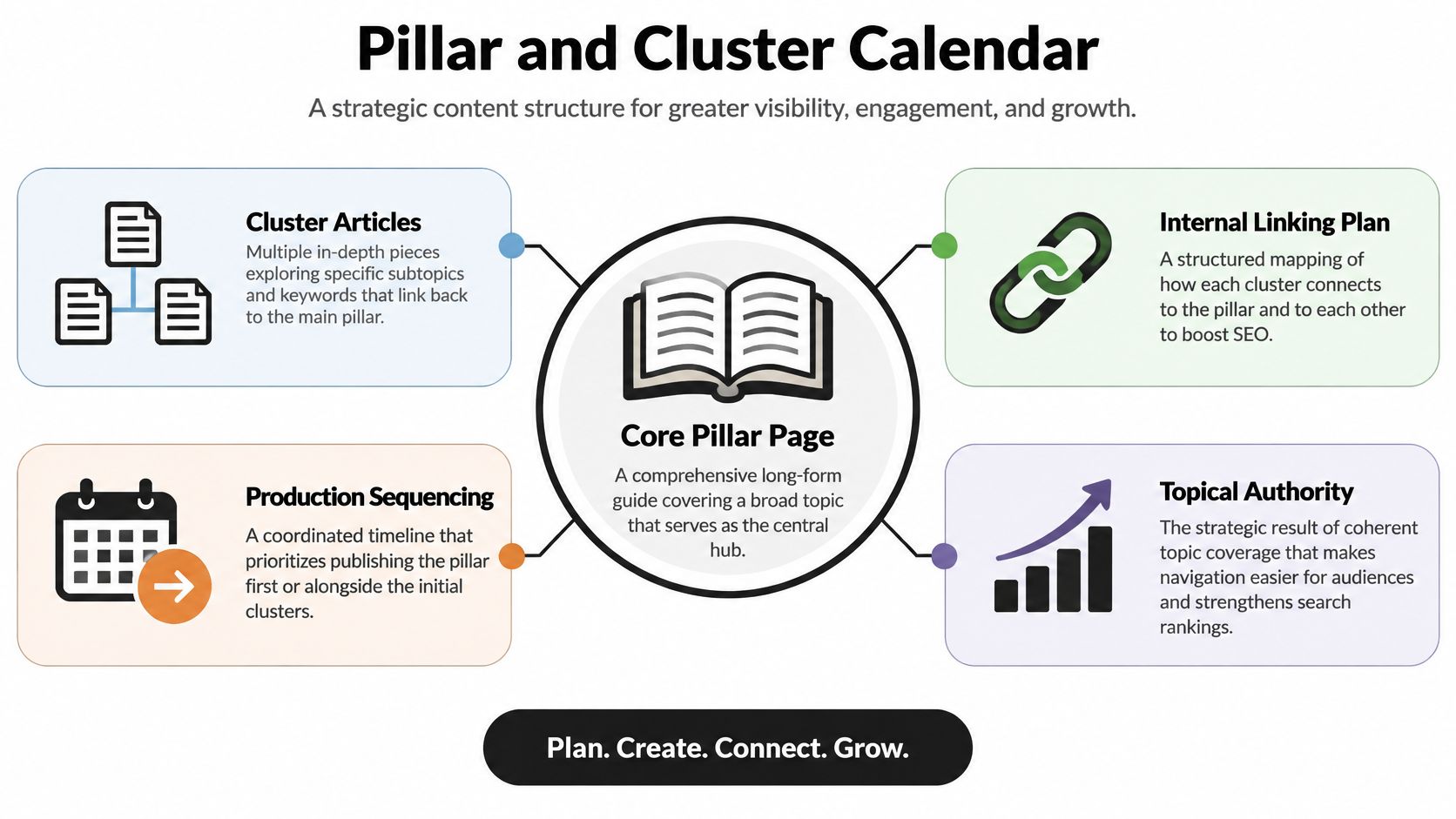
A B2B team building a marketing automation pillar might schedule integrations, use cases, and comparisons in the same month, with the pillar live the same week as the first clusters. The order matters. Clusters without a pillar compete with each other. A pillar without clusters is a brochure. For the linking logic, topic clusters explained is the working model. Data should pick the subtopics. WordPress VIP's 2024 Content Matters survey found that 80% of surveyed marketing and media leaders said content should be informed by data intelligence, but only 43% said their strategy was data-driven.
Review the cluster each quarter. Merge or retire the pieces nobody uses. The drawback is batch cost. A real cluster is several drafts, not one hero page. Solo writers and teams that can't spare a month of capacity should not open a cluster. Ship one strong page and add support when you can finish it.
6. Content Repurposing Calendar
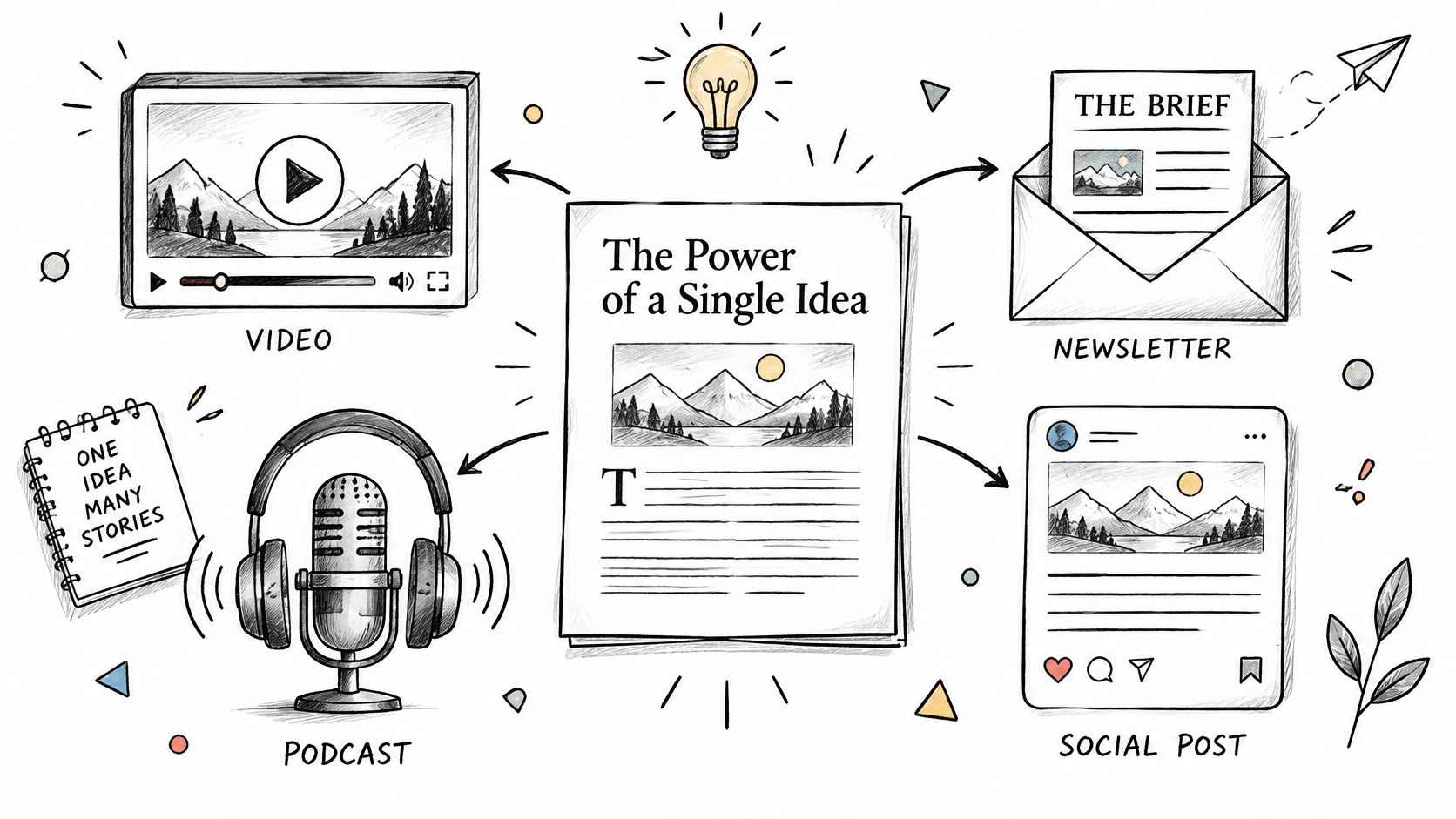
One researched piece should not die as one URL. A repurposing calendar schedules the children at the same time as the parent: a newsletter, a short video, social cards, a podcast segment, a deck. You commit to a different hook per format. You stop "turning it into social" the afternoon it publishes, which is how teams ship five copies of the same intro.
Say a long feature is approved on Monday. The calendar already holds a newsletter for Thursday, three social cuts the next week, and a short video the week after. Status fields show which child is drafted, approved, or scheduled. Stagger them by a few days so the audience doesn't meet the same asset everywhere on Tuesday. The practical version of that split is how to repurpose one piece of content into ten. If the cutting itself is the bottleneck, automate your content repurposing workflow only after the angles exist.
In 2024, 55% of respondents said they used artificial intelligence for content planning, according to WG Content's survey of almost 170 people. AI can draft the cuts. It can't decide which hook belongs on which channel. The drawback is noise. A team with one channel, or a post that wasn't strong the first time, should not multiply it. Repurposing a weak article just makes the weakness faster.
7. Campaign and Product Launch Calendar
A launch calendar has a start, an end, and one goal. Teasers, launch-day assets, follow-ups, and a review all sit on one timeline. You commit to a single owner who can move a date. You stop letting evergreen drips compete with launch week. Skip it when there is no offer, event, or announcement. A "campaign" that never ends is just the monthly grid with a fancier name.
A software launch might run a teaser post, a press note, a webinar, and two customer stories, with buffer days before legal and stakeholder review. Each row needs an owner, a status, and the dependency that blocks it. The webinar can't be promoted if the landing page is still in review. Publishers do the same for a book or series: excerpts, interviews, newsletter features, then silence.
Schedule the post-campaign review within two weeks, while people still remember what slipped. The drawback is tunnel vision. A six-week launch will starve the rest of the plan if you don't mark what is paused. Small teams should run one launch calendar at a time. Two overlapping launches means nobody owns either.
8. Serialized Series Calendar
A series calendar releases connected installments on a fixed day and time. You commit to banking at least three or four installments before the first one goes public. You stop announcing a five-part guide when only part one exists. Skip it if you can't protect the cadence. A missed week teaches readers not to come back.
Newsletter writers do this with a weekday sequence. Podcast seasons did it in public long before most blogs tried. Serial's weekly true-crime season, starting in 2014, worked because the next episode was a promise, not a maybe. Your version can be smaller: four briefs on one problem, same morning, same format.
- Recap on purpose: A midpoint summary and a closing summary catch people who joined late.
- Watch the drop-off: If part three loses the room, the outline was the problem, not the promotion.
- Keep the container stable: Same length, same place, same weekday.
The drawback is inventory risk. Those banked installments can go stale if a product change or a news event lands mid-series. Don't serialize topics that move every week. Freelance contributors also struggle here unless the editor has the later parts in hand before episode one ships.
9. Kanban Idea Pipeline Calendar
Dates don't tell you where a piece is stuck. A Kanban pipeline does. Columns run from idea to outline, draft, review, approved, and published. You commit to a definition of done for each column and a limit on how many drafts sit in review. You stop collecting pitches that never get a no. Skip the board if one person writes everything. You'll spend the stand-up moving cards you could see in your head.
The board is the intake. The calendar is what happens after approval.
Agencies use this when several clients feed one team. A weekly 15-minute stand-up clears stalled cards. A card gets a publish date only when it hits approved. Until then it is capacity, not a promise. Newsrooms are automating pieces of that path. In 2025, 93% of 108 publishers and broadcasters surveyed said workflow automation was an AI use case, according to Digiday and Arc XP's State of AI in the Newsroom report. Automation still fails if "review" means something different to every editor.
The drawback is a graveyard of ideas. Unlimited columns and no work-in-progress cap feel productive and hide the bottleneck. If the board has 40 drafts and two reviewers, the calendar downstream is fiction.
10. Performance-Driven Review Calendar
A review calendar puts the learning on the schedule before the piece goes live. You commit to two or three metrics, a baseline, and a date to look. You stop adding topics because the grid has an empty Tuesday. Skip the ritual if nobody will change the next month's plan. A review that doesn't kill or scale anything is a meeting.
Top performers treat measurement as part of the work, not a postscript. Sociallyin's summary of CMI's 2025 benchmark reports that 84% of top performers effectively measure content performance, compared with 15% of the least successful organizations. The same cut shows 61% of top performers with a scalable creation model, versus 17% of the least successful. The practical loop is a quarterly learning sprint: one topic, a few formats, a metric chosen in advance, then a later slot to repurpose or retire.
Tag by audience, funnel stage, topic, and channel so you can group results. A short monthly check plus a deeper quarterly review is enough. What to count, and what to ignore, is laid out in measuring content performance. The drawback is metric theater. If the only number anyone will defend is sessions, the review will reward the wrong posts. Saving writer hours with AI is not the same as a topic that produced pipeline.
How the Ten Content Calendar Formats Compare
| Item | Best For | Main Strength | Main Drawback |
|---|---|---|---|
| Monthly Editorial Calendar | Scheduling regular content across a month | Makes upcoming output and schedule gaps easy to see | Can become crowded and obscure strategic intent |
| Quarterly Theme Calendar | Organizing content around a shared quarterly theme | Creates a consistent narrative across channels | Can limit timely topics and creative flexibility |
| Seasonal and Holiday Calendar | Planning content for holidays, seasons, and recurring events | Captures predictable audience interest with reusable plans | Dates vary by region, and repeated content can feel stale |
| Evergreen Content Refresh Calendar | Updating and maintaining existing high-value content | Improves existing content with less effort than creating new pieces | Requires a reliable content inventory and impact takes time to measure |
| Pillar and Cluster Calendar | Building connected content around core topics | Strengthens topic coverage, internal links, and discoverability | Requires research and significant production effort |
| Content Repurposing Calendar | Adapting core content into multiple formats and channels | Extends the reach and value of each research effort | Requires coordination and distinct adaptations to avoid repetition |
| Campaign and Product Launch Calendar | Coordinating content for launches and time-bound campaigns | Aligns teams and deliverables around shared goals and dates | Workload can intensify, and timelines may shift |
| Serialized Series Calendar | Releasing connected content in planned installments | Builds audience habits and repeat engagement | Missed releases can undermine trust and momentum |
| Kanban Idea Pipeline Calendar | Tracking content ideas through a team workflow | Makes bottlenecks and stalled ideas visible | Does not show time-based plans on its own |
| Performance-Driven Review Calendar | Using content results to guide future planning | Connects editorial decisions to measurable outcomes | Depends on consistent, well-interpreted data |
Choose Two Formats and Start This Quarter
Don't install all ten. That's how teams end up with a beautiful system nobody opens. Pick the format that fixes the mess you have this month, and pick one review habit that tells you whether the format earned its keep.
If nobody shares a picture of the next two weeks, start with the monthly editorial grid. Freeze those two weeks, name an owner on every row, and keep a single place where dates move. If older pages already bring in readers and new posts keep missing, start with the refresh calendar instead. Book the top pages as recurring work. A theme, a cluster, or a series can wait until the basic view is honest.
Pair that choice with a review you will not skip. Once a month, look at what shipped against what you planned. Once a quarter, decide what to scale and what to stop. Clutch's State of Content Marketing and AI found that overall traffic is the primary content-success metric for only 41% of surveyed marketing professionals. If traffic isn't your real outcome, don't let it run the next cycle. Write the audience problem, the behavior you wanted, and the business metric on the calendar entry before you assign the draft. A saved afternoon of writing time doesn't prove the topic worked.
Build this in one system, not a spreadsheet plus a board plus a chat thread. Owners, status labels, and publish reminders have to live where the dates live. Our free Starter plan includes an editorial calendar, up to three projects, and one editor seat, with community support, so a small team can test a format before it adds people. You can drag pieces between dates and see the month at a glance. Ideas sit in a pipeline, then move to draft, review, and published. When the piece is live, content insights on paid plans show which topics and formats earned the slot.
Two formats, one quarter, one owner for the calendar itself. If the grid is still a list of wishes at the end of those 90 days, the format was wrong or the freeze was fake. Change one of those. Don't add a third template.
TheContentMap is the editorial calendar we use to capture ideas, assign owners, set publish dates, and drag work across the month, with reminders so deadlines stay visible. If your team is ready to replace the date-only spreadsheet with a format you can run, start on TheContentMap and put this quarter's two decisions on the calendar.
Related Articles
Content Calendar Free: 10 Tools Worth Trying in 2026
A three-person team starts with one shared spreadsheet. By month three it's four tabs, two versi...
SoftwareContent Calendar App: What It Does and How to Choose One
Most content teams are small even when the function is official. In the Content Marketing Institute&...
Software10 Best Content Ideation Tools for Editors in 2026
The brainstorm ends with a page of promising topics. Everyone has a favorite, someone offers to find...
Comments (0)
No comments yet. Be the first to share your thoughts.