Content Performance Metrics: What to Track, How, and Why
Learn the content performance metrics that matter most: engagement, traffic, conversions, velocity and ROI, plus how to measure each and plan what comes next.
You've got a folder of published articles, a traffic report that doesn't look bad, and a meeting where someone's going to ask which pieces earned their keep. If you can't answer yet, you're not behind. You're missing a way to read Content Performance Metrics as a planning loop, where each number points to your next editorial decision.
Table of Contents
- Content Performance Metrics at a Glance
- Why Pageviews Alone Mislead Editors
- Engagement Metrics That Show Real Attention
- How to Set Up Measurement Before You Publish
- Reading Scroll, Video and Return Signals Together
- Measuring Conversions, Velocity and ROI
- Turn Metrics Into Next Quarter's Editorial Plan
Content Performance Metrics at a Glance
You have forty published articles. Total traffic is up, a few pieces clearly carry the load, and the rest sit in a long, quiet tail. The report tells you what got viewed, but it doesn't tell you what to commission next, what to rewrite, or what to stop doing.
That's because one number can't answer five different questions. You need five families of Content Performance Metrics, each with its own job.
| Metric family | Question it answers | Core metrics | Where to find it |
|---|---|---|---|
| Traffic | Who arrived and from where? | Sessions, users, channel share, new vs returning | GA4 acquisition reports |
| Engagement | Did they interact with the content? | Engagement rate, engaged sessions per user, 90% scroll, user stickiness | GA4 engagement reports and events |
| Conversions | Did they take a valuable action? | Key event count, conversion rate, assisted conversions | GA4 key events and CRM data |
| Velocity | How fast does work move from idea to result? | Days brief to publish, days to first traffic, days to peak | Editorial calendar timestamps and analytics |
| ROI | Did the content return more than it cost? | Attributed revenue, content cost, return percentage | Finance records and attribution reports |
A restaurant version of the same table
Think of your site as a restaurant. Traffic is how many people walk past the door and notice the menu. Engagement is who comes in, sits down, and orders. Conversions are who pays the bill or books another table.
Velocity is how quickly tables turn and dishes leave the kitchen, which tells you whether your operation can keep up. ROI is whether the night covered the rent. A busy doorway looks encouraging, but it won't pay staff if nobody orders.
No single family is enough on its own. Traffic without conversions shows reach, not results. Conversions without velocity hide how hard the team worked to get them.
Read the families in order. Start with the measurement hierarchy that sits behind them, set up tracking before you publish, learn to read depth signals together, then handle conversions, velocity, and ROI with candor. At the end, you'll turn all of it into next quarter's plan instead of another report nobody acts on.
Why Pageviews Alone Mislead Editors
A shop door counter tells you how many people entered. Only the till tells you whether the shop sells anything. Pageviews work the same way, and treating footfall as sales is where most reading of the numbers goes wrong.
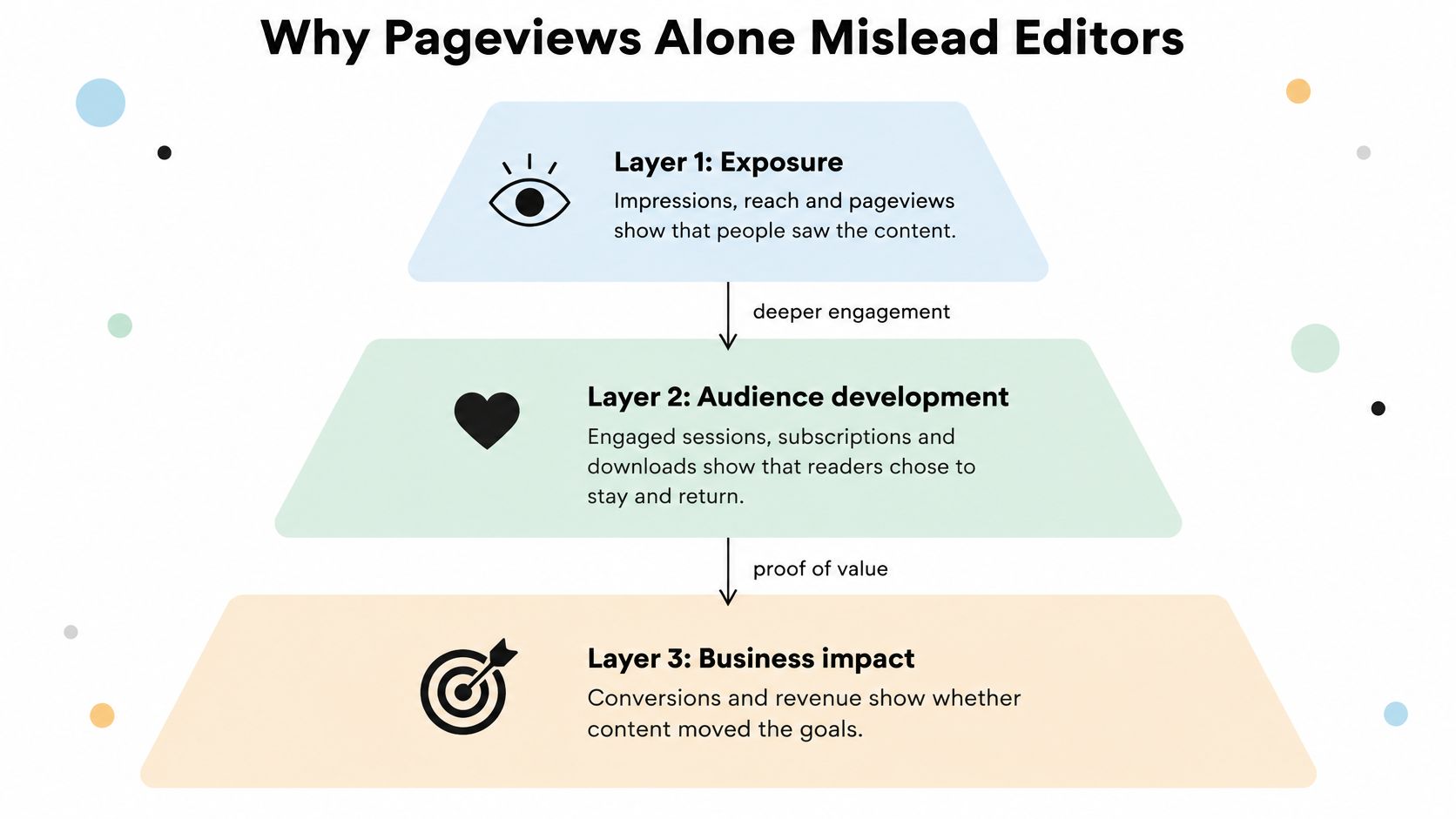
Three layers, three different claims
- Layer 1, exposure: Impressions, reach, and pageviews show that people saw the content. Nothing more, nothing less.
- Layer 2, audience development: Engaged sessions, subscriptions, downloads, and return visits show that readers chose to stay, give you permission to contact them, or come back.
- Layer 3, business impact: Pipeline, revenue, and customer outcomes show that the content mattered commercially.
Each layer answers a narrower question than the one above it. Trouble starts when a team uses a layer one number to make a layer three claim, like calling a high-traffic article a revenue driver because it was popular.
The gap between layers is common, not a personal failing. In the Content Marketing Institute and MarketingProfs 2025 B2B benchmark study of 980 marketers, 56% said attributing ROI to content was difficult and another 56% struggled to track customer journeys from exposure to conversion. Only 29% rated their strategy extremely or very effective, while 58% rated it moderately effective, 12% not very effective, and 1% not effective at all.
The same study shows why the layers separate in practice. 87% said content created brand awareness in the previous 12 months, 74% generated demand or leads, 62% nurtured subscribers or prospects, and 49% generated sales or revenue. Awareness is easier to produce and easier to prove. Business impact is rarer and harder to trace.
Teams stop at layer one for understandable reasons. Pageviews are visible the day you publish, they're easy to attach to a writer's output, and nobody has to argue about attribution. The cost is that you keep funding topics that attract browsers who never become subscribers, leads, or customers.
Say it plainly in the report. For example, an article with 50,000 views and no subscriptions is an awareness win, not a revenue win. That's not a failure if awareness was the objective, but it is a failure of labeling if you present it as proof of commercial value.
Before you call a piece successful, ask at each layer in turn. Did people see it, did the audience move, and did the business feel it?
Engagement Metrics That Show Real Attention
Engagement sounds vague until you pin it to a definition. In GA4, an engaged session lasts more than 10 seconds, contains a key event, or includes at least two page or screen views, and engagement rate is the share of sessions meeting any of those conditions while bounce rate is the remainder, as Google's GA4 engagement definitions set out.
That's a low bar by design. It separates a genuine visit from an accidental click, but it doesn't prove someone read every word or valued what they found.
Why time on page misleads you
A reader who finds a price in 20 seconds and leaves satisfied is a success. A reader who opens your article, switches tabs, and makes coffee is not, even though the clock keeps running. Time alone can't tell those two people apart, so don't rank articles by it.
Engagement rate does more useful work. Picture two hypothetical articles with identical traffic. One has a 68% engagement rate and the other sits at 31%. Same doorway, very different rooms. The first piece holds people or moves them onward, the second mostly loses them on arrival, and your fix for each one is completely different.
Compare like with like
A single engagement rate for the whole site hides more than it reveals. Break it down four ways:
- By topic: Which subjects hold attention once people arrive, regardless of search volume?
- By format: Do guides hold readers better than short explainers, or the reverse?
- By acquisition channel: Search visitors, newsletter readers, and social visitors arrive with different intent, so expect different behavior.
- By publication cohort: Did pieces published after a structure change perform better than older ones?
Then add two repeat-attention measures. Engaged sessions per user and user stickiness help you separate a one-off spike from readers who return and engage again. A viral piece that nobody follows up is a different asset from a modest piece that brings the same people back monthly.
Watch one common mix-up. Social platform benchmarks use completely different definitions of engagement. For reference, Adobe Express put typical 2025 social engagement rates at roughly 3% to 3.5% for LinkedIn, 0.45% to 0.6% for Instagram, 0.06% to 0.2% for Facebook, and 0.04% to 0.15% for X. Those are interactions per follower or per reach on a platform. Never compare them with your site's GA4 engagement rate, because you'd be grading two different activities with one label.
Practical rule: A higher engagement rate means stronger observed interaction. It doesn't mean business impact, and it shouldn't be reported as if it does.
Set your baseline before you judge anything new. Take the median engagement rate of the last 20 pieces in each format and hold new work against that median. Medians resist distortion from one outlier, and format-level baselines stop you from punishing a short news piece for not behaving like a long guide.
How to Set Up Measurement Before You Publish
Most measurement problems aren't analysis problems. They're setup problems that happened weeks earlier, when nobody wrote down what the piece was for or how it would be tagged. Fix these seven steps and your later reporting gets dramatically easier. If you're comparing systems to hold this setup, it's worth reviewing dedicated content tracking tools before you build another spreadsheet.
The visual below covers the first three steps, which you need to settle before drafting starts.
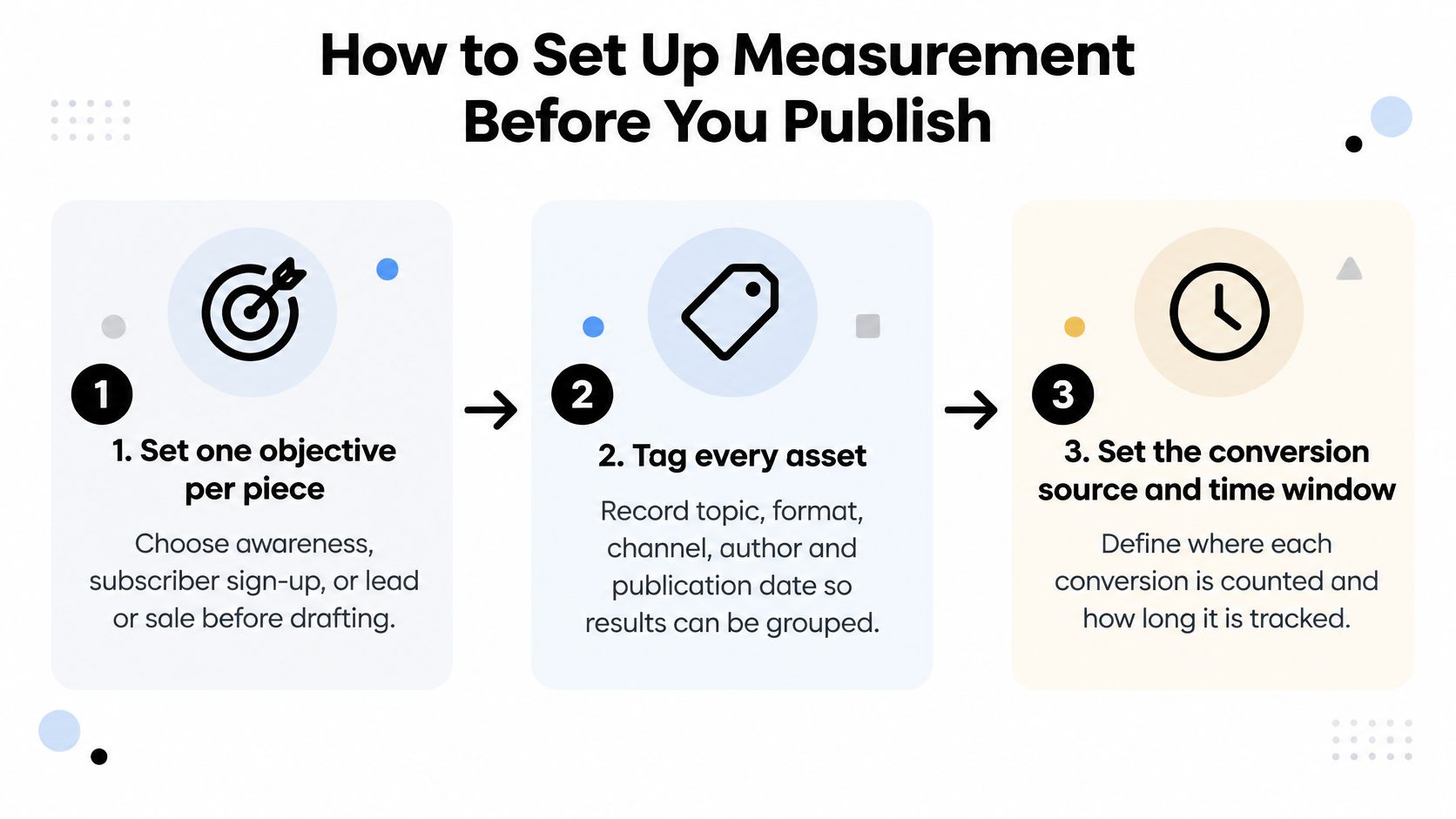
- Write one objective per piece before drafting. Choose awareness, subscriber sign-up, lead, or sale, because a piece judged against four goals gets judged against none. The common mistake is picking the objective after publication, which lets you retroactively crown whatever happened as the plan.
- Tag every asset. Record topic, format, channel, author, and publication date so you can group results later by any of them. The mistake is free-text tagging, where one editor writes "guide" and another writes "how-to" for the same format.
- Mark only commercially meaningful actions as key events. Newsletter sign-up, download, demo request, or purchase count, because each one moves a reader closer to revenue. Marking every outbound click as a key event inflates conversions and makes weak content look strong.
- Use consistent event names and content identifiers across all projects. The same action should be counted the same way every time, or your totals won't add up across campaigns. The mistake is letting each project invent its own naming, which forces manual cleanup before every report.
- Turn on Enhanced Measurement and video tracking. This records scroll events automatically, and embedded YouTube videos can report progress if you enable it. The mistake is assuming it's already on and discovering six months of missing depth data.
- Record a baseline for each format. Use the median engagement rate and key-event rate of the last 20 pieces in that format, falling back to the last 90 days only when a format has fewer than 20 pieces. The mistake is judging a new piece against the site average, which mixes formats with different jobs.
- Review each piece at 30, 90, and 180 days. Check it against its baseline and the objective from step 1, because search content often matures slowly. The mistake is reviewing once at two weeks and retiring pieces that hadn't peaked yet.
If you want to see how key events and Enhanced Measurement look inside GA4 before you configure your own property, this walkthrough shows the screens you'll be working in.
Who owns what in a small team
In a team of three or four, split ownership so the setup doesn't depend on one analyst. The commissioning editor owns steps 1 and 2 at brief stage. Whoever publishes owns steps 3 to 5 as part of the pre-publish checklist. One named person owns steps 6 and 7 on a fixed monthly date, and anyone should be able to cover that job from the written checklist.
Reading Scroll, Video and Return Signals Together
A how-to article on your site pulls 12,000 sessions a month. Healthy traffic, so it stays untouched for a year. Then someone checks the depth signals and finds that only 22% of visitors reach the bottom and just 0.8% complete a key event. The topic is fine. The article is not doing its job.
What the depth signals actually measure
GA4 Enhanced Measurement can record a scroll event when a user reaches 90% of a page, and embedded YouTube videos can generate start, progress events at 10%, 25%, 50%, and 75%, and completion events, according to Google's Enhanced Measurement documentation. Those signals show exposure depth, which is useful and limited at the same time.
Reaching 90% scroll means the bottom of the page entered the viewport. It doesn't mean the reader read the middle. Someone hunting for a comments section or a download link can hit 90% in seconds, so read scroll alongside engagement time, return behavior, and key events before you celebrate completion.
Back to that how-to article. High traffic plus low scroll completion points to weak opening relevance, poor structure, or excessive length, and the low key-event rate says there's no effective next step either. The fix is editorial, not promotional. You don't need more visitors arriving at a page that loses them in the first screens.
| Pattern | What it suggests | First fix to test |
|---|---|---|
| High traffic, low 90% scroll | Weak opening relevance, poor structure or excessive length | Rewrite the introduction and add subheadings |
| High 90% scroll, low key-event rate | Informational intent met, but no useful next step | Add one relevant next-step link or offer |
| Strong video completion, repeat visits | A format that holds attention and brings people back | Commission a series in the same format |
| Low traffic, high engagement rate | A niche but well-matched audience | Promote through newsletter and internal links |
| High engagement, no return visits | One-off attention with no follow-up reason | Build a connected series or follow-up asset |
| Low traffic, low engagement | Topic or search intent mismatch | Rewrite around the intent or retire the piece |
Patterns beat single metrics
Notice that every row combines at least two signals. That's deliberate. High scroll with a low key-event rate usually means the article satisfied the question but offered nothing worth doing next. Strong video completion with repeat visits is one of the clearest signals you'll get that a format deserves a series.
None of this works without the tagging discipline from setup. If topic, format, and publication date aren't recorded consistently, you can't aggregate these patterns across cohorts, and every article becomes an anecdote instead of evidence.
Change one thing per article, then re-measure over a full cycle before you draw a conclusion. If you rewrite the intro, restructure the page, and swap the offer at once, you'll never know which change worked.
Measuring Conversions, Velocity and ROI
Your reporting says a content cluster generated plenty of leads, but finance asks a harder question: how many became customers, and what did the cluster cost to produce? Honest measurement gets uncomfortable at this point, and many teams find that their numbers stop too early.
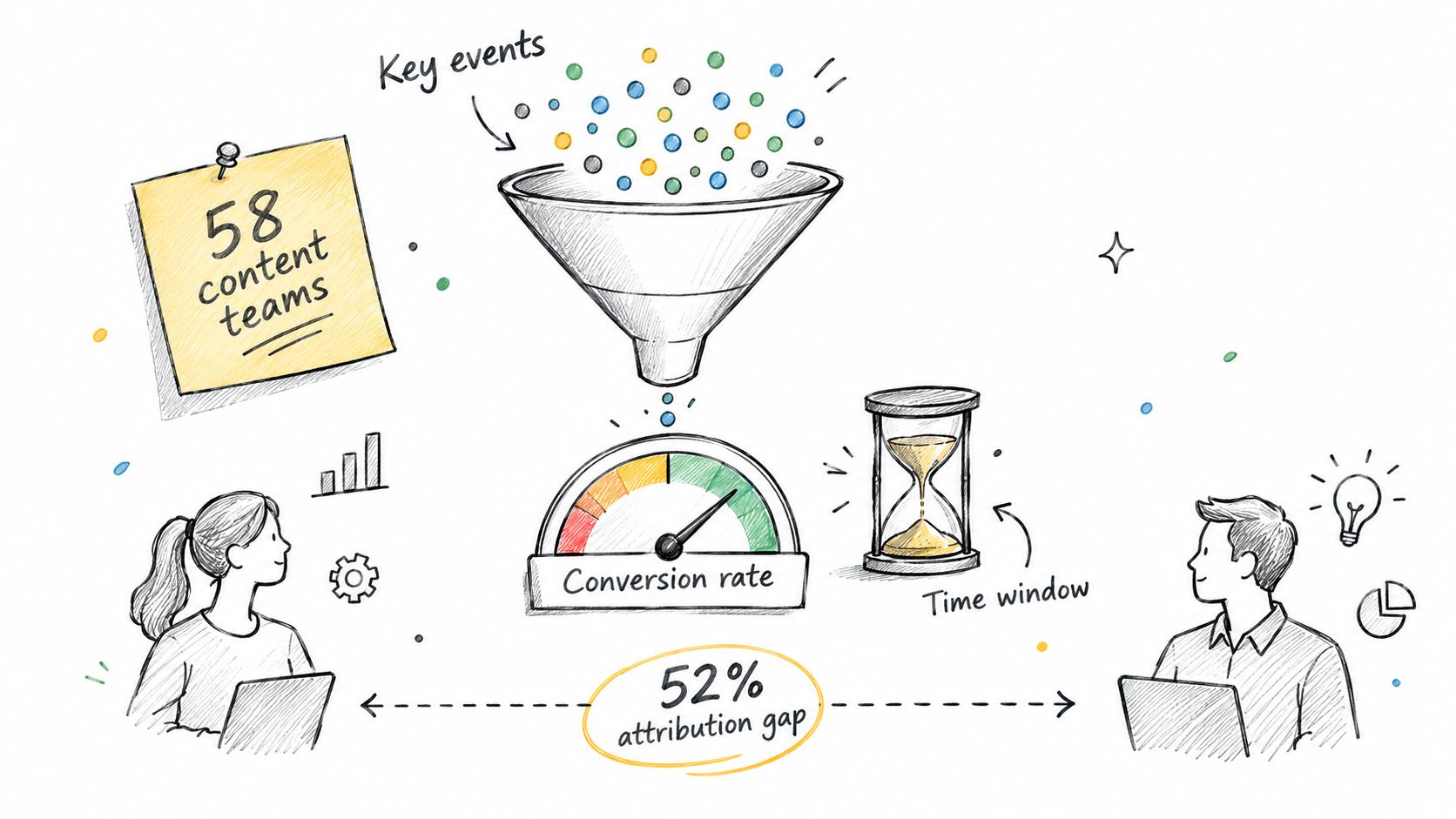
Start by separating terms people blur together. A key event is a single valuable action, like a demo request. Conversion rate is the share of sessions or users who complete one. Neither means anything without a defined source, meaning where the action is counted, and a time window, meaning how long after content exposure you'll still credit it.
The attribution gap most teams share
A 2025 survey of 58 content teams on content attribution found that 52% stopped tracking at conversion, 28% could not reliably track conversions, and only 21% could observe outcomes beyond signup such as retention, churn, or expansion. 71% considered their attribution data only partially accurate, while just 12% trusted it confidently.
Sit with what that means. A piece can influence a customer months later, across several sessions and channels, and receive no measurable credit. So the sharper question isn't "Which article converted?" It's "Which topics and formats help audiences become successful customers over time?"
A lightweight lifecycle model gets you partway there without a data science team:
- Track by content cohort: Group readers by what they consumed, then follow assisted conversions, activation, retention, renewal, and expansion for that group.
- Add one qualitative question: A "How did you hear about us?" field at signup catches influence that click tracking misses entirely.
- Name correlation plainly: If readers of a topic retain better, that's an association worth testing, not proof the articles caused the retention.
Strong B2B marketing examples tend to show this same pattern, where value arrives distributed across many assets rather than through one heroic article.
Velocity, or how fast the kitchen runs
Velocity measures how long work takes between stages, and how long results take after publication. Slow stages reveal bottlenecks that no traffic report will show you.
| Stage | Clock starts | Clock stops | Example target |
|---|---|---|---|
| Idea to brief | Idea logged in the pipeline | Brief approved | 3 days |
| Brief to draft | Brief approved | First full draft submitted | 7 days |
| Draft to publish | Draft approved | Live URL published | 2 business days |
| Publish to first traffic | Live date | First search session recorded | 14 days |
| Publish to peak | Live date | Peak weekly sessions reached | 90 days for search content |
These targets are examples for a small team, not standards. Set yours from your own timestamps, then investigate stages that consistently overrun.
ROI as a range, not a single number
The formula is (attributed return minus content cost) divided by content cost. Worked example: a cluster costs 4,000 to produce, split into writer 2,500, editor 1,000, and design 500. It generates 18,000 in attributed revenue over 12 months. That's (18,000 minus 4,000) divided by 4,000, which gives a 350% ROI.
Now stress-test it. If you credit content with only 40% of that revenue, the attributed return drops and the same cluster returns 80%. Same content, same cost, very different headline. Report the range and state your crediting assumption, because a single ROI figure hides the judgment call inside it.
Turn Metrics Into Next Quarter's Editorial Plan
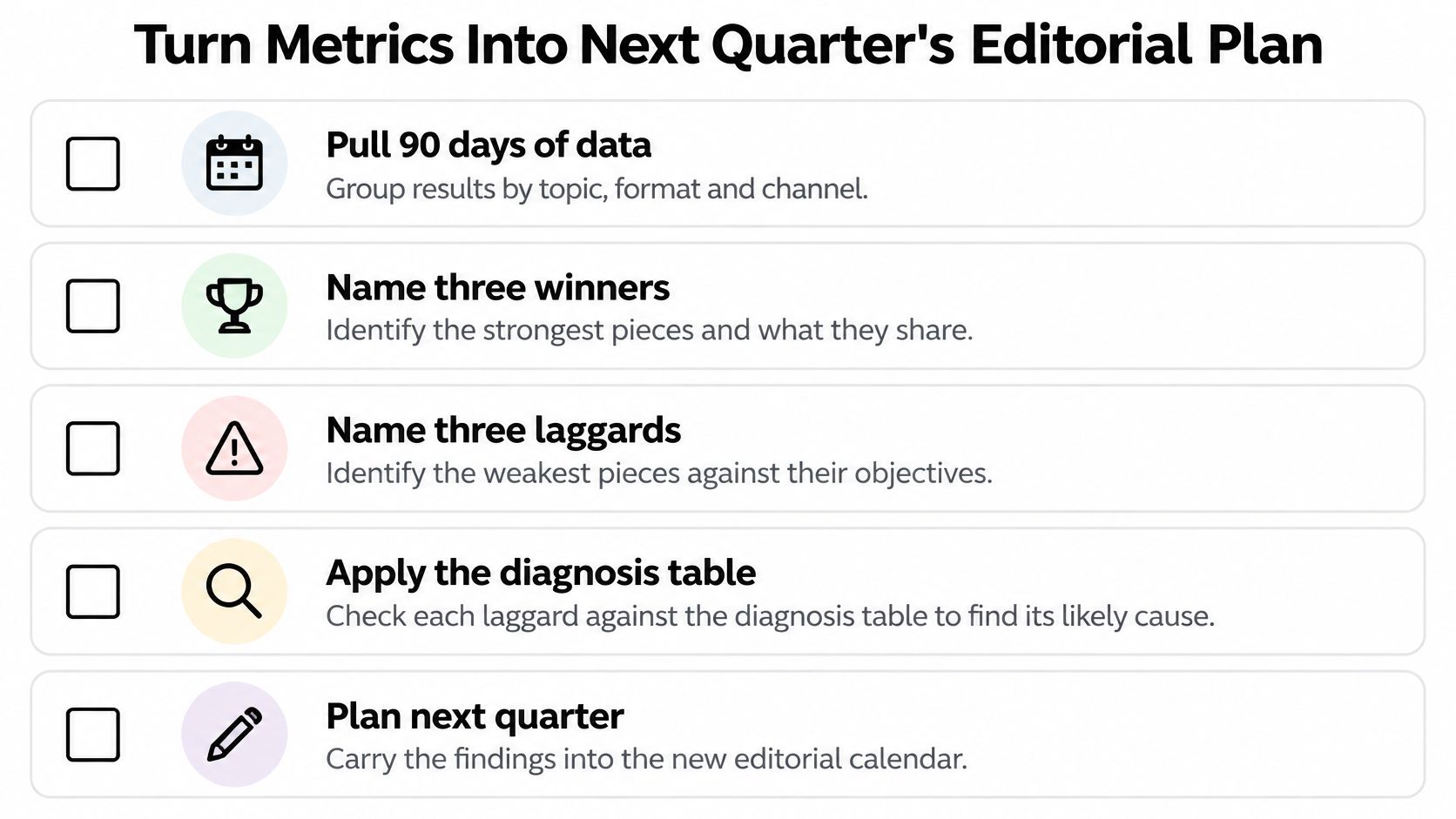
Measurement only pays off when it changes the calendar. Build one quarterly ritual and protect it. Pull 90 days of data grouped by topic, format, and channel, then name three winners and three laggards judged against their own objectives and baselines. Run each laggard through the diagnosis table before anyone proposes a rewrite. A focused session like how to run a content audit in a single afternoon gives you a workable structure for that review.
Treat AI-referred visitors as their own segment
Don't grade AI traffic with search expectations. An Ahrefs analysis of approximately 82,000 websites found that visitors from common AI platforms viewed four pages on average, which was 1.2 fewer than search visitors, and were 4.1% more likely to bounce than search users. That can reflect a satisfied one-answer visit, since these readers often arrive with a specific question, get the answer, and leave.
Judge this segment on intent and outcomes instead of raw depth. Add a post-conversion source question, monitor brand mentions and citations where you can observe them, and remember that zero-click influence won't appear in your session data at all. Penalizing concise, answer-oriented content for low page depth would push you toward padding.
A balanced scorecard for the decision
Grade topics and formats on four things together: qualified actions, assisted pipeline, return behavior, and audience satisfaction. A format that wins on actions but never brings anyone back is a different planning bet from one that builds a returning audience slowly.
Then move the calendar. Shift slots toward winning topics and formats, keep one or two exploratory slots per month so you're still testing, and rewrite or retire the laggards you diagnosed. TheContentMap's content insights show which topics and formats perform, and its editorial calendar and pipeline let you place the next brief in the same place the review happened.
Close the review with this checklist:
- Confirm the tags: Every reviewed asset has topic, format, channel, and date recorded.
- Confirm the key events: Only commercially meaningful actions are being counted.
- Confirm the baseline: Winners and laggards were judged against the right format median.
- Pick three decisions: Name what you'll expand, fix, and stop.
- Schedule the next review: Put the date in the calendar before you leave the room.
If your metrics live in one tool and your planning lives in another, the learning loop breaks every quarter. TheContentMap brings your editorial calendar, idea pipeline, and content insights together so the topics and formats that perform feed straight into your next briefs. Visit the site, set up your first project, and run your next quarterly review where your plan already lives.
Related Articles
Best Editorial Calendar: Top 10 Tools for 2026
You opened the sheet this morning and the dates don't match the thread in Slack. A writer still...
SoftwareContent Creation Workflow for Editorial Teams
The calendar says the article publishes tomorrow. The draft is sitting in separate comment threads,...
Software10 Best Content Planning Tools for Editorial Teams
Stop shopping for the tool with the most features. That popular advice pushes editorial teams toward...
Comments (0)
No comments yet. Be the first to share your thoughts.