10 Content Tracking Tools for Editorial Teams in 2026
Compare 10 content tracking tools for editorial calendars, workflows and performance analytics, with honest pros, cons and practical setup tips.
Content rarely stalls while someone is writing. It stalls between an idea in a shared document and a publish date that nobody owns. An editor may have a strong topic pipeline, a writer may have a draft in progress, and a marketing manager may have performance data in another dashboard. By the time the team reviews the month, nobody can easily connect the original plan with the published result.
This roundup groups content tracking tools by the tracking job they perform, including planning, production status, performance feedback, and site monitoring. That makes it easier to match a tool to the gap in your workflow instead of choosing a platform because it has the longest feature list. The right stack should help your team move from idea to publication, then from results back to the next plan.
For broader context on how automation supports content operations, see MakeAutomation's content automation insights.
Table of Contents
- 1. TheContentMap
- 2. CoSchedule
- 3. DivvyHQ, now Lytho Planner
- 4. Optimizely Content Marketing Platform
- 5. StoryChief
- 6. Bynder Content Workflow, formerly GatherContent
- 7. Semrush Content Toolkit
- 8. Parse.ly
- 9. Chartbeat
- 10. Conductor Monitoring, powered by ContentKing technology
- Top 10 Content Tracking Tools: Feature Comparison
- Build the Smallest Tracking Stack That Closes the Loop
1. TheContentMap
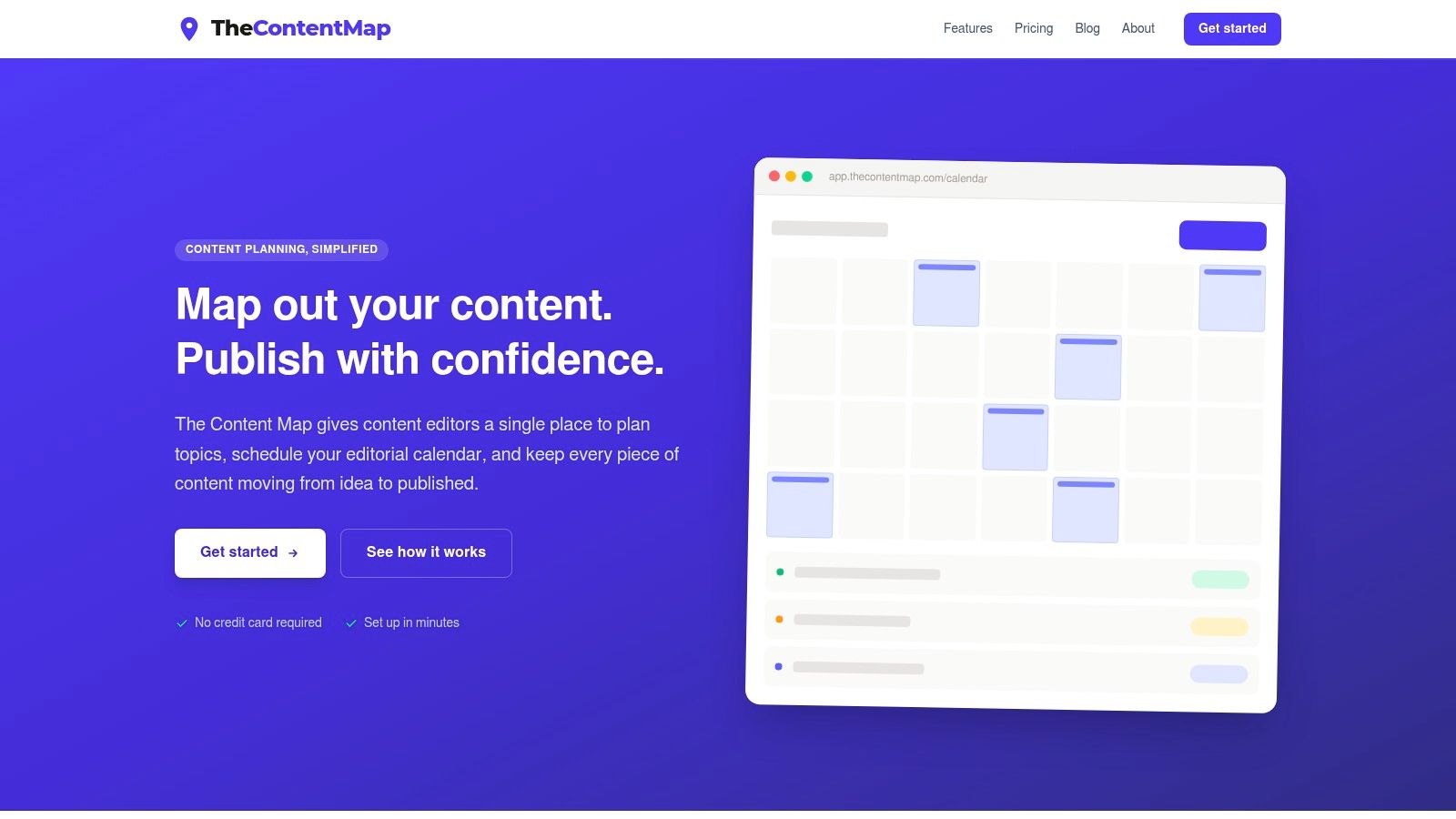
A content manager opens the calendar and finds three problems at once: an unassigned idea, a draft waiting for review, and a publish date that is already at risk. TheContentMap brings those tasks into one editorial workspace for content editors, publishers, agencies, and in-house teams.
Add topics to the idea pipeline, move them through drafting and review, assign owners, and place approved work on the visual calendar. Reminders keep deadlines visible. Content insights connect published topics and formats with later planning decisions.
Where it fits best
TheContentMap is strongest at editorial planning and production status. Editors can see unassigned ideas, work in review, and dates at risk without maintaining separate spreadsheets. Comments, ownership assignments, topic tags, and project views keep context with each content item instead of scattering it across email and documents.
Its performance layer closes part of the feedback loop. A calendar records intended output. TheContentMap also helps teams examine published work and spot patterns in topics and formats, giving the next planning cycle more context.
Practical rule: If a content item has no owner, stage, or next date, it is only stored, not tracked.
The trade-off is scope. The Starter plan supports one editor seat and up to three projects. Advanced security, custom workflows, onboarding, and unlimited seats require the Team plan. Starter is free, Pro is $12 per editor per month, and Team is $29 per editor per month. The product site does not prominently advertise native CMS publishing integrations, so teams with complex publishing requirements should confirm that fit before committing.
Best for: Content editors, managing editors, agencies, publishers, and marketing teams replacing spreadsheets with a focused editorial system.
Pros: Editor-first visual calendar, idea pipeline, reminders, ownership tracking, embedded content insights, transparent pricing, and setup without a credit card.
Cons: Larger teams need an upgrade for collaboration, advanced controls sit on the Team plan, and CMS integrations may need confirmation.
Explore TheContentMap
2. CoSchedule
CoSchedule suits teams that want their content calendar and social publishing activity in the same operating view. Its drag-and-drop marketing calendar gives editors a clear way to schedule blog posts, campaigns, and social content, while approvals and role controls help keep publishing responsibilities visible.
The strongest use case is cadence management. A team can see whether a campaign has supporting social posts, whether an approval is still open, and whether multiple brands or departments need separate workspaces. The ReQueue functionality also supports repeat social scheduling, which is useful for evergreen promotion.
The trade-off
CoSchedule's advantage is breadth across marketing channels. Its limitation is that useful planning and analytics capabilities can move into higher tiers, and additional social profiles may increase the cost on entry plans. That matters for small editorial teams that mainly need an idea pipeline and a publish calendar.
The platform is a good fit when social distribution is part of the same daily workflow as editorial planning. It's less compelling if your main problem is capturing content ideas, tracking detailed production stages, or connecting content attributes to performance feedback.
Best for: Marketing teams and editors managing content plus social distribution.
Pros: Clear calendar experience, approvals, role management, social scheduling, ReQueue, and multi-workspace support.
Cons: Important features may require higher tiers, social profiles can add cost, and the platform may offer more distribution machinery than a small editorial team needs.
3. DivvyHQ, now Lytho Planner
DivvyHQ, now associated with Lytho Planner, is designed for high-volume content operations where multiple departments, brands, and campaigns share production capacity. It supports multi-calendar planning, custom workflows, assignments, approvals, and collaboration around each content item.
That structure works well when a team needs more than a simple editorial calendar. A campaign can have its own schedule, while departments maintain their own planning views. The item-level collaboration space, often described as a sandbox, keeps comments and working context tied to the asset being produced.
Who should choose it
Choose this platform when governance and coordination matter more than rapid setup. Enterprise publishers and large brands may benefit from standardized stages, shared planning, and a clearer view across departments. It also supports integrations, including CMS connectors and Zapier, which can reduce manual movement between systems.
The trade-off is operational weight. Pricing is sales-led rather than prominently published, and the terminology can feel heavy for a small team that only needs to track topics, owners, and dates. Editors may need training before the workflow feels natural.
A powerful workflow doesn't help if editors avoid opening it. Adoption should be part of the buying decision, not an afterthought.
Best for: Enterprise content operations, publishers, and organizations coordinating many calendars and stakeholders.
Pros: Content-specific workflows, multi-calendar planning, custom approvals, item-level collaboration, and support for complex organizational structures.
Cons: Sales-led pricing, a learning curve, and more operational complexity than smaller teams may need.
4. Optimizely Content Marketing Platform
Optimizely Content Marketing Platform is aimed at organizations that need formal governance from intake through measurement. It supports shared calendars, standardized requests, briefs, production stages, reviews, approvals, asset management, and performance views.
Its value appears when content work involves many stakeholders and strict controls. A marketing team can standardize how requests enter the queue, require specific approval steps, connect assets with a digital asset management system, and link activity to broader performance or return-on-investment reporting.
Where it can be too much
Optimizely's depth is also its main drawback. Quote-based pricing and enterprise-oriented controls make it a difficult fit for a small team that only wants a lightweight calendar. The platform can consolidate several point tools, but that consolidation brings implementation work and governance decisions.
The newer AI capabilities may speed up planning, analysis, and execution, but automation doesn't remove the need for editorial ownership. Teams still need clear review responsibility, source validation, and consistent metadata if performance reports are going to be useful.
Best for: Large organizations that need centralized intake, governance, asset coordination, and performance measurement.
Pros: Deep controls, standardized workflows, enterprise security options, broad integrations, and a strong connection between production and business reporting.
Cons: Quote-based enterprise pricing, heavier implementation, and unnecessary complexity for lean editorial teams.
Explore Optimizely Content Marketing Platform
5. StoryChief
StoryChief covers a broad content operations path, from strategy and topic planning to briefs, drafting, approvals, distribution, and performance feedback. That makes it especially useful for in-house teams and agencies that publish across websites, newsletters, and social channels.
Its calendar isn't isolated from the rest of the workflow. Teams can attach briefs and tasks to content, invite guest writers, manage approvals, and distribute finished work to supported channels. Agency workspaces help separate client operations, which is important when one team manages several brands.
The agency trade-off
StoryChief's strength is end-to-end reach. A team can plan a topic, produce an article, coordinate review, publish it, and examine visibility or performance without assembling as many separate tools. Its AI features also extend into content, images, and video, with usage tracked through credits.
The cost is complexity at scale. Pricing is in euros, and many workspaces or channels can increase the total. API access, multilingual features, and SSO are reserved for higher tiers, so agencies should check the exact plan requirements before standardizing on it.
Best for: In-house marketing teams and agencies managing multi-brand, multichannel publishing.
Pros: Strategy, briefs, calendar, approvals, distribution, analytics, agency workspaces, and AI-assisted production in one system.
Cons: Costs can grow with workspaces and channels, and advanced collaboration and integration features sit behind higher tiers.
6. Bynder Content Workflow, formerly GatherContent
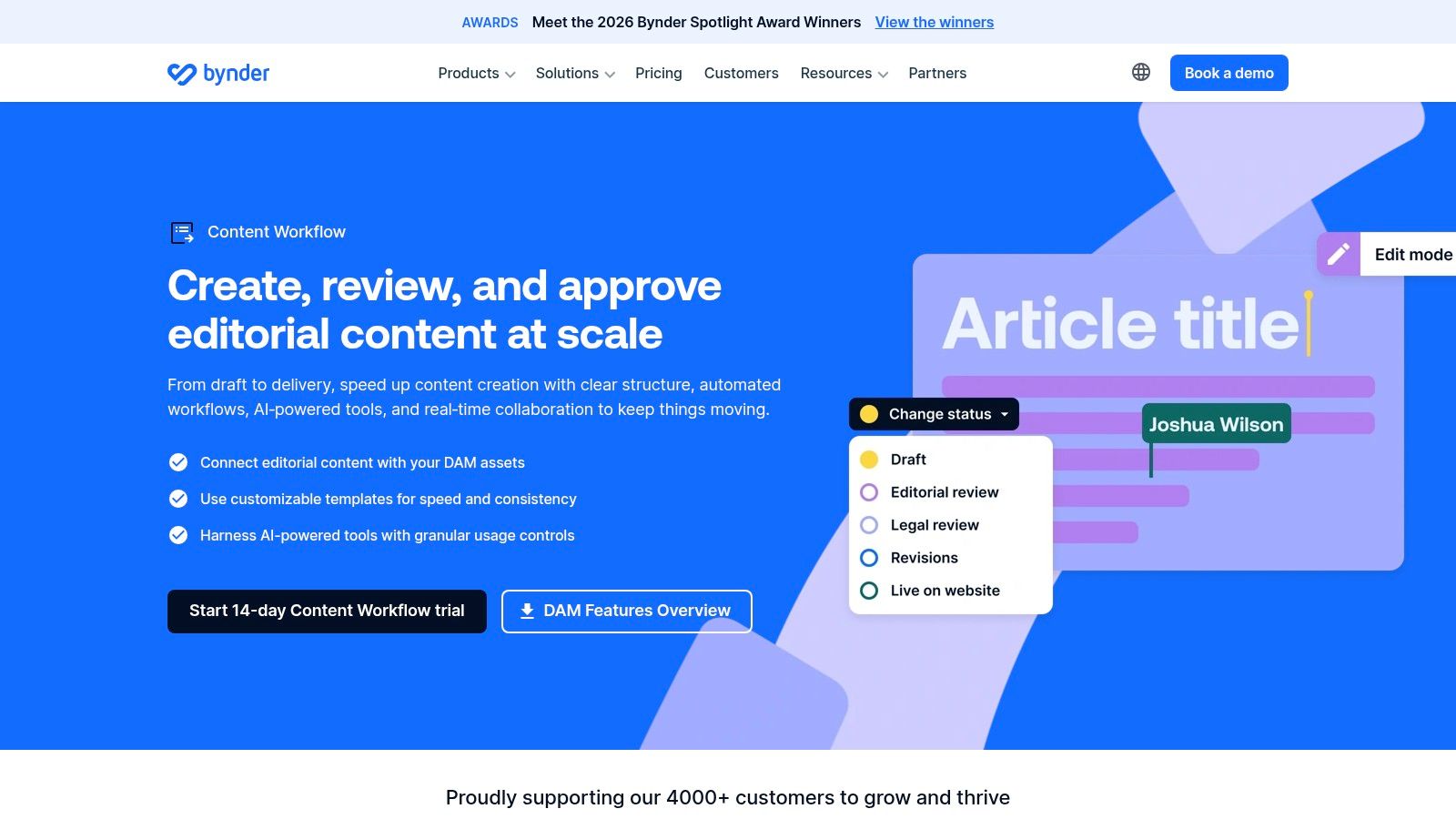
Bynder Content Workflow is strongest at structured production and approval before content reaches a CMS. It gives teams templates, field-level structures, review stages, language support, and mappings for systems such as WordPress, Contentful, and Sitecore.
That focus makes it different from a general editorial calendar. It helps subject-matter experts submit copy in the right structure, gives editors a controlled review process, and reduces the version confusion that appears when content moves through documents and email attachments.
A strong production layer
The platform works particularly well when a website has repeatable page types, many contributors, or strict publishing fields. Bynder's digital asset management connection can also help teams keep content and associated assets closer together.
The trade-off is that this isn't a lightweight editorial planning product. The GatherContent brand has been retired, so older documentation may cause confusion during research. Pricing is quote-based through Bynder, and teams should confirm the current product name, integrations, migration path, and CMS behavior during evaluation.
For a wider comparison of platforms used to organize and manage content, see this guide to the best content management tools.
Best for: Website teams collecting structured copy from contributors and moving approved content into a CMS.
Pros: Templates, field-level mapping, staged approvals, multilingual support, CMS integrations, and strong control over versioning.
Cons: Quote-based pricing, brand-transition confusion, and a narrower focus on structured production than on editorial strategy or performance learning.
7. Semrush Content Toolkit
Semrush Content Toolkit is a strong option when content tracking needs to sit beside SEO research and search visibility data. It combines topic discovery, SEO briefs, writing assistance, optimization, calendars, distribution support, and performance connections with Google Analytics and Google Search Console.
The practical benefit is context. An editor can move from a topic opportunity to a brief, then review optimization and search-related signals without buying a separate SEO platform. That can reduce handoffs between the editorial and search teams.
The SEO-first trade-off
Semrush is best when organic visibility is a major part of the content job. Its broader ecosystem and documentation can support teams that need keyword research, competitive analysis, and content optimization as part of planning.
It can feel heavy if the requirement is "show me what is due this week." Content Toolkit availability also differs by tier, and add-ons can push costs higher. Editors should check whether the chosen plan includes the specific calendar, writing, and distribution features they expect.
Best for: SEO-led content teams that want planning and search intelligence from one vendor.
Pros: Strong topic discovery, SEO briefs, optimization, search data, integrations, and a mature supporting ecosystem.
Cons: Plan and add-on costs can grow, feature availability varies by tier, and it is more complex than a basic planning and approvals tool.
8. Parse.ly
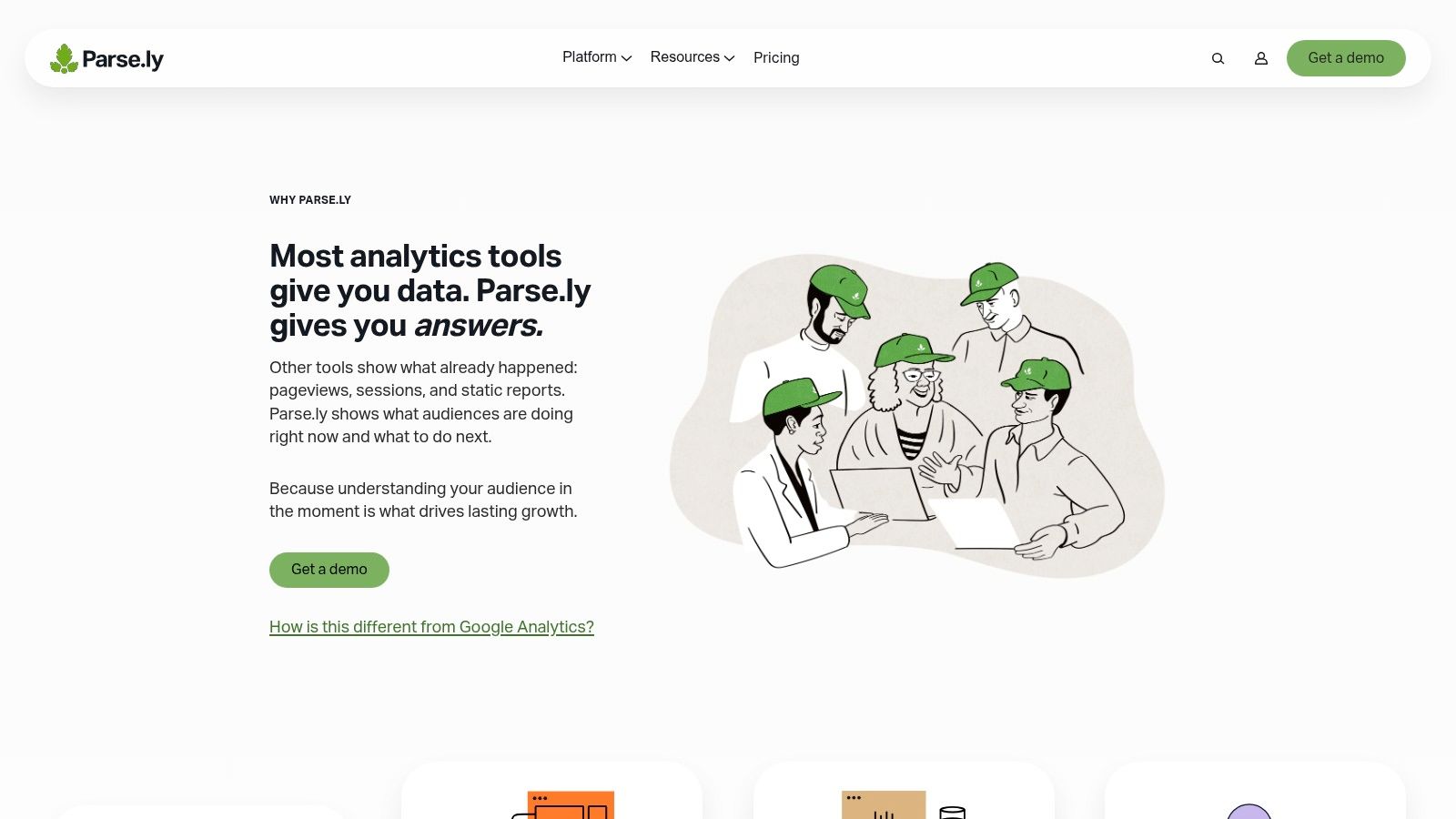
Parse.ly is a performance feedback tool for publishers and editorial teams. It gives editors accessible dashboards for real-time and historical content analytics, with segmentation by author, topic, section, and other content attributes.
That segmentation is the important distinction. Generic web analytics can tell you what happened on a page, but editorial teams often need to know which topics, writers, sections, and formats are contributing to the result. Parse.ly's content library and dashboard approach makes that information easier for non-analysts to use in daily decisions.
Use it beside a planning system
Parse.ly isn't a replacement for an editorial calendar or production workflow. It tells you how published content performs, but it doesn't own the idea pipeline, approvals, or deadlines. The best setup pairs it with a planning tool and agrees on shared content identifiers, topic labels, and campaign fields.
Its attribution and UTM views can support campaign analysis, while alerts and reports help teams act on important changes. Pricing is quote-based, so publishers should evaluate data coverage, integrations, implementation support, and reporting needs together.
For a practical framework for choosing useful measures, read this guide to measuring content performance and selecting the metrics that matter.
Best for: Digital publishers and content teams that need editor-friendly performance feedback.
Pros: Real-time and historical reporting, strong topic and author segmentation, accessible dashboards, attribution views, and publisher-focused workflows.
Cons: Analytics only, quote-based pricing, and the need to pair it with planning and production software.
9. Chartbeat
Chartbeat is designed for live editorial decisions. Newsrooms and digital publishers use it to monitor attention, engagement, content performance, and audience behavior while stories are active, then use historical analysis for planning and retrospectives.
The live focus makes it useful during a busy publishing cycle. Editors can see which stories are attracting attention, assess headline performance, and identify content that needs promotion or follow-up. Additional modules support conversion and subscription analysis, while author and team rollups help with broader reporting.
The newsroom trade-off
Chartbeat's strongest signal arrives after publication. It won't replace an idea database, assignment board, or approval workflow. Teams need another system to track what was planned, who owns it, and whether a deadline moved.
Pricing is tied to traffic and can scale quickly, which makes budget planning important for larger publishers. The platform is a good fit when live audience behavior drives editorial decisions. It's less suitable for a marketing team that mainly needs production status and monthly content reporting.
Best for: Digital publishers and newsrooms that need real-time editorial analytics.
Pros: Live attention signals, headline testing support, historical analysis, conversion options, and publisher-focused reporting.
Cons: Traffic-linked pricing, analytics-only scope, and a requirement to pair it with a planning or workflow tool.
10. Conductor Monitoring, powered by ContentKing technology
Conductor Monitoring, which incorporates ContentKing technology, handles a different tracking job: protecting the live website after publication. It continuously checks pages and tracks changes to titles, meta descriptions, canonicals, robots directives, status codes, and other technical SEO elements.
That makes it useful when content can be changed by many people or systems. A page may be approved correctly but later lose a canonical tag, develop a broken status, or receive an unintended metadata change. Monitoring helps surface those issues while the team can still connect them to a recent edit or release.
Protect the published layer
Conductor can enrich technical findings with log-file and analytics data, while annotations preserve context around important changes. That makes it useful for large sites with frequent releases, distributed ownership, compliance requirements, or strict brand standards.
The limitation is scope. It doesn't manage the editorial idea pipeline, briefs, or production approvals. It sits after publication and should be connected to a planning system rather than treated as a complete content operations platform. Pricing is quote-based within Conductor and tends toward enterprise use.
A practical content audit should connect page health with ownership and planned action. This guide to running a content audit in a single afternoon provides useful operational context.
Best for: Large websites that need continuous technical and content integrity monitoring.
Pros: Change tracking, alerts, technical SEO auditing, log-file analysis, integrations, annotations, and page-level context.
Cons: Enterprise-oriented pricing, narrower scope than a full CMP, and the need for a separate planning and production system.
Top 10 Content Tracking Tools: Feature Comparison
| Product | Core features ✨ | UX & collaboration ★ | Value & pricing 💰 | Target audience 👥 |
|---|---|---|---|---|
| 🏆 TheContentMap | ✨ Visual editorial calendar; idea pipeline; workflows; content insights; reminders | ★★★★☆, editor-first, drag‑and‑drop, comments & owner assignment | 💰 Starter: Free · Pro $12/editor/mo · Team $29/editor/mo (transparent per‑editor pricing) | 👥 Content editors, in‑house teams, publishers, agencies, editor‑focused planning |
| CoSchedule | ✨ Marketing calendar + social scheduling, approvals, analytics (ReQueue) | ★★★★☆, clear calendar UX; approvals & role controls | 💰 Paid tiers; social profile add‑ons can increase cost | 👥 Marketing teams & editors who need calendar + social automation |
| DivvyHQ (Lytho Planner) | ✨ Multi‑calendar planning, custom workflows, centralized collaboration, integrations | ★★★★☆, enterprise ops UI; powerful but steeper learning curve | 💰 Sales‑led pricing (quote) | 👥 Enterprise publishers, brands & multi‑dept content ops |
| Optimizely CMP | ✨ Intake/briefs, shared calendars, DAM + AI assistants, governance & ROI views | ★★★★★, enterprise governance & consolidated stack | 💰 Quote‑based; enterprise budget required | 👥 Large enterprises needing end‑to‑end governance and ROI linkage |
| StoryChief | ✨ Strategy briefs, multilingual publishing, calendar, distribution & AI features | ★★★★☆, end‑to‑end workflow; agency workspaces | 💰 EUR‑priced tiers; add‑ons increase cost with many workspaces | 👥 Agencies & multi‑brand in‑house teams focused on distribution |
| Bynder Content Workflow | ✨ Templated content structures, multi‑stage approvals, CMS integrations, DAM | ★★★★☆, structured content collection; reduces version sprawl | 💰 Quote‑based via Bynder | 👥 Web teams needing CMS publishing, templates & DAM integration |
| Semrush (Content Toolkit) | ✨ Topic discovery, SEO briefs, writing assistant, calendar, GA/GSC integrations | ★★★★☆, SEO‑centric tools; heavier if only planning needed | 💰 Tiered pricing; Toolkit availability varies; can scale costly | 👥 SEO‑focused content teams wanting visibility + planning in one vendor |
| Parse.ly | ✨ Real‑time + historical content analytics, author/topic segmentation, attribution | ★★★★☆, editor‑friendly dashboards for non‑analysts | 💰 Quote‑based; analytics‑only (complement to planning tools) | 👥 Publishers & content teams focused on performance measurement |
| Chartbeat | ✨ Real‑time attention & engagement metrics, headline testing, conversion modules | ★★★★★, best‑in‑class live signals for editors | 💰 Pricing tied to traffic (pageviews); can scale quickly | 👥 Newsrooms & publishers needing live editorial decisioning |
| Conductor Monitoring (ContentKing) | ✨ 24/7 crawl & change tracking, technical SEO audits, instant alerts | ★★★★☆, technical monitoring; integrates with SEO/reporting tools | 💰 Sold within Conductor; quote‑based (enterprise) | 👥 SEO teams, web ops, sites needing content integrity monitoring |
Build the Smallest Tracking Stack That Closes the Loop
The best content tracking stack isn't the one with the most dashboards. It's the smallest combination that lets your team answer four questions without reconstructing the past:
- What did we plan?
- Who owns it and what stage is it in?
- What happened after publication?
- What should we change next?
Start with one planning tool that owns ideas, owners, stages, and publish dates. For many editor-led teams, that means a focused platform such as TheContentMap, CoSchedule, DivvyHQ, StoryChief, or an enterprise CMP when governance requires it. Don't begin with three overlapping calendars. Decide which system is authoritative, then make the team use that system for schedule changes.
Next, add one performance source. Parse.ly and Chartbeat suit publishers that need editorial analytics, while Semrush is stronger when search visibility is central to the workflow. A planning platform can store the content record, but a performance tool should provide the evidence about audience response, search behavior, engagement, or conversions.
The connection between the two layers matters more than the number of reports. Keep stable identifiers for content items, preserve publication and revision dates, and use consistent topic, format, channel, and campaign labels. Otherwise, the team will spend its monthly review debating whether two reports describe the same article.
A useful review asks what the team should do next, not only what happened last month.
Add production software when the bottleneck is structured copy, approvals, or CMS delivery. Bynder Content Workflow fits teams that need templates and field-level mapping. Optimizely and Lytho Planner fit organizations with heavier intake, governance, and cross-department coordination. Don't buy enterprise workflow controls because they appear in a feature comparison. Buy them when a real approval, compliance, or coordination problem costs the team time.
Add monitoring when the risk continues after publication. Conductor Monitoring can catch technical changes and page problems that an editorial calendar can't see. Add SEO tooling when the editorial team needs search research and optimization inside planning. Add social scheduling when distribution is a genuine operational responsibility, not just a feature that looks useful in a demo.
This measured approach also addresses a broader problem in content operations. The global content analytics market was valued at approximately $9.3 billion in 2024 and is projected to reach $26.5 billion by 2030, with a forecast compound annual growth rate of 18.9% from 2025 through 2030, according to Tolodora's content marketing statistics overview. More tools are entering the stack, but more tools don't automatically create better decisions.
The operational gap is clear. Only 29% of B2B marketers in a 2026 industry synthesis rated their content strategy as extremely or very effective, while 56% reported difficulty attributing return on investment to content, as summarized by Stealth Agents' content operations research. A tracking system can't solve weak strategy by itself. It can give the team a shared record from which to learn.
Integration should be a buying requirement, not a technical footnote. In Martech's 2025 State of Your Stack survey, 65.7% of respondents identified data integration as a major challenge, while analytics and business-intelligence tools were already widely used, as reported in the survey PDF. Check whether each tool supports exports, APIs, timestamps, content identifiers, and useful connections with your CMS, analytics, SEO, and reporting systems.
Finally, treat AI-assisted production as a tracking requirement. Generative AI is used by 81% of surveyed B2B marketers, while 45% report that their organizations lack AI-use guidelines, according to Content Marketing Institute research. Record whether AI contributed to an asset, who reviewed it, whether claims were validated, and what quality signals appeared after publication. That provenance belongs beside the content record, not in a separate policy document nobody checks.
Choose the planning tool first. Add feedback second. Add monitoring, SEO, structured production, or distribution only when the workflow demonstrates a specific gap. For a practical way to explain financial impact to stakeholders, use this B2B marketing ROI formula guide.
TheContentMap gives editorial teams one place to capture ideas, assign owners, schedule publish dates, manage status, and connect published work with performance insights. If spreadsheets and disconnected documents are making content tracking unreliable, start with the free Starter plan and explore TheContentMap as a focused foundation for your editorial stack.
Related Articles
Content Marketing Plan: Step-by-Step for Editorial Teams
You opened the spreadsheet again. The dates are filled, the titles look plausible, and the month sti...
SoftwareContingency Planning Example: 7 Content Backup Plans
It's 9 a.m. Your feature writer is sick, the product launch has slipped, and the newsletter stil...
SoftwareHow to Build a Publishing Schedule That Holds
You set a publishing schedule for daily posts on Monday. By Thursday, two drafts are waiting on an e...
Comments (0)
No comments yet. Be the first to share your thoughts.