Contingency Planning Example: 7 Content Backup Plans
Explore a contingency planning example set for content teams, from evergreen buffers and holding statements to backup owners and Plan A/B/C launch paths.
It's 9 a.m. Your feature writer is sick, the product launch has slipped, and the newsletter still needs to go out by noon. The draft in your calendar isn't approved, the replacement topic depends on the same launch, and everyone is asking you what happens next.
You don't need another urgent meeting. You need a decision someone already worked through: which article can replace the feature, who can approve it, and whether the newsletter should publish, change direction, or wait.
A useful contingency planning example starts there, with a specific interruption and an executable response. It doesn't stop at “contact the editor” or “restore the backup.” It names the editor's alternate, identifies the approved material, and explains how the team will work if its usual tools are unavailable.
Practical rule: Every content backup plan needs a trigger, an owner, and a first action. If someone has to invent those during the disruption, the plan isn't ready.
The following backup plans address different parts of the same publishing workflow. You can adapt them without building a separate crisis-management department. Start with the failure most likely to derail your next deadline, then connect its response to the calendar, approval process, and people your team already uses.
Table of Contents
- 1. Evergreen Content Buffer (Backlog Reserve)
- 2. Breaking-News and Crisis Holding Statements
- 3. Key-Person Coverage Plan (Backup Owners)
- 4. Freelancer and Vendor Bench (Alternate Contributor Roster)
- 5. Business Continuity Plan (ISO 22301 Framework)
- 6. IT Disaster Recovery Plan with the 3-2-1 Backup Rule
- 7. Scenario-Based Plan A, B, and C for Campaigns and Launches
- Which contingency plan protects which part of your content operation
- Build Your First Contingency Plan This Week
1. Evergreen Content Buffer (Backlog Reserve)
An evergreen buffer is publishable inventory, not a folder of promising ideas. A replacement article isn't ready if someone still needs to interview an expert, clear image rights, or rewrite the introduction.
For a B2B newsletter, the reserve might include an approved glossary article, a practical framework, and an explanatory graphic. When a launch-dependent feature slips, the editor can substitute something useful without implying that the delayed product is available.
Keep reserve content visible alongside the active publishing schedule, rather than hiding it in a separate document nobody remembers.
The reserve should be easy to recognize and retrieve.

Make substitution a defined decision
- Trigger: A scheduled piece misses its final approval cutoff, leaving insufficient time for a safe review.
- Owner: The commissioning editor, with the duty editor authorized to act during an absence.
- First action: Filter the reserve by audience, channel, and approval status, then select a replacement.
- Release check: Confirm that facts, links, screenshots, permissions, and calls to action are still accurate.
Set your minimum buffer depth against your actual publishing commitments and the time needed to replenish it. Track ready-to-publish coverage, not the total number of drafts.
The trade-off is maintenance. Evergreen material can become stale, and commissioning too much reserve content can crowd out timely work. Assign a review date and a replenishment owner whenever you use an asset.
For example, replace a delayed product announcement with an approved problem-solving guide, then move the announcement to a provisional date. Don't give it another firm deadline before the product owner confirms readiness.
2. Breaking-News and Crisis Holding Statements
A holding statement lets your team acknowledge a verified problem without pretending it has every answer. It should distinguish what you know, what you're doing, and when readers can expect another update.
Say a newsletter links to an article containing a material error. The duty editor should pause related scheduled promotion, preserve the published version for review, and alert the person authorized to approve a correction.
The pause comes before the replacement copy. Publishing a careful statement won't help if another channel continues promoting the disputed claim.
The response needs a clear place in the editor's working day.

Prepare language and publishing authority
Trigger: A credible report identifies a material error, an account compromise, or an incident that makes scheduled messaging inappropriate.
Owner: The communications lead owns the statement. The duty editor has explicit authority to pause affected publishing while approval is underway.
First action: Stop the relevant queue and open an incident record containing the claim, evidence, affected channels, and current decision-maker.
Prepare a template with fields for the affected content, the confirmed issue, the protective action, and the next update. Avoid prewritten explanations of causes or responsibility, because those require verification.
A holding statement should reduce uncertainty without filling the gaps with assumptions.
For the newsletter error, the editor might acknowledge that the linked article is under review and direct readers to the corrected page when it's ready. Don't promise a resolution time that the reviewer hasn't accepted.
Pre-approval saves time, but broad publishing permission creates its own risk. Separate the authority to pause, acknowledge, and explain an incident, and record who approved each published version.
3. Key-Person Coverage Plan (Backup Owners)
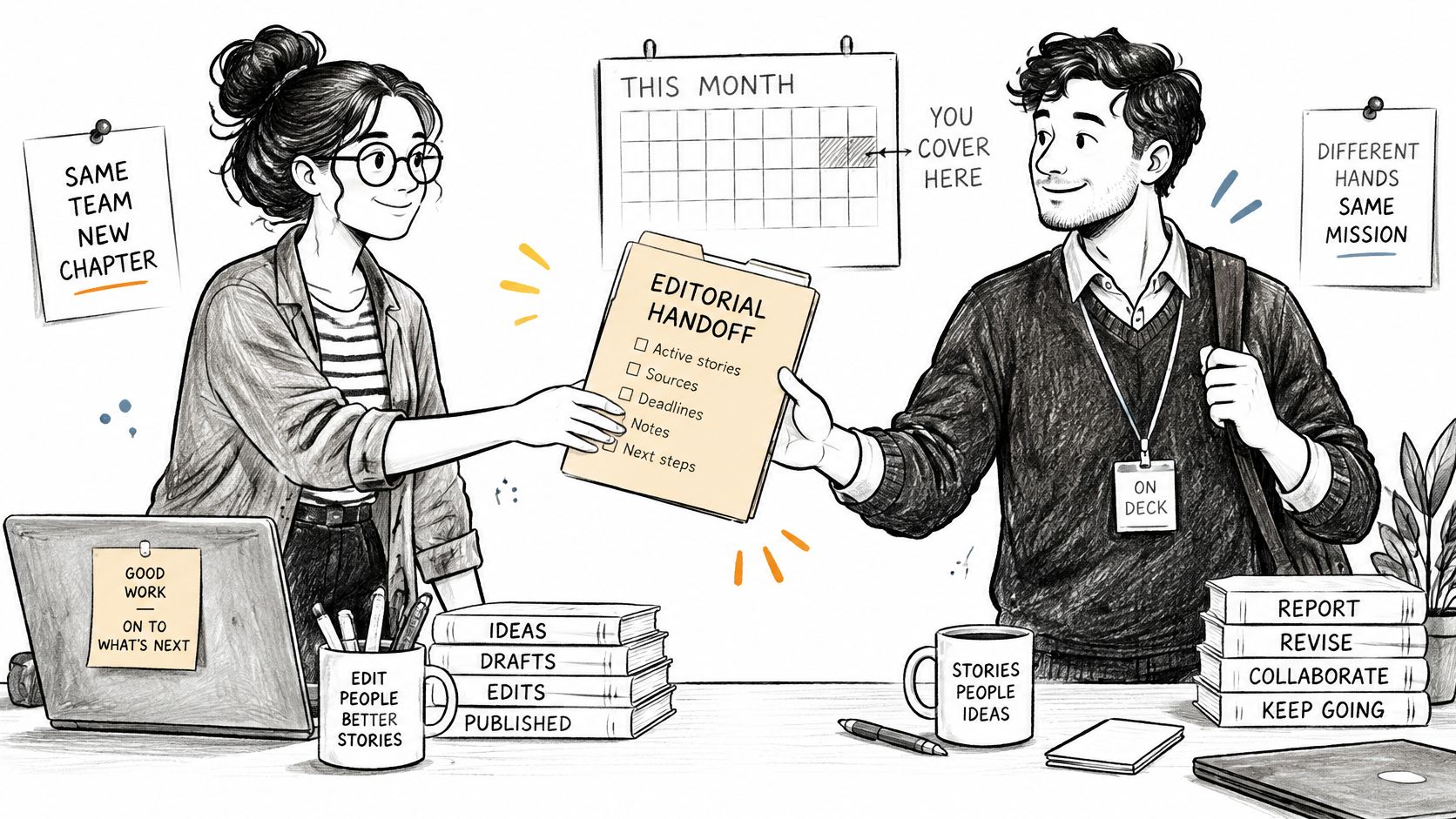
Assigning a backup editor means little if that person can't access the draft or approve publication. Coverage requires authority, context, and working access, not just a name beside someone else's name.
Say your newsletter editor is unexpectedly absent. Their alternate should be able to find the approved subject line, understand unresolved comments, identify any legal restrictions, and release the correct version without searching private messages.
Make the handoff visible where the work happens.
Test the handoff, not the contact list
- Trigger: The primary owner confirms they're unavailable or misses an agreed check-in before a critical deadline.
- Owner: The managing editor activates the named alternate.
- First action: Reassign the live calendar item and review its latest approval state before making changes.
- Handoff record: Include the current draft, outstanding decisions, approvers, publishing instructions, and restrictions.
Give alternates their own appropriately scoped accounts. Shared passwords may appear convenient, but they obscure accountability and complicate access changes when people leave.
Practice with a real workflow. Ask the alternate to locate an approved draft, resolve a simulated blocker, and explain who can authorize release. A preparedness study available through the University of Vaasa reported that a hospital reduced drill response times by 33% after combining emergency planning with exercises and communication protocols.
For editorial coverage, measure whether the alternate can complete the handoff, not merely whether they attended training. Record missing permissions and ambiguous approval rules as defects to fix.
Cross-training takes time away from production. Concentrate first on roles that can block publication, then expand coverage as the team's capacity allows.
4. Freelancer and Vendor Bench (Alternate Contributor Roster)
A list of freelancers isn't a backup plan if nobody knows who's available, what they can handle, or how quickly procurement can authorize the work. A useful bench contains vetted contributors with assignment-ready terms.
Say a specialist writer withdraws from an explainer before submission. The assigning editor needs a replacement who understands the subject, can work from the existing brief, and has permission to use any interview material already collected.
The wider dependency problem is real. A Tohoku University IRIDeS post-disaster review found that 64.5% of the organizations surveyed experienced business interruption, largely because suppliers couldn't provide materials.
Build a roster you can actually commission from
Trigger: A contributor withdraws, misses an agreed delivery checkpoint, or confirms that the required expertise is unavailable.
Owner: The assigning editor selects the substitute, with a named budget approver for additional costs.
First action: Send an availability request and a complete brief to a suitable alternate. Don't imply that availability is reserved unless you've arranged that explicitly.
Record the operational details that determine whether reassignment will work:
- Capabilities: Subject expertise, formats, languages, and examples of relevant work.
- Commercial terms: Agreed rates, usage rights, confidentiality obligations, and payment arrangements.
- Delivery fit: Current availability, expected turnaround, and editing support required.
- Onboarding material: Style guidance, approved examples, source requirements, and acceptance criteria.
Use a paid trial before relying on someone for a critical deadline. Keep quality notes factual, such as whether drafts required substantive restructuring or arrived with complete sourcing.
Good content collaboration practices make an external handoff easier, but they don't eliminate the trade-off between speed and specialist knowledge. If no qualified replacement is available, reduce scope or move the date instead of commissioning an unsuitable writer.
5. Business Continuity Plan (ISO 22301 Framework)
A business continuity plan addresses a broader question than replacing an article: what must keep working when several parts of the operation fail together? Use an ISO 22301-style management approach to connect impact analysis, documented responsibilities, exercises, and improvement, without treating an editorial document as proof of certification.
Consider a disruption that prevents staff from accessing the office and the main publishing system. Your immediate objective might be to keep service updates accurate and maintain essential subscriber communications, while pausing discretionary campaign content.
A practical precedent appears in the Reconstruction Agency's account of Oil Plant Natori Corporation: after tsunami damage to its reprocessing facility, the company transported waste oil to peer companies so operations could continue through external capacity. Its plan connected immediate protective actions with an alternative operating route.
Define the reduced service you'll protect
- Trigger: A disruption prevents the team from completing a critical publishing process through its normal workflow.
- Owner: The content operations lead coordinates the response with IT, communications, and business leadership.
- First action: Confirm staff safety, identify affected services, and declare which reduced publishing commitments remain active.
Write the recovery order explicitly. Staff need secure account access before they can retrieve approved content, and they need verified approval records before publishing it.
Keep an accessible copy of the contact list, essential deadlines, and fallback instructions outside the primary planning system. Use a manual queue with an owner, approval status, destination, and latest update for each active item.
Capacity decision: Continuity doesn't mean publishing everything. It means protecting the commitments you've deliberately ranked as essential.
For a publisher, that could mean maintaining corrections and reader notices while suspending a special feature package. Agree on who can restart deferred work, so individual teams don't consume recovery capacity independently.
6. IT Disaster Recovery Plan with the 3-2-1 Backup Rule
A content backup protects files. A disaster recovery plan explains how people regain a trustworthy publishing workflow after deletion, system failure, or a security incident.
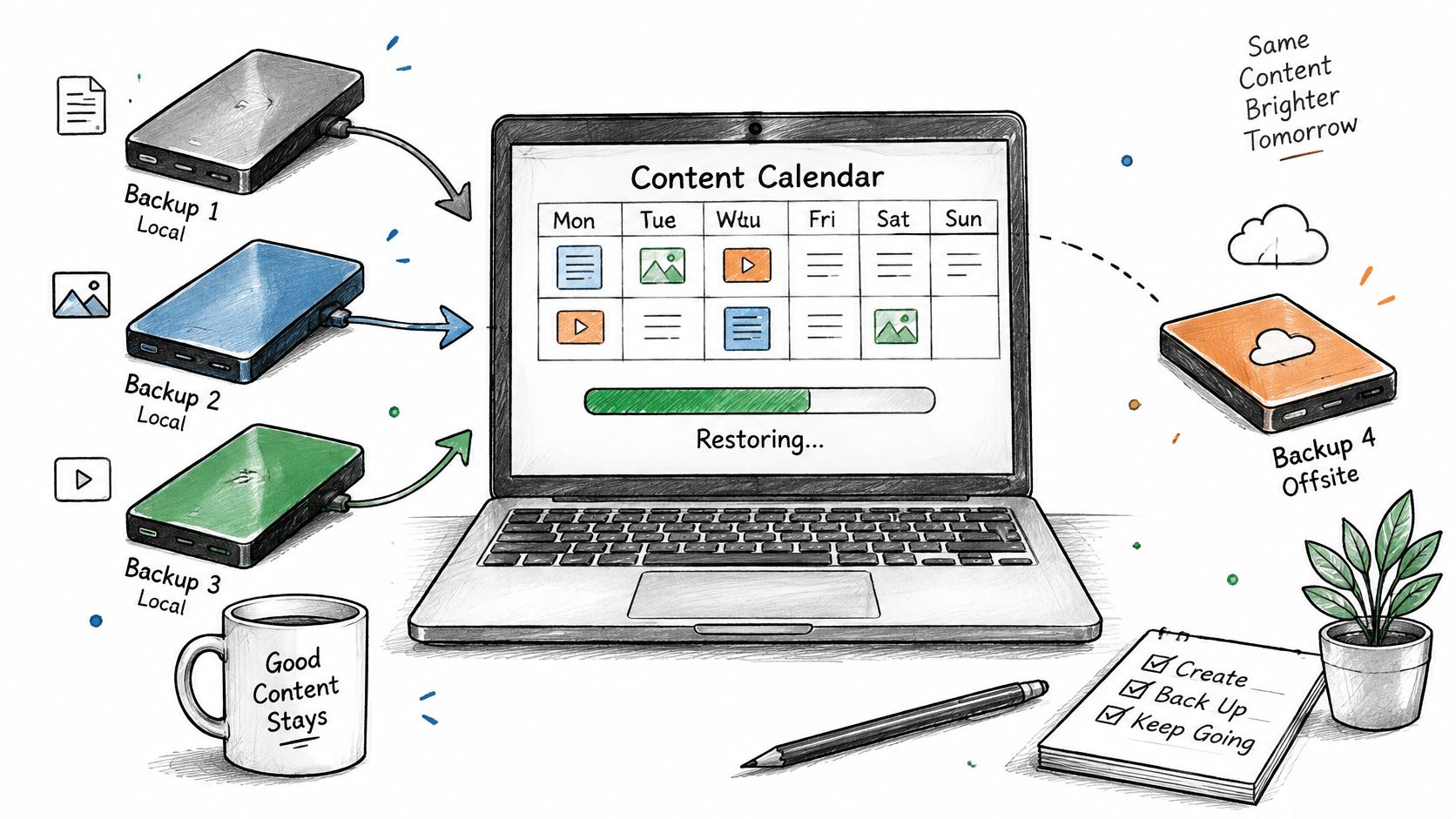
Use the 3-2-1 backup rule as a storage design: maintain three copies, use two different media types, and keep one copy offsite. Then add separate credentials or offline protection where appropriate, because location alone doesn't prevent compromised accounts from reaching backups.
Map the copies before you need to restore them.
Separate data recovery from operational recovery
Trigger: Staff can't access a critical system, content disappears unexpectedly, or IT identifies a suspected compromise.
Owner: IT leads containment and restoration. The editorial operations lead verifies content, permissions, and publishing readiness.
First action: Escalate to IT, stop affected publishing activity, and preserve the last known reliable state rather than attempting an improvised restore.
Define a recovery point objective, the acceptable amount of lost work, separately from a recovery time objective, the acceptable interruption. A LegalClarity disaster recovery case study describes a financial-services organization whose failover took 6 hours against a 4-hour recovery time objective, despite effective data replication.
Test comments, approval history, assets, scheduling metadata, integrations, and permissions, not just article text. Say a calendar export preserves titles and dates but omits approvals: the team needs another way to verify release authority before rescheduling those items.
Use a practical guide to restoring publishing workflows to structure the editorial side of recovery alongside IT's technical runbook.
Use the accompanying video when reviewing backup arrangements with the team.
7. Scenario-Based Plan A, B, and C for Campaigns and Launches
Your launch plan shouldn't depend on the product team delivering every feature exactly as expected. Prepare alternative publishing paths while the campaign is still being briefed, and agree on who can switch between them.
Say a software launch includes a feature article, customer story, demonstration, and newsletter. If the release slips, some material may remain useful, but screenshots, availability claims, and customer promises may no longer be safe to publish.
The 2025 Risk in Focus global briefing emphasizes interconnected risks. Apply that thinking to the launch: a product delay can affect approvals, paid promotion, contributor bookings, and customer communications, not just the announcement date.
Agree on the switch before the milestone
- Plan A: Publish the full campaign once the product owner confirms readiness and required approvals are complete.
- Plan B: Release a reduced package using only approved, available capabilities, provided it still serves the campaign's purpose.
- Plan C: Publish useful, non-launch-dependent content or an accurate status update, with unsupported availability claims removed.
Trigger: A required approval misses its cutoff, or the product owner changes release readiness. Define those triggers as observable decisions in the shared marketing campaign workflow, not vague warnings that the project feels late.
Owner: The campaign editor coordinates the switch, while the product owner confirms what can accurately be said.
First action: Pause dependent assets, select the approved path, and update every affected channel's owner.
Prepare Plan C before polishing optional launch assets. That may feel conservative, but a finished fallback is more useful than an ambitious alternative nobody can approve.
Avoid moving the whole campaign automatically. Review dependencies asset by asset, and record the reason for each change so sales, support, and leadership communicate the same status.
Which contingency plan protects which part of your content operation
| Plan | Protects Against | Core Mechanism | Main Trade-off |
|---|---|---|---|
| Evergreen Content Buffer (Backlog Reserve) | Publishing delays and rushed content | Maintains reviewed, ready-to-publish evergreen content | Requires upkeep and time before content earns results |
| Breaking-News and Crisis Holding Statements | Silence, speculation, and conflicting crisis messages | Uses pre-approved templates, approval paths, and publishing pauses | Can sound generic or create confusion if poorly worded |
| Key-Person Coverage Plan (Backup Owners) | Work stalling when critical staff are unavailable | Assigns backups with access, handoff notes, and approval authority | Backups require time and current documentation |
| Freelancer and Vendor Bench (Alternate Contributor Roster) | Contributor dropouts and unexpected workload spikes | Keeps a vetted roster with rates, availability, and onboarding materials | Requires ongoing relationship, contract, and onboarding management |
| Business Continuity Plan (ISO 22301 Framework) | Major disruptions to critical publishing operations | Sets process priorities, recovery objectives, alternatives, and tests | Can be costly and burdensome to maintain |
| IT Disaster Recovery Plan with the 3-2-1 Backup Rule | Data loss, system failure, and accidental deletion | Keeps three data copies across two media types, with one offsite | Requires storage and testing; recovery may depend on vendors |
| Scenario-Based Plan A, B, and C for Campaigns and Launches | Delayed, changed, or cancelled campaigns | Prepares three content paths with triggers and assigned owners | Adds planning work and may leave unused assets |
Build Your First Contingency Plan This Week
Choose the publishing process whose interruption would cause the most immediate harm. That might be a subscriber newsletter, a corrections workflow, a client deliverable, or a launch announcement. Don't start by documenting every possible risk.
Write its normal operating path in plain language: who prepares the material, who approves it, where the authoritative version lives, and who publishes it. Then identify the dependency that could stop everyone else from proceeding.
Turn the weak point into a working response
- Name a backup owner: Give that person the authority, access, and context needed to take over.
- Set a minimum buffer depth: Base it on the commitments you intend to protect and the effort needed to replenish the reserve.
- Prepare a holding statement: Include fields for confirmed facts, current action, and the next update, with an approval route attached.
- Write the first action: Make it specific enough that an alternate can begin without calling the absent owner.
- Keep a fallback copy: Store essential contacts and operating instructions somewhere accessible if the main system fails.
Run a tabletop exercise using that process. Have the primary owner step back, simulate the loss of the normal planning system, and ask the alternate to explain what they'll do next.
The Riskonnect New Generation of Risk report highlights the need for coordination across continuity, cybersecurity, and technology functions. Bring the relevant IT or security contact into your exercise when the scenario involves access, compromised accounts, or restoration.
Make the plan visible before the deadline
Record what delayed the response: missing permissions, conflicting drafts, an unreachable approver, or a fallback asset that wasn't ready. Assign each fix to someone and revise the plan while the exercise is still fresh.
Track reserve status, ownership, and review reminders in a shared editorial calendar such as TheContentMap. Keep backup instructions attached to the work they protect, rather than expecting editors to remember a separate document during a deadline.
A successful test doesn't require the team to preserve every planned output. It requires people to recognize the trigger, make an authorized decision, protect accuracy, and communicate the revised commitment. That's the difference between a backup document and a contingency plan an editor can use.
Our editorial calendar, idea pipeline, writer assignments, comments, and publish reminders help teams keep changing content plans visible. Visit TheContentMap to organize your publishing schedule and make the next reassignment easier to coordinate before a deadline breaks.
Related Articles
How to Build a Publishing Schedule That Holds
You set a publishing schedule for daily posts on Monday. By Thursday, two drafts are waiting on an e...
SoftwareSeat Management for Editorial Teams in 2026
Your editorial calendar is full, a legal approval is holding up publication, and finance wants to kn...
SoftwareMarketing Campaign Workflow Teams Can Run in 2026
A campaign rarely fails because nobody had an idea. It fails because the idea sat in review, the lan...
Comments (0)
No comments yet. Be the first to share your thoughts.