Content Calendar for Marketing: How to Plan and Publish
Learn how a content calendar for marketing works, which fields it needs, and how teams plan, coordinate and review publishing.

Content rarely stalls because nobody can write. It stalls at the handoffs, and the handoff most likely to break is review. Contentoo's survey of 203 B2B content and marketing leaders found 45% named internal review and approvals as their biggest workflow bottleneck.
Seven stages move a piece from a passing thought to a published page. Give each one a due date and a named owner, and the calendar stops being a wish list.
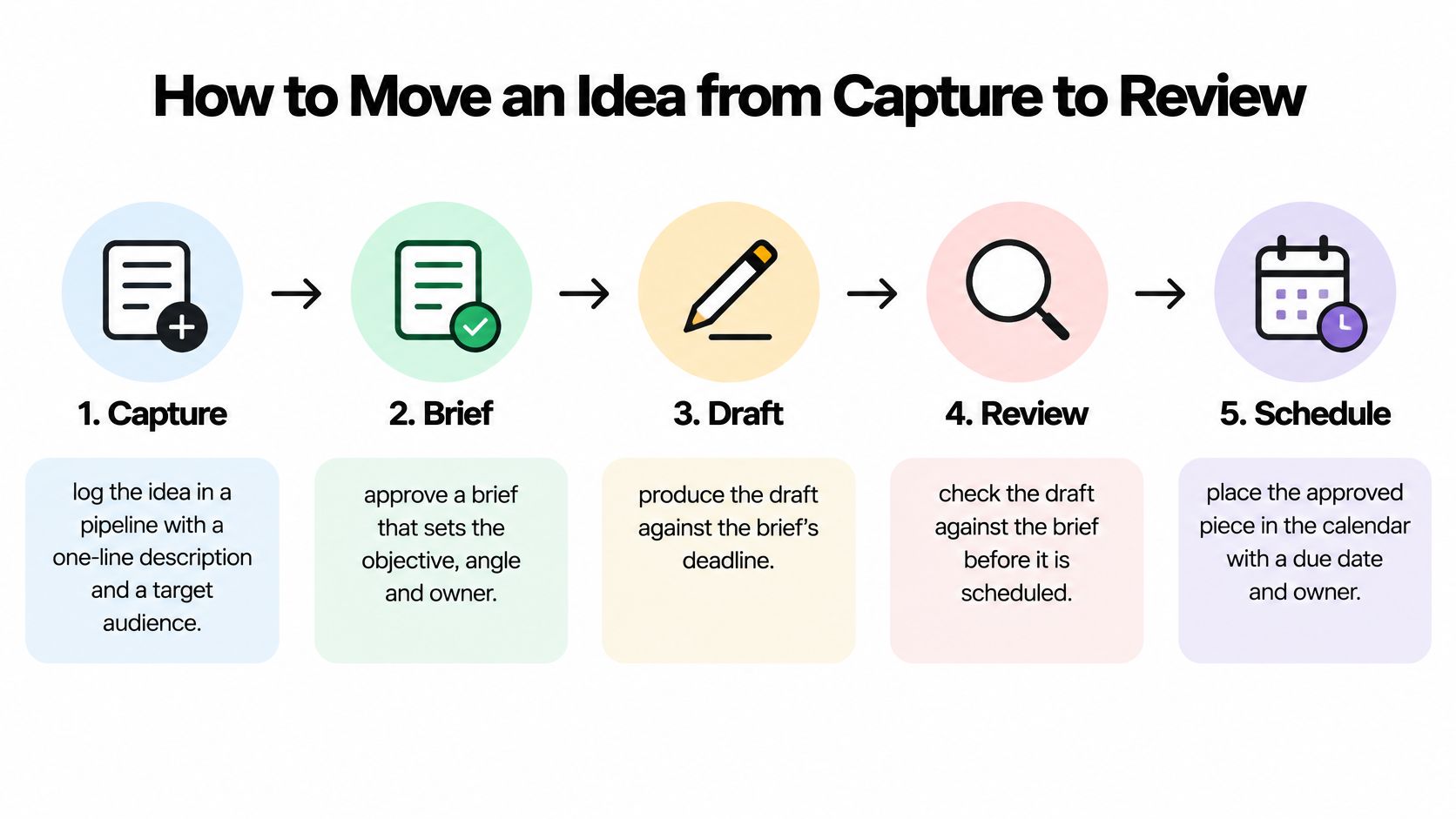
- Capture. Log the idea in a pipeline with a one-line description and a target audience. An idea with no audience is a topic in search of a reason, and an ownerless idea is the first thing to rot.
- Brief approval. The brief sets the objective, the angle, the owner and the job the piece does in the journey. The common slip is approving a brief with the audience field blank, which leaves the writer guessing and the draft arriving off-target.
- Production. The writer drafts against the brief's deadline, not against the publish date. Backward planning matters here: a piece due on the 14th needs its draft two weeks earlier if review and design both have to happen.
- Editorial review. The editor checks accuracy, fit with the brief, and whether the promised source supports the claim. This is also where the review date and evidence note get set, while the reasoning is still fresh.
- Scheduling. The item enters the calendar with a confirmed date, channel, campaign tag and owner. Scheduling before review passes is how drafts end up half-approved on the day they go live.
- Publishing. Record the publication date beside the planned one. The difference between the two is your cycle time, and it's the most honest number on the sheet.
- Performance review. After a defined window, compare the result against the hypothesis and write one sentence about what to do differently. That sentence feeds the next brief.
Why reminders belong on every stage
A reminder fired only from the publish date tells you a piece is late when it's already late. Reminders keyed to each stage's due date surface a stalled review two weeks before launch, early enough to reassign the reviewer or cut scope. That's the basic logic behind a content marketing workflow built around stage-level deadlines rather than a single go-live date.
Strip away the tooling and the cycle is three moves: capture ideas in a pipeline, plan them on an editorial calendar by assigning owners and setting publish dates, then publish and review what worked. Everything else is detail inside those three.
Practical rule: compare planned against actual at every stage, not just at publication. Three items late in review is an approval problem. Three items late in production is a capacity problem. Three items published on time that nobody reads is a distribution problem.
If the plan includes video, tools that create videos with AI can shorten the production stage enough to fit inside a tighter lead time, which usually means video entries need their own briefing template rather than a copy of the article brief.
A healthy pipeline looks unremarkable: nothing sits in one stage for more than a week, and the review column never holds more than two items at once.
Table of Contents
- Why reminders belong on every stage
- A Worked Month for a Mid-Sized Team
- Setting Review Dates and Refresh Rules
- Connecting Calendar Entries to Business Outcomes
- Planning Two Horizons for Changing Priorities
- Set Up Your First Calendar This Week
A Worked Month for a Mid-Sized Team
Picture a B2B team of four: one managing editor, two writers and a designer, publishing three articles and one newsletter each week. That's enough volume for the plan to break, and small enough that everyone notices when it does.

The month is planned in four weekly blocks, and each block mixes content types so the audience isn't hit with three how-to posts in a row. An awareness article on a broad industry question opens the month. A gated buyer's guide carries the lead-generation load. A customer story handles retention. A refresh of an older benchmark guide keeps a page earning traffic without new research.
Here's how six of those entries sit on the board.
| Date | Content | Type | Owner | Stage |
|---|---|---|---|---|
| 3 March | Industry trends article | Awareness | Lena | Published |
| 6 March | Gated buyer's guide | Lead generation | Marco | Review |
| 10 March | Customer case study | Retention | Priya | Production |
| 14 March | Refresh of benchmark guide | Awareness | Lena | Brief |
| 24 March | Product comparison page | Conversion | Priya | Idea |
| 27 March | Weekly newsletter roundup | Retention | Marco | Scheduled |
Two columns do the diagnostic work. The owner column shows workload: Lena holds two of the six, Marco holds two, Priya holds two, and the designer's involvement concentrates around the review-heavy items in the middle of the month. If one writer had four of six, you'd rebalance before the deadline rather than after.
The stage column tells you where to look first on a Monday. Anything in review needs an editor's attention today. Anything still in idea with a date inside three weeks needs a decision about whether it ships at all.
Run one test on your own calendar: count the entries by journey stage. If a single stage holds more than two-thirds of the items, the plan is lopsided, and the cause is usually habit rather than strategy. A plan that leans entirely on conversion pages has no audience left to convert.
Treat this month as a template, not a target. The balance shifts with goals, with the quarter, and with how much capacity the team has. A publishing schedule that ignores capacity is a fiction with dates on it.
Setting Review Dates and Refresh Rules
Search visibility depends on usefulness, organisation, originality and freshness, not on publishing more often. Google's guidance on creating helpful content asks publishers to put people first, structure text so readers can follow it, produce original material, and check older pages for updates or removal once they stop being relevant.
That guidance turns a review date from housekeeping into a ranking decision. Every entry gets a review date and an evidence field at creation, not six months later when someone remembers the statistic looked shaky.
Four content classes need four different review rhythms.
| Content class | Example | Default review | Earlier check when |
|---|---|---|---|
| Evergreen | How-to guide on drafting briefs | Every 12 months | A linked tool or method changes |
| Seasonal | Holiday campaign planning guide | Before each season | Season dates or offers change |
| Campaign-dependent | Product launch landing page | At campaign close | Campaign ends or pricing changes |
| Time-sensitive | Benchmark statistics article | Every 3 to 6 months | A new source report is published |
The evidence field is a short note recording the source, the date it was checked, and the figure or claim it supports. Done properly it reads like this: "Gartner retention figure, checked 12 February, supports the second paragraph." The next editor inherits a verification trail instead of a mystery.
Consider a pricing comparison page. It's not seasonal and not campaign-dependent, but it goes stale the moment a vendor changes its plans. A calendar date alone won't catch that, so the page needs a trigger as well: any pricing change announcement from a listed vendor sends the page back to review within a week.
If a claim can't be checked against a named source, the piece gets rewritten or retired. There's no third option worth the maintenance time.
The rule holds for statistics, quotes, regulatory details and product specifications alike. Freshness isn't about touching every page on a schedule. It's about knowing which pages can hurt you when they're wrong, and checking those first.
Connecting Calendar Entries to Business Outcomes
A calendar that records only titles and dates can't tell you whether a piece of content did anything. That failure is widespread. In the CMI 2025 B2B research, 47% of B2B marketers named measuring content results as a challenge, 56% struggled to attribute return on investment, and 56% struggled to track customer journeys.

Five measurement fields close most of that gap, and they take about ninety seconds per entry.
- Business objective. The outcome the piece exists to move, stated as a business result rather than a content task. "Generate qualified demo requests" beats "publish a guide".
- Primary KPI. One number that decides success. A gated guide might use qualified sign-ups from the download form.
- Supporting signal. A secondary measure that explains the result when the KPI moves oddly, such as visits to the form or scroll depth on the page.
- Attribution window. The period in which you'll credit the piece, for example 30 days from first touch. Pick it before launch, or the goalposts move every reporting cycle.
- Learning. One sentence written at review time about what to try next.
The supporting signal is what stops a bad month becoming a mystery. A guide with strong traffic and no sign-ups has a conversion problem. A guide with no traffic has a distribution problem. Same flat KPI, two completely different fixes.
Awareness, pipeline and retention need different numbers
Awareness content justifies itself with reach and branded search volume, not sign-ups. Pipeline content justifies itself with qualified conversions and assisted revenue. Retention content justifies itself with renewal, repeat visits or reduced support tickets. Judge each against its own class, because a retention piece measured on lead volume will always look like a failure and get cut for the wrong reason.
Contrarian view: a smaller calendar where every entry carries a hypothesis and a measurement rule outperforms a packed calendar of untested items. Twelve planned pieces with unclear jobs produce less learning than four with a stated bet.
Write the learning in a single sentence, and make it about the next action: "The checklist format beat the long article on sign-ups, so brief two more checklists this quarter." That sentence is what turns the calendar into a feedback system instead of a report nobody reads. Tracking the right content performance metrics matters less than carrying the finding into the next brief.
Planning Two Horizons for Changing Priorities
A calendar filled five months ahead looks disciplined. It behaves more like a motorway with every lane occupied: one incident blocks the whole route. The further out entries sit, the more of them lack an evidence field or a measurable outcome, and the harder each one is to move when priorities shift.
The pressure to shift is constant. In the 2025 Content Survey from 10fold, 91% of respondents said they were increasing content output, and more than half reported using AI across planning, creation, targeting, optimisation and measurement. Marketing teams often miss opportunities in a given quarter because their workflows cannot respond quickly enough.
Search adds a second reason to stay mobile. Results pages now answer more questions directly, so fewer searches end as a click through to a publisher. When a page loses visibility, the useful response is a rewrite and a new angle while the drop is fresh, before competitors fill the gap.
The committed horizon and the flexible horizon
Committed horizon, roughly six to eight weeks. Dates are protected. A change needs managing editor sign-off, and the requester sees which committed item it displaces.
Flexible horizon, the following four to six weeks. Items can be reordered, merged or swapped as evidence changes. A removed item gets a change-log note with where it went and why, so a quiet deletion never masquerades as progress.
Experimentation buffer, about 15 to 20 percent of writing capacity. Hold it back for emerging questions, refreshes, search-driven rewrites and rapid-response opportunities. Unallocated capacity is what lets the team say yes without breaking a promised date.
The horizons only work because every entry still carries its owner, stage, review date, evidence field and intended outcome. Those fields show what the item is meant to prove. The horizon shows how movable it is while it waits.
A calendar at 100 percent capacity can only trade one deadline for another. Keep the buffer honest by checking it in the same weekly look at the board, and by treating a spent buffer slot as a decision that consumed real capacity.
Keep a change log on the calendar itself: item, old date, new date, reason. After two weeks it shows whether unplanned work displaced committed work, which separates controlled reprioritisation from a calendar that lives only in memory.
Revalidation rule: review the flexible horizon every two weeks and the committed horizon every month. Anything older than a month is a guess wearing a date.
Set Up Your First Calendar This Week
Six steps, in order, and you can finish the setup in an afternoon.
- Build the field set. Start from the anatomy table and add the review date and evidence field if your current sheet lacks them. A spreadsheet is enough for a small team. A dedicated tool starts earning its keep once five or more people need shared filters, reminders and approvals, so check the tool against team size and active projects before committing.
- Set two horizons. Lock the next six weeks, mark the following four as flexible, and hold the experimentation buffer back as unallocated time.
- Assign one owner and one stage to every item. Items without a stage are invisible on a Monday, and items without an owner are nobody's problem until they're everyone's.
- Set reminders from each stage's due date, so a stalled review surfaces two weeks before launch instead of on the day.
- Write a review date and an evidence note for every published piece. Even a rough source note beats an untraceable statistic six months from now.
- Hold a monthly meeting comparing planned and actual dates, and log every reprioritisation with its reason. That log is where capacity problems and approval problems separate.
Then build the calendar for the next four weeks and run one full cycle before expanding to more channels or contributors.
Our editorial calendar follows the same structure: the Starter plan is free and includes an editorial calendar, up to 3 projects and 1 editor seat, and publish reminders nudge owners from each item's own due dates.
A calendar earns its keep when every entry can be traced from idea to result and back into the next brief. TheContentMap gives editorial teams one place for that loop, with a drag-and-drop editorial calendar, an idea pipeline that moves topics through draft, review and published, reminders keyed to due dates, and content insights showing which topics and formats performed. Start on the free Starter plan with your next four weeks and see what the plan looks like when it holds evidence instead of just dates, then visit TheContentMap when you're ready to run the whole cycle across every channel.
Related Articles
Task and Assignment: How Clear Ownership Moves Content
A task is the piece of work that needs doing, while an assignment is that same work placed with a na...
SoftwareWhat Does a Managing Editor Do? Duties, Skills and KPIs
When three drafts are due, a writer has gone quiet, and a headline is waiting on legal review, the s...
Software9 Examples of Branding Strategies to Try in 2026
The publishing schedule is full. Three posts a week, a newsletter, a podcast every other Thursday, a...
Comments (0)
No comments yet. Be the first to share your thoughts.