10 Content Scheduling Apps for Editorial Teams
Compare 10 content scheduling apps for editorial teams, with practical notes on collaboration, reminders, calendar syncing, approvals, and workflow fit.
Your team's ideas live in a document, drafts sit in a shared drive, approvals happen in chat, and publication dates are tracked in a spreadsheet. By the time someone asks whether next week's article is ready, nobody has the same answer. A content scheduling app can fix that, but only if it matches the way your team works.
Some teams need an editorial operating system for ideas, owners, deadlines, and learning. Others need social publishing, client approvals, visual planning, enterprise governance, or a customizable project database. The useful comparison therefore goes beyond the calendar screen. It considers calendar usability, collaboration, approvals, reminders, cross-channel planning, integrations where supplied, reporting, scalability, and implementation effort.
The 2024 State of Content Planning survey found that editorial calendars and meetings were the most common planning methods, yet 38% of respondents used neither, relying on ad hoc planning instead. That's the operational gap a dedicated planning platform should close. TheContentMap is the benchmark here for teams that need editorial planning first, while the other apps are assessed according to the specific workflow problem they solve. For broader background, compare its approach with this editorial calendar guide from Outrank.
Table of Contents
- How the apps differ in real editorial workflows
- 1. TheContentMap
- 2. CoSchedule Marketing Calendar
- 3. Hootsuite
- 4. Buffer
- 5. Later Social
- 6. Loomly
- 7. Planable
- 8. Sprout Social
- 9. ClickUp Content Calendar
- 10. Airtable with a Content Calendar Base
- Top 10 Content Scheduling Apps, Feature Comparison
- Match the app to your publishing system
How the apps differ in real editorial workflows
A social scheduler is built to prepare and distribute posts. An editorial planning platform is built to decide what should exist, who owns it, when it moves forward, and what the team learns after publication. Those jobs overlap, but they aren't interchangeable.
The right choice depends on the bottleneck:
- Editorial planning: Choose TheContentMap when ideas, owners, dates, and performance insights need to live together.
- Social publishing: Choose CoSchedule, Hootsuite, Buffer, or Later when queueing and distributing posts is the main job.
- Approvals: Choose Planable or Loomly when stakeholders delay publication.
- Enterprise social operations: Choose Sprout Social or Hootsuite when governance, listening, care, and reporting matter as much as scheduling.
- Custom workflow: Choose ClickUp or Airtable when content sits inside a wider project or data system.
Cloud access is now a sensible baseline for distributed publishing teams. One industry synthesis reports that 91% of publishers use cloud-based tools and 87% have migrated or are migrating from on-premise systems in its aggregated research, although those figures are directional because the source combines secondary research rather than presenting a transparent primary sample. The publishing-industry synthesis also points to workflow automation as a way to measure cycle-time reduction, not merely add features.
A practical test is simple. Can a new contributor find the current owner, status, approval path, publish date, and next action without asking for a separate explanation? If not, the app may have a calendar, but it doesn't yet provide a reliable operating process.
1. TheContentMap
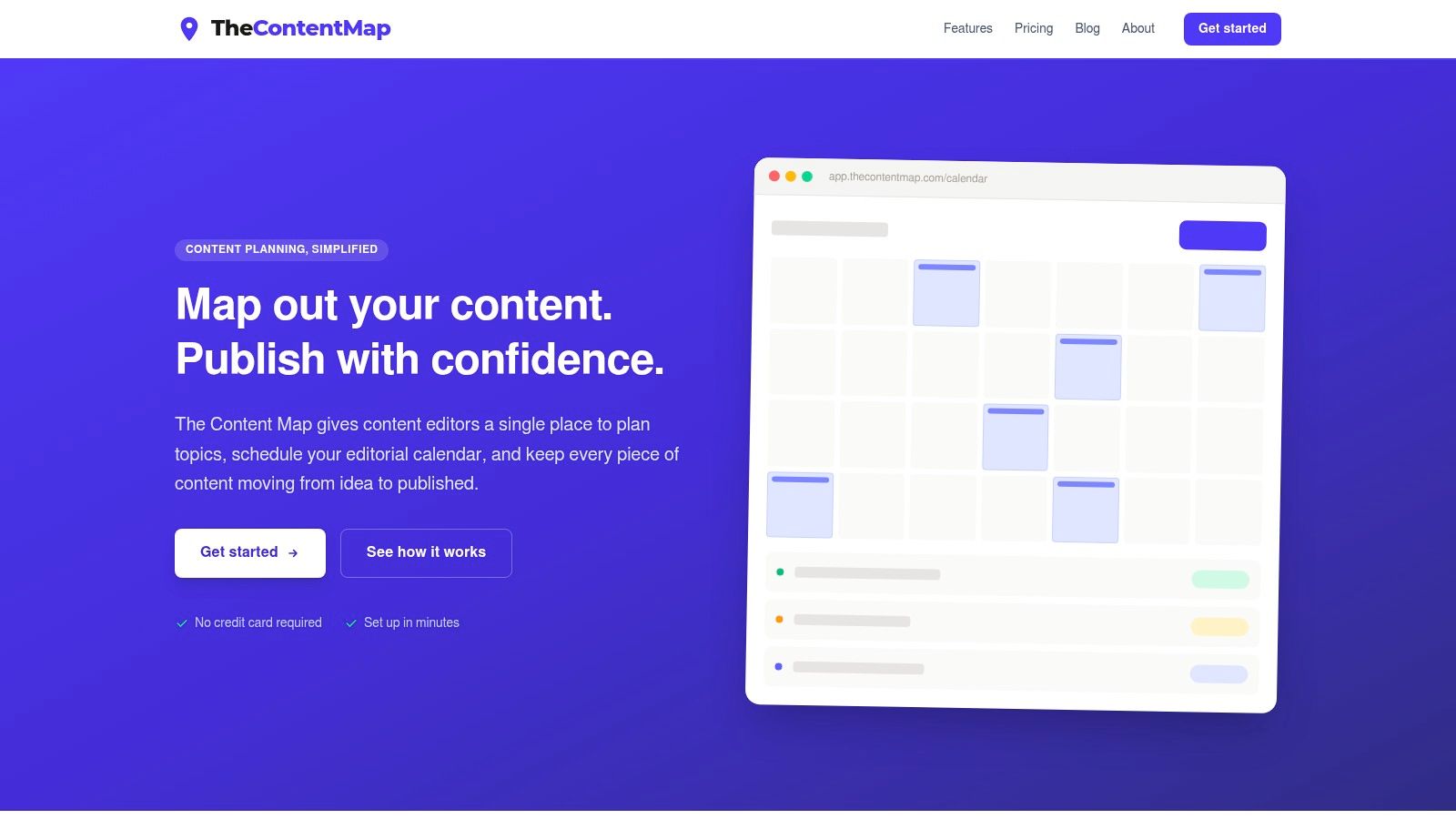
A campaign can have a writer, editor, designer, and approver, yet still miss its publish date when ideas, ownership, and review status sit in separate tools. TheContentMap addresses that editorial coordination problem rather than acting mainly as a social queue.
It combines a visual calendar, idea pipeline, ownership fields, topic tags, comments, and publish reminders in one web-based workspace. Each item can move from concept to draft, review, and publication, so the calendar represents workflow state as well as timing. Editors can drag items onto dates, assign writers, and maintain a shared view across projects and channels.
The idea pipeline gives unassigned topics a visible home instead of leaving them in personal notes. Reminders also attach the publication commitment to a named owner, which makes follow-up easier when several contributors share a schedule.
Where it fits best
TheContentMap suits mixed editorial programs covering articles, newsletters, social content, and campaign work. Its content insights connect published work with future planning, allowing the calendar to record what the team learned about topics and formats rather than only what it completed.
Adobe's 2025 research, based on 3,400 client-side and agency executives, found that organizations piloting or using generative AI cited ethical concerns and brand reputation as barriers to scaling in 51% of cases, while governance, privacy, and compliance were cited in 48%. The Adobe AI and digital trends report reinforces the need for named owners, review stages, and documented evidence. TheContentMap supports that setup with visible ownership and status fields, although teams using AI-assisted drafting may need to add their own provenance and approval fields.
Practical rule: Keep editorial decisions in the calendar, and do not treat it as a final queue for work that has not cleared review.
Implementation is relatively quick, with no credit card required for evaluation. The Starter plan is free and includes one editor seat and up to three projects. Pro costs $12 per editor per month and adds unlimited projects and content insights. Team costs $29 per editor per month, with unlimited seats, custom workflows, onboarding support, SSO, and advanced security. See current plan limits at TheContentMap pricing.
Pros
- Editor-focused workflow: The idea pipeline and drag-and-drop calendar reduce spreadsheet-based coordination.
- End-to-end planning: Teams can capture ideas, assign owners, set dates, send reminders, and review published topics and formats.
- Low-friction evaluation: The free Starter tier and no-credit-card setup support a realistic workflow test.
- Team controls: Higher tiers add custom workflows, unlimited seats on Team, onboarding, SSO, and advanced security.
- Clear editorial positioning: The product is designed for content operations rather than adapted from a generic task database.
Cons
- Limited public integration detail: Teams dependent on native CMS or distribution connections should confirm the current integration path before switching.
- Seat-based scaling: Larger departments should model Pro or Team costs instead of assuming the free tier will cover their workflow.
2. CoSchedule Marketing Calendar
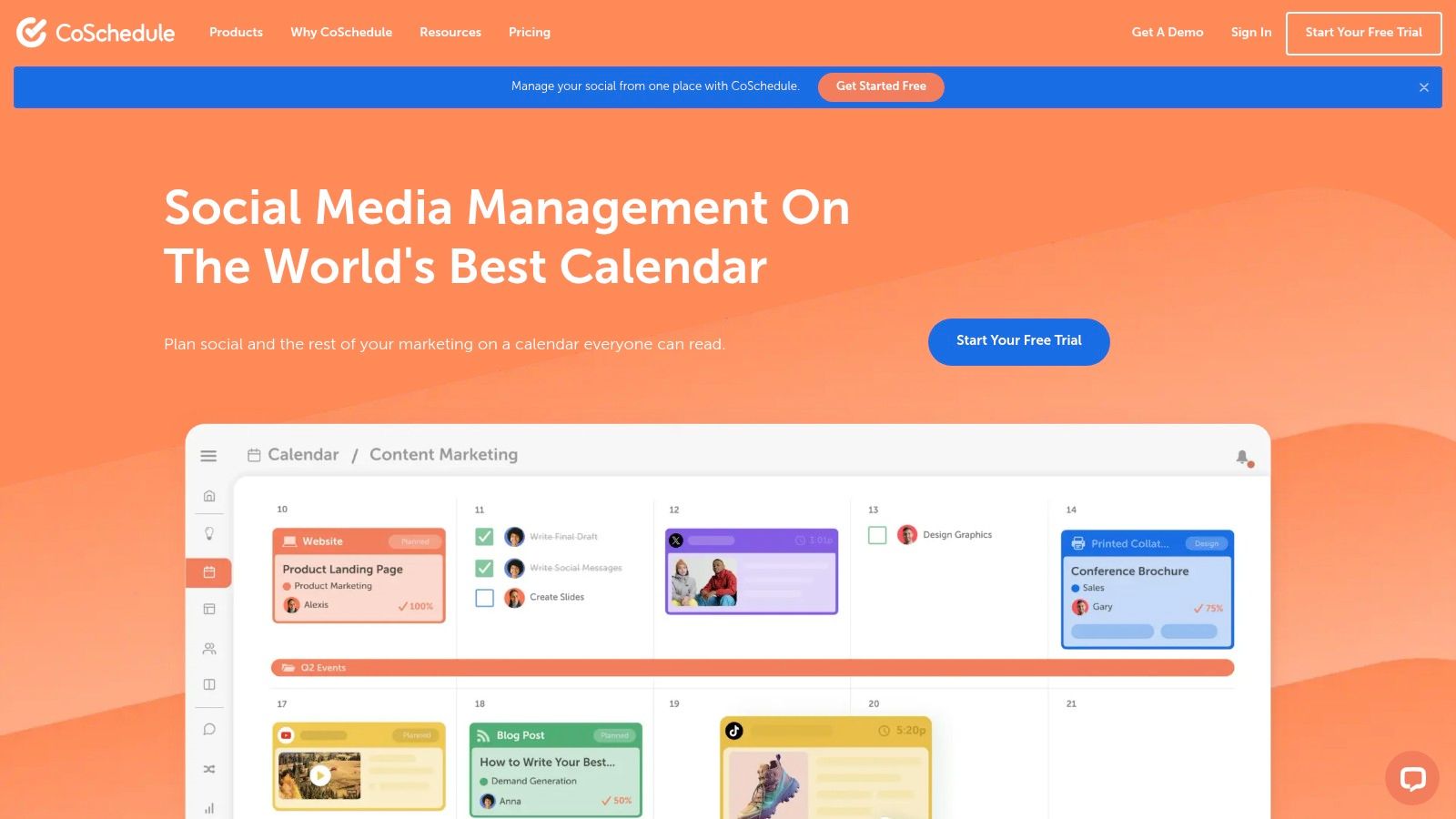
CoSchedule Marketing Calendar is a strong choice for teams that want a calendar-first marketing workspace with social publishing attached. Its drag-and-drop interface makes it easy to spot an empty week, move a campaign, and filter the plan by channel or custom fields. That visual control is useful when a marketing lead needs to explain the schedule in a meeting without opening several project views.
It also goes beyond a static editorial calendar. Paid plans support unlimited scheduled messages and bulk social publishing, while the product includes reporting, a Social Inbox for Facebook and Instagram, an AI social writer, and a campaign builder. The result is a practical middle ground between editorial planning and social distribution.
Trade-offs in day-to-day use
CoSchedule works best when marketing campaigns and social posts share one operating calendar. Teams can coordinate a launch, its supporting messages, and the surrounding promotional work without maintaining separate scheduling systems.
The limitation appears when the editorial process needs deep brief management or a highly specialized publishing workflow. CoSchedule can organize campaigns and dates clearly, but teams may still need another space for detailed research, content briefs, or complex production dependencies.
Its pricing model also deserves attention. Twitter/X profiles are billed separately, which can complicate budgeting for teams that manage several networks. The product is generally easier to justify when the team wants the wider CoSchedule ecosystem rather than only a basic posting queue.
CoSchedule is a good fit when the calendar itself is the meeting room. It's less compelling if your main problem is capturing and developing ideas before they become campaigns.
Best for: Marketing teams that want a visual calendar, social publishing, campaign coordination, and a path into a broader marketing suite.
Watch for: Additional profile costs, annual-billing preferences, and the amount of editorial detail your team needs to keep outside the calendar.
Visit the CoSchedule Marketing Calendar to verify current plans and capabilities.
3. Hootsuite
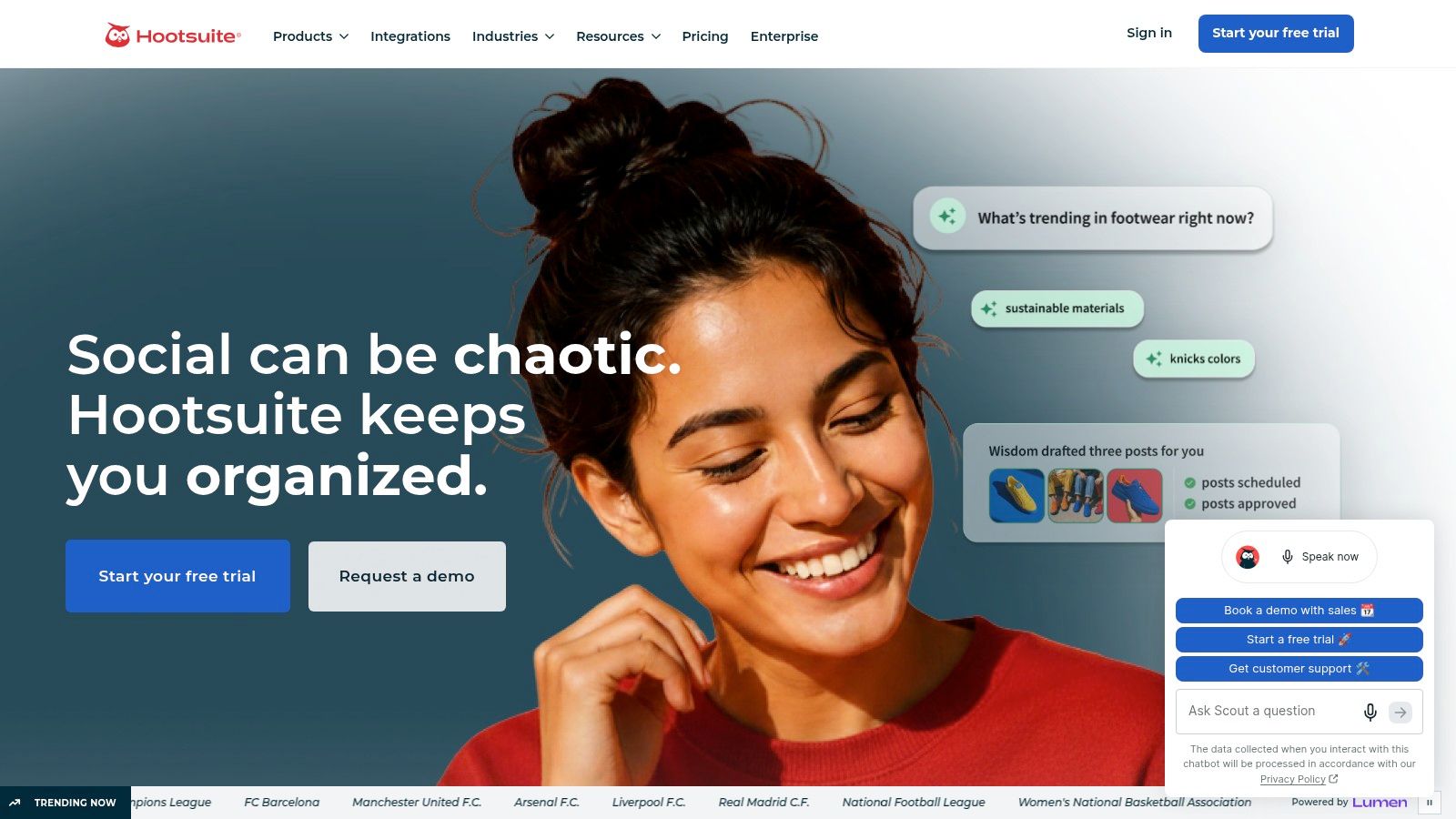
Hootsuite solves a different operational problem: managing social publishing, listening, analytics, and customer care at scale. Its calendar is only one part of a modular environment that includes Publishing, Inbox, Listening, and Analytics. That breadth makes it useful for organizations where social content isn't owned solely by the editorial team.
The unified inbox is important in practice. A publisher can schedule a campaign, monitor replies, route messages, and review performance without jumping between several specialist tools. Bulk scheduling reduces repetitive preparation, while team workflows, approvals, and governance controls help larger groups preserve accountability.
Collaboration and governance
Hootsuite is a better fit than a lightweight scheduler when multiple people manage many accounts and roles need to be separated. It can support a controlled workflow in which contributors prepare content, reviewers approve it, and administrators manage access and account structure.
The trade-off is complexity. A team that only needs a clear calendar and reminders may spend more time learning the platform than it saves. Pricing is seat-based, advanced functionality is reserved for higher tiers, and the broad feature set can make everyday editorial planning feel secondary.
For teams comparing social-first products, this overview of social media schedulers provides useful context. Hootsuite belongs in the category where distribution and governance lead the workflow, not where idea development is the central requirement.
Best for: Organizations that need scalable social accounts, approvals, listening, analytics, integrations, and customer-care workflows.
Less suitable for: Small editorial teams that want a lightweight idea pipeline and a simple cross-channel content plan.
See the current offering at Hootsuite.
4. Buffer
Buffer is the low-friction option for teams whose main need is getting approved social posts out consistently. The interface is clean, the calendar is easy to understand, and drag-to-reschedule behavior reduces the effort of making a last-minute change. Its mobile experience also matters for small teams that review or adjust content away from a desk.
The per-channel pricing model can be easier to predict than seat-based pricing for a small group. A team can add collaborators without rebuilding the whole billing model around every occasional reviewer, although the total still grows as channel coverage expands.
What Buffer does not solve
Buffer is a publishing lane, not a full editorial operating system. A queued post can contain the creative and caption, but it doesn't automatically preserve the strategic reason behind the post, its research brief, or its relationship to a broader content pillar. Teams that use Buffer alone may still maintain a separate document or spreadsheet for planning.
Paid plans add advanced analytics and an AI assistant, while team features support approvals and notes. Those tools help with execution, but they don't replace a structured idea pipeline. The free plan also has low scheduling limits, so a serious publishing cadence may require a paid plan.
Best for: Small teams and agencies that want simple scheduling, mobile parity, documentation, and predictable channel-based scaling.
Trade-off: Buffer makes publishing easier, but you'll need another planning layer if your team struggles to decide what to create or why.
Find the current product details at Buffer.
5. Later Social
Later is built around visual content planning, particularly for Instagram and TikTok workflows. Its calendar helps teams judge how a feed will look, organize profiles into social sets, and prepare image-led content before publication. For creators and brands where the visual sequence matters as much as the individual post, that preview is more valuable than a plain list of scheduled messages.
The product also includes Instagram and Facebook inbox capabilities, product tagging, link-in-bio tools, and AI content assistant credits on plans. Those additions make Later useful for teams connecting social publishing with creator, commerce, and audience workflows.
Visual planning versus editorial planning
Later is excellent at answering, “Does this visual sequence work?” It's less suited to answering, “Which editorial pillar does this campaign support, who owns the research, and what should happen if the draft misses review?”
The starter plan caps scheduled posts and profiles unless the team moves to Advanced. Some brand and influencer features are also separate, so teams should map their actual workflow before assuming the base plan covers everything. A fourteen-day trial helps with testing, but the implementation effort is highest when the team needs more than visual scheduling.
Best for: Creators, influencer teams, and visual brands planning Instagram or TikTok content.
Not the best fit for: Editorial departments coordinating articles, newsletters, research, and multi-stage review alongside social assets.
Review current plans at Later Social.
6. Loomly
Loomly focuses on collaboration and approvals across multiple calendars. That makes it particularly practical for agencies and brand teams that manage separate clients, brands, or business units. Instead of sending a client a collection of screenshots and asking for approval in email, the team can work inside a defined calendar with comments, permissions, and review steps.
Its multi-step approvals include private and internal comments, while Slack and Microsoft Teams notifications help surface work without requiring every reviewer to live in the app. Dedicated calendars per brand or client keep ownership clearer than a single crowded social queue.
Where Loomly earns its place
The custom-branded client portal is a meaningful operational feature for agencies. It gives clients a more professional review environment and supports content exports when the agency needs to provide a record of planned work.
The cost is that advanced governance and branding options require higher tiers. Analytics are useful for routine reporting, but they aren't as deep as the enterprise suites built around listening, customer care, and competitive intelligence. Loomly also remains primarily social-focused, so a broader editorial pipeline may need a companion planning tool.
Best for: Agencies and brand teams managing several calendars with formal client or stakeholder review.
Trade-off: Better approval coordination than a basic scheduler, but less depth for enterprise intelligence and less editorial structure than a dedicated content planning platform.
Visit Loomly for the current workflow and plan details.
7. Planable
Planable is the strongest option in this list when the operational problem is getting content approved without friction. It lets teams draft, preview, comment on, approve, and schedule social content in a workspace that clients and stakeholders can understand quickly. The distinction between internal and client-visible comments is particularly useful when the team needs to discuss sensitive edits privately before presenting a final version.
Approval modes can be flexible, required, multi-level, or bulk depending on the plan. That matters for agencies with different client processes, as well as in-house teams where a manager must approve every post but other stakeholders only need visibility.
The cost of approval depth
Planable's pricing model allows unlimited users per workspace, which can work well when many people review a client's content but only a small number create it. A free plan is useful for piloting with real content rather than evaluating the product with abstract sample posts.
The limitations are volume and add-ons. Post caps apply by plan, advanced approvals require Pro or Enterprise, and analytics, Social Inbox, and Listening can increase the total cost. Planable also doesn't replace a true editorial idea pipeline. It excels after the team knows what it wants to publish.
Best for: Client-facing review, stakeholder approvals, visual previews, and multi-level sign-off.
Doesn't replace: Strategy, long-form editorial briefs, or performance-informed content planning.
Explore Planable before choosing a workspace structure.
8. Sprout Social
Sprout Social is designed for complex social operations that cross publishing, customer care, listening, analytics, and creator workflows. The unified calendar and Smart Inbox give teams one place to coordinate scheduled content and incoming conversations. That combination is valuable when a social post is only the start of the work and the team must manage replies, escalation, reporting, and audience signals afterward.
Advanced analytics include reporting and competitor insights, while AI Assist and agent features support composing and responding. Extensive integrations and influencer workflows make Sprout Social more suitable for cross-functional social departments than for a small editorial team looking for a simple calendar.
The enterprise trade-off
Sprout Social's strength is operational depth. A larger organization can give social, support, marketing, and reporting teams a shared system while maintaining permissions and structured collaboration.
The price is a higher seat-based commitment than SMB-focused tools, and some capabilities, including unlimited profiles, are gated to higher plans. Implementation also requires decisions about ownership, naming conventions, reporting standards, and permissions. Buying the platform without defining those rules first can create an expensive but inconsistent workspace.
Best for: Enterprise social teams with reporting, inbox, listening, influencer, and integration needs.
Avoid it when: The actual issue is a scattered editorial pipeline rather than complicated social operations.
See the current platform at Sprout Social.
9. ClickUp Content Calendar
ClickUp makes sense when content scheduling must sit inside broader project management. A content item can be a task with an owner, due dates, dependencies, documents, comments, approvals, and automations. Teams can switch between calendar, list, board, and Gantt views without copying the same work into separate systems.
That flexibility helps when the editorial team works closely with product, design, sales, or events. A launch task can connect to content production, creative review, campaign execution, and post-publication follow-up in one workspace. Templates and AI features can reduce the setup burden once the team agrees on a structure.
A flexible tool needs a clear operating model
ClickUp's main weakness is the same as its main strength. There are many ways to build the workflow, so the team must decide which statuses, fields, reminders, dependencies, and views are authoritative. Without those decisions, contributors may use different conventions and the calendar becomes another layer of interpretation.
The platform is also heavier than a purpose-built scheduler. People who only need to approve and queue social posts may find the broader workspace distracting. For teams considering it as an editorial system, this editorial calendar software guide is a useful comparison point.
Best for: Cross-functional teams that already manage projects in ClickUp or need content connected to wider work.
Trade-off: Strong customization and task coordination, with more implementation and training than a dedicated scheduling app.
Explore the current workspace options at ClickUp.
10. Airtable with a Content Calendar Base
Airtable is best when the team wants a custom editorial database, not just a calendar. A content record can include its owner, status, channel, topic, campaign, client, due date, publication timestamp, creative assets, and performance fields. Grid, calendar, kanban, timeline, and gallery views show the same underlying data from different angles.
That relational structure is useful for agencies and multi-brand teams. A content table can connect to separate records for clients, campaigns, channels, or topics, so editors can filter a view without duplicating the underlying content. Forms can capture ideas, and automations can move records or notify owners when a status changes.
Setup is part of the purchase
Airtable won't arrive as a finished editorial operating system. Someone has to design the schema, define required fields, create views, set permissions, and decide how reminders and approvals work. Native social publishing typically requires third-party integrations, so the team may still need a dedicated distribution tool.
Airtable also requires discipline. Its flexibility can encourage teams to add fields without retiring old ones, which makes the database harder to use over time. Start with a small, stable structure: idea, owner, status, channel, topic, due date, publish date, approval, and performance link.
For teams deciding what an editorial calendar should contain, this guide explains what an editorial calendar is.
Best for: Teams that need a customized content database, linked records, forms, automations, and multiple views.
Trade-off: High flexibility and integration potential, but a meaningful implementation project before the calendar feels complete.
Review the current platform at Airtable.
Top 10 Content Scheduling Apps, Feature Comparison
| Tool | Core features | Quality (★) | Price / Value (💰) | Target & USP (👥 ✨) |
|---|---|---|---|---|
| TheContentMap 🏆 | Visual editorial calendar, idea pipeline, assignments, publish reminders, content insights | ★★★★☆ | 💰 Starter Free · Pro $12/editor/mo · Team $29/editor/mo | 👥 Editorial teams & content ops · ✨ Purpose-built workflows, fast no-cc setup, SSO & prioritized onboarding |
| CoSchedule Marketing Calendar | Drag-and-drop marketing & social calendar, automation, reporting, AI helpers | ★★★★☆ | 💰 Tiered (best value annually) | 👥 Marketing teams · ✨ Calendar-first + upgrade path to full Marketing Suite |
| Hootsuite | Scheduling, listening, analytics, Smart Inbox, governance & approvals | ★★★★ | 💰 Seat-based enterprise pricing | 👥 Large orgs/enterprises · ✨ Scalable integrations, governance & account support |
| Buffer | Month/week calendar, mobile parity, analytics, AI assistant | ★★★☆☆ | 💰 Per-channel pricing; free limited plan | 👥 Small teams & agencies · ✨ Low-friction adoption, predictable per-channel costs |
| Later (Later Social) | Visual calendar, IG/TikTok workflows, DM inbox, AI content credits | ★★★☆☆ | 💰 Tiered plans; 14‑day trial | 👥 Creators & visual brands · ✨ Strong Instagram/TikTok visual planning |
| Loomly | Brand calendars, multi-step approvals, client portals, notifications | ★★★★☆ | 💰 Tiered (per-calendar/user) | 👥 Agencies & brand teams · ✨ Client-facing portals & approval flows |
| Planable | Draft/preview/approve, multi-level approvals, unlimited users per workspace | ★★★☆☆ | 💰 Tiered; add-ons for analytics/inbox/listening | 👥 Client-facing teams · ✨ Flexible approval modes + unlimited workspace users |
| Sprout Social | Unified calendar & Smart Inbox, advanced analytics, creator workflows | ★★★★☆ | 💰 Higher seat-based pricing; 30‑day trial | 👥 Cross-functional enterprise teams · ✨ Deep analytics, care & influencer features |
| ClickUp (Content Calendar) | Content calendar, templates, automations, multi-view planning | ★★★★☆ | 💰 Freemium → paid tiers per seat/feature | 👥 Teams wanting unified work mgmt · ✨ Integrates tasks, docs & automations with calendar |
| Airtable (Content Calendar) | Customizable DB/spreadsheet, calendar/timeline, automations & templates | ★★★★☆ | 💰 Per-seat tiers; higher tiers for automations | 👥 Teams needing bespoke pipelines · ✨ Highly flexible schema & automation options |
Match the app to your publishing system
There isn't one universal winner because these tools solve different operational problems. The best choice is the one that removes the most expensive handoff in your current workflow.
Choose TheContentMap when your priority is a dedicated editorial calendar, an idea pipeline, ownership, publish reminders, and performance-informed planning. It's the clearest fit when content editors need to move work from concept to published without rebuilding the context in a spreadsheet, chat thread, or separate reporting document.
Choose CoSchedule when you want a marketing calendar closely connected to social publishing. Choose Hootsuite when governance, listening, inbox management, analytics, and scalable account support matter more than a lightweight editorial workspace. Buffer is the practical choice for straightforward social publishing with low adoption friction, while Later fits visual Instagram and TikTok workflows.
For approval-heavy work, Planable is the specialist choice for client and stakeholder sign-off. Loomly is a better fit when an agency or brand team needs multiple calendars, role-based collaboration, notifications, and a polished client-facing environment. Sprout Social belongs with complex enterprise social operations where customer care, listening, reporting, and creator workflows all need to connect.
Choose ClickUp when content must live inside broader project management, dependencies, documents, and cross-functional work. Choose Airtable when you need a customizable database with linked campaigns, clients, channels, and topics, and you have someone who can own the implementation.
Before committing, run a representative content cycle rather than judging screenshots:
- Map channels and owners: Write down every channel, contributor, reviewer, and accountable editor.
- Define approval stages: Separate draft, review, approved, scheduled, published, and needs-update states.
- Test reminders: Confirm that the right person receives a useful reminder before a deadline, not a noisy notification after it.
- Check coordination: Make sure the calendar, workflow statuses, comments, and publishing queue don't drift apart.
- Migrate a real cycle: Use a mix of ideas, long-form content, social posts, approvals, and a delayed item.
- Review results: Connect published items to hypotheses, outcomes, and next actions instead of treating reporting as a dashboard attachment.
That last point matters because a content calendar should preserve learning. A 2025 marketing performance study found that 53% of marketers identified data analysis and insights as their biggest roadblock, ahead of campaign development at 47% and personalization at scale at 44%. The State of Content Teams report frames the problem as a decision-making challenge, while Adobe reported that 64% of marketing organizations had piloted or implemented AI for analyzing customer interactions in its related research. The practical response is to connect each scheduled item to an audience, format, channel, hypothesis, result, and next action.
Evaluate the complete operating workflow, not just the scheduling screen. A calendar that looks excellent but leaves ownership, approvals, reminders, and learning in separate systems may only make the original problem easier to view.
TheContentMap gives editorial teams a visual calendar, idea pipeline, ownership assignment, publish reminders, collaboration, and content insights in one web-based workspace. If you want to replace spreadsheet coordination with a clearer path from idea to publication, visit TheContentMap and test it against a real content cycle.
Related Articles
Content Collaboration Tools for Editors: 10 Compared
Your shared spreadsheet says the article is ready. The draft still contains unresolved comments, the...
SoftwareBrand Awareness Measurement: Surveys, Metrics and Results
Aided recognition can look impressive while spontaneous recall barely moves. In research analyzing b...
SoftwareProject Management Checklist for Editorial Teams: 10 Steps
The feature is due Friday. The writer never saw the approved angle, the legal reviewer is out, and t...
Comments (0)
No comments yet. Be the first to share your thoughts.