10 Content Creation Software Picks for Editorial Teams
Compare 10 content creation software platforms for editorial teams, with feature breakdowns, use cases, limitations, and workflow guidance.

The popular advice is to choose one “all-in-one” content creation platform and make it the center of everything. That sounds efficient, but editorial work rarely has one bottleneck. A calendar, a design suite, a transcript editor, an SEO optimizer, and a publishing system solve different operational problems. Combining them without defining ownership can create more handoffs, not fewer.
This comparison evaluates each platform by the workflow it strengthens: planning, design, video, drafting, quality assurance, SEO, automation, or publishing. The criteria are practical: collaboration, governance, AI or usage constraints, publishing path, integration needs, and implementation effort. That matters in a category that one estimate places at USD 19.9 billion in 2025, with a projected USD 48.2 billion by 2035, while platform-based workflows and enterprise applications account for substantial parts of the market according to market data on content creation software.
The strongest stack may not be the one with the most features. It's the one that removes the team's largest source of delay while preserving review, ownership, and editorial judgment. For a wider list of options, compare these best AI content creation tools, then assess the following platforms by the job you need done.
Table of Contents
- 1. TheContentMap
- 2. Canva
- 3. Adobe Express
- 4. Descript
- 5. Notion with Notion AI
- 6. Grammarly Pro and Enterprise
- 7. Jasper
- 8. Copy.ai
- 9. WordPress.com with Block Editor and AI Assistant
- 10. Surfer with Surfer AI and SEO Suite
- Top 10 Content Creation Tools, Quick Comparison
- Build a Stack Around the Editorial Workflow
1. TheContentMap
TheContentMap focuses on a production problem that design and writing tools often leave unresolved: moving ideas from intake to publication without losing ownership. Its web workspace combines an idea pipeline, visual editorial calendar, assignments, comments, topics, tags, status tracking, and publication reminders. Editors can check what is planned, in draft, awaiting review, or already published. The platform is available through TheContentMap.

TheContentMap is most useful when scheduling and ownership create more delay than drafting. Its drag-and-drop calendar lets managing editors change dates and assignees from one view, reducing reliance on spreadsheets that contributors may not open or maintain. Content insights connect the planning layer with published topics and formats, giving teams a basis for future editorial decisions.
Where it fits best
TheContentMap strengthens the planning and coordination layer for publishers, agencies, in-house marketing teams, content operations managers, and freelance contributors working with editors. It fits projects with several drafts, channels, or reviewers. It does not replace the tools that create the underlying assets.
- Planning: Capture ideas, schedule work, assign owners, and track status in one editorial view.
- Collaboration: Keep comments, responsibilities, and review context attached to each content item.
- Measurement: Relate planned work to published outcomes through embedded insights.
- Governance: Team plans add custom workflows, onboarding, priority support, SSO, and advanced security controls.
The free Starter plan supports up to three projects and one editor. Pro costs $12 per editor per month and adds unlimited projects and content insights. Team costs $29 per editor per month and adds unlimited seats, custom workflows, onboarding, priority support, SSO, and advanced security. The plans can be set up without a credit card.
The main limitation is the publishing handoff. Public product information does not prominently specify native CMS or third-party integrations, so teams with complex publishing stacks should confirm that connection before committing. TheContentMap can organize editorial production, while design, video, CMS, and SEO tools still handle their own workflow stages.
2. Canva
Canva is the practical choice when a team needs branded visual content without routing every social graphic, presentation, or short video through a specialist designer. Its template-led interface supports graphics, presentations, social assets, and lightweight video production, while Brand Kits and approval features help teams keep recurring output consistent.
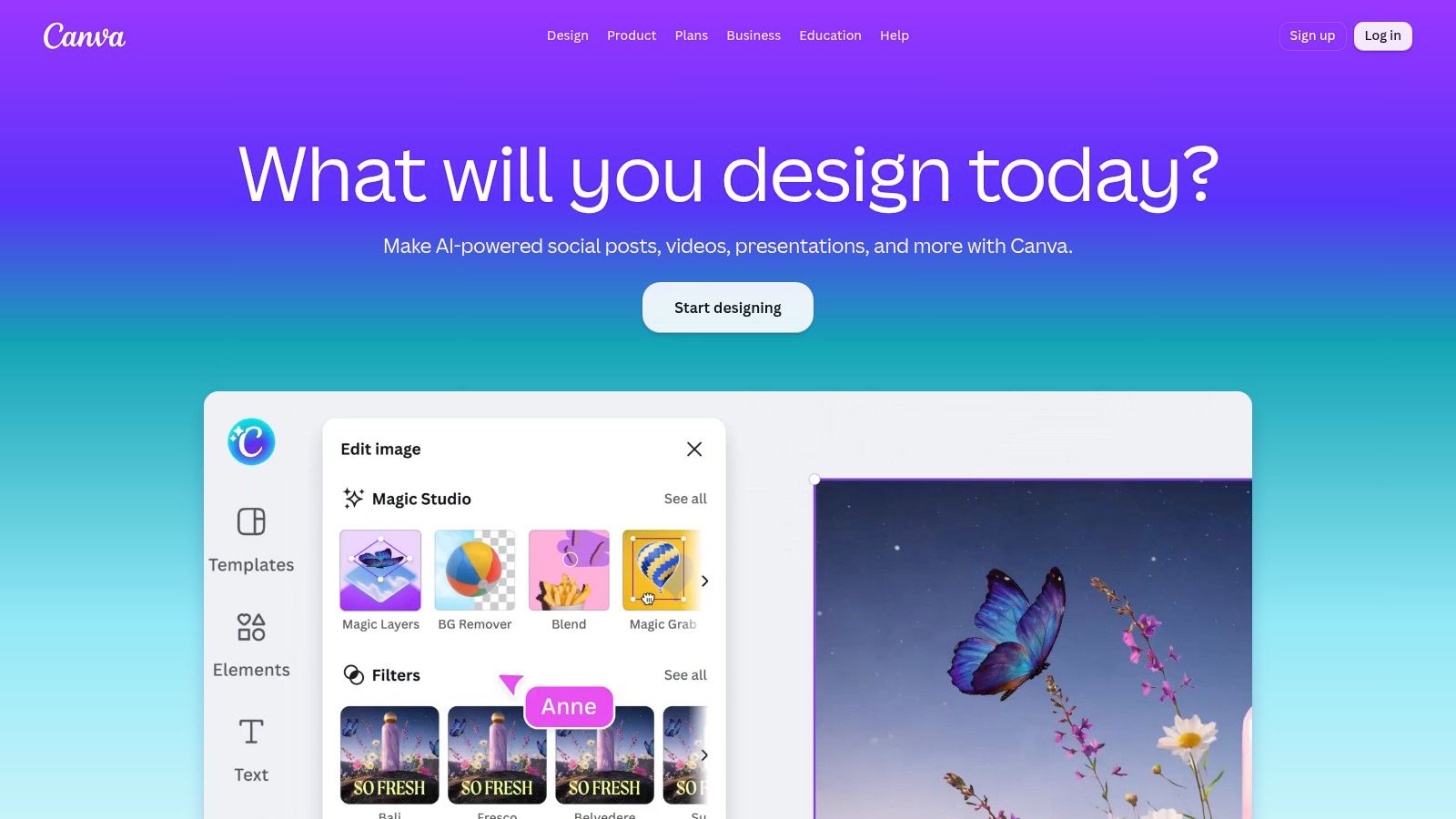
Paid tiers include access to 3.6 million premium templates and 141 million premium media assets, according to the product information supplied for this comparison. Those libraries can reduce the need to source stock assets elsewhere, but they don't remove the need for editorial review. A template can make production faster while also encouraging repetitive creative choices.
Where it fits best
Canva strengthens the design and asset-production layer of an editorial workflow. It works well after an editor has approved the topic, audience, message, and channel. A content calendar can define the asset requirement, while Canva handles the visual execution.
Its built-in AI supports writing, image and video generation, translation, and background removal. Newer releases also include offline mode and Magic Layers editing. The caveat is the usage model. AI allowances, the AI Pass add-on, and top-ups can make consumption harder to forecast than a simple flat subscription.
Business and Enterprise controls improve the operational fit through brand governance, approvals, and administration. Canva is therefore more suitable for a distributed marketing team than an informal collection of individual design accounts.
Practical rule: Use Canva to standardize approved visual production, not to decide what the editorial team should publish.
Complex motion graphics and advanced video editing remain outside Canva's strongest use case. A video specialist may still need a dedicated editor, while an editor needs a separate planning system to manage briefs, deadlines, and publication status. Explore the Canva design suite for rapid branded production.
3. Adobe Express
Adobe Express overlaps with Canva, but its strongest case is fast, governed adaptation for teams already using Adobe products. It combines lightweight design, video, resizing, translation, caption writing, scheduling, and branded templates. Contributors can produce approved assets without working directly in Photoshop, Illustrator, or InDesign.
A central creative team can establish brand assets and templates, then editors or channel managers can resize, localize, caption, and schedule the approved material. Connections with Photoshop, Illustrator, InDesign, Acrobat, and Lightroom reduce handoff friction when an asset needs advanced treatment. This makes Express useful after editorial approval, particularly when one campaign must support several formats or channels.
Its workflow advantage depends on control rather than creative depth. Brand continuity comes from reusable assets, fonts, templates, and visual rules. Distribution speed comes from adapting existing material instead of rebuilding each version. Enterprise administration adds team and enterprise controls, storage, admin tools, and SSO. Ecosystem continuity lets teams move work between Express and full Creative Cloud applications.
Firefly-powered generative AI provides image and text assistance, subject to monthly generative credits. Teams therefore need criteria for deciding which requests justify AI consumption. Adobe's commercial-use guidance and approach to training may help organizations define their risk posture around generated assets, but legal and brand review still apply.
Adobe Express remains a production editor, not a complete content operation. Advanced creative work requires the full Adobe application set, while editorial planning still needs a system for ideas, owners, review stages, and publishing schedules. Teams can assess whether its adaptation and distribution workflow fits their stack through Adobe Express.
4. Descript
Descript changes the editing model for spoken content. Instead of navigating a traditional video timeline for every revision, editors can work from a transcript. Delete a sentence from the text, remove filler words, shorten word gaps, add captions, or restructure scenes, and the media follows the transcript-based edit.
That makes Descript especially useful for interviews, explainers, podcasts, webinars, meetings, and social cutdowns. A single recorded conversation can become a cleaned-up video, an audio episode, captioned excerpts, and short clips without requiring a traditional post-production specialist for every change.
Screen recording and remote recording support the capture stage, while captions and share pages help with distribution. The Regenerate and voice-cloning functions can repair or alter spoken lines, but they demand a clear approval policy. Editors should document when synthetic voice or regenerated speech is acceptable, who approves it, and how the team records the change.
Where it fits best
Descript strengthens the repurposing workflow. It's a strong choice when the source material is dialogue and the output needs to move quickly across formats. It's less suitable for cinematic work requiring frame-level visual control, elaborate compositing, or detailed sound design.
Usage meters are part of the commercial decision. Media minutes and AI credits can affect heavy users, especially teams that record frequently or rely on AI-powered cleanup and regeneration. A sensible pilot should measure the actual volume of recordings, revisions, exports, and AI operations before choosing a plan.
Descript can shorten the path from recording to usable editorial assets, but it won't schedule the campaign or replace the publishing CMS. See the current workflow and plan options at Descript.
5. Notion with Notion AI
Notion is most valuable when the editorial team's main problem is scattered knowledge. Its documents, wikis, and databases can hold briefs, outlines, style guides, research notes, content inventories, and production statuses in a connected workspace. Notion AI then supports drafting, summarization, and research tasks inside that context.
The flexible schema is both its strength and its risk. An editor can create a database for briefs with fields for audience, format, owner, stage, approval status, and publication date. Another team can use the same flexibility to create a maze of inconsistent statuses and duplicated pages. Notion works best when someone owns the editorial model and documents how contributors should use it.
AI prompts can operate across pages and databases, which makes it useful for turning approved knowledge into working drafts or summarizing research. Some AI features are governed by credits, so teams should understand what counts as usage before making AI a routine part of every assignment.
Where it fits best
Notion supports briefing, collaborative drafting, and knowledge management. Higher-tier permissions, SSO, SCIM, team analytics, style guides, and brand tones improve its fit for cross-functional organizations. Long, media-heavy documents may need careful structure and performance tuning, particularly when teams use one workspace as both a knowledge base and a production archive.
The platform can support a detailed content workflow management process, but a flexible workspace isn't automatically a complete editorial operation. Notion can describe the workflow and store its documents. A dedicated editorial calendar may still provide clearer visibility into scheduling, ownership, and publication coordination.
Use Notion when the team needs one place to connect knowledge with drafts. Don't adopt it only because it can be configured to imitate every other tool.
6. Grammarly Pro and Enterprise
Grammarly strengthens the quality assurance stage rather than the full writing process. It provides real-time suggestions for grammar, clarity, tone, and sentence-level rewrites across browsers, desktop applications, documents, and other writing environments. That broad coverage matters when contributors work in different systems and editors can't manually review every sentence before the first handoff.
Teams can define style guides, brand tones, snippets, and reporting practices. Enterprise security options include SSO, bring-your-own-key capabilities, data loss prevention, and audit logs. Those controls make Grammarly more relevant to governed editorial operations than a basic spelling checker.
The tool's best use is as a repeatable editorial filter. It can catch mechanical problems, flag tone drift, and help less experienced contributors reach a house style before an editor spends time on structure and argument. It shouldn't be allowed to rewrite every sentence automatically. Overuse can flatten an author's voice, remove useful ambiguity, or turn a deliberate stylistic choice into generic prose.
Where it fits best
- Copy QA: Check clarity, grammar, tone, and sentence construction during drafting.
- House style: Apply shared guidance across employees, agencies, and freelancers.
- Governance: Give administrators visibility into usage and team-level writing patterns.
- Risk review: Use plagiarism and AI-text detection as signals for further examination.
Detection features are not absolute proof of authorship. An editor should investigate context, source material, and revision history rather than treating a detection result as a final verdict. The same principle applies to AI suggestions. They assist judgment, but they don't replace it.
Teams formalizing this stage can use a documented content approval workflow, then apply Grammarly before final sign-off. Review the available controls at Grammarly.
7. Jasper
Jasper is aimed at marketing organizations that need consistent generation across channels, audiences, and teams. Its differentiator isn't just the ability to produce a draft. It's the attempt to ground that draft in Brand Voice, Knowledge, Audience profiles, and governed workflows.
The Canvas editor and chat interface support direct creation, while Agents are designed for more structured or complex workflows. Grid supports scaled execution, and Business plans add API access, SSO, governance, administrative controls, and audit options. This makes Jasper more suitable for a marketing department with defined brand assets than for a writer who wants an occasional brainstorming partner.
Jasper's performance depends heavily on setup quality. A vague brand description produces vague outputs. A well-maintained knowledge base, audience definition, approved terminology, and examples of acceptable voice give the system better material to work from. That creates implementation work before the team sees consistent value.
The prompt is not the operating model. Editors still need to define who approves claims, which sources are authoritative, and when generated copy can enter production.
Where it fits best
Jasper strengthens governed generation at scale, especially for product copy, campaign variations, social content, and channel adaptation. Its seat-based pricing and possible usage credits should be evaluated against the number of users, workflows, and generated assets. The return is strongest when the organization commits to maintaining its brand and knowledge inputs.
Jasper doesn't solve editorial scheduling, source verification, or final publishing by itself. It can create a controlled drafting layer inside a larger operation. Find the platform at Jasper.
8. Copy.ai
Copy.ai is designed for go-to-market teams that want content generation connected to operational automation. Its combination of chat, workflows, agents, tables, brand voice, and integrations positions it closer to a content operations tool than a simple copy generator.
The workflow model can research, generate, localize, and move information through repeatable actions. Multi-model access, including OpenAI, Anthropic, and Gemini, gives teams flexibility when different tasks call for different models. That flexibility also introduces governance work. Someone must define approved use cases, review outputs, manage source data, and monitor whether automation produces the intended result.
Copy.ai is a poor fit if the team only wants occasional prompts. Its value appears when a repeatable process replaces repeated manual work, such as turning structured product information into channel-specific drafts or routing content tasks through a defined sequence.
Where it fits best
Copy.ai strengthens content automation tied to sales and marketing operations. Paid tiers support brand voice and unlimited chat words, while automation runs use workflow credits. Growth, Expansion, Scale, and enterprise plans address larger teams and integrations, but the credit model requires volume planning.
The key question isn't how much copy a team can generate. It's how many workflow runs it expects, what data each run consumes, and where humans review the output. If those answers aren't documented, automation can just move errors downstream faster.
Copy.ai offers a self-serve entry point and an enterprise path, but the strongest adoption requires process design. Explore Copy.ai with one contained workflow before connecting it to broad production systems.
9. WordPress.com with Block Editor and AI Assistant
WordPress.com is a publishing system first, not a complete content operation. Its value is strongest at the final production stage, where teams need to turn approved drafts into live web pages without managing self-hosted infrastructure. The Block Editor, reusable patterns, premium themes, hosting, analytics, and site management sit in one managed environment.
The built-in AI Assistant supports content and design tasks, while VideoPress handles video hosting. Higher plans add email marketing features and priority support. Business and Commerce tiers provide plugin access, while Business also supports SSH, CLI, and GitHub deployment options for teams with technical requirements.
For a small editorial operation or business site, this can shorten the path from draft to publication. Contributors can format, refine, and publish content without passing files between separate systems. That convenience comes with limits: advanced plugins and development workflows may require Business or a higher tier, and the managed setup offers less control than a fully self-hosted WordPress.org installation.
WordPress.com strengthens web publishing and site operations. It can support a simple publishing stack that grows from a basic site into a more extensible one, with themes, blocks, analytics, video, and AI assistance working in the same environment. It does not replace planning, briefing, or cross-project coordination. A CMS can display drafts and scheduled posts, but teams running several campaigns may still need a separate calendar for ownership, ideas, and deadlines.
Teams assessing automated WordPress workflows can review LPagery for WordPress publishing. For managed web publishing, visit WordPress.com.
10. Surfer with Surfer AI and SEO Suite
A higher SEO score does not automatically produce a better article. Surfer is most useful when editors treat its recommendations as structured input, then apply editorial judgment to the result.
The platform connects search research, briefing, drafting, and on-page optimization. Its Content Editor provides real-time SEO scoring, while keyword research, audits, topical authority tools, playbooks, and AI Visibility monitoring connect article-level work to broader search performance questions. This makes Surfer more than a drafting aid, although its strongest contribution remains the search layer.
Editors can use it to select topics, define brief requirements, assess competing coverage, and identify pages that may need updates. AI Visibility monitoring adds evidence about presence in AI answers. That signal can inform prioritization, but it does not by itself establish authority, usefulness, or editorial quality.
The main risk is allowing the optimization target to replace the assignment. Writers may add headings, terms, or sections because the tool recommends them, even when those additions make the explanation less clear. Editors still need to evaluate evidence, originality, structure, search intent, and brand fit.
Surfer fits search-focused content operations that need a repeatable review layer across research, production, and post-publication updates. It can guide a brief before drafting, surface on-page issues during editing, and support audits after publication. A guided SEO content workflow can help teams turn those recommendations into consistent practice.
Usage planning matters. Plans and allowances vary, and document or credit models affect how many briefs, drafts, audits, and updates a team can run. Compare expected workflow volume, not only the headline subscription price.
Surfer does not provide ownership, scheduling, or publishing coordination for the whole operation. Pair it with a planning system and publishing platform when those responsibilities sit elsewhere. See Surfer.
Top 10 Content Creation Tools, Quick Comparison
| Product | Core features & USP (✨) | UX / Quality (★) | Target audience (👥) | Price / Value (💰) |
|---|---|---|---|---|
| 🏆 TheContentMap | Editorial calendar + visual idea pipeline; assignments, reminders, embedded performance insights ✨ | ★★★★☆ Editor-first workflows; fast setup | Editors, managing editors, in‑house marketing, publishers, agencies 👥 | Starter Free; Pro $12/editor/mo; Team $29/editor/mo 💰 |
| Canva | Template library, Brand Kits, AI tools for images/video; quick social assets ✨ | ★★★★☆ Intuitive for non-designers | Marketing teams, social creators, editorial asset creators 👥 | Free → Pro (~$12.99/user/mo); Enterprise 💰 |
| Adobe Express | Quick design & video, Firefly generative AI, Creative Cloud integrations ✨ | ★★★★☆ Fast + Adobe asset continuity | Teams needing Adobe ecosystem & brand control 👥 | Free → Paid plans; Enterprise options 💰 |
| Descript | Transcript-first audio/video editing, overdub, filler removal, rapid repurposing ✨ | ★★★★☆ Huge time-saver for talk-driven content | Podcasters, interview/video editors, content repurposers 👥 | Free → Paid; AI credits/meters 💰 |
| Notion (with AI) | Docs + databases for briefs, tasks, style guides; AI drafting & summarization ✨ | ★★★★☆ Highly flexible; requires structure | Teams blending knowledge, briefs and drafts 👥 | Free → Team/Enterprise; AI credits on some plans 💰 |
| Grammarly (Pro/Enterprise) | Real-time clarity, tone, style guides, plagiarism & AI-detection ✨ | ★★★★☆ Solid QA and tone control | Editors, contributors, editorial QA teams 👥 | Free → Pro/Enterprise (seat pricing) 💰 |
| Jasper | AI copy + brand voices, Agents/workflows, scaled content grids ✨ | ★★★★☆ Strong on-brand generation; needs setup | Marketing/content ops scaling written output 👥 | Subscription + usage/seat models; enterprise options 💰 |
| Copy.ai | Workflows, multi-model access, brand voice & automation for GTM ✨ | ★★★☆☆ Powerful automation; credit planning needed | Go‑to‑market teams, automation-heavy content teams 👥 | Free → Paid; workflow credits for automation 💰 |
| WordPress.com (Block Editor + AI) | Managed hosting, Gutenberg blocks, AI assistant for drafting & design ✨ | ★★★★☆ Publishing-first; integrated stack | Publishers, teams publishing directly to web 👥 | Free → Business/Commerce tiers (add‑ons) 💰 |
| Surfer (Surfer AI + SEO) | SEO research, AI content editor, audits & AI Visibility tracking ✨ | ★★★★☆ SEO-driven guidance; prescriptive at times | SEO-focused editorial teams, content SEOs 👥 | Subscription; document/credit allowances 💰 |
Build a Stack Around the Editorial Workflow
The best content creation software choice depends on the point where work stops moving. If ideas disappear in documents, deadlines live in separate spreadsheets, and editors can't see who owns the next step, start with TheContentMap. Its editorial calendar, idea pipeline, assignments, comments, reminders, and content insights address coordination rather than trying to replace every production tool.
If the bottleneck is visual production, choose Canva or Adobe Express based on the surrounding environment. Canva is the faster fit for broad distributed design work and accessible templates. Adobe Express is more compelling when a team already relies on Adobe assets, applications, storage, and administration. Neither one should be mistaken for a complete editorial operation. Both create assets more effectively when the brief, owner, approval stage, and publication date already exist somewhere reliable.
For media teams, Descript is the specialist choice for transcript-led editing and repurposing. It can turn interviews, recordings, and spoken explainers into cleaner, shorter, more accessible outputs without requiring every editor to master a nonlinear timeline. Notion is a better choice when the core problem is knowledge, briefs, and collaborative drafting. Grammarly belongs later in the process, where it can support quality assurance, tone consistency, and house style without taking creative control away from the writer.
Jasper and Copy.ai address governed AI generation, but they require more than casual prompting. Teams need approved knowledge, brand rules, ownership, review gates, and a way to assess usage. Jasper is better aligned with brand-controlled generation across marketing work. Copy.ai is more naturally tied to go-to-market workflows, automation, and operational data. In both cases, the platform should assist a defined process rather than become an unreviewed content factory.
WordPress.com fits the final publishing path when a managed web stack matters more than maximum infrastructure flexibility. It reduces the burden of hosting and site operations, but advanced plugin and deployment requirements can move the team toward higher tiers. Surfer strengthens search research, content briefs, on-page optimization, audits, and AI Visibility monitoring. It can improve the discipline around SEO production, but no score can replace editorial judgment.
A sensible implementation starts with one workflow from idea to published asset. Choose a representative assignment, document the owner at every stage, define what “ready for review” means, record where factual and brand checks happen, and identify the final publishing handoff. Then test the actual usage meters, credits, seats, storage needs, integrations, and permission requirements. This approach exposes operational friction before the team buys a large stack.
The market's movement toward cloud collaboration, automation, and AI-assisted production makes connected workflows increasingly attractive. But adding tools won't automatically create connection. Teams still need one visible source of planning truth, clear review rules, and a deliberate division between creation, QA, optimization, and publishing. For writers comparing AI support alongside planning and governance, this guide to AutoSEO for content writers provides another perspective, but the same principle applies: use automation where it removes repeatable work, and keep human ownership where accuracy and judgment matter.
TheContentMap gives editorial teams a visual calendar, idea pipeline, ownership tracking, workflow stages, reminders, collaboration, and performance insights in one web-based workspace. If your content creation software stack needs a reliable planning and publishing-coordination layer, visit TheContentMap to start without a credit card and assess the workflow before expanding.
Related Articles
Best Editorial Calendar: Top 10 Tools for 2026
You opened the sheet this morning and the dates don't match the thread in Slack. A writer still...
SoftwareContent Creation Workflow for Editorial Teams
The calendar says the article publishes tomorrow. The draft is sitting in separate comment threads,...
Software10 Best Content Planning Tools for Editorial Teams
Stop shopping for the tool with the most features. That popular advice pushes editorial teams toward...
Comments (0)
No comments yet. Be the first to share your thoughts.