Tagging Ideas for Editorial Teams: A Practical Guide
Learn tagging ideas that stay searchable: pick one primary topic, cap your tags, set rules for new labels and fix the mistakes that cause clutter.
You're in a planning meeting, looking for ideas about pricing. One editor used pricing, another used price-change, and a freelancer used plan-costs. The calendar filter returns only the first idea, so someone proposes an article that's already sitting in the backlog.
Nobody forgot to capture the work. The team just never agreed on how to name it. Tagging ideas becomes useful when editors share a small vocabulary, know who can change it, and check whether teammates can find what they've saved.
Table of Contents
- Which Facets Every Editorial Idea Needs
- How to Tag a New Idea in Five Steps
- Rules for Tag Sprawl, Retirement and Common Fixes
- Intent and Accessibility Tags Most Teams Skip
- Schedule Your First Tag Review This Month
Which Facets Every Editorial Idea Needs
A facet is a distinct dimension of an idea: its subject, intended audience, destination, or format. Separating those dimensions keeps an editor from treating LinkedIn, pricing, and draft as interchangeable labels.
Start with a controlled primary-topic list, then leave room for searchable language outside it. Editors should be able to write natural descriptions without turning every phrase in those descriptions into a permanent filter.
In a comparative tagging exercise using Universal Decimal Classification concepts, participants generated 66 distinct tags for an item when tagging freely, compared with 43 under semantic guidance, and the guided vocabulary included 6 of 9 specialist terms. That supports a practical compromise: govern the labels used for filtering, but preserve useful variations as aliases or notes.
Separate the subject from the delivery details
Use this reference when configuring an idea form. Each field should answer a different question, rather than giving editors another place to repeat the topic.
Tag facets, what they hold and whether they are required
| Facet | Question it answers | Example values | Required |
|---|---|---|---|
| Primary topic | What is the idea about? | Pricing, onboarding, churn | Yes, one from a controlled list |
| Channel | Where will it run? | Blog, newsletter, LinkedIn | Optional, one per idea |
| Audience | Who is it written for? | Editors, freelancers, agency clients | Optional |
| Format | What shape will it take? | Guide, checklist, case study | Optional |
| Campaign | Which initiative does it support? | Spring relaunch | Only with an owner and an end date |
| Workflow status | Is it draft, review or published? | Draft, review, published | Never a tag; use the pipeline status field |
The primary topic describes the editorial subject, not the headline. An idea about explaining a subscription increase belongs under pricing even if its working title emphasizes customer communication.
Channel identifies the intended destination. If a blog article later becomes a LinkedIn adaptation, create a linked deliverable rather than assigning conflicting destinations to an item with a single deadline.
Audience should name the reader whose needs shape the brief, while format describes what the writer will produce. Don't confuse a freelancer writing the piece with freelancers being its intended audience.
A campaign is temporary coordination metadata. Its owner must be able to explain which work belongs to the initiative and when editors should stop assigning that label.
Keep the capture form usable
Workflow status belongs in the pipeline because editors change it as work progresses. A published article remains about pricing; publication doesn't change its subject.
For help aligning the topic list with the calendar, PostSyncer's guide to organize content pillars and publishing schedules is a useful planning companion. Agree on the subjects you intend to cover before building filters around them.
Practical rule: Require the subject. Add delivery details only when somebody will use them to make a planning decision.
Most ideas need a primary topic and a few useful facets, not an exhaustive description. Keep nuance in the brief when it doesn't help anyone retrieve, assign, or schedule the work.
How to Tag a New Idea in Five Steps
Tag at capture, while the editor still knows why the idea matters. Leaving classification until commissioning forces someone else to reconstruct that context from a headline.
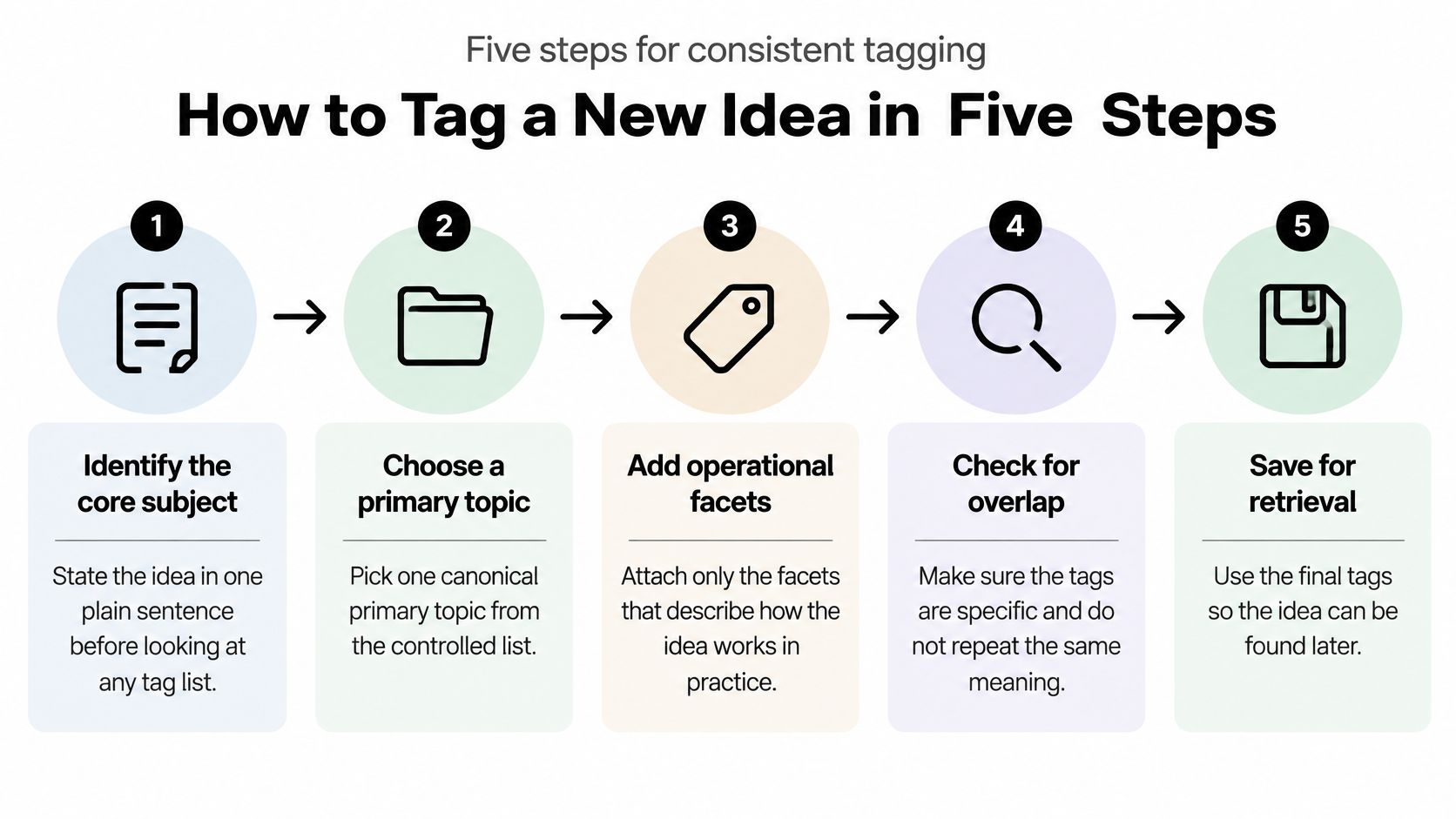
Use the idea sentence before the tag picker
Identify the core subject. Write the idea in a plain sentence before opening the tag list: explain how customers can choose the right subscription plan. This makes the subject clear before available labels tempt you toward a loosely related category.
Choose the canonical primary topic. Select pricing from the approved list for that scenario. Use the tag's definition and examples to resolve uncertainty, rather than guessing from its name alone.
Add operational facets. Record the destination and format if they're known, and the audience if it meaningfully changes the assignment. Leave undecided fields empty instead of adding speculative labels that someone must clean up later.
Preview existing labels. Search the picker and inspect autocomplete suggestions before requesting anything new; rank suggestions by usage and recency where your tool allows it. Check adjacent meanings too, because an existing label may cover the idea even when its wording differs from yours.
Trim and save for retrieval. Remove labels that restate the subject without adding a useful distinction, then save the idea with its brief. A compact, meaningful set is more useful than a long list assembled to make the record look complete.
More labels don't guarantee agreement. A tag-cloud paper discussing a museum tagging study reports that participants averaged 6.5 terms per work, yet the five most common terms were shared by only 34.8% of taggers on average.
Check the result, not just the completed fields
Autocomplete should help editors recognize the right label, not choose it automatically. A frequently used term such as strategy may be too broad for the idea, while a recent campaign label may be irrelevant despite appearing near the top.
Could a teammate find this idea using the terms they'd naturally search for?
Test that question with an actual query. Search for the subject, check the relevant filter, and confirm the saved idea appears without dragging in unrelated proposals.
If the idea is findable but nobody knows its next action, tagging has done its job and workflow needs attention. Keep assignment, review, and publication responsibilities in a defined editorial workflow from idea to published, rather than inventing tags to compensate for missing process.
The writer shouldn't have to interpret a tag to discover who approves the brief. That information belongs beside the work, with an accountable owner.
Rules for Tag Sprawl, Retirement and Common Fixes
Many teams can explain how to attach a label. Far fewer can explain when a new label deserves to exist.
That gap creates tag sprawl: editors add reasonable-looking terms individually, but nobody maintains the combined vocabulary. Eventually, the picker becomes a history of every contributor's wording rather than a usable map of editorial subjects.
Dovetail's guidance on scaling a tagging taxonomy across teams describes roughly 50–150 maintained tags as a common working range, alongside named taxonomy stewards and explicit creation and retirement rules. Treat that range as context, not a target; a focused publication shouldn't manufacture categories to fill it.
Give requests a decision path
Name a taxonomy steward, usually an editor or content operations lead who understands the publishing plan. The steward maintains definitions, approves genuinely new concepts, and resolves disagreements that contributors can't settle from the existing list.
Editors should still be able to capture ideas immediately. Separate saving the proposal from approving a new canonical label, so governance doesn't become a queue that blocks useful work.
Decision rules for tag requests and retirement
| Situation | Action | Decided by |
|---|---|---|
| Concept already covered by an existing tag | Reuse the existing tag and keep the variant as an alias | Any editor |
| Synonym, plural or spelling variant | Normalize to the canonical label | Any editor |
| Concept recurring across several ideas | Propose a new canonical tag | Taxonomy steward |
| One-off concept used on a single idea | Keep as a free-text note with no new tag | Editor |
| Campaign tag without an owner or end date | Reject until both are set | Campaign lead |
| Low-use tag found at quarterly review | Merge into a broader tag or retire it | Taxonomy steward |
A request should include the proposed definition, example ideas, and the planning decision the new filter would support. Ask what editors would do differently if the label existed. If nobody can answer, the wording probably belongs in a note.
Keep a small tag register in Google Sheets or the team's shared documentation. Record each canonical label, its definition, aliases, owner, and whether editors can still assign it. That register is the authority when the picker alone doesn't explain a distinction.
Match each symptom to a specific repair
Don't respond to every tagging problem with a wholesale redesign. Identify the failure, fix its cause, and check affected records.
- The same idea appears under competing labels. Merge synonymous spellings and plural forms into the canonical label, preserving the alternatives as search aliases.
- Filters miss relevant ideas. Apply the primary topic consistently to the affected records before debating narrower distinctions.
- The list keeps growing. Use the quarterly review to merge or retire labels that no longer support an editorial decision.
- Topic filters include draft or review. Move those values into the pipeline status field and remove the old tags after checking the migration.
- Campaign labels linger after completion. Archive them when their end date passes, while retaining historical campaign associations.
- Editors skip classification. Reduce required metadata to the subject and necessary delivery details.
Archiving and deleting aren't the same operation. An archived campaign can remain attached to past work for reporting while disappearing from the choices offered for new ideas.
Before merging, inspect the records attached to both labels. Similar names can hide different meanings, especially when an agency manages unrelated clients. Preserve client or project boundaries in their own fields rather than assuming every identically named topic is interchangeable.
Preserve nuance without multiplying labels
Say an editor requests onboarding-emails when onboarding already exists. The steward checks whether the distinction supports a recurring planning need or merely describes the proposed deliverable.
If the idea is an onboarding guide about welcome emails, reuse onboarding and retain onboarding-emails as an alias. The format and brief can describe the email-specific work without splitting the topic filter.
If the team later manages a sustained body of lifecycle messaging that needs its own assignments and reporting, the steward can reconsider. A rejected tag request isn't a permanent ban; it's a decision based on the current library and editorial needs.
More tags don't make a library more discoverable when editors can't predict which label their teammates chose.
Use a content audit you can run in a single afternoon to inspect the content behind questionable labels before retiring them. Low usage may indicate a redundant term, but it can also identify a neglected strategic subject.
The steward should distinguish those cases rather than deleting by frequency alone. Keep the active list small enough that its owner can read it in one sitting and explain why each label exists.
Intent and Accessibility Tags Most Teams Skip
A topic tells you what an article contains. It doesn't tell you what the reader wants to accomplish or whether they can use the format you've chosen.
That's why tagging ideas solely by subject leaves important planning gaps invisible. An extensive onboarding library might contain plenty of introductory explainers but nothing that helps a reader recover from a failed setup.
Techloghub's content taxonomy guidance recommends starting with users' questions and using semantic concepts and synonyms rather than relying only on literal text matches. Translate that principle into separate intent, accessibility, and evidence fields.
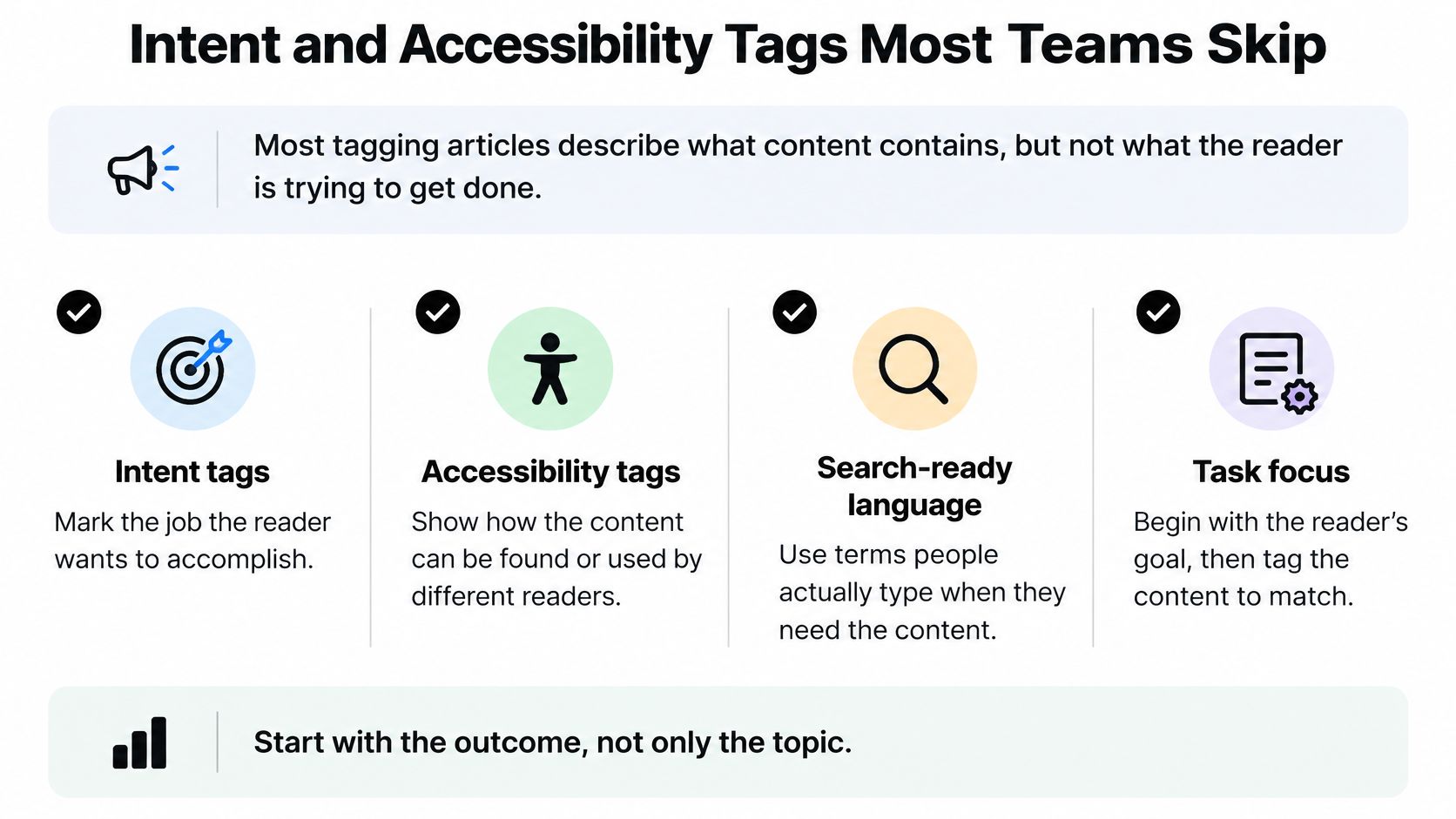
Record the reader's job
Use an intent checklist with values that describe outcomes, not departments or funnel jargon.
- Compare options: Help the reader understand differences, costs, constraints, or suitability.
- Learn basics: Explain unfamiliar concepts and establish the knowledge needed to proceed.
- Troubleshoot: Help the reader diagnose a problem and complete a workable fix.
- Make a decision: Provide criteria, evidence, and a clear route to choosing an action.
Choose the dominant job for the brief. A troubleshooting guide may include introductory material, but that doesn't make learning basics its main purpose.
Intent crosses age, region, and job role. A senior manager and a new freelancer can both need help diagnosing the same problem, so demographic labels alone won't reveal whether the library meets that need.
Separate promised access from verified access
Record accessibility characteristics explicitly: captions available, transcript available, and screen-reader-friendly structure checked. Use planned, verified, missing, and not applicable states where appropriate, rather than treating an unchecked field as a confirmed absence.
Evidence deserves its own check: does the piece cite a source the reader can inspect? Record source verification separately from topic so an editor can identify briefs that still need support.
- At briefing: Specify required accommodations and the evidence needed to substantiate the piece.
- Before publication: Verify captions, transcript accuracy, heading structure, and meaningful link text where applicable.
- During planning: Filter by reader intent and unmet access requirements to identify useful follow-up work.
Say you filter published troubleshooting guides and find video-based explanations with no transcript. That's a concrete opportunity to commission text alternatives in the next planning cycle, not a reason to demand transcripts for articles that contain no audio.
Intent also adds depth to topic clusters for organizing content for SEO: related articles can address different jobs rather than repeat the same introduction. The most useful tag is sometimes a signal about purpose or accommodation, not another searchable topic word.
Schedule Your First Tag Review This Month
Judge a tagging system by whether editors can retrieve useful ideas and make sound planning decisions. A tidy picker can still conceal missing assignments, misleading labels, and topics split across incompatible terms.
Consistent tagging also makes changes in subject attention visible. Pew Research Center's analysis of #BlackLivesMatter on Twitter documented approximately 11.8 million uses from mid-2013 through March 2016, with adoption accelerating sharply after the August 2014 killing of Michael Brown in Ferguson, Missouri.
The editorial application is narrower: a stable label lets you follow a subject through a changing stream of records. Count captured ideas and published pieces separately, because an expanding backlog doesn't establish audience demand or prove that coverage is performing.
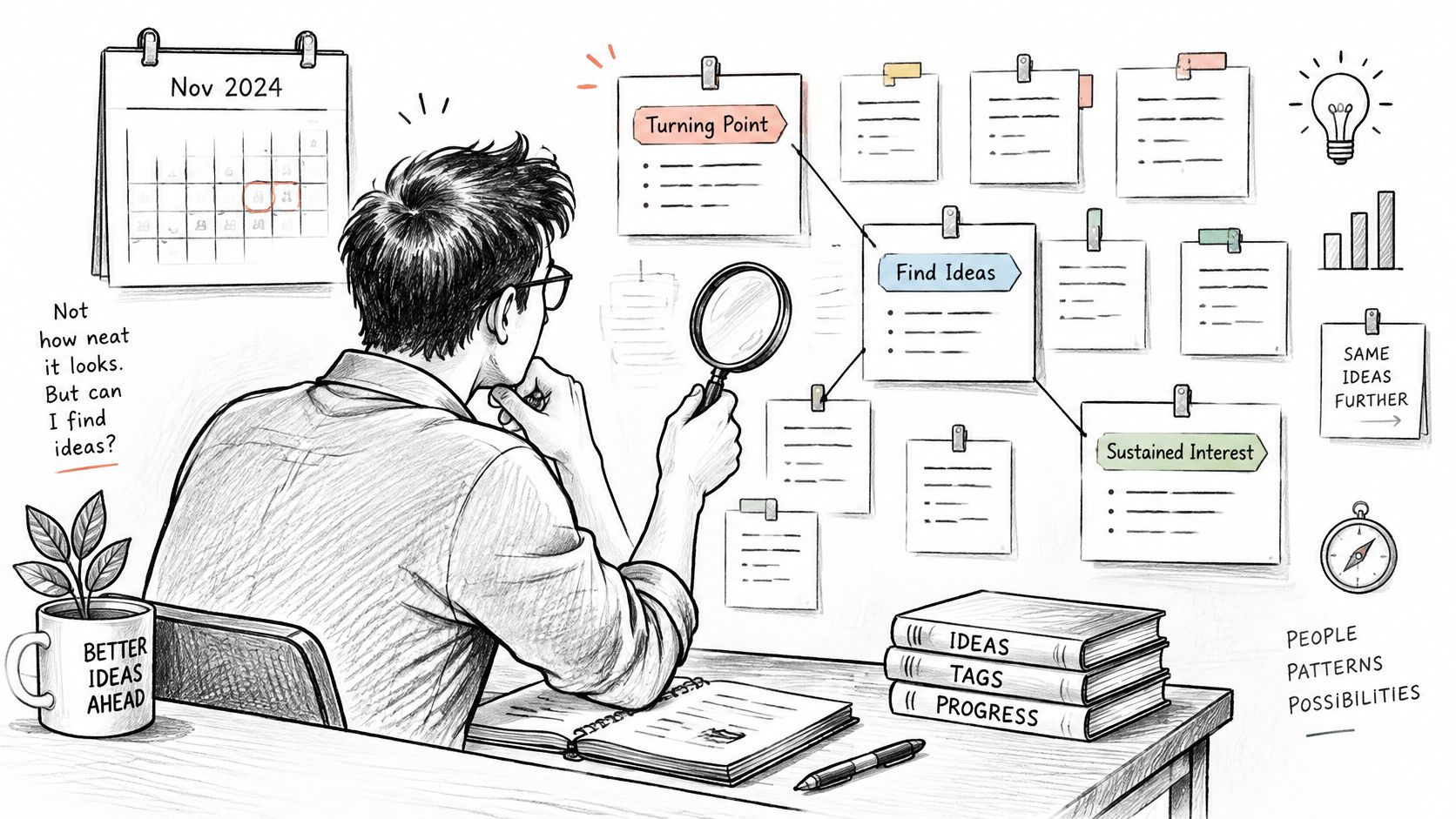
Run checks that expose retrieval failures
Use a manageable sample of recent ideas, including unfinished proposals and published work. Ask editors to test the records without first showing them the labels chosen by the original contributor.
- Duplicate rate: Identify active labels that mean the same thing, then compare the redundant entries with the active vocabulary. Record the merge decision so the same variant doesn't return.
- Orphan-tag rate: Count labels with no attached ideas, checking whether they're reserved for upcoming work before retiring them. Keep this separate from ideas that lack a required topic.
- Inter-editor agreement: Have editors classify the same ideas independently and compare their primary-topic choices. Disagreement usually calls for clearer definitions or better boundaries, not more mandatory fields.
- Expected-search retrieval: Write natural queries for sampled ideas and check whether each appears through at least one expected search. Inspect irrelevant matches too, because returning everything isn't successful retrieval.
Don't invent a universal pass mark. Establish your team's baseline, repair the most disruptive problems, and use the same definitions at the next review so the comparison means something.
Put maintenance into the planning rhythm
Reserve a short monthly check for low-frequency labels, pending requests, and reported search failures. Let the steward lead a quarterly merge-or-retire session, with campaign owners available to resolve temporary labels.
Maintain a change log that records the old label, replacement, reason, and affected records. Tell contributors what changed before the next commissioning meeting so they don't rebuild the retired vocabulary.
Keep these rules beside the tools editors already use. A spreadsheet-based calendar can link to the tag register; a dedicated editorial planning platform can hold the working labels alongside assignments and dates. Governance still needs an owner, regardless of where the records live.
Review standard: Leave the session with corrected records and named follow-up owners, not just a cleaner-looking list.
Book the first review for this month. For a practical starting exercise, reserve a half-hour and run these checks on your last fifty ideas, carrying unresolved decisions into the steward's maintenance queue.
TheContentMap centralizes idea capture, scheduling, workflow, and content insights, with topics and tags for organizing work by subject, channel, and campaign. Visit TheContentMap to put your shared vocabulary beside the ideas, assignments, and publishing dates your team manages every day.
Related Articles
Content Calendar Planning: A Step-by-Step Guide for 2026
Your calendar looks full, but next week's article is still waiting for product approval. A write...
SoftwareContent Collaboration Tools for Editors: 10 Compared
Your shared spreadsheet says the article is ready. The draft still contains unresolved comments, the...
SoftwareBrand Awareness Measurement: Surveys, Metrics and Results
Aided recognition can look impressive while spontaneous recall barely moves. In research analyzing b...
Comments (0)
No comments yet. Be the first to share your thoughts.