How to See Who Watched My Facebook Profile: The Truth
Learn how to see who watched my Facebook profile, why Facebook does not offer this feature, the scams to avoid, and the safe alternatives worth using instead.
Facebook doesn't provide a way to see who viewed your personal profile. Any app, extension, or website claiming it can reveal those visitors cannot retrieve that data from Facebook.
The popular advice on this topic often stops at “Facebook doesn't allow it,” then leaves you with the same curiosity and no practical next step. A better answer explains what Facebook hides, what it does reveal, how to control your audience, and why fake profile-viewer tools are dangerous in 2026.
Table of Contents
- The Short Answer Most Articles Skip
- How Facebook's Privacy Model Treats Profile Visits
- What Facebook Actually Shows You About Viewers
- Taking Control With Audience and Privacy Settings
- Why Third-Party Apps Cannot Deliver What They Promise
- The Scam Playbook Behind Fake Profile Viewer Tools
- Safer Alternatives That Answer the Real Curiosity
- Quick Answers to the Questions You Still Have
- Does the source-code method reveal profile visitors?
- Why did some old videos show a viewer list?
- Will Facebook ever add the feature?
- What if a viewer app already collected my information?
- How do I report a fake profile-viewer page?
- Does logging out reveal who visited?
- Can I see who visits through a private profile?
The Short Answer Most Articles Skip
It's reasonable to wonder who visits your profile. You might be checking whether a former friend looked you up, trying to understand interest in your posts, or responding to a notification or advertisement promising a secret viewer list. The important point is that Facebook doesn't turn that curiosity into a supported feature.
Facebook's Help Center says people can't tell when you've viewed their profile, and third-party apps can't provide that functionality either (Facebook's profile-view guidance). There's no built-in menu, privacy setting, supported API endpoint, or personal-account report that lists individual profile visitors. Meta's related guidance also distinguishes profile visits from visible engagement such as reactions and comments (Meta's explanation of profile and post tracking).
That makes the promise behind a “who viewed my Facebook profile” app technically impossible to fulfill through Facebook's own systems. A tool may display names, but it can't verify that those people visited your profile. It may be recycling mutual friends, public interactions, suggested contacts, or invented results.
Practical rule: If a service claims to reveal data that Facebook says it doesn't expose, treat the claim as a security warning, not as a hidden feature.
This article focuses on digital literacy rather than another hollow trick. You'll learn how Facebook treats profile visits as private metadata, which features do provide viewer information, how audience settings affect visibility, how scams use this question as bait, and which legitimate signals can answer the curiosity underneath it. If your broader goal is turning social attention into permission-based leads, a resource on building a boost pipeline with forms is more useful than chasing an unavailable visitor list.
How Facebook's Privacy Model Treats Profile Visits
Facebook separates seeing something from announcing that you saw it. A public profile photo, post, or page may be visible to a broad audience, but viewing that material doesn't automatically create an identity notification for the owner.
A useful analogy is a library. The library may record a book loan because borrowing is an explicit transaction. It doesn't normally give the reader a list of everyone who walked past the shelf or opened the book briefly. On Facebook, likes, comments, shares, follows, and Story views are closer to deliberate transactions because the user's action is designed to appear to other people. A silent profile visit isn't.
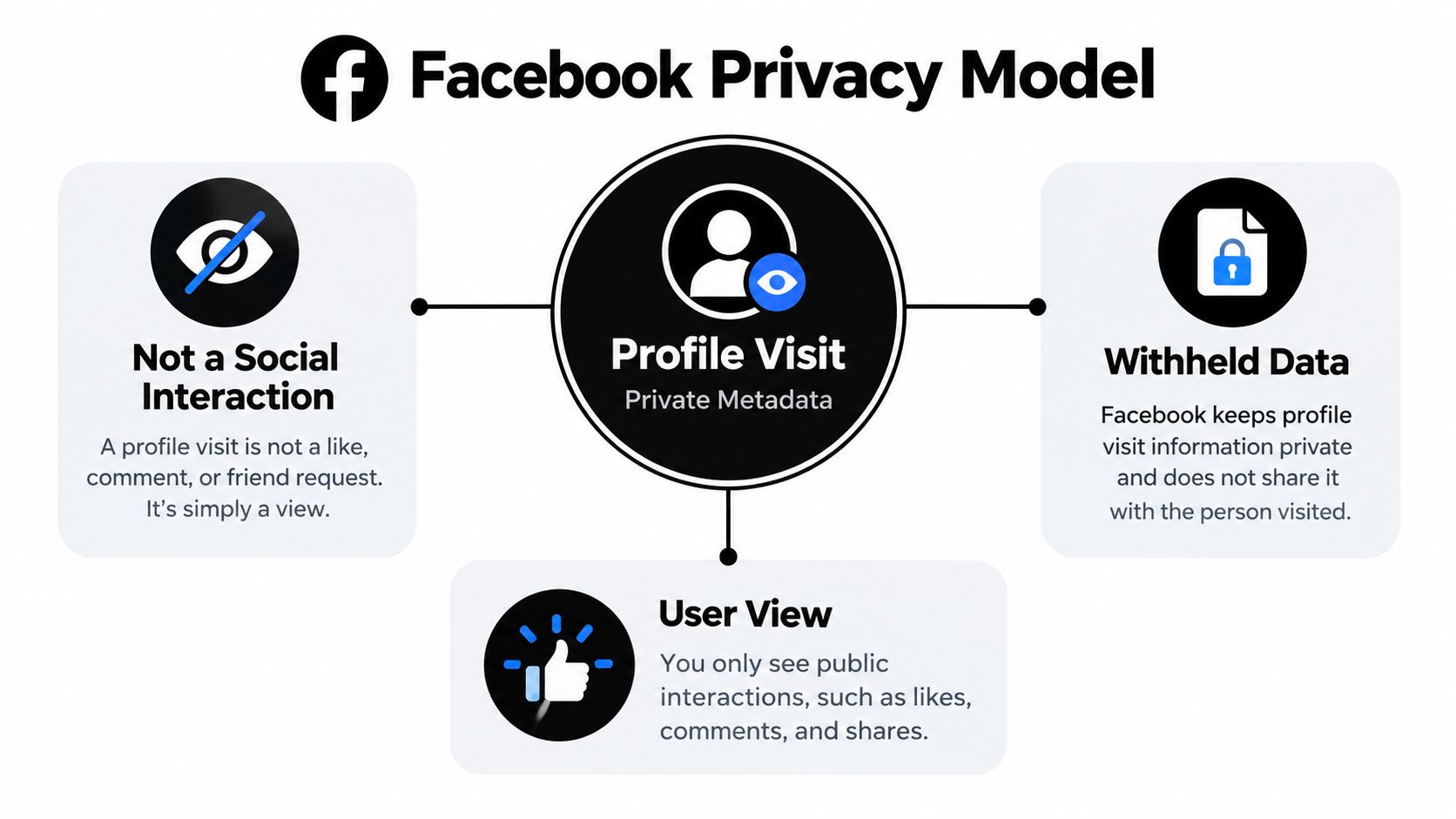
Facebook's Help Center says public information can include your name, profile picture, cover photo, gender, username, user ID, and networks, while posts and other profile elements can be governed by audience controls (Facebook's public information guidance). That distinction matters. Facebook may allow someone to access information without exposing the visitor's identity back to you.
Visibility isn't the same as identification
A person can see a public post without becoming a named “profile viewer.” Someone can also react, comment, or share, but those are visible actions they chose to take. The platform's design keeps the passive act of visiting separate from the active act of engaging.
That's why this isn't just a technical limitation waiting for a clever browser trick. Facebook controls the data made available to connected services, and it doesn't provide a per-user profile-visit log for ordinary personal profiles. A third party can't reliably pull a record that Facebook hasn't made available.
What Facebook Actually Shows You About Viewers
Facebook does expose audience behavior in selected features, which is where much of the confusion starts. Story viewers are not profile viewers, and engagement totals on Reels or posts don't become a named list of everyone who looked.
| Surface | What Is Shown | Is Identity Exposed? | How Long Visible |
|---|---|---|---|
| Stories | A viewer list for the Story | Yes, for that Story | Tied to the Story's 24-hour format |
| Reels | Aggregate engagement, such as view totals, plus available interaction details | Not as a personal-profile visitor list | Depends on the Reel and Facebook's interface |
| Feed posts | Reactions, comments, and shares | Identity is exposed for visible interactions, not silent views | Remains with the post and its activity |
| Personal profile | Public profile elements, posts, tags, and follows | No profile-visit list | Depends on each item's privacy and availability |
Stories are the clearest exception because the viewer list is part of the feature's purpose. You publish temporary content, and Facebook gives you audience information connected to that specific Story. That doesn't mean Facebook has opened a general record of everyone who visited your main profile.
Reels and feed posts work differently. They can show aggregate activity or named reactions and comments, but a total view count doesn't identify every person who watched. A friend suggestion also isn't evidence that someone searched for or visited you. It reflects Facebook's recommendation systems, not a confirmed stalking signal.
Read the signal you're actually seeing
If a person appears in your Story viewer list, you can say they viewed that Story. If they react to a post, you can say they reacted to that post. You can't safely convert either observation into a claim that they visited your profile.
This distinction protects you from false certainty. It also explains why a profile-viewer website can appear convincing while offering no real proof. It may use a list of people who interacted publicly, then label those people as visitors even though Facebook never supplied that conclusion.
Taking Control With Audience and Privacy Settings
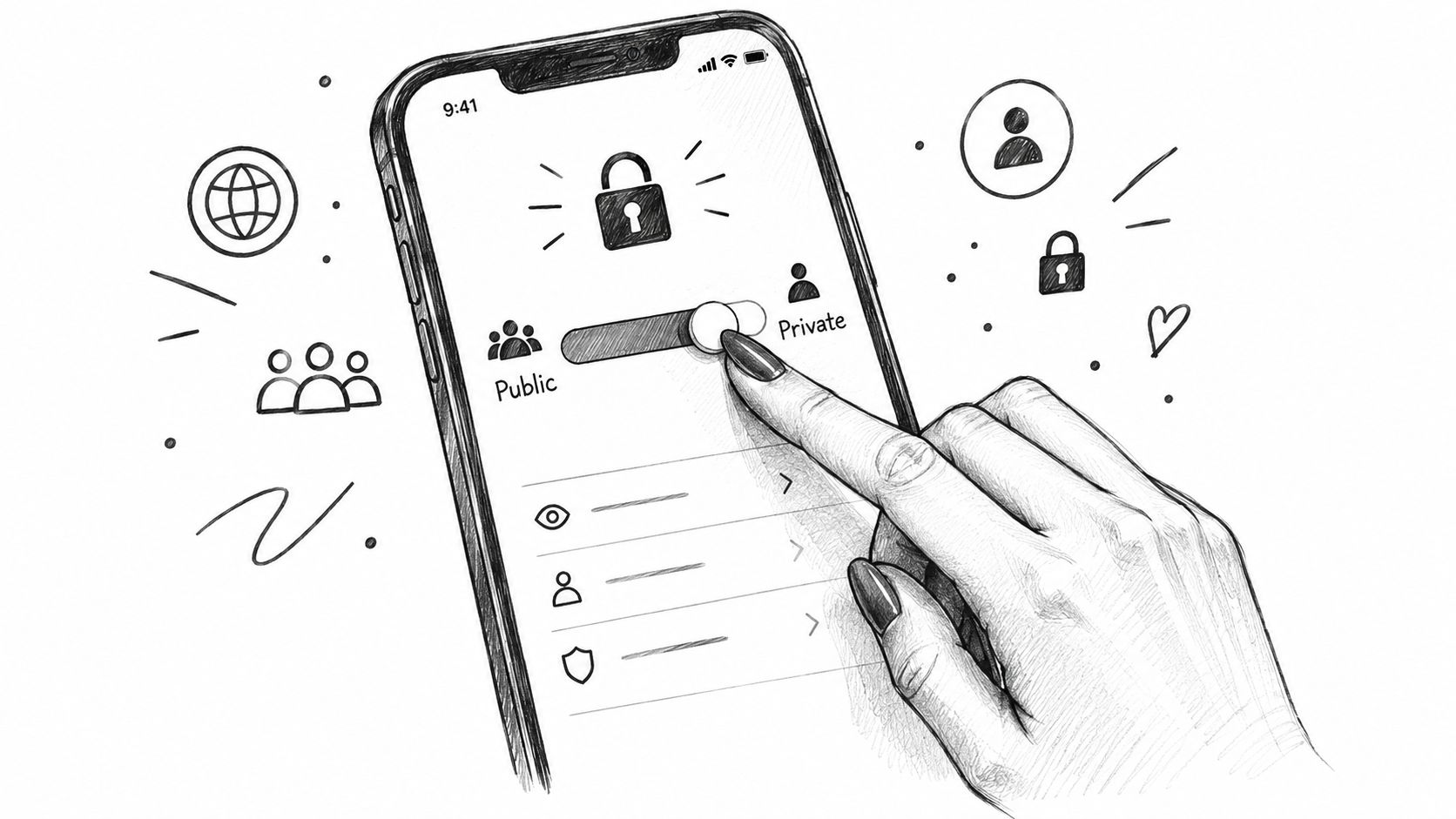
You can't see who visited your profile, but you can decide who can see specific parts of your Facebook presence. Start with Facebook's Privacy Checkup, then review the audience controls for posts, friend requests, profile details, timeline activity, and tagging.
Open Facebook's settings and look for privacy options such as:
- Who can see your future posts? Choose an audience such as Public, Friends, or Only Me where appropriate. The selector applies to the post you're creating, so check it before publishing.
- Who can send you friend requests? Restricting this setting can reduce unwanted contact from people outside your existing network.
- Profile and tagging controls. Turn on review options if you want to approve tagged posts before they appear on your profile.
- Limit past posts. This can change the audience of older content when your previous sharing settings are broader than you'd like.
- View As. Use this to inspect how your profile appears to people who aren't your friends. It shows a public-facing view, not a record of visitors.
Choose the audience item by item
Public can make a post available beyond your friend list. Friends limits it to your Facebook friends, subject to Facebook's current settings and exceptions. Only Me keeps the post private to your account.
Profile Lock, where available, adds another layer of restriction for personal profiles. Its availability and exact behavior can vary by region and account, so check the option directly in your profile settings rather than relying on an old tutorial. You can also review who can find you using contact information, who can post on your timeline, and whether tags require approval.
Privacy settings answer “who can see this?” They don't answer “who already saw this?”
For teams that need to organize privacy guidance, publishing checklists, and recurring education content, an editorial workflow management system can keep those materials assigned and reviewed. The immediate Facebook task remains simple: reduce public audiences where needed, review tags, and inspect your profile as another person would see it.
Why Third-Party Apps Cannot Deliver What They Promise
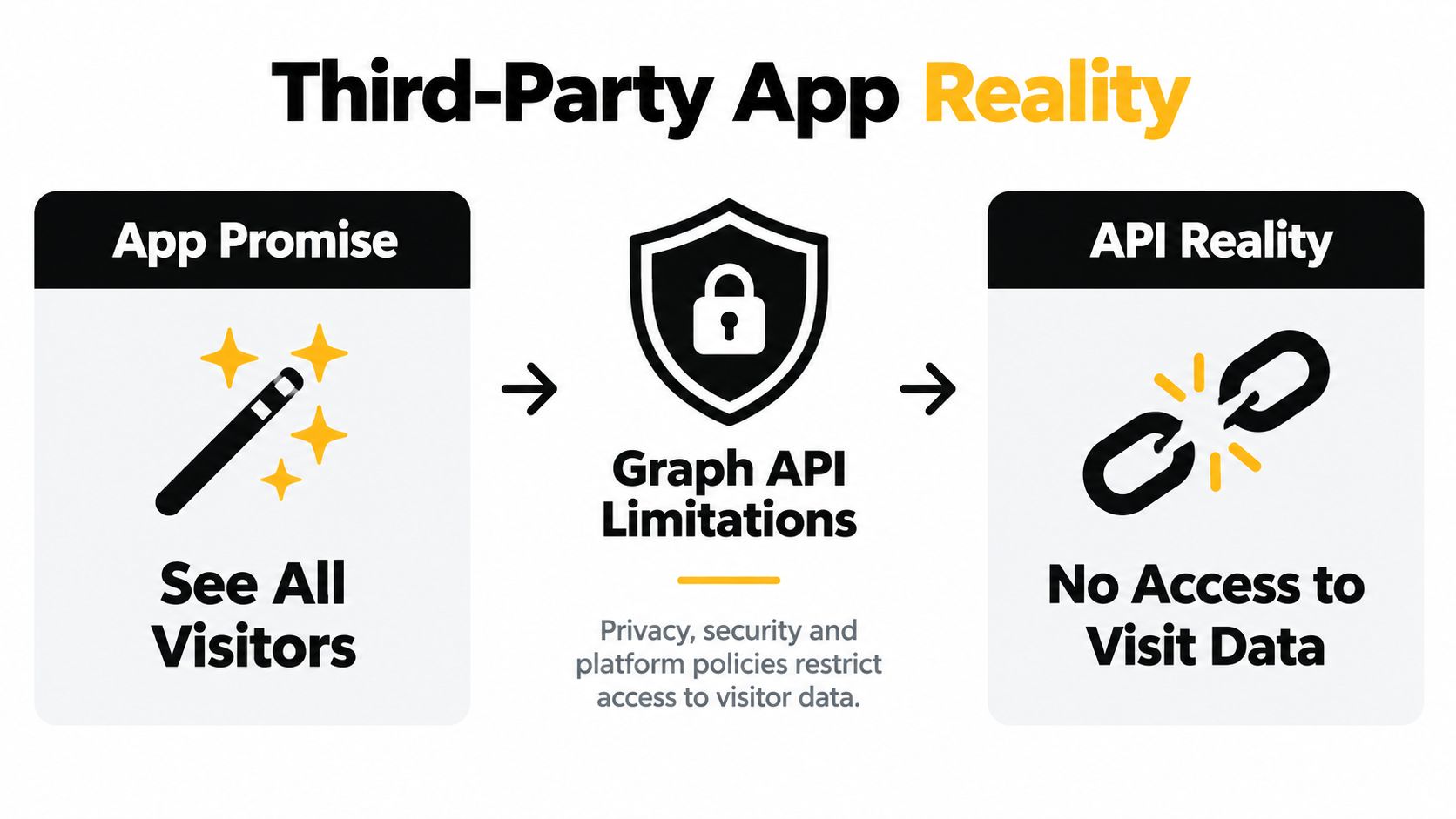
A profile-viewer tool usually sounds plausible because it uses familiar technical language: connect your account, grant permissions, scan your activity, and receive a visitor report. The missing piece is the data source. Facebook doesn't provide third parties with a personal profile-visit log that they can retrieve and display.
That leaves several common ways for a deceptive tool to manufacture an answer:
- Mobile apps may request broad permissions, then show a list based on public interactions, contacts, or arbitrary rankings.
- Browser extensions can read browsing activity or page content and present familiar names as if they were verified visitors.
- Lookalike websites may ask you to log in through a page designed to resemble Facebook, collecting credentials instead of visitor data.
- Paid reports can recycle public information, mutual connections, reactions, or suggestions and label the package a “stalker” analysis.
The red flag is the mismatch between the promise and the permission. An app can access information you authorize, but authorization doesn't create access to data Facebook never exposes. A list of mutual friends isn't a profile-visit record, and recent likes aren't proof that someone opened your profile.
Check the request before you accept it
Pause when a service asks you to:
- log in on a domain that isn't Facebook,
- provide an SMS or authentication code,
- install an APK outside a trusted app store,
- approve vague permissions unrelated to the advertised function,
- pay for a named visitor report,
- install an extension that wants to read every page you visit.
If you manage several connected services, reviewing privacy information for AdManage.ai can also help you think more carefully about what an application collects and why. For broader software evaluation, you can compare practical tools in this software category, but no software directory can make an unavailable Facebook data source appear.
The Scam Playbook Behind Fake Profile Viewer Tools
Curiosity creates a strong opening for social engineering. In 2026, fake “who viewed my profile” offers are being used as phishing bait, with campaigns directing people to external login pages or downloads that may behave like malware (recent coverage of Facebook profile-viewer scams).
The funnel often follows a recognizable path:
- Clickbait lure. A post, advertisement, video, or message promises a secret list of profile visitors.
- Imitation page. The destination copies Facebook's branding and asks you to sign in to "verify" your account.
- Credential or device theft. The operator captures the login details, requests an SMS code, or pushes an Android APK outside the normal app-install process.
- Monetization. Stolen accounts can send Messenger spam, spread the same lure to friends, or lead victims into recurring payment traps. A paid "stalker report" may just sell recycled public data.
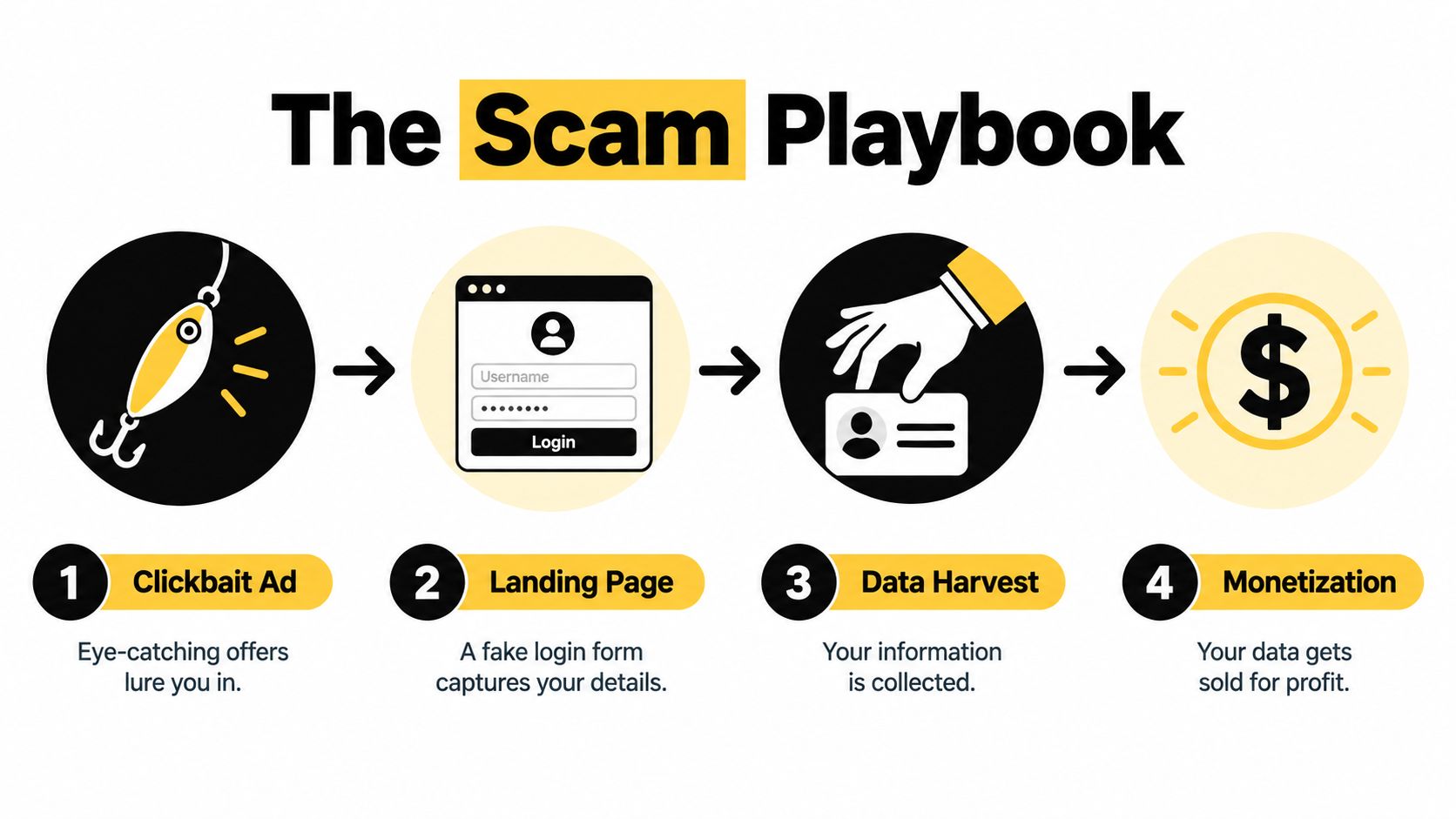
The scam succeeds because the victim expects a small reward for a small action. Entering a password feels like a normal login. Downloading an app feels like the final step before the promised report. In reality, the “report” is often the distraction, while the account or device is the target.
Stop at these warning signs
An off-domain Facebook login, an urgent request for a verification code, an APK download, or a tool that promises a feature Facebook explicitly denies should end the interaction. Don't forward the link to friends, even if it arrived through a familiar account. For a broader explanation of manipulation tactics, consult this social engineering attack guide for 2026.
If you already entered your password, change it through Facebook's official settings, enable login alerts and available two-factor authentication, review active sessions, and remove unfamiliar authorized apps. If you installed a suspicious application, uninstall it and inspect your device for other unwanted software. Report the scam post, page, message, or advertisement through Facebook's reporting controls.
Safer Alternatives That Answer the Real Curiosity
The question “who watched my profile?” often means something more specific: Who is interested? Who is engaging? Who keeps returning? Facebook's native tools can answer parts of those questions without pretending to expose private profile visits.
For a personal profile, start with visible interactions. Reactions, comments, shares, follows, Story viewer lists, and Reel activity show actions people deliberately took. These signals won't prove that someone visited your profile, but they can reveal which content attracts attention.
For a Facebook Page, administrators can use Page Insights and related analytics to understand performance at an aggregate level. That's useful for questions such as whether content is reaching people, which posts receive engagement, and which audience patterns deserve attention. It's a better fit for organizations than trying to identify silent visitors to an individual profile.
Match the tool to the question
| If you want to know… | Use… | What it can tell you |
|---|---|---|
| Who interacted with a post? | Reactions, comments, and shares | Which accounts took visible actions |
| Who watched temporary content? | Story viewer information | Which accounts viewed that Story |
| Which content attracts broad attention? | Reel and post engagement surfaces | Aggregate activity and visible engagement |
| Who should see important updates? | Favorites or Close Friends features | Which people receive prioritized content |
| Whether a conversation was seen | Messenger read receipts, where available | A limited signal connected to that conversation |
| How a Page is performing | Page Insights | Aggregate audience and content patterns |
Friend activity in the News Feed can also show public interactions, but it shouldn't be read as a private profile-visit report. Likewise, adding someone to Favorites or Close Friends helps you prioritize what you share with them. It doesn't reveal whether they're checking your profile.
If you're turning these observations into a wider content or community plan, a structured marketing plan workflow can help you define the question first, then choose the appropriate native signal. That keeps your measurement honest: you record what Facebook shows, rather than assigning a hidden meaning to it.
Quick Answers to the Questions You Still Have
Does the source-code method reveal profile visitors?
No. Searching page source, browser scripts, or old interface data doesn't create access to a visitor list. Any names you find are not proof that those people viewed your personal profile.
Why did some old videos show a viewer list?
They may have shown Story viewers, reactions, comments, or a different Facebook feature. A Story viewer list is tied to that Story, not to visits to the main profile page.
Will Facebook ever add the feature?
Facebook could change its products, but its current Help Center position says personal profile visitors aren't exposed. Don't treat predictions, screenshots, or viral claims as announcements from Meta.
What if a viewer app already collected my information?
Change your Facebook password through the official app or website, review active sessions, remove unfamiliar connected apps, and enable login alerts and available two-factor authentication. If you reused that password elsewhere, change it on those services too.
How do I report a fake profile-viewer page?
Use Facebook's reporting option on the post, page, message, or advertisement that promoted the offer. Don't log in again to “cancel” or “verify” anything, and don't install software supplied by the page.
Does logging out reveal who visited?
No. Logging out changes your session. It doesn't reveal a profile-visitor report or expose historical profile visits.
Can I see who visits through a private profile?
No. A private or locked-down profile changes who can access your content. It doesn't give you a named record of people who viewed it.
The safest conclusion is straightforward: use Facebook's audience controls to manage access, use native engagement features to understand visible interest, and treat every promised profile-viewer tool as untrusted unless Facebook itself confirms the feature.
TheContentMap helps editorial teams capture ideas, schedule content, assign ownership, and connect published work with performance insights in one workspace. Visit TheContentMap to replace scattered spreadsheets with a clearer content workflow and keep your digital-literacy content moving from planning to publication.
Related Articles
Viewing a Private Facebook: What You Can and Cannot See
A private Facebook profile is only as closed as the account holder's audience settings, and a su...
Ebooks10 Fb Private Video Downloader Options for 2026
Private Facebook videos require more than a download button. You should only save a video you're...
Comments (0)
No comments yet. Be the first to share your thoughts.