10 Fb Private Video Downloader Options for 2026
Compare 10 fb private video downloader options, from platform tools to desktop apps and browser workflows, with privacy, access, and legal guidance.

Private Facebook videos require more than a download button. You should only save a video you're authorized to view and keep, ideally because you uploaded it yourself or the rights holder gave you explicit permission. Facebook's Terms of Service prohibit copying, modifying, or distributing content without permission, and independent guidance warns that downloading or redistributing private videos without consent can create copyright and platform-policy risks (CapCut's explanation of private Facebook video downloads).
That changes how an fb private video downloader should be judged. The central question isn't whether a tool can technically locate a file. It's whether the tool works within access you already have, how much account data it exposes, how repeatable the workflow is, and where it's likely to fail. This list starts with creator permission and platform-native options, then moves through local desktop software, command-line tools, page-source workflows, and browser services.
Avoid any service that asks for a Facebook password, reusable cookies, or an unfamiliar extension without a clear reason. Security guidance identifies fake CAPTCHA screens, aggressive ads, extensions, and executable installers as common warning signs around downloader pages (security guidance for spotting unsafe Facebook downloaders). If your work also involves broader social research, keep the same access discipline when evaluating an Instagram scraper.
Table of Contents
- 1. 4K Video Downloader Plus
- 2. ByClick Downloader
- 3. yt-dlp
- 4. SnapSave
- 5. FDownloader
- 6. FBDown.to
- 7. GetFbVideo
- 8. iLoveF
- 9. PasteDownload
- 10. JDownloader 2
- Top 10 FB Private Video Downloaders Comparison
- Choose Permission and Control Over Convenience
1. 4K Video Downloader Plus
4K Video Downloader Plus is the strongest fit for editors who want a repeatable desktop workflow without copying Facebook page source manually. Its built-in browser and login flow are designed for videos that are protected by account access, including Facebook content you're already authorized to view. The important distinction is that the application doesn't create permission. It uses the access associated with your own account.
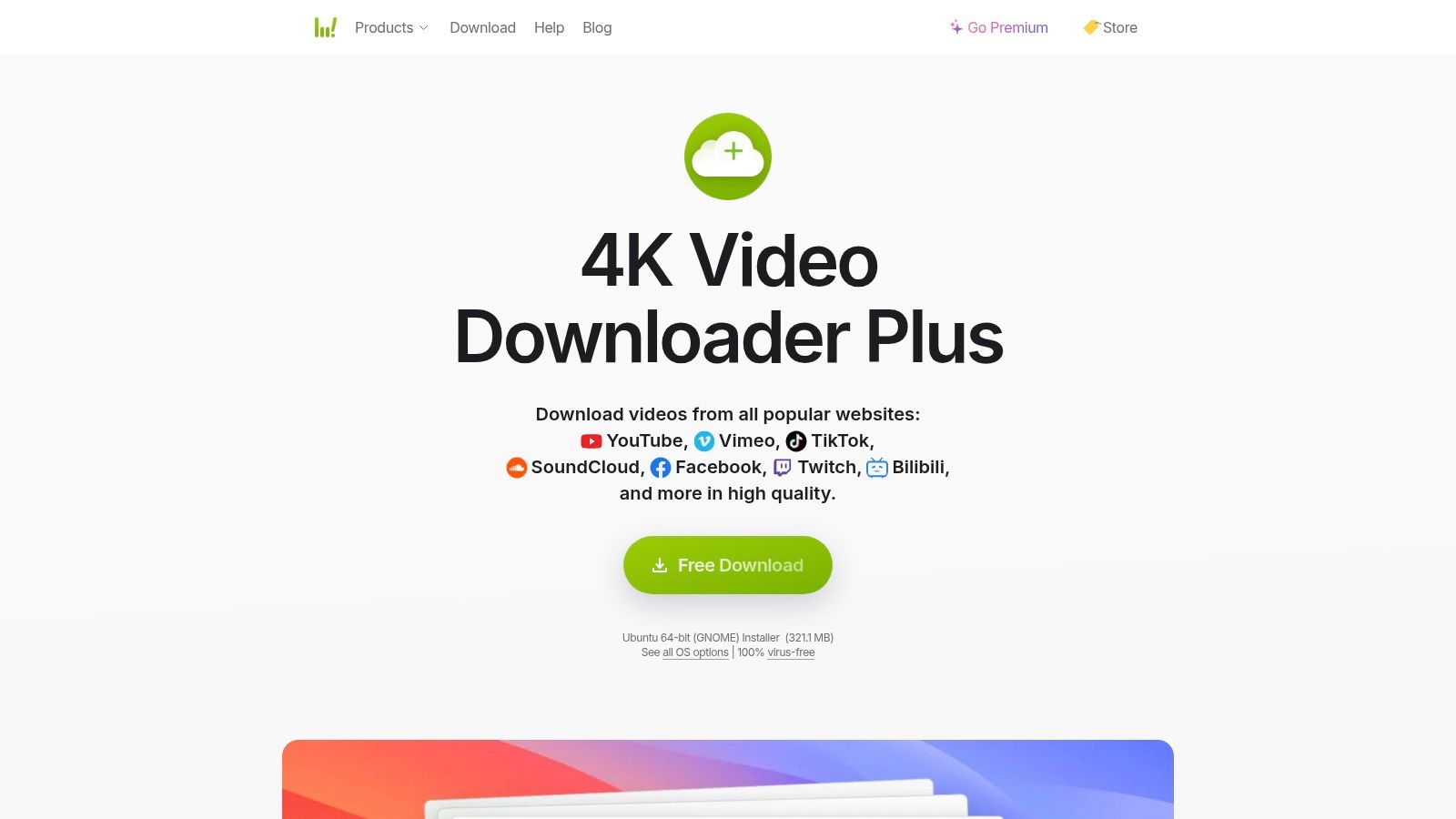
The app supports Facebook alongside platforms such as YouTube, Vimeo, and TikTok, with options for different resolutions. The vendor also presents it as an actively updated desktop product, which matters because Facebook changes page structures and delivery methods. A local application can be easier to manage than a succession of unknown browser sites, especially when an editor needs to preserve approved source material more than once.
Where the access model helps
The login happens inside the application rather than through a random web form. That reduces one specific exposure, handing a Facebook password directly to an unfamiliar downloader site, although users should still review the application's permissions and security posture before signing in.
- Best for repeatability: Editors can keep a consistent workstation-based process.
- Best for lower technical effort: The built-in browser avoids command-line syntax and page-source copying.
- Main limitation: Downloads still depend on the permissions attached to your Facebook account.
- Commercial trade-off: The free tier has quantity or feature limits, while full functionality requires a paid plan, according to the 4K Video Downloader Plus product page.
This is a practical choice for an authorized archive, but it shouldn't be treated as a universal private-video extractor. A video that you can't legitimately view won't become legitimate because the application offers a login window.
2. ByClick Downloader
ByClick Downloader takes a simpler approach. It detects a video playing in the browser and presents a download prompt, so casual users don't need to copy URLs, inspect HTML, or learn a command-line interface. The vendor also documents a private Facebook workflow for videos that the user can already view.
That convenience comes with a more important security question than the detection feature. The private Facebook process may ask for Facebook credentials inside the application. Some users may accept that because they prefer a guided desktop workflow. Others will reasonably avoid entering a password into any downloader and choose a browser-session or page-source method instead.
Simplicity versus credential exposure
ByClick supports multiple platforms and output formats, and its design is aimed at people who want a direct detect-and-download experience. It's easier to approach than yt-dlp or JDownloader 2, but ease of use shouldn't be confused with broader authorization. The app can only work with content the account is already entitled to access.
Security decision: If an application requests your Facebook password, confirm why it needs it, where the login occurs, and whether you're comfortable revoking access afterward.
The vendor's ByClick Downloader site provides the private Facebook walkthrough and product details. The application may require a premium version for full features. For occasional users, the paid requirement may make the tool less attractive than a local free workflow, while nontechnical editors may value the saved setup time.
The best use case is a controlled personal computer, an authorized video, and a user who prioritizes ease over maximum separation between Facebook credentials and the downloader. It's a poor choice if your organization prohibits entering social account credentials into third-party applications.
3. yt-dlp
yt-dlp is a command-line tool for users who want precise local control over an authorized Facebook download. It is free, open-source software with broad site support and settings for quality, subtitles, file names, and output formats. That flexibility comes with configuration work, so it suits technical editors more than people seeking a guided desktop workflow.
For a video that the account is already permitted to view, the --cookies-from-browser workflow can use an existing browser session instead of asking a third-party site for a Facebook password. The command imports session data from a supported browser, allowing yt-dlp to make a request that reflects access already available there. Compatibility is not guaranteed: Facebook authentication can change, browser profiles can differ, and a command may fail even when the video plays normally in the browser.
Cookies are authentication material, not ordinary text. Keep any exported cookie file on the local machine, restrict access to it, and never paste it into a web form or support forum. A user should also confirm that the account holder and content owner permit the download before automating or archiving the file.
Technical teams may choose yt-dlp because it separates the download from an unknown web service. Best for automation: scripts can apply consistent file names, storage paths, and routines to approved archive jobs. Best for local control: the file can be written directly to the user's machine. Main limitation: the terminal creates a steep learning curve. Operational caution: browser cookies may grant account access and require careful handling.
The yt-dlp project provides documentation and current usage guidance. Teams building a wider editorial process can connect downloaded assets to editorial planning resources for content teams, keeping permissions and approved files together rather than scattering them across folders.
yt-dlp does not provide a legitimate way around Facebook's privacy controls. Its value is controlled use of an authorized browser session, with the security trade-off kept visible.
4. SnapSave
SnapSave is a browser-based option for users who want no installation. Its workflow is aimed at Facebook links across surfaces such as Reels, Stories, and Watch, and the service publishes guidance for private or group-video cases. That makes it convenient for a one-off task on a device where installing desktop software isn't practical.
The convenience is also the weakness. A browser service sits between your request and the file, so you need to understand what information it asks you to submit. A URL for a video you're already authorized to view is one thing. Facebook credentials, browser cookies, or an extension that claims to reveal private access are another.
Use the least-exposed workflow
SnapSave's stated coverage of Reels, Stories, and Watch links makes it more versatile than a tool limited to standard video URLs. Its mobile guidance may also help users who don't want to transfer a link to a computer. Yet web-service compatibility can change when Facebook changes its page structure or access methods.
A private label doesn't prove private access: If a downloader asks you to sign in or provide session data, stop and reassess whether the service needs more access than the video URL should require.
The SnapSave website is the appropriate place to review its current instructions. Don't assume that a page advertising private downloads can handle every group, profile, Story, or live-video case. Security-focused guidance notes that authenticated or closed-profile content is commonly blocked from direct extraction, and that login, cookie, or extension requests should be treated as red flags (guidance on the safety of Facebook downloading).
SnapSave is best for an occasional, authorized download when the workflow requires no installation. It's less suitable for a team archive that needs stable repeatability, auditability, and clear control over sensitive session information.
5. FDownloader
FDownloader's private-video workflow relies on page source rather than a Facebook password field. The user opens the video in a logged-in browser, copies the source, and submits that material for parsing. This keeps the initial login inside the user's browser, but it does not remove the need for permission to save the video.
The distinction matters because page source can contain more than the media file. It may include page details and session-related data, so users should review what they copy, avoid posting it publicly, and delete temporary files after the download when they contain sensitive information.
The trade-off is resilience
FDownloader also supports ordinary public Facebook links through a standard URL workflow. That makes the service easier to approach than a general download manager, while the private method remains manual and dependent on Facebook's current markup. A change to page structure or embedded data can cause the parser to fail without warning.
The workflow has a few practical boundaries. Its Privacy advantage is that the documented process does not require entering a Facebook password on the site. The Manual cost is the need to view source, copy relevant content, and paste it into the service. Its Compatibility risk comes from Facebook changes that can break extraction. The Permission boundary remains unchanged: the logged-in user must be legitimately allowed to view and save the video.
The FDownloader website provides the current private-video instructions. It may suit a technically comfortable user who accepts a hands-on process and wants to keep password entry separate from the downloader. That choice still involves sending page material to an external extraction service, so it is a poor default for sensitive workplace or client files. A direct file from the creator avoids that transfer and provides clearer permission.
FDownloader is therefore better suited to occasional, authorized use than to a large team requiring predictable, repeatable operations. Its value lies in credential separation, while its weakness is brittle compatibility.
6. FBDown.to
FBDown.to also documents a private workflow based on full HTML source from a browser session. The user opens Facebook while signed in, obtains the source received by the browser, and pastes it into the service for video-stream extraction. For public links, the site offers a more conventional URL-based process.
The distinction from a password-based downloader is meaningful. The site doesn't need the user to type Facebook credentials directly into its interface. But users shouldn't interpret that as zero exposure. Full HTML can contain account-specific page information, and the source should be handled as private material rather than harmless copy.
A useful option for cautious occasional users
FBDown.to's detailed instructions may make the source method more approachable than a command-line tool. The user can see the process and decide exactly when to provide source material. That control is valuable when the alternative is an unknown site that requests a login.
The method still has a structural weakness. It depends on Facebook's current DOM and embedded data, so a change to markup can cause failures or require new instructions. It also takes more time than a normal public-link download, which limits its appeal for frequent work.
Treat page source as sensitive: Don't upload it for a video you aren't authorized to save, and don't retain or share it after the task is complete.
The FBDown.to private downloader is best considered a manual extraction utility, not a guarantee of access. Its Facebook focus can be useful for a single approved file, while the workflow's friction provides a natural pause before someone downloads and republishes content without checking permission. For adjacent social questions, avoid confusing visibility with ownership, as the guidance in this Facebook profile visibility article illustrates.
FBDown.to fits users who want a browser-only process and don't mind handling source code. It won't suit teams that need a polished, repeatable intake pipeline.
7. GetFbVideo
GetFbVideo is designed for videos a user can already view, rather than for bypassing Facebook's access controls. Its documented workflow uses the browser session and asks the user to provide page source or related session information for parsing. That places it in the browser-source category, with less installation overhead than a desktop or command-line tool, but with greater exposure to sensitive page data.
The distinction matters. A video may play inside Facebook while an external parser cannot extract it. Facebook can deliver an authenticated stream through its own interface while changing or restricting the underlying information that a third-party tool expects. GetFbVideo's mobile guidance and explanations of private-video limits may help users understand that playback access does not guarantee file extraction.
The main risk is what the workflow requires from the user. Supplying page source may be reasonable for an approved, occasional download, but session-related information deserves careful handling. Do not provide a Facebook password, and do not share more session data than the instructions require. Permission from the content owner still determines whether saving, editing, publishing, or forwarding the file is appropriate.
Compatibility is also uncertain. The page-source method depends on Facebook's current document structure, so a platform change can make the parser fail or require a different source view. A successful video page therefore does not guarantee successful extraction. That makes the service a poor fit for deadline-critical production, automated archives, or client work with strict data-handling requirements.
Use GetFbVideo only when all three conditions hold: you can lawfully view the video, you understand what information the workflow requests, and the downloaded file is needed for an approved purpose. Check the instructions on the GetFbVideo website immediately before use. Abandon the process if it requests a password, an unexpected browser extension, or an executable file.
Its clearest advantage is the permission boundary it communicates. Its technical compatibility remains dependent on Facebook's page structure, so convenience should not outweigh account security or creator permission.
8. iLoveF
iLoveF is a Facebook-focused browser downloader that advertises a private workflow for group, member-only, and friend-visible videos. Its instructions are aimed at a user who is already signed in and can view the content. It also presents HD and MP4 output options for video or audio extraction.
A focused site can be easier to use than a multipurpose downloader. Someone dealing with a group video doesn't have to sort through unrelated platform settings or desktop features. That simplicity comes with a narrower evaluation question: does the current Facebook page structure still expose the information the site expects?
Don't confuse targeted marketing with guaranteed compatibility
iLoveF's private-video positioning is relevant to users who already have legitimate group or friend-level access. It doesn't remove Facebook's restrictions, and it doesn't grant rights to reuse the material. If the video includes other people, workplace information, children, or confidential group discussion, downloading it can create privacy obligations even when the user can watch it.
The browser workflow also introduces the normal risks of web-based downloaders. Avoid passwords, reusable cookies, suspicious redirects, and prompts to install software. Use a clean browser session, check the destination before downloading, and don't assume an HD or MP4 label proves that the resulting file is authentic or safe.
The iLoveF private Facebook downloader is best for a straightforward, occasional test with non-sensitive, authorized content. It's a weaker choice for an archive that must remain dependable because its operation depends on Facebook's changing markup and delivery behavior.
For editors, the creator's original file is still preferable. It preserves quality without requiring a scraper to interpret a private page, and it gives the team a clearer record of permission. iLoveF can be considered only after that route isn't practical and the user has verified both authorization and the handling risk.
9. PasteDownload
PasteDownload is best assessed by its access method, not by the label “private downloader.” Start with Facebook's own permitted options or the creator's original file. If those routes are unavailable and the user has authorization, PasteDownload offers a browser-based alternative without requiring a desktop installation.
Its dedicated private route and Facebook-specific page are supported by a published changelog that records Facebook-related handling improvements and clearer failure messages. That record is a useful maintenance signal. It suggests the operator is responding to compatibility changes, but it does not establish that a particular group, profile, Reel, Story, or live video will work.
The browser workflow appears to rely on page information that the service can interpret. That makes it different from a local desktop or command-line workflow: the user must consider what page data is submitted to the site and how the service handles it. Facebook can also change session requirements, markup, or delivery formats, leaving the downloader unable to process a previously supported page.
A failed request should end the workflow, not trigger a riskier workaround. Do not provide a Facebook password, upload reusable cookies, or install an unknown extension because the page reports that the content is unsupported. The failure may indicate an incompatible access method rather than missing credentials.
Review the page's current instructions before use, and test only with authorized, low-sensitivity content. Keep account secrets out of the service, verify the destination before downloading, and treat claims about available formats as unconfirmed until the resulting file is checked.
The PasteDownload private downloader may suit users who value visible maintenance notes and want an ordinary browser workflow. Its main trade-off is exposure to a web extraction pipeline and dependence on Facebook's changing behavior. For production archives or sensitive material, creator-provided files offer clearer permission records and more predictable control.
10. JDownloader 2
JDownloader 2 is a desktop download manager for Windows, macOS, and Linux. Its link crawling, queues, and multi-host support place Facebook work inside a broader local workflow. It also documents cookie-based and account-login methods for authenticated downloads, although those methods require careful handling of account access.
The strongest reason to choose it is operational control. Best for broader download work, it can manage Facebook files alongside other sources rather than serving as a single-purpose private video downloader. Best for queued operations, it suits users collecting a controlled set of approved files for later editing, review, or archiving.
Its access method creates a clear trade-off. A local application avoids sending page source to an online extraction service, but cookie files and active sessions remain sensitive credentials. Users should import only access they are authorized to use, keep cookie data separate from project files, and avoid sharing logs or configuration folders that may contain session information.
Facebook compatibility is less predictable than the queue features. Cookie behavior, account requirements, plugins, and supported delivery formats can change, so a setup that works for one account or content type may fail for another. Main limitation: configuration and troubleshooting may be required before an authorized file can be retrieved.
Security requirement: treat cookies as account-access material, not as ordinary download settings. If the method or plugin behavior is unclear, stop and request the original file from the creator instead.
The JDownloader 2 website provides product and support information. Teams coordinating approved media with editing and publication tasks can also consult TheContentMap's software workflow resources.
JDownloader 2 fits technically capable users who already rely on a desktop download manager. Its value comes from local queues and workflow control, while its main risk comes from handling authenticated sessions. For occasional users, creator-provided files offer a clearer permission record and less setup.
Top 10 FB Private Video Downloaders Comparison
| Tool | Core features ✨ | UX / Reliability ★ | Price / Value 💰 | Target audience 👥 | Unique selling point 🏆 |
|---|---|---|---|---|---|
| 4K Video Downloader Plus | ✨ Desktop app, in‑app browser, multi‑site HD downloads | ★★★★☆ | 💰 Free limited; paid to unlock full features | 👥 Editors needing repeatable workstation workflows | 🏆 In‑app login for private/login‑gated videos |
| ByClick Downloader | ✨ Browser detection + one‑click downloads, private FB walkthrough | ★★★☆☆ | 💰 Free trial; premium for full features | 👥 Casual users who want simple downloads | 🏆 Very simple detect‑and‑download flow |
| yt-dlp | ✨ CLI tool with --cookies-from-browser, flexible formats/subs | ★★★★☆ | 💰 Free (open‑source) | 👥 Technical users, automation/scripting workflows | 🏆 Scriptable, privacy via local cookie import |
| SnapSave | ✨ Web‑based (no install), supports Reels/Stories/Watch | ★★★☆☆ | 💰 Free web tool | 👥 Occasional/ad‑hoc downloaders across devices | 🏆 Zero‑install, fast multi‑device workflow |
| FDownloader | ✨ Facebook‑focused, page‑source private workflow | ★★★☆☆ | 💰 Free | 👥 Users comfortable with simple copy/paste steps | 🏆 Page‑source method keeps credentials in browser |
| FBDown.to | ✨ Public + private via pasted page source, step‑by‑step docs | ★★★☆☆ | 💰 Free | 👥 Editors who prefer documented manual private flow | 🏆 Well‑documented private‑video extraction workflow |
| GetFbVideo | ✨ Browser‑side parsing, detailed mobile/private guidance | ★★★☆☆ | 💰 Free | 👥 Privacy‑conscious users needing no install | 🏆 Emphasis on parsing with your own session/page source |
| iLoveF | ✨ Private FB downloader for group/member content, HD export | ★★★☆☆ | 💰 Free | 👥 Users targeting group/member‑only Facebook videos | 🏆 Single‑site focus for member‑only content |
| PasteDownload | ✨ Dedicated private route, changelog with FB fixes | ★★★★☆ | 💰 Free | 👥 Users who want transparent, frequently updated web tools | 🏆 Transparent changelog and clearer failure messaging |
| JDownloader 2 | ✨ Desktop download manager, cookie/login workflows, plugins | ★★★★☆ | 💰 Free | 👥 Power users needing multi‑host download management | 🏆 Full‑featured queueing + local cookie login support |
Choose Permission and Control Over Convenience
Start with authorization, not software. Confirm that you're allowed to save the video, that the uploader or rights holder hasn't limited reuse, and that your intended action is clear. Watching a video in a private group may establish viewing access, but it doesn't automatically grant permission to download, edit, redistribute, or publish it. Facebook's privacy and copyright boundaries make that distinction especially important for workplace, client, family, and community content.
Ask the creator for the original file when the video matters. A direct file is usually easier to preserve, edit, and document than a stream reconstructed from a private page. If you own the video, use Facebook's own available download or export options first. Those platform-native routes keep the workflow closest to the account and content owner, and they avoid asking an external parser to interpret a restricted page.
If a tool is still necessary, choose the access model deliberately:
- Simple desktop workflow: 4K Video Downloader Plus is the clearest fit when you want an in-app process and already have legitimate account access.
- Guided casual workflow: ByClick Downloader may suit users who prioritize detection and simplicity, but its credential requirements deserve careful review.
- Technical automation: yt-dlp offers local, scriptable control through a browser-session workflow, provided you understand cookie security.
- Occasional browser use: SnapSave, FDownloader, FBDown.to, GetFbVideo, iLoveF, and PasteDownload can be considered for authorized files, with different levels of page-source handling and compatibility uncertainty.
- Queue-based downloading: JDownloader 2 suits users who already understand desktop download managers and authenticated sessions.
Local workflows generally offer more control than unknown websites, but local doesn't mean risk-free. Desktop applications can request account access, browser cookies can act like credentials, and copied page source can contain more information than expected. Never share passwords or reusable session data casually, and don't upload a complete browser profile just to retrieve one video.
Verify the downloaded file before editing or publishing it. Check that it opens normally, matches the intended content, and is stored with the permission record or source context. If the file includes people, confidential information, or content from a closed group, confirm that your publication plan respects the people shown and the community where it was shared. Security guidance consistently points to aggressive ads, fake verification steps, extensions, and installers as warning signs, so abandon the process when a downloader tries to expand its access.
For editorial teams, acquisition is only the first operational step. Once an approved video is safely obtained, someone still needs to assign an editor, record the source, schedule publication, collect feedback, and track what happens next. TheContentMap is relevant at that stage because it centralizes ideas, assignments, scheduling, workflow status, reminders, and performance insights for teams working across projects and channels. Its value isn't bypassing Facebook access. It's helping a team manage approved content responsibly after acquisition, including social assets that need a clear owner and publication path. You can also review this Instagram scraping target page when your broader research workflow includes other social platforms.
The safest decision sequence is simple. Confirm permission, request the original when appropriate, use Facebook's own tools first, prefer a local workflow over an unknown site, protect passwords and session data, and verify the file before reuse. Convenience matters, but control and documented permission matter more.
TheContentMap gives editorial teams a shared calendar, idea pipeline, assignments, comments, reminders, and performance insights for moving approved video from intake to publication. Use TheContentMap to connect responsible video acquisition with a clear, trackable editorial workflow.
Related Articles
Viewing a Private Facebook: What You Can and Cannot See
A private Facebook profile is only as closed as the account holder's audience settings, and a su...
EbooksHow to See Who Watched My Facebook Profile: The Truth
Facebook doesn't provide a way to see who viewed your personal profile. Any app, extension, or w...
Comments (0)
No comments yet. Be the first to share your thoughts.